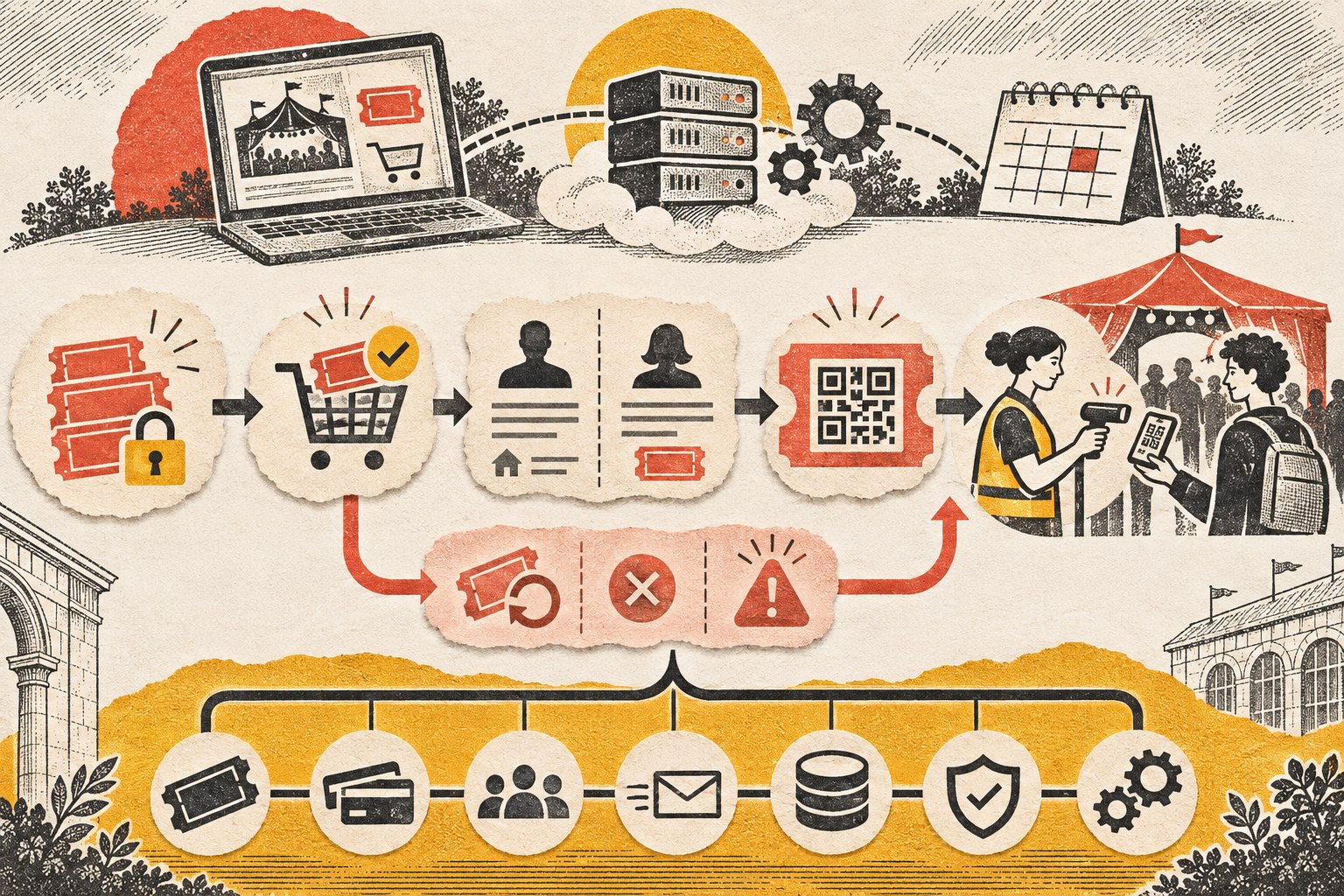
Category: Web Development & Technical Optimization

  • Basic Website vs. Professional Business Website: What Separates a Serious Site?

    Basic Website vs. Professional Business Website: What Separates a Serious Site?

    Direct answer: A professional business website is not defined by custom code, a giant page count, or a designer price tag. It is defined by the business responsibility the site carries. A basic website mainly establishes a credible presence and provides essential information. A professional business website is scoped to help the business attract, persuade, qualify, serve, measure, connect, automate, and improve. The difference is the job the website is designed to do—and the consequences if it fails.

    TL;DR: A basic website is usually an online brochure: it explains who you are, what you do, and how to contact you. A serious business website has more responsibility. It supports customer decisions, creates clear conversion paths, connects to business systems, measures meaningful actions, and has an ownership plan for security, backups, maintenance, recovery, and change. A template-based site can be fully professional when that is all the business needs. Custom work should earn its place.

    A basic website and a professional business website can both be good investments. They simply have different jobs.

    Sometimes a business needs a clean, credible place online so people can verify that it is legitimate, understand the services, see proof, and make contact. That is a perfectly reasonable goal. Not every company needs a client portal, a quoting engine, six integrations, and enough automation to make a robot jealous.

    The problem starts when a business buys a digital business card and expects it to behave like a sales team, operations assistant, lead qualifier, customer-service desk, and marketing engine.

    That is not a website problem. That is an expectation problem.

    What Does a Basic Website Include?

    A basic website usually includes a homepage, an About page, service or product information, contact details, and a simple inquiry form. It may also include testimonials, a map, business hours, a gallery, FAQs, or a small blog. It should still look professional, load quickly, work on phones, use clear language, present the brand consistently, be reasonably accessible, and make contacting the business easy. “Basic” is not permission to build something slow, confusing, insecure, or held together with digital duct tape.

    It simply means the scope is focused.

    • Establish a credible online presence.
    • Explain a straightforward set of services.
    • Show hours, location, service area, or contact information.
    • Support referrals who already know the company name.
    • Launch quickly while an offer or market is still being validated.
    • Give customers one dependable place to verify the business.

    If that is the actual job, a well-built basic website may be exactly right. A focused site built from a strong theme, design system, or website builder can still be professional. The platform does not decide whether the work is serious; the fit between the business need and the execution does.

    But if the website is expected to generate qualified leads, support a complicated buying decision, connect to business systems, automate work, serve customers, or create measurable revenue, the project has crossed into different territory.

    Basic Website vs. Professional Business Website: The Difference at a Glance

    Area Basic website Professional business website
    Primary job Establish presence and provide information Improve marketing, sales, service, or operations
    Strategy Organized around pages and supplied content Organized around a business outcome, audience needs, and measurable actions
    Visitor journey Browse, read, contact Arrive with intent, find the right path, build confidence, take the next step
    Functionality Standard pages, forms, maps, galleries Workflows, portals, quoting, booking, ecommerce, search, or gated content when justified
    Integrations Few or none CRM, email, payments, scheduling, analytics, inventory, support, or internal tools
    Content Essential business information Content mapped to customer questions, proof, search intent, and conversion paths
    Measurement Traffic and form notifications Events, lead sources, conversion paths, funnel behavior, and business outcomes
    Ownership after launch Occasional updates Clear responsibility for maintenance, security, backups, monitoring, recovery, and iteration

    The visual design matters in both columns. It just is not the whole damn job.

    1. A Professional Business Website Starts With a Business Outcome

    A basic project often starts with a page list: Home, About, Services, Contact. A serious project starts with better questions.

    • What is the business trying to improve?
    • Who is the right customer?
    • What does that customer need to understand before taking action?
    • Where are leads or customers getting stuck?
    • Which repetitive tasks are wasting staff time?
    • What systems already exist, and where are the handoffs failing?
    • What result would make the project worth doing?
    • Who will own the site, accounts, data, and maintenance after launch?

    Those answers shape architecture, content, features, integrations, measurement, and calls to action. The website is not planned as a stack of pages. It is planned as part of the business.

    That is the core of website strategy: define the business outcome, understand the customer decisions, identify the constraint, and make the site responsible for the parts it can actually improve.

    “We need a new website” may actually mean:

    • Our leads are terrible.
    • Customers do not understand what makes us different.
    • Our sales team answers the same questions all day.
    • Quotes take too long to prepare.
    • We look smaller and less capable online than we are in real life.
    • Staff members are copying information between systems like it is still 2007.

    The website is often the visible part of the project. The thinking behind it is where much of the value lives.

    2. It Is Built Around Customer Decisions, Not a Navigation Menu

    Visitors do not arrive because they are excited to admire your menu structure. They arrive with a problem, a question, a concern, or a decision to make.

    A serious website helps a visitor answer three things quickly:

    1. Can you solve my problem?
    2. Can I trust you?
    3. What should I do next?

    That means the site needs clear positioning, useful proof, relevant service details, realistic expectations, and an obvious next step. Different visitors may need different paths. A first-time buyer may need education. A ready-to-buy prospect may want pricing context or a consultation. An existing client may need support, documents, or a portal.

    Good design makes those paths feel obvious. Good strategy makes sure they exist in the first place. If the site already attracts people but they do not act, the deeper issue may be conversion friction rather than appearance.

    3. It Does More Than Display Information

    A brochure site publishes information. A serious site can participate in the work.

    • Qualifying leads before they reach the sales team.
    • Guiding customers to the correct service or product.
    • Calculating estimates or configuring options.
    • Scheduling appointments or consultations.
    • Accepting payments, deposits, applications, or document uploads.
    • Providing a client, dealer, member, or employee portal.
    • Searching complex inventories, records, resources, or catalogs.
    • Routing inquiries based on location, service, urgency, or value.
    • Triggering follow-up messages and internal tasks.
    • Syncing information with a CRM, accounting system, ecommerce platform, or help desk.

    This is where “just a website” stops being an honest description. The site becomes software with a public face.

    That does not mean every business needs custom development. Standard tools should do the work when they solve the problem cleanly. Custom functionality becomes justified when the required workflow, integration, data model, transaction, or operational risk cannot be handled responsibly with standard patterns. Adding features because they sound impressive is how budgets disappear into a smoking crater. Adding the right feature because it removes friction or creates value is a different story.

    4. It Connects Systems Instead of Creating Another Silo

    Many businesses already have a website, CRM, email platform, scheduling tool, payment processor, accounting system, spreadsheets, and at least one mysterious workflow that only Linda understands.

    A serious website project considers that ecosystem. The public website may sit between customer intent and several business systems: a form creates a lead, a booking reserves time, a payment updates an order, a portal retrieves records, or an application launches an internal review.
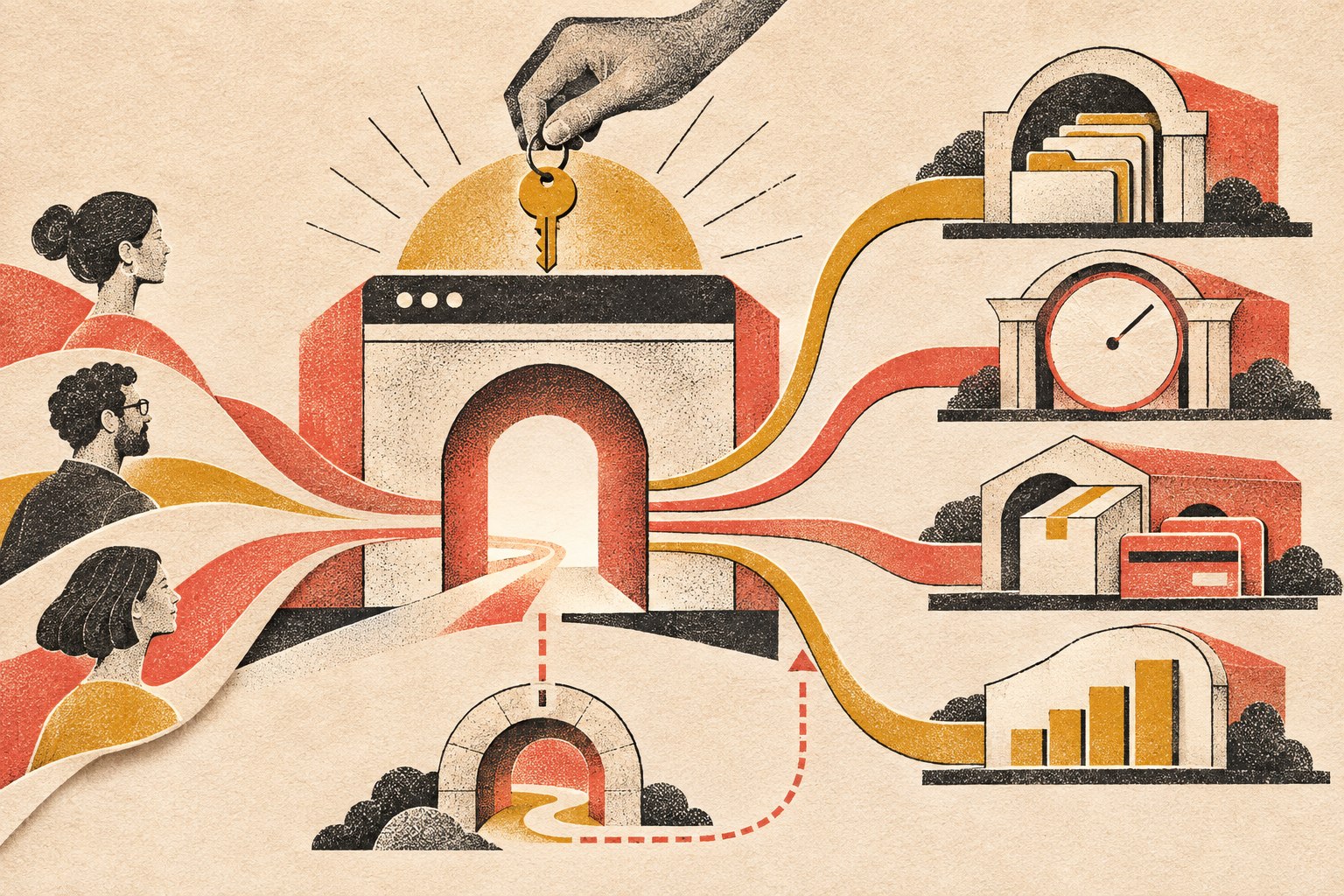
    A considered website gateway routes customer pathways to records, bookings, commerce, and measurement, with a clear fallback path.

    If a form submission still has to be copied into three systems by hand, the website may look modern while the process behind it is wearing a powdered wig. The hard part is not drawing a line between two logos on a flowchart. It is deciding which system owns each piece of information, what should happen when data changes, how errors and duplicates are handled, what staff must approve, and what happens when an external service is unavailable.

    Those are operational decisions. They belong in website planning whenever the site is expected to do real work.

    5. The Content Has a Job

    Serious websites do not treat content as filler poured into a finished design five minutes before launch.

    • The homepage establishes the broad value and main routes.
    • Service pages help a buyer evaluate a specific solution.
    • Comparison pages support commercial research.
    • Case studies and reviews provide proof.
    • Blog articles answer informational questions and build topical depth.
    • FAQs remove friction and handle objections.
    • Contact and booking pages make the next step feel safe and clear.

    This is also where search and AI discoverability begin. The goal is not to repeat one keyword until the page sounds like it was written by a malfunctioning parrot. The goal is to make the answer genuinely useful, structurally clear, easy to crawl, and unambiguous about the question it owns.

    That is why the direct answer appears at the top of this article. Readers should not have to survive 900 words of throat-clearing before learning the point. Scope Design’s guide to front-loading content for AI search explains that approach in more detail.

    6. Technical Quality Is Part of the Product

    A serious website must work when real people use it under real conditions. That includes people on phones, people with slower connections, people using assistive technology, people who mistype information, and people who do things the project team did not expect.

    • Responsive behavior across screen sizes.
    • Performance optimization and sensible asset loading.
    • Accessibility-minded structure, contrast, controls, and content.
    • Secure configuration, updates, backups, and recovery planning.
    • Browser and device testing.
    • Form validation and spam protection.
    • Redirects, canonical URLs, sitemap behavior, and indexation controls.
    • Analytics and event tracking.
    • Clean integrations and documented custom functionality.
    • Staging, deployment, rollback, and post-launch checks.

    None of that is glamorous. Neither is a seatbelt, right up until the moment it matters.

    Google’s current Core Web Vitals guidance defines good field performance as Largest Contentful Paint of 2.5 seconds or less, Interaction to Next Paint of 200 milliseconds or less, and Cumulative Layout Shift of 0.1 or less, measured at the 75th percentile. Performance is not the whole website, but it is one part of whether the experience works well.

    Accessibility deserves the same seriousness. The U.S. Department of Justice explains in its web accessibility and ADA guidance that inaccessible web features can prevent people with disabilities from accessing the goods, services, programs, and activities of covered organizations. The practical point for a business website is simple: accessibility is part of usable design, not a decorative checkbox at the end.

    For more on the performance layer, see Fast & Functional: Web Development & Performance Mastery.

    7. A Serious Website Measures Outcomes

    Page views are interesting. Business outcomes are useful.

    A professional business website should make it possible to understand what is working. The exact measurements depend on the business, but they may include:

    • Qualified contact requests.
    • Phone calls or booked consultations.
    • Quote starts and completions.
    • Ecommerce revenue and checkout completion.
    • Downloads, applications, or registrations.
    • Lead source and campaign performance.
    • Movement through important page sequences.
    • Use of specific tools, searches, calculators, or portal features.

    The point is not to collect every possible event because dashboards are pretty. The point is to connect website behavior to decisions. If nobody can explain what success looks like, the team cannot reliably improve it. They can only rearrange things and hope. Hope is not an analytics strategy.

    8. It Is Built to Change Without Falling Apart

    Businesses evolve. Services change. Teams grow. Marketing campaigns launch. New systems appear. Old systems are finally taken behind the barn.

    • A maintainable content structure.
    • Reusable design patterns.
    • Sensible custom code rather than mystery snippets everywhere.
    • Documentation for important workflows and integrations.
    • A staging environment for safer updates.
    • Clear ownership of domains, hosting, accounts, analytics, code, and source assets.
    • A recovery path if an update, integration, or deployment fails.
    • A plan for extending features without rebuilding the whole thing.

    Scalability does not mean engineering a global platform for a company with twelve customers. It means making smart choices today so tomorrow’s reasonable change does not become a demolition project.

    9. Launch Is a Milestone, Not a Funeral

    Basic sites are often treated as one-time projects: launch it, celebrate, and slowly forget the login.

    Serious business websites need an explicit ownership plan. Software changes. Integrations change. Content changes. Search behavior changes. Security issues appear. Forms break at the worst possible moment because apparently software also enjoys comedy.

    • Updates and compatibility testing.
    • Security monitoring and backups.
    • Uptime and performance monitoring.
    • Broken-link and visual-change checks.
    • Analytics review and conversion improvements.
    • Content updates and search refinement.
    • Testing forms, payments, notifications, and integrations.
    • Recovery procedures and clear account ownership.
    • Planning new features as the business changes.

    A website that matters to the business cannot be treated like a lawn ornament. Ongoing care is part of the system’s reliability.

    10. Cost Follows Responsibility, Complexity, and Risk

    People often compare website prices as if every project is the same object sold in different boxes.

    It is not.

    A focused site using established patterns is not the same project as a site that needs discovery, original positioning, complex content architecture, several audiences, advanced forms, integrations, automation, ecommerce rules, data migration, accessibility work, analytics, testing, and a safe launch plan.

    The higher scope is not payment for extra pixels. It covers more thinking, specialized work, coordination, testing, responsibility, and risk. That still does not mean expensive automatically equals good. A bloated proposal can produce an impressive pile of nonsense. Price is evidence of scope, not proof of quality.

    If you need actual budget ranges and a framework for comparing proposals, use Scope Design’s small business website cost guide. This article’s job is narrower: decide what level of responsibility the website needs to carry before you compare numbers.

    Which Kind of Website Do You Need?

    Choose a focused basic website when:

    • The offer is straightforward.
    • Referrals and existing relationships drive most business.
    • The main goal is credibility and essential information.
    • Standard functionality covers the need.
    • The business is validating an idea or needs to launch quickly.
    • There is no strong business case for deeper integrations or automation yet.

    Consider a more serious website investment when:

    • The site must generate or qualify leads.
    • Buyers need education, proof, or multiple decision paths.
    • The business has complex services, products, audiences, or locations.
    • Staff members are repeating work the website could reduce.
    • Multiple systems need to exchange information.
    • Quoting, booking, ecommerce, search, portal, or workflow features are required.
    • The current site is limiting marketing or operations.
    • Measurement, reliability, ownership, security, and ongoing improvement matter.

    There is no prize for buying more website than you need. There is also no bargain in buying too little for a site that is expected to carry real business risk.

    If you are still deciding what to buy, Scope Design’s business website buyer guide covers the full process from requirements and ownership to budget, provider selection, launch, and maintenance.

    Frequently Asked Questions

    What counts as a professional business website?

    A professional business website is a site whose strategy, content, design, technical quality, measurement, and ownership match the business job it is expected to do. It should clearly explain the offer, help the right visitor decide, provide an obvious next step, work reliably, and have a plan for what happens after launch.

    Is a basic website unprofessional?

    No. A focused website can be professional, useful, fast, accessible, and well designed. It becomes a problem only when its limited scope does not match what the business expects it to accomplish.

    Does a professional website have to be custom-coded?

    No. Templates, design systems, WordPress builders, and hosted website platforms can all produce professional results when their capabilities fit the business need. Custom development makes sense when the required workflow, data, integration, transaction, or product behavior cannot be handled responsibly with standard tools.

    When has a business outgrown a basic website?

    A business has probably outgrown a basic site when the website is limiting lead generation, customer service, marketing, ecommerce, internal workflows, integrations, measurement, or the ability to clearly explain a more complex offer.

    What’s the best website for a small business?

    The best website is the smallest responsible solution that can do the job the business actually needs. A simple service company may need a focused site with excellent messaging and contact paths. A revenue-critical operation may need ecommerce, portals, integrations, automation, advanced search, or custom workflows. Start with the business outcome, not the software brand.

    How much does a professional website cost?

    There is no useful universal number because “professional website” can describe very different scopes. Cost should follow the amount of strategy, content, design, functionality, integration, testing, migration, risk, and ongoing responsibility involved. Compare what the website must accomplish and what the proposal includes before comparing totals.

    Is Wix a professional website platform?

    It can be. Wix and other hosted builders can be a professional fit when their standard design, content, ecommerce, booking, and marketing tools cover the need. The question is not whether the platform is “professional.” The question is whether its limits interfere with the business requirements, ownership, integrations, performance, accessibility, or future change.

    Can WordPress handle a serious business website?

    Yes. WordPress can support brochure sites, ecommerce, memberships, portals, structured content, advanced search, integrations, and custom workflows when it is architected and maintained properly. The platform is only one part of the system; implementation and ownership matter more than the logo on the admin screen.

    What should a business website measure?

    Measure actions tied to business value: qualified inquiries, bookings, calls, quote requests, applications, sales, lead sources, conversion paths, and use of important tools or workflows. Traffic can provide context, but it does not tell you by itself whether the site is doing its job.

    What happens after a serious website launches?

    The site should be monitored, maintained, backed up, secured, tested, measured, and improved. Important accounts and assets should have clear owners, and the team should know how to recover when something breaks. Launch is the beginning of real-world use, not the moment everyone walks away and hopes the plugins behave forever.

    Stop Asking Your Website to Coast

    If all you need is a clean online presence, build that well and do not apologize for it.

    But if the website is supposed to help the business sell, operate, serve customers, and grow, stop treating it like a decorative expense. Treat it like the business system it is.

    Before choosing a scope, use the Website Fitness Test to judge whether the result will actually be good, check the Buyer Decision File for the information it must contain, and audit the full path with the seven-link conversion checklist. Then explore Scope Design’s website development services or contact Scope Design to talk about what your website actually needs to accomplish.


  • Business Website Development: Build a Technical Foundation That Keeps Working

    Business Website Development: Build a Technical Foundation That Keeps Working

    Business website development is the work of turning strategy, content, and design into a fast, secure, accessible, maintainable system that reliably completes the business journeys it was built to support. A technically sound website does more than load without throwing an error: forms deliver, payments reconcile, search engines can reach the right content, staff can make routine changes, backups can actually restore, and another qualified developer can understand the damn thing later.

    TL;DR: Professional web development should give the business six kinds of proof: the critical journey works, real people can use it, the system holds up under realistic conditions, another developer can change it safely, failure can be recovered from, and the business controls its accounts, data, and ongoing responsibility. If a launch produces a pretty homepage but cannot answer those questions, it produced a demo—not a dependable business asset.

    What business website development actually includes

    Business website development includes requirements, architecture, front-end and back-end implementation, content management, integrations, performance, accessibility, security, technical search foundations, testing, deployment, documentation, ownership, and maintenance. The exact depth changes with the job.

    A five-page credibility site does not need the architecture of a national marketplace. A customer portal that moves private data between three systems should not be treated like a five-page credibility site wearing a login screen. Complexity is not a badge of seriousness. It is a cost that must earn its keep.

    That is why the work starts before anyone argues about WordPress, React, a page builder, a plugin, or whatever framework is currently strutting around LinkedIn. The first technical decision is not the stack. It is what the system must help a user and the business accomplish, what failure would cost, and who will operate it when the launch team leaves.

    This is also the boundary between this technical pillar and our complete business website buying guide. The buying guide helps a business choose the right level of website. This guide explains what the technical foundation must do once that choice reaches implementation.

    Reviewed August 2026. We revisit this guide every six months and whenever the cited standards, search requirements, or Scope Design development practices materially change.

    The Scope Design Technical Foundation Test

    A business website is technically healthy when it can pass six questions with evidence—not vibes, not a proposal adjective, and not a green plugin badge someone screenshotted before lunch.

    Test Direct question Useful proof
    Business job Does the critical journey complete from the user’s first step through the business handoff? Journey test, integration result, delivered email or CRM record, completed payment or booking
    People Can real users, including disabled users and people on small screens or keyboards, succeed? Responsive checks, keyboard test, screen-reader review, accessible forms and errors
    Reliability Does the system hold up under realistic devices, networks, browsers, data, and traffic? Field performance, cross-browser QA, error logging, uptime and integration monitoring
    Change Can another qualified developer modify it safely without digital archaeology? Version history, supported dependencies, reusable components, staging workflow, documentation
    Recovery Can it be restored or rolled back when an update, deployment, account, or integration fails? Tested backup, restore record, rollback plan, incident responsibility
    Ownership Does the business control the accounts, data, credentials, licenses, and decisions needed to operate or move the system? Account register, access transfer, data export, license list, maintenance owner
    Layered website foundations connect the user journey to structure, performance, protection, maintainability, recovery, and ownership.
    Scope Design Technical Foundation Test for business website development

    The six tests are connected. A fast page with a dead lead form fails the business job. A secure portal nobody can use with a keyboard fails people. A backup nobody has restored is an optimistic file, not a recovery plan. Clean code stored in an account the client cannot access still fails ownership.

    Start with the business journey, not the technology stack

    The critical business journey is the smallest end-to-end path the website must complete reliably. It may be:

    • search visit → service understanding → qualified inquiry → CRM assignment;
    • product discovery → checkout → payment confirmation → fulfillment;
    • job listing → accessible application → hiring-team notification;
    • client login → document exchange → staff follow-up;
    • auction listing → registration or purchase → invoicing and shipping handoff.

    Write that journey down before selecting tools. Then define the actors, data, systems, exceptions, and evidence at each handoff.

    Suppose a form says “Thank you.” That proves the browser displayed a thank-you state. It does not prove the email arrived, the CRM created the right record, consent was stored, the correct salesperson was notified, or someone owned the response. A contact form is not a sales process wearing a tiny hat.

    For each critical journey, answer:

    1. Who starts it, and what are they trying to accomplish?
    2. What information must the website collect, display, calculate, or transfer?
    3. Which systems or people receive the result?
    4. What common exception can break the path?
    5. What visible or recorded evidence proves completion?
    6. Who notices and responds when completion fails?

    This is where constraint-first website strategy meets development. Strategy defines the job and the buyer path. Development makes that path observable and dependable under real conditions.

    The seven foundations of professional web development

    1. Requirements and architecture must match the actual job

    Architecture is the set of consequential choices about content, data, integrations, permissions, environments, dependencies, and deployment. It should make the important work easier and the dangerous mistakes harder.

    Useful architecture questions include:

    • Is this mostly content, a transaction system, an application, or a mixture?
    • Which data is authoritative, and where is it allowed to change?
    • Which integrations are critical, and what happens when one is unavailable?
    • What information is public, private, regulated, or contractually sensitive?
    • Which content must staff edit without a developer?
    • Which features are differentiating enough to justify custom work?
    • How much traffic, content, transaction volume, and team change is realistically expected?
    • How difficult would migration be if the vendor, platform, or agency disappeared?

    “Scalable” is not an architecture. It is a future-tense compliment. A sound plan names the expected load, change, failure, ownership, and exit conditions that actually matter.

    2. Performance must be measured around the journey

    Performance includes loading, interactivity, visual stability, server response, third-party behavior, and the time a critical action takes to complete. Google currently defines Core Web Vitals around Largest Contentful Paint, Interaction to Next Paint, and Cumulative Layout Shift, evaluated at the 75th percentile. Those are valuable shared signals, but they are not a substitute for testing the business path.

    A catalogue can show a green homepage score while its filters freeze on older phones. A booking page can render quickly while its third-party scheduler takes eight seconds to become usable. A dashboard may be intentionally heavier than a marketing page but still needs a defensible response target for the work users perform.

    Our website speed optimization guide explains how to diagnose the constraint using field and lab evidence. The principle here is simpler: define performance expectations before launch, test representative templates and journeys, and monitor the parts of the experience that can cost the business money or trust. Our website change monitoring guide explains how to catch content, layout, structural, and redirect regressions after launch.

    3. Accessibility and responsive behavior belong in the build

    Accessibility is not a toolbar, an overlay, or a scan stapled to the site the night before launch. It affects structure, components, keyboard behavior, focus management, forms, errors, contrast, media, content, and testing.

    The World Wide Web Consortium recommends integrating accessibility throughout planning, implementation, evaluation, and ongoing monitoring. It also states that no automated tool alone can determine whether a site meets accessibility standards; knowledgeable human evaluation is required.

    For a standards and legal-scope baseline, use our website accessibility compliance guide. During development, require accessible components, semantic structure, keyboard operation, useful labels and errors, zoom and reflow behavior, and mixed-method testing against the project’s stated target.

    Responsive development also means more than stacking columns on a phone. Navigation, tap targets, tables, forms, media, account workflows, and third-party embeds must remain understandable and operable. The responsive design guide and cross-browser testing guide own those deeper implementation jobs.

    4. Security and recovery must be designed, not wished into existence

    Security requirements depend on the system’s data, users, integrations, and consequences. A public brochure site and a portal containing customer documents do not have the same threat model. Both still need controlled access, supported software, secure configuration, update responsibility, backups, and a response plan.

    The National Institute of Standards and Technology organizes secure software development around preparing the organization, protecting software, producing well-secured software, and responding to vulnerabilities. CISA’s Secure by Demand guidance pushes buyers to ask vendors how security is built into the product and procurement process. The useful business lesson is not that every small website needs enterprise ceremony. It is that security responsibilities and evidence should exist before something goes wrong.

    At minimum, define:

    • who controls administrative access and multifactor authentication;
    • how credentials and secrets are stored;
    • how dependencies, plugins, themes, and server software are updated;
    • what data is collected, where it travels, and how long it remains;
    • how forms, uploads, accounts, APIs, and permissions are protected;
    • how backups are created, retained, protected, and restored;
    • who handles an incident and how quickly;
    • what logging or monitoring can reveal a failure.

    Our website security guide handles the broader protection program. The website maintenance guide and safe WordPress plugin update guide explain the operational side after launch.

    5. Maintainability is a feature the next developer will notice

    Professional development assumes another person will need to change the system under pressure years later. That person should not need the original developer’s memory, an expired account, or a séance.

    Maintainability usually improves when the build uses:

    • supported platforms and dependencies;
    • reusable components with clear purposes;
    • predictable naming and structure;
    • version control for custom code;
    • separate development, staging, and production environments where risk justifies them;
    • documented configuration and integrations;
    • routine content controls that staff can actually use;
    • a controlled release and rollback process;
    • a record of known limitations and deferred work.

    Custom code is not automatically more maintainable, and off-the-shelf software is not automatically safer. A popular plugin can be a sensible, supportable choice. Twelve plugins contorted into a business-critical workflow can become an undocumented application with twelve vendors and no owner.

    6. Search and measurement require technical clarity

    Google’s minimum technical requirements are modest: Googlebot must not be blocked, the page must return a successful response, and it must contain indexable content. Meeting those minimums does not guarantee indexing or ranking. Technical development should also preserve crawlable links, sensible status codes, canonical ownership, redirects, structured content, mobile access, and usable page experience.

    The same clarity helps AI-search systems reach and interpret public content. Google’s current guidance for generative AI search features still rests on ordinary crawlability, indexability, technical structure, semantic clarity, and page experience—not a secret GEO incantation.

    Measurement must be designed around meaningful events. A page view can confirm that a page loaded. It cannot confirm that the visitor became a useful inquiry, that the inquiry arrived, or that staff responded. Define the key event, test it from the browser through the destination system, and assign an owner for the report and the failure.

    7. Ownership and operations must survive the launch

    The business should know who owns and controls:

    • the domain and DNS request path;
    • hosting and infrastructure;
    • source code or platform access covered by the agreement;
    • CMS administrator accounts;
    • analytics, search, email, payment, CRM, and integration accounts;
    • licenses, subscriptions, and renewal dates;
    • customer and operational data;
    • design assets and production files;
    • backups and restore access;
    • ongoing updates, monitoring, support, and incident response.

    Ownership does not mean every password is pasted into one spreadsheet and emailed around like a security-themed party favor. It means the organization has durable administrative control, appropriate access separation, a current register, and a handoff that does not leave its website hostage to one person’s inbox.

    What a professional web development process should produce

    A web development process is useful when each phase reduces a specific uncertainty and leaves evidence behind. The number of phases is not sacred. The decision and proof are what matter.

    Phase Question being resolved Evidence the client should receive
    Discovery What business job, users, constraints, and risks matter? Requirements, critical journeys, scope boundaries, assumptions, success measures
    Architecture How should content, data, permissions, integrations, and environments work? Technical decisions, content/data model, integration map, ownership plan
    Experience design How will people understand and complete the journey? Sitemap, wireframes, components, responsive behavior, content requirements
    Implementation Does the approved system exist in a testable environment? Staging access, working increments, versioned custom work, integration status
    Verification Does it work for real users and business systems under realistic conditions? Functional, accessibility, responsive, browser, performance, security, and journey tests
    Release Can it go live without losing data, traffic, access, or the ability to recover? Launch checklist, backup, redirects, tracking checks, rollback path, authorization
    Handoff and operation Can the business own, maintain, monitor, and change it? Accounts, documentation, training, open issues, support boundaries, maintenance schedule

    This is why website project management matters. A project needs a durable record of what was required, decided, approved, changed, accepted, launched, transferred, and left unresolved. Otherwise the post-launch argument becomes three people reconstructing a six-month project from Slack messages and interpretive dance.

    A real example: when the feature request was not the real problem

    A long-established specialty auction business originally came to Scope Design for a new website and new features. Discovery showed that the visible site was sitting on top of a much larger operational system: broken customer-facing functions, disconnected data, manual invoicing, legacy software, unreliable communication, and processes that could not support where the business needed to go.

    A prettier interface would have hidden the problem for approximately five minutes.

    We mapped the business processes and technical dependencies first, then sequenced the work as foundation before features. This is not a measured-results case, and the client is intentionally anonymized. It is evidence of a recurring implementation truth: the thing someone asks a developer to build is not necessarily the technical constraint the business needs solved.

    How to verify a website before and after launch

    Verification should connect requirements to observable evidence. “QA completed” is too vague to be useful unless someone can explain what was tested, where, with what data, and what remained open.

    Verify the critical journeys end to end

    Test the entire path, including the destination system and human handoff. Submit the form and confirm the record. Complete the payment and reconcile it. Trigger the automation and confirm the right branch. Use realistic permissions and representative data.

    Test real device, browser, and access conditions

    Automated checks catch useful classes of errors. They do not replace keyboard testing, screen-reader judgment, older or smaller devices, slow connections, different browser engines, zoom, reflow, or the delightful chaos of a third-party embed.

    Prove recovery before you need it

    Confirm a current backup can be restored in an appropriate environment. Record what it contains, how long restoration takes, who can authorize it, and what data may be lost between the backup and the incident.

    Monitor business failures, not just server uptime

    A server can return 200 while a form silently fails, an email provider rejects messages, a payment webhook stops, or an API changes. Monitor the journeys and integrations whose failure matters, then route alerts to a person who can act.

    Recheck after consequential change

    Content edits, plugins, dependencies, scripts, integrations, hosting changes, and new campaigns can alter performance, accessibility, tracking, and functionality. Maintenance is controlled change plus verification, not merely clicking update. If the business lacks an internal owner, compare providers using the responsibilities in our WordPress maintenance services guide.

    When custom development is worth it

    Custom development is justified when the process is genuinely differentiating, integrations or data ownership are central, unusual rules create business value, or forcing standard tools to behave like custom software costs more than building the seam deliberately.

    Custom work is usually a weak choice when:

    • the site’s job is modest credibility and lead capture;
    • content and features are stable;
    • an established tool meets the requirement cleanly;
    • the organization cannot fund maintenance;
    • the request exists because a feature looks impressive rather than because it solves a measured constraint;
    • the same outcome can be reached by simplifying a process.

    A template or managed platform can be the professional answer. The standard is not how custom the code is. The standard is whether the chosen system passes the technical foundation test at a cost and ownership level the business can sustain.

    For budget decisions, use the small-business website cost guide. It compares the full three-year responsibility and change picture rather than pretending two proposals with the same page count are the same product.

    Frequently asked questions about business website development

    What is business website development?

    Business website development is the planning, implementation, testing, deployment, and maintenance work that makes a website perform a defined business job. It includes front-end and back-end code where needed, but also architecture, content management, integrations, accessibility, performance, security, search foundations, analytics, ownership, and recovery.

    What are the main stages of the web development process?

    The usual stages are discovery, architecture, experience design, implementation, verification, release, handoff, and ongoing operation. A smaller project may combine stages, while a complex application may repeat them in short cycles. Each stage should resolve a decision and leave reviewable evidence.

    What are the most important web development best practices?

    The most important practices are defining critical journeys, choosing maintainable architecture, building accessibility and security into the work, measuring performance with field and lab evidence, using controlled environments and releases, testing end to end, documenting consequential decisions, transferring ownership, and monitoring after launch.

    What is the difference between web design and web development?

    Web design defines the visual system, content presentation, interaction patterns, and experience. Web development implements the system that delivers those decisions and connects them to data, integrations, infrastructure, security, and operations. Strong projects overlap the disciplines deliberately; tossing a design over a wall to development is how important edge cases become “out of scope.”

    What should a website developer deliver at handoff?

    The developer should deliver the agreed live system, appropriate administrative and infrastructure access, a current backup, documentation, training, integration and license records, analytics and search access, known limitations, unresolved issues, support terms, maintenance responsibility, and any source or design assets included in the contract.

    How much does business website development cost?

    Cost depends on requirements, content, integrations, data, accessibility, security, migration, testing, ownership, and post-launch support—not page count alone. A simple professional site may use a well-chosen template or managed platform. A custom operational system costs more because it includes discovery, architecture, implementation, risk, and ongoing responsibility. Compare normalized scope and three-year cost, not one seductive launch number.

    Is custom web development always better?

    No. Custom development is better only when the business requirement earns the added cost, testing, documentation, and maintenance. An established tool is often safer and cheaper when it meets the job without contortion. Custom code for its own sake is expensive theater.

    Can ChatGPT or another AI build a business website?

    AI can help generate, explain, review, and transform code and content. It can accelerate a competent developer’s work. It does not own the requirements, verify the complete business journey, accept legal or operational responsibility, transfer accounts, monitor failures, or recognize every plausible mistake. Use AI as a reviewable production tool, not as a substitute for accountable technical judgment.

    What is a good website speed target?

    There is no single score that proves every website journey is fast enough. Use current Core Web Vitals as shared field-experience thresholds, then add task-specific targets for important pages, interactions, searches, checkouts, uploads, or integrations. Test representative users, devices, data, and network conditions.

    Which accessibility standard should a business website use?

    WCAG 2.2 is the current W3C Recommendation and a strong technical target, but legal and contractual obligations vary by organization, geography, industry, and procurement context. Define the required conformance target, build it into components and content, and use automated plus knowledgeable human evaluation.

    How do I know whether a website is secure?

    No screenshot or plugin can prove absolute security. Ask for the security requirements, access controls, update process, dependency responsibility, backup and restore evidence, data flow, monitoring, incident process, and known limitations appropriate to the system’s risk. Security is a managed practice, not a one-time badge.

    Who should own the domain, hosting, analytics, and website accounts?

    For the provider decision itself, use our small business web hosting guide to compare account control, workload, recovery, support, migration, and three-year cost.

    The business should retain durable administrative control of its domain, DNS, hosting, analytics, search, marketing, payment, and operational accounts. An agency can manage them with appropriate access, but the client should not lose the ability to change providers, export data, restore service, or authorize critical decisions.

    Does a website need ongoing maintenance after launch?

    Yes. Websites depend on hosting, browsers, integrations, software, content, security practices, search systems, and business processes that change. Ongoing work should include controlled updates, backups and restore checks, monitoring, security response, journey verification, accessibility regression review, performance checks, and clear ownership.

    A website is finished when the business can operate it—not when the homepage looks finished

    The strongest business website development is rarely the work with the largest stack or the most dramatic animation. It is the work that makes the critical journey clear, chooses the smallest supportable system, proves the important behavior, transfers ownership, and leaves a responsible path for change.

    If your website looks fine but the foundation is slow, fragile, inaccessible, unowned, or held together by one person’s memory, Scope Design can help map the system before prescribing the build. Review our website development services or contact Scope Design to start with the business journey and the technical evidence—not a shopping list of features.

    Sources

  • Vibe Coding: How to Build With AI Without Shipping a Mess

    Vibe Coding: How to Build With AI Without Shipping a Mess

    Vibe coding is a way of building software by describing what you want in natural language, letting an AI coding assistant generate or change the code, and iterating on the result. It can make prototypes and experiments dramatically easier to start. But when the software handles customers, money, private data, or daily operations, speed is only half the job: someone still has to understand, test, secure, and own what ships.

    That distinction matters because “vibe coding” now gets used as a catch-all for everything from prompting a browser app builder to running an autonomous coding agent inside a real repository. The tools are getting more capable. The responsibility did not disappear.

    Vibe Coding in 30 Seconds: The TL;DR

    • Vibe coding shifts much of the work from typing syntax to describing intent, reviewing behavior, and steering AI.
    • It is excellent for prototypes, internal tools, proofs of concept, small automations, and interface experiments where changes are easy to reverse.
    • It becomes risky when people treat generated code as trustworthy simply because the demo works.
    • Production-grade AI-assisted development still needs requirements, version control, tests, code review, security checks, deployment discipline, and a human owner.
    • Our rule at Scope Design: AI accelerates implementation, not accountability.

    What Is Vibe Coding?

    Vibe coding is software development driven primarily through natural-language instructions to AI. You describe a feature, screen, bug, or behavior; the AI writes or edits code; you run the result; then you describe what should change next. Google now uses the phrase directly in its AI Studio Build mode documentation, which lets people build applications from prompts. GitHub, IBM, Microsoft, and other major development platforms also use the term in their educational material.

    The original spirit of the term was intentionally loose: keep describing the desired behavior, accept a lot of what the model produces, and stay focused on whether the thing works rather than scrutinizing every line. That can be a useful mode for exploration. It is not the same thing as responsible production engineering.

    Vibe coding vs. AI-assisted engineering vs. agentic coding

    These approaches overlap, but they are not identical. Vibe coding is outcome-first and conversational: “make the login form behave like this.” AI-assisted engineering uses AI inside a conventional engineering process, with requirements, architecture, tests, review, and deployment controls. Agentic coding gives an AI system more autonomy to inspect a repository, plan work, edit multiple files, run commands, fix errors, and sometimes prepare pull requests.

    Current tools increasingly blur those lines. OpenAI Codex is built around agentic software-engineering work, while Cursor Agent can explore a codebase, edit multiple files, run commands, and support diff review. The important question is not which label sounds newest. It is how much autonomy you are giving the tool, and what checks remain between generated code and a real user.

    Why Vibe Coding Feels So Fast

    Traditional development forces ideas through several translation layers: business need to specification, specification to architecture, architecture to code, code to a working interface. AI can compress some of those layers. A person who understands the desired outcome can describe it directly, see a working attempt, and react to something concrete.

    That changes the bottleneck. Instead of spending all your attention remembering syntax or wiring boilerplate, you spend more of it on intent, constraints, examples, edge cases, and evaluation. When the loop is working well, it feels less like writing code line by line and more like directing a very fast junior implementation team.

    The catch is obvious once you say it that way: a fast implementation team can also create a fast pile of mistakes if nobody is defining the job or reviewing the work. Better prompting helps, but prompting is not a substitute for judgment. If you want a repeatable way to give AI clearer context, our BRIEF Test for writing better AI prompts covers the same principle from the communication side.

    Where Vibe Coding Works Well

    Vibe coding is most useful when the cost of being wrong is low and the cost of learning is high. That makes it a strong fit for work where you want feedback quickly and can throw away or revise the first attempt.

    • Prototypes and proofs of concept: test whether an idea deserves more investment before designing the final architecture.
    • Internal utilities: small dashboards, data cleanup tools, report generators, or workflow helpers used by a limited team.
    • One-off automations: scripts that transform data, rename files, connect APIs, or remove repetitive manual steps.
    • Interface experiments: quickly compare layouts, interactions, form behavior, and user flows.
    • Learning and exploration: ask the AI to explain unfamiliar code, sketch an approach, or create a disposable example you can inspect.

    The common thread is reversibility. If a bad result costs an hour, you can move fast. If a bad result leaks customer data, breaks checkout, corrupts records, or leaves a client unable to maintain the system, you need a different level of control.

    Where Vibe Coding Breaks Down

    1. A working demo can hide bad architecture

    AI is very good at producing something that looks plausible locally. It can also duplicate logic, introduce unnecessary dependencies, mix patterns, or patch around a symptom instead of fixing the underlying design. The more prompts you stack on top of an unclear foundation, the more expensive the eventual cleanup can become.

    2. Context drifts

    A model only works with the context it can see and the instructions it can retain. On a longer project, conventions that felt obvious in the first conversation can disappear. That is why durable project rules, architecture notes, acceptance criteria, examples, and repository documentation matter. Your real development process cannot live only in yesterday’s chat history.

    3. Debugging gets harder when nobody understands the code

    There is a difference between not typing every line and not understanding the system. You do not have to hand-author every function to own a codebase, but someone needs enough understanding to diagnose failure, judge tradeoffs, and know when the AI’s proposed fix is making the system worse.

    4. Security does not become optional

    AI-generated code is still software. Authentication, authorization, input validation, secrets, dependencies, logging, data handling, and deployment controls still matter. The NIST Secure Software Development Framework exists because secure practices have to be integrated into the development life cycle. Generating code faster does not remove that requirement.

    5. Ownership can be the hidden cost

    Some tools make the first build extremely easy but make export, migration, custom deployment, or long-term maintenance harder. Before a business commits to a platform, ask who owns the source, data, domain, deployment, integrations, and account credentials, and how you leave if the tool stops fitting. It is the same control problem we use the EXIT Test to evaluate in CMS decisions.

    The Scope Design VIBE Check

    The useful part of vibe coding is the fast feedback loop. The dangerous part is letting “it seems to work” become the acceptance test. We use a simple four-step check to keep the speed while restoring engineering discipline.

    Four stages of responsible AI-assisted coding: define the goal, isolate a reversible experiment, build modular software with human guidance, and evaluate the result.

    V — Verify the outcome and constraints

    Define what success looks like before asking for code. Include the user, the desired behavior, important edge cases, security or privacy constraints, the existing stack, and what must not change. “Add subscriptions” is vague. “Add monthly Stripe subscriptions to this existing WooCommerce flow without changing current one-time purchases, and define acceptance tests before editing” gives the agent something it can reason about.

    I — Isolate the smallest reversible change

    Do not ask an agent to rewrite half the application when one contained change can answer the question. Work in a branch, sandbox, staging environment, or disposable prototype. Small changes are easier to review, test, revert, and explain.

    B — Build with context and version control

    Give the AI the files, rules, documentation, examples, and constraints it actually needs. Let Git record what changed. For larger tasks, ask for a plan before implementation and require the agent to explain which files it intends to touch. Current coding agents can do far more than autocomplete, but more autonomy should come with better boundaries, not fewer.

    E — Evaluate the result

    Run automated tests. Inspect the diff. Exercise the feature manually. Check errors and logs. Review security-sensitive code separately. Confirm that the result satisfies the business requirement, not merely the prompt. If the system matters, evaluation is where the work becomes engineering instead of a demo.

    A Production-Ready AI Coding Workflow

    You can keep the conversational speed of vibe coding without giving up a professional development process. A practical workflow looks like this:

    1. Write acceptance criteria first. State the behavior, constraints, and edge cases in plain language.
    2. Start from a clean branch or sandbox. Make rollback cheap before you make change fast.
    3. Load the right context. Give the agent relevant files, project rules, architecture notes, API docs, and examples.
    4. Ask for a plan on non-trivial work. A good plan exposes bad assumptions before they become hundreds of changed lines.
    5. Implement in small slices. One coherent behavior at a time is easier to validate than a giant autonomous rewrite.
    6. Run tests and static checks. Do not accept “done” from the agent as proof that the application is done.
    7. Review the diff. Look for unrelated edits, duplicated logic, dependency changes, secrets, permissions, and error handling.
    8. Perform human acceptance testing. Use the feature the way a real person will use it.
    9. Deploy with a rollback path and monitoring. Production is the wrong place to discover that the AI misunderstood one sentence in the prompt.

    This process is slower than blindly clicking “accept all,” and much faster than recovering from a change nobody understood.

    How to Choose Vibe Coding Tools in 2026

    The tool list changes too quickly for a useful guide to pretend there is one permanent winner. Instead, choose the category that matches the job and evaluate how well it supports control.

    IDE coding agents

    Tools such as Cursor and GitHub Copilot keep AI close to the editor and repository. They are useful when a developer wants codebase-aware suggestions, multi-file changes, commands, and review without leaving a familiar development environment.

    Terminal and repository agents

    Tools such as OpenAI Codex and Claude Code are designed to work directly with development environments and repositories. They fit well when the task is broader than writing one function: investigating a bug, making coordinated edits, running tests, refactoring, or preparing changes for review.

    Browser-based app builders

    Platforms such as Google AI Studio Build mode and Replit Agent can take you from a prompt to a working application with much less setup. They are compelling for prototypes and smaller apps, especially for people who do not want to assemble a local toolchain first. Their convenience makes the ownership questions even more important once the prototype becomes a business dependency.

    Evaluate capabilities, not hype

    • Can it understand the whole repository and persistent project rules, or only the current chat?
    • Can you inspect diffs before changes are accepted?
    • Can it run your real test suite and development commands?
    • Can you control models, permissions, approvals, and external tool access?
    • How are source code, prompts, private data, and secrets handled?
    • Can the project be exported, deployed elsewhere, and maintained without the original platform?
    • Does it integrate with your existing issue tracker, Git provider, documentation, and APIs rather than creating a parallel workflow?

    What Businesses Should Know Before Shipping AI-Generated Code

    For a business owner, the most important question is not “Did AI write this?” It is “Can we trust, operate, change, and recover this system?” AI-assisted code can be excellent code. Human-written code can be terrible code. The development process is what determines whether either one is fit for the job.

    Before an AI-built prototype becomes operational software, make sure someone can answer these questions:

    • Who owns the technical decision and signs off on the release?
    • What customer, employee, financial, or regulated data can the tool or model access?
    • Which automated and manual tests prove the critical workflows still work?
    • Who can debug the application six months from now if the original chat is gone?
    • What dependencies, hosting services, model providers, or platform-specific features create switching costs?
    • Can you restore the prior version quickly if a deployment fails?

    This is the same constraint-first thinking we apply to websites and marketing systems: identify what the business actually needs, then choose the tactic and technology that removes that constraint. “Use AI” is not a business objective. Faster learning, lower implementation cost, better internal tooling, or shorter time to validated demand might be.

    Vibe Coding FAQ

    Is vibe coding bad?

    No. Vibe coding is a mode of working, not a quality rating. It is excellent for low-risk exploration and can remain part of a professional workflow. It becomes dangerous when a working output is treated as sufficient evidence that the code is secure, maintainable, and correct.

    Do you need to know how to code to vibe code?

    You can create useful prototypes without deep programming knowledge, especially with browser-based builders. The less code you understand, though, the more carefully you should limit the consequences of mistakes. For production software, someone with engineering judgment should still own review, security, testing, and maintenance.

    What is the difference between vibe coding and agentic coding?

    Vibe coding describes the conversational, outcome-first style of steering AI to build software. Agentic coding describes AI systems that can take more autonomous actions such as exploring repositories, editing multiple files, running commands, and iterating toward a task. You can vibe code with an agent, but an agentic workflow can also be highly structured and engineering-led.

    Can vibe coding be used for production software?

    Yes, if you stop treating the vibe as the quality-control system. Production use needs the same controls you would expect for any consequential software: defined requirements, source control, tests, review, security practices, staged deployment, monitoring, and clear ownership.

    Is vibe coding secure?

    It can be, but security is not automatic. Review authentication, permissions, data handling, secrets, dependencies, input validation, logging, and deployment configuration. Also understand what code and data your chosen AI service can access and how your organization configures that access.

    Will vibe coding replace developers?

    It changes what developers spend time on more than it eliminates the need for engineering. As code generation becomes cheaper, defining the right problem, designing systems, supplying context, validating behavior, reviewing risk, and integrating software into real organizations become more important.

    How should I start vibe coding?

    Pick a small, reversible project. Write down the desired outcome and constraints, choose a tool that lets you see or export the code, keep changes under version control if possible, and use the VIBE Check: Verify, Isolate, Build, Evaluate. Do not make your first experiment the system that runs payroll or checkout.

    What is the best vibe coding tool?

    There is no universal best tool. Use an IDE agent when you want tight integration with an existing codebase, a terminal/repository agent for broader engineering tasks, and a browser builder when speed to a prototype matters most. Then compare context quality, review controls, tests, permissions, privacy, exportability, integrations, and cost.

    Build Fast. Keep the Ability to Own What You Built.

    Vibe coding is not a fad to dismiss, and it is not permission to stop engineering. It is a faster interface between human intent and executable software. Used well, that can shorten the distance between an idea and useful evidence. Used carelessly, it can shorten the distance between an idea and technical debt.

    If your organization wants to use AI to prototype an internal tool, automate a workflow, extend a website, or build production software without creating a maintenance trap, talk to Scope Design. We can help define the constraint first, choose the right level of AI assistance, and build something you can still understand and own after the demo is over.

  • How to Mass Disable Comments on Old WordPress Posts (5 Proven Methods)

    How to Mass Disable Comments on Old WordPress Posts (5 Proven Methods)

    If you want to disable comments on old WordPress posts without deleting the discussion that is already there, start with WordPress’s built-in age rule. Go to Settings → Discussion, enable Automatically close comments on articles older than X days, choose the cutoff, and save. WordPress stops accepting new comments on posts older than that threshold while leaving previously approved comments visible.

    That distinction matters: disabling comments is a state change; deleting comments is content destruction. If the job is “stop new comments on our archive,” there is normally no reason to empty wp_comments, truncate tables, or erase legitimate conversation.

    The quick answer: five ways to disable comments on old WordPress posts

    SituationBest methodPlugin?Existing comments preserved?
    Automatically close discussion after posts age1. Native age ruleNoYes
    Close selected existing posts or pages2. Bulk EditNoYes
    Close large or repeatable batches with shell access3. WP-CLINoYes
    Enforce an ongoing no-comments policy4. Disable Comments pluginYesUsually
    Close everything before an exact date at database scale5. Direct SQLNoYes, if you only change post state

    The native methods come first on purpose. Adding a permanent plugin for a one-time checkbox job creates another dependency to maintain. Direct SQL sits last because it is powerful and precise, but it bypasses the normal WordPress application path. Powerful does not automatically mean better. Sometimes it just means the mistake happens faster.

    Close, hide, and delete are three different jobs

    The Scope Design Comment Shutdown Ladder keeps the operations separate:

    • Close: stop new comment submissions while approved history can remain visible. This is the default recommendation.
    • Hide: change what visitors see. The data can still exist, and hiding a form is not the same as changing whether WordPress accepts comments.
    • Delete: remove comment data. This is a separate cleanup or retention decision and deserves its own backup and approval.

    Before any large WP-CLI or database change, protect a recovery point and preview what will be affected. That is the same controlled-change discipline in our safe WordPress plugin update guide: know the scope, have a way back, make the smallest necessary change, then prove the result.

    Method 1: automatically close comments after X days

    Best for: sites that want discussion on fresh articles but want old content to close automatically.

    In Settings → Discussion → Other comment settings, enable Automatically close comments on articles older than X days. Enter the age threshold that fits your publishing model—30, 60, 90, 180, or another number—and save. WordPress’s Discussion settings documentation explicitly says the setting prevents new comments after the period while leaving previously approved comments visible.

    This is different from unchecking Allow people to post comments on new articles. That option controls the default for new content going forward. The age rule is the built-in answer when you specifically need to disable comments on old WordPress posts.

    Custom post types need a separate check

    WordPress core’s old-post closure logic defaults to the standard post post type. The core reference for _close_comments_for_old_posts() shows the default and the close_comments_for_post_types filter developers can use to extend it. Do not assume the dashboard age rule automatically covers products, events, portfolios, or every custom post type.

    That matters because features can use comments under the hood. WooCommerce product reviews are an obvious example. Inventory the content types before applying a broad rule.

    Method 2: Bulk Edit selected existing posts

    Best for: a one-time batch where you know which existing posts or pages should stop accepting comments.

    1. Go to Posts → All Posts.
    2. Use date, category, author, or search filters to narrow the list.
    3. Select the posts and choose Bulk actions → Edit.
    4. Set Comments to Do not allow.
    5. Click Update and verify representative posts on the front end.

    WordPress’s Posts screen documentation confirms that Bulk Edit can change Comments Allowed for selected posts. The same general approach is available for Pages.

    Some tutorials call 20 posts a hard Bulk Edit limit. It is not. Twenty is a common default number of rows shown in the admin list. You can display more rows and work in sensible batches. On large sites, smaller batches are often smarter because they make failures easier to isolate.

    Method 3: WP-CLI for large or repeatable batches

    Best for: developers and administrators with shell access who need a repeatable, reviewable change across many posts.

    The official wp post list command can preview IDs, dates, titles, and comment status. The official wp post update command supports --comment_status=open|closed for one or more IDs.

    Preview first:

    wp post list --post_type=post --post_status=publish --fields=ID,post_date,post_title,comment_status --format=table

    Then close a known batch:

    wp post update 123 456 789 --comment_status=closed

    For a whole publication year, wp post list can pass the WordPress year query argument:

    wp post update $(wp post list --post_type=post --post_status=publish --year=2024 --format=ids) --comment_status=closed

    Use batches on very large sites. Giant all-at-once shell commands can hit argument-length limits and are harder to inspect. Years, categories, or known ID groups create safer checkpoints.

    Method 4: a Disable Comments plugin for an ongoing policy

    Best for: organizations that do not want comments at all, or want a persistent no-comments policy on particular post types or a multisite network.

    The official WordPress.org listing for Disable Comments by WPDeveloper can disable comments across posts, pages, media, or the network and remove much of the comments-related admin interface. Its documentation also says not to use it merely for selectively disabling individual posts because WordPress already supports that.

    That matches our normal WordPress rule: do not add a permanent dependency to solve a temporary checkbox problem. If “comments are not a feature here” is truly an ongoing policy, a plugin can centralize that decision. Before activation, check whether comments power product reviews, memberships, support threads, or custom workflows.

    If you add the plugin, own it like any other production dependency: updates, monitoring, rollback, and compatibility. Our website maintenance guide explains why “installed” is not the same as “owned.”

    Method 5: direct SQL for an exact cutoff

    Best for: experienced administrators who need an exact date cutoff across a very large site and have a verified database backup plus direct database access.

    Direct SQL should change the post’s comment state, not delete the comments. If the goal is to close intake, update comment_status on the matching posts. Do not truncate wp_comments or wp_commentmeta. Those operations destroy data and solve a different problem.

    Back up first, then preview. Replace wp_ if your site uses a different table prefix and replace the sample date with the real cutoff:

    SELECT ID, post_title, post_date, comment_status
    FROM wp_posts
    WHERE post_type = 'post'
      AND post_status = 'publish'
      AND post_date < '2025-01-01 00:00:00'
    ORDER BY post_date DESC
    LIMIT 50;

    Only after the preview is correct, run the narrow state change:

    UPDATE wp_posts
    SET comment_status = 'closed'
    WHERE post_type = 'post'
      AND post_status = 'publish'
      AND post_date < '2025-01-01 00:00:00';

    If pingbacks and trackbacks also need to close, handle ping_status as a separate explicit decision. A direct database change should be as narrow as the requirement. Because SQL bypasses the normal WordPress application path, verify representative posts immediately afterward and clear the normal persistent cache if the site uses one.

    If the database workflow feels opaque, use Method 1, 2, or 3 instead. The database is a lousy place to learn by vibes.

    How to verify the shutdown

    1. Open an old post that should now be closed in a private browser window.
    2. Confirm the comment form is unavailable.
    3. Confirm approved historical comments still display when preservation was part of the plan.
    4. Open a recent post that should remain open and confirm it still accepts comments.
    5. If you changed pages or custom post types, test at least one representative item from each type.
    6. If you used SQL or changed a production plugin policy, record what changed, when, and how to reverse it.

    This is the same principle behind our Web Development & Technical Optimization framework: a change is not complete when it is typed. It is complete when the intended behavior is proven.

    Frequently asked questions

    Does disabling comments delete existing comments?

    No. Closing comments prevents new submissions; it does not inherently delete approved comments already stored on the post. WordPress’s built-in age setting explicitly leaves previously approved comments visible.

    How do I disable comments on all existing posts without a plugin?

    Use Posts → All Posts → select the target posts → Bulk actions → Edit → Comments → Do not allow. For large sites with shell access, WP-CLI can set comment_status to closed for controlled batches.

    Can I disable comments on pages too?

    Yes. Pages also have a comment permission state, and the Pages screen supports bulk editing Comments Allowed. Whether a theme displays a page comment form is a separate presentation question.

    Can I reopen comments later?

    Yes. Bulk Edit and WP-CLI can set comment status back to open, and the age rule can be disabled or changed. That reversibility is another reason to prefer a state change over deletion.

    Close the door; do not burn the guestbook

    For most sites, the right way to disable comments on old WordPress posts is a native setting followed by a quick verification. Use Bulk Edit when the set is selective, WP-CLI when the work is large or repeatable, a plugin when the policy is persistent, and SQL only when the scale and precision justify bypassing the normal application path.

    If comment cleanup is one symptom of a WordPress site nobody clearly owns—updates are ad hoc, backups are theoretical, and every change feels risky—review what real WordPress maintenance support should include. Good maintenance is intentionally uneventful: scoped, recoverable, tested, and documented.

    Sources and further reading

  • How to Display Specific ACF Fields in Elementor Using JetEngine: Complete Guide

    How to Display Specific ACF Fields in Elementor Using JetEngine: Complete Guide

    If you only need to display ACF fields in Elementor, start with Elementor’s ACF dynamic tag. You do not need JetEngine Query Builder just to print a text field, image, number, date, or other supported value. JetEngine earns its place when you need a reusable Listing, need to filter a collection of posts by ACF values, or need a repeater-specific output workflow.

    That distinction matters because the most common mistake in this setup is mixing up display logic with query logic. Showing the current post’s price field is a display problem. Showing only posts where price > 100 is a query problem. Treating those as the same job creates a lot of unnecessary clicking and a surprisingly fragile site.

    TL;DR: Choose the Layer That Owns the Job

    What you need to do Best starting point Why
    Show one supported ACF value on the current post Elementor dynamic tag Simplest path; no custom query needed
    Show ACF values inside a reusable card or directory item JetEngine Listing + Dynamic Field Reusable rendering for many items
    Show only posts matching an ACF value JetEngine Query Builder + Meta Query This is a filtering/query job
    Show an ACF Repeater JetEngine Dynamic Repeater or repeater Listing Elementor’s native ACF integration does not support repeaters
    Use complex relationship/repeater data with custom ordering Normalize the data, then query/render deliberately Keeps data, query, and presentation logic separate

    The useful rule is simple: store with ACF, show with Elementor or JetEngine, select with Query Builder only when you actually need selection logic.

    The Scope Design Store → Show → Select Test

    We use a three-layer mental model for dynamic WordPress builds because it keeps the implementation maintainable.

    A three-stage dynamic content workflow: store structured fields, display them in a designed page, and select matching records.

    1. Store: What data does ACF own?

    ACF should be the stable data layer. Give fields clear names, use the field type that matches the data, and decide what each field returns before you design the front end around it.

    A relationship field can return post objects or IDs. An image field can return an array, URL, or ID. A select field can expose a value and label. Those choices affect what Elementor or JetEngine receives.

    If the data model is fuzzy, the frontend becomes a pile of workarounds wearing a nice shirt.

    2. Show: How should this value be rendered?

    If you are showing a value from the current post, user, or another known object, this is primarily a rendering job. Elementor’s official ACF integration lets supported ACF fields feed widgets through the ACF Field dynamic tag. JetEngine’s Dynamic Field can also render metadata inside pages and Listing templates.

    The question is not “Which plugin is more powerful?” The question is “Which tool solves this particular output with the least moving parts?”

    3. Select: Which records should appear at all?

    When you need to decide which posts, users, terms, or other records belong in the result set, now you have a query problem. JetEngine Query Builder is useful here because its Posts Query supports Meta Query clauses that compare stored meta values and determine which posts are returned.

    That separation is the heart of this guide.

    How to Display ACF Fields in Elementor Without JetEngine

    For a normal text, number, image, date, select, checkbox, or other supported field, start with Elementor before adding another layer.

    Elementor’s current documentation describes the basic flow:

    1. Create or edit the ACF field group and assign it to the correct post type.
    2. Populate the field on a real post so you have something to preview.
    3. Edit the relevant Elementor Single template or page.
    4. Choose a widget/control that supports dynamic data.
    5. Click the Dynamic Tags icon.
    6. Choose ACF Field.
    7. Open the ACF Field settings and select the field key you want to display.
    8. Add a fallback if an empty field would otherwise leave an awkward hole in the layout.

    Elementor maintains an official list of supported ACF field types in its ACF integration documentation. The important exception for this article is the Repeater field: Elementor explicitly says repeater fields are not supported by its native ACF integration.

    Example: Show a product subtitle

    Suppose a custom post type has an ACF text field named product_subtitle.

    You do not need a JetEngine Posts Query to display it. Add a Heading or Text widget, bind it to ACF Field → product_subtitle, and style the widget normally.

    That is the entire job.

    If the field is blank, use Elementor’s fallback setting or make a deliberate visibility decision. Do not build a query that excludes the whole post just because one display field is empty unless that is genuinely the business rule.

    When JetEngine Dynamic Field Is the Better Display Tool

    JetEngine becomes useful for rendering when you are already building a JetEngine Listing or need its dynamic callbacks and field-output options.

    A Listing is a reusable template for one item in a collection: a property card, team member, product, event, directory record, resource, testimonial, or similar repeatable object. JetEngine can then render that Listing inside a Listing Grid.

    Inside the Listing template, JetEngine’s Dynamic Field widget can pull metadata from the current listing item. Crocoblock also documents ACF as a source in its ACF-compatible dynamic workflows.

    A practical Listing might include:

    • post title from WordPress;
    • featured image or ACF image;
    • ACF price field;
    • ACF location field;
    • ACF availability field;
    • a link to the single post.

    The Listing is the show layer. It defines how each returned record looks.

    The query is separate. You can reuse the same Listing with different queries on different pages.

    That separation is powerful because you do not have to rebuild the card design every time the filtering rule changes.

    How to Filter Posts by ACF Values With JetEngine Query Builder

    Use Query Builder when the page should show a subset of posts based on custom-field values.

    Show only product posts where the ACF field color_type equals yellow.

    That is exactly the kind of job a Meta Query is built for.

    Step 1: Confirm the stored ACF value

    Before building the query, confirm the field name and the actual saved value. The label you see in the editor is not necessarily the value stored in post meta.

    For a select field, “Yellow” might be the human-readable label while the stored value is yellow. For a relationship field, you may be dealing with IDs or serialized structures depending on configuration.

    This is where many “JetEngine is broken” problems begin. The query is often fine; it is comparing against the wrong thing.

    Step 2: Create a Posts Query

    Go to JetEngine → Query Builder and create a new query. Choose Posts Query, then set the post type and any basic constraints you genuinely need.

    Step 3: Add a Meta Query clause

    Crocoblock’s current Posts Query documentation explains the Meta Query section used to compare custom-field values.

    • Field key/name: color_type
    • Compare: Equal
    • Value: yellow

    For numeric fields, use numeric comparisons only when the stored data is actually numeric. A price stored as 99.00 behaves differently from a value stored as $99.

    For multiple conditions, decide whether the relationship is AND or OR based on the business rule, not whichever choice makes the preview look right.

    Step 4: Connect the query to the Listing Grid

    Create or choose the Listing template that controls the item design. Then add a Listing Grid in Elementor, enable Use Custom Query, and select the query you created.

    Crocoblock’s Query Builder overview documents this connection between Query Builder and the Listing Grid.

    • ACF stores color_type.
    • Query Builder decides which posts qualify.
    • The Listing decides how each qualifying post looks.
    • Elementor controls the page layout around the Listing Grid.

    That is a system you can debug six months later without wanting to throw the laptop into traffic.

    ACF Repeaters Need a Repeater-Specific Workflow

    The old version of this article treated ACF repeaters too casually. They are not just another scalar field.

    Elementor’s native ACF integration does not support repeater fields. JetEngine does provide repeater-specific tools, including its Dynamic Repeater widget and repeater-based Listing workflows.

    Crocoblock’s Dynamic Repeater documentation specifically lists ACF Repeater fields as a supported source. Its Listing Template documentation also allows ACF as a repeater source when creating a repeater-based Listing.

    Use Dynamic Repeater for straightforward repeated output

    This is a good fit when each repeater row has a predictable set of subfields and the output can be represented cleanly by the Dynamic Repeater’s item format.

    • feature/value pairs;
    • staff certifications;
    • resource links;
    • office hours;
    • simple icon/text rows.

    Use a repeater Listing for richer layouts

    A dedicated Listing is better when each repeater row needs a more complex visual structure, multiple dynamic widgets, or a layout that should remain visually editable.

    • speaker cards with image, name, title, and bio;
    • product specification cards;
    • timeline entries;
    • service packages;
    • gallery items with captions and links.

    Do not assume one field widget will “loop the repeater”

    A repeater is a collection of rows containing subfields. It needs a tool that understands that row structure. Treating the whole repeater like one text field is why output becomes serialized garbage, empty content, or a mysterious Array on the front end.

    Common Reasons ACF Fields Do Not Show in Elementor or JetEngine

    When a dynamic field comes back empty, troubleshoot from the data layer outward.

    The field group is assigned to the wrong object

    Check the ACF location rules. If the field group is assigned to product posts but your Elementor preview is a normal post, the field will not have the data you expect.

    Your preview item has no value

    Dynamic templates depend on preview context. Select a representative post with real ACF data before deciding the dynamic tag is broken.

    You selected the label instead of the stored field value

    This is especially common with select, radio, checkbox, relationship, and taxonomy-style fields. Confirm what ACF stores and what the display/query tool expects.

    The return format does not match the consumer

    Image, relationship, link, and similar ACF fields can return different structures. If a widget expects an attachment ID and the field returns an array, you can get an empty or malformed result even though the field is populated.

    You used display logic to solve a query problem

    A Dynamic Field can display availability = available. It does not automatically mean the Listing Grid will exclude availability = unavailable records. Filtering belongs in the query.

    You used query logic to solve a display problem

    The reverse is just as common. If you only want to print phone_number on the current post, a custom Posts Query is unnecessary complexity.

    The field is a repeater

    Use a repeater-aware JetEngine workflow. Elementor’s native ACF dynamic tag does not support repeaters.

    Field-Type and Query Pitfalls Worth Checking

    Checkbox and multi-select fields

    Multi-value fields may be stored in structures that make exact equality the wrong comparison. Do not blindly switch to LIKE because a forum answer said so. Inspect the stored format and use the comparison that actually matches the data model.

    Numeric fields

    If you need “greater than,” “less than,” or numeric ordering, store clean numeric values and configure the query for numeric comparison. Decorative currency symbols belong in the display layer, not in the stored value you expect to sort mathematically.

    Dates

    Choose one consistent storage convention. Display formatting and query comparison are separate concerns. A pretty date like “August 18, 2026” is for humans; queries need predictable data.

    Relationship and post-object fields

    Decide whether your architecture expects IDs or post objects and normalize that data before building custom query logic around it. Scope Design’s WordPress engineering rule here is simple: normalize once, then let the rest of the system consume a predictable shape.

    For custom PHP work, ACF’s official get_field() documentation is the authoritative reference for retrieving a field value directly.

    Performance: Do Not Optimize the Wrong Layer

    ACF values stored in WordPress post meta can be extremely useful, but complex meta_query combinations across large datasets can become expensive. “Use Query Builder” is not, by itself, a performance strategy.

    Start with the actual workload:

    • How many records are queried?
    • How many meta conditions are applied?
    • Is the page paginated?
    • Does every card render expensive nested dynamic content?
    • Are you querying fields that should really be taxonomies or another indexed data structure?
    • Are you loading hundreds of records just to hide most of them with front-end conditions?

    For a directory with 30 items, you may never notice a problem. For a catalog with tens of thousands of records and several meta filters, data architecture matters a lot more than which panel you clicked in Elementor.

    Custom functionality should earn its place. Otherwise it is expensive theater.

    Keep the Integration Maintainable

    Dynamic sites usually break at the seams between plugins, not because ACF suddenly forgot how to store text.

    1. Keep field names stable after launch.
    2. Document important field return formats.
    3. Name JetEngine queries by business purpose, not vague labels such as “Query 2.”
    4. Test empty, malformed, and unexpected field states.
    5. Test a representative post for every content type.
    6. Test query results before styling the Listing.
    7. Keep rendering logic separate from filtering logic.
    8. Test plugin updates on staging when the site depends on several dynamic-content layers.

    If you manage this stack over time, our guide to safer WordPress plugin updates explains why update testing matters when several plugins share responsibility for the same page.

    A Practical Decision Checklist

    Before adding another query, widget, shortcode, or plugin setting, ask:

    • Am I storing data, displaying data, or selecting records?
    • Is this field a single value or a repeatable/relational structure?
    • What does ACF actually return for this field?
    • Does Elementor already support the field directly?
    • If I am using JetEngine, do I need a Dynamic Field, a repeater tool, a Listing, or Query Builder?
    • Is the empty state intentional?
    • Can another developer understand the setup from the names alone?
    • Will the architecture still make sense when the content grows 10×?

    If you cannot answer those questions, adding another Meta Query probably will not rescue the architecture.

    Frequently Asked Questions

    Do I need JetEngine to display ACF fields in Elementor?

    Not necessarily. Elementor supports many ACF field types through its ACF Field dynamic tag. Use JetEngine when you need its Listing system, repeater tooling, Query Builder, callbacks, or other dynamic-content features.

    Do I need Elementor Pro for ACF dynamic fields?

    Elementor documents its ACF integration as part of its dynamic-content workflow. JetEngine also supplies its own dynamic widgets for Elementor. Your exact plugin requirement depends on which rendering path you choose, so do not install Elementor Pro solely because an old tutorial says every ACF + JetEngine setup requires it.

    How do I display a specific ACF text field in Elementor?

    Edit the appropriate Elementor template, choose a widget that supports dynamic data, select Dynamic Tags → ACF Field, then choose the desired ACF field key. Use a fallback if an empty value would damage the layout.

    How do I filter posts by an ACF field value?

    Use a query layer. In JetEngine Query Builder, create a Posts Query and add a Meta Query clause using the field key, comparison operator, and target value. Then connect that query to the Listing Grid.

    Why is my ACF field not showing in Elementor dynamic tags?

    Check the ACF location rules, preview post, field type, field value, and return format. Also confirm the field type is supported by Elementor’s native ACF integration.

    Can Elementor display ACF Repeater fields directly?

    Not through Elementor’s native ACF integration. Elementor’s documentation explicitly excludes repeater fields. JetEngine can work with ACF repeaters through Dynamic Repeater and repeater Listing workflows.

    Can JetEngine use ACF fields instead of JetEngine meta fields?

    Yes, JetEngine includes ACF-compatible display and repeater workflows. You do not have to recreate every ACF field in JetEngine simply because you are using a JetEngine Listing.

    Should I use = or LIKE for an ACF meta query?

    Use the operator that matches the way the value is actually stored and the rule you intend to test. Exact scalar values are often appropriate for equality. Serialized or multi-value structures require more care. Inspect the stored value instead of guessing.

    Can I combine multiple ACF field conditions?

    Yes. JetEngine Meta Query clauses can be combined with AND/OR logic. Use AND when every condition must be true and OR when any qualifying condition is enough.

    What is the best way to display ACF relationship fields in Elementor?

    Start by deciding what the field returns and what the output should be. For simple relationships, a Listing or dynamic field may be enough. For custom ordering or complex relationship logic, normalize the selected records to predictable IDs and feed those IDs into a dedicated query/rendering path.

    Is JetEngine Query Builder faster than Elementor by default?

    No blanket claim like that is useful. Performance depends on the underlying query, record count, meta conditions, templates, caching, and data model. Query Builder is valuable because it gives you explicit query control, not because clicking it automatically makes WordPress faster.

    Build the Smallest Dynamic System That Solves the Real Problem

    ACF, Elementor, and JetEngine work well together when each tool has a clear responsibility. ACF stores structured data. Elementor and JetEngine render it. Query Builder selects records when the page actually needs filtering logic.

    That sounds obvious. It also prevents a huge percentage of the dynamic-WordPress messes we get called in to untangle.

    If your project has crossed the line from “show this field” into relationships, repeaters, directories, custom queries, conditional output, and multiple templates that all need to stay sane, Scope Design provides custom WordPress website development built around maintainable data and rendering architecture, not digital duct tape.

    And if the site is already business-critical, our WordPress maintenance services can keep the moving parts tested, updated, and supported after launch.

  • WooCommerce Event Tickets: How to Sell Tickets in WordPress

    WooCommerce Event Tickets: How to Sell Tickets in WordPress

    If you already use WooCommerce, the cleanest way to sell event tickets is usually to keep WooCommerce as the transaction layer and add one dedicated ticketing layer for attendee data, ticket delivery, capacity, and check-in. The hard part is not installing a plugin. It is deciding which system owns each operational job so you do not end up with duplicate inventory, confused refunds, or a check-in process that falls apart at the door.

    This guide shows how to choose a WooCommerce event tickets setup, how to implement it, and when an external ticketing platform may be the better choice.

    n

    n

    Start with the ticketing architecture, not the plugin list

    Most articles begin by comparing features. That is backward. First decide what the system needs to do. Then choose the smallest stack that covers those needs.

    At Scope Design, we use a simple decision framework we call the TICKET Stack Check:

    • Transactions: Who owns checkout, payments, taxes, coupons, refunds, and order records?
    • Inventory: Where does capacity live? Can you support ticket tiers, sold-out states, and per-event limits?
    • Check-in: Do you need QR codes, scanners, duplicate-entry protection, or a door list?
    • Knowledge: What attendee-level information must be collected beyond the buyer’s billing details?
    • Exceptions: What happens with transfers, cancellations, recurring dates, partial refunds, or rescheduling?
    • Technical load: What must your team maintain, test, update, and support?
    Event ticket operations connect inventory, purchase, attendee details, entry check-in, refunds, and technical support.

    The goal is not to collect features. It is to give every responsibility one clear owner.

    Three ways to sell WooCommerce event tickets in WordPress

    1. Use a normal WooCommerce product

    For a very simple event, a ticket can sometimes be just a WooCommerce product with limited stock. This can work when you only need to sell a fixed number of admissions and the purchaser’s order information is enough.

    This is the lowest-complexity option, but it stops being a good fit as soon as you need attendee-specific fields, individual tickets, QR check-in, multiple dates, transfers, or more sophisticated event operations.

    2. Add a WooCommerce-connected ticketing extension

    This is the best fit for many businesses that already have a healthy WooCommerce store. WooCommerce remains responsible for checkout and orders while the event-ticketing extension adds the event-specific layer.

    For example, Event Tickets Plus for WooCommerce supports selling tickets through WooCommerce and can collect attendee information. The Events Calendar also documents attendee registration fields and QR-code check-in. FooEvents takes a similar WooCommerce-centered approach with ticket emails, attendee details, and QR/barcode check-in.

    The specific extension matters less than whether it covers your actual TICKET requirements cleanly.

    3. Use an external hosted ticketing platform

    Sometimes WordPress should not own the whole event operation. A hosted platform may be smarter when you need a turnkey check-in operation, complex event management, venue tooling, staff workflows, or you simply do not want your WordPress team responsible for another mission-critical subsystem.

    You give up some control and may introduce platform fees or a separate customer experience, but reduced technical ownership can be worth it. The right answer depends on the event and the organization running it.

    A practical WooCommerce ticketing architecture example

    n

    Imagine a small business already runs a stable WooCommerce store and wants to sell admission to a paid workshop. The business needs online checkout, a limited event capacity, one attendee name and email address per ticket, a ticket email, and a simple QR-code check-in process at the door.

    n

    In that case, WooCommerce can continue to own the transaction. It handles the customer’s cart, payment, taxes, coupons, order record, and refund transaction. A single ticketing extension then owns the event-specific work: ticket records, attendee fields, ticket delivery, capacity rules, and check-in status.

    n

    The important part is avoiding duplicate ownership. If capacity is controlled by the ticketing extension, staff should not maintain a second independent seat count in a spreadsheet or another plugin. If attendee information is collected per ticket, the team should know that the WooCommerce billing name is the purchaser, not necessarily every person attending.

    n

    Before sales open, run the workflow exactly as a customer and staff member will experience it. Purchase more than one ticket in a test order, enter different attendee details, confirm the order and ticket emails arrive, open the ticket on a phone, scan it with the device staff will use, and then test what happens when the same ticket is scanned again.

    n

    Next, test an exception. Refund one ticket, update an attendee if the extension supports it, or cancel the test order and confirm the ticket’s status follows the order correctly. The goal is not to prove that the happy path works. It is to make sure your checkout, attendee records, inventory, email, and check-in process continue to agree when something changes.

    n

    This is what a clean WooCommerce event tickets setup looks like: one transaction system, one event-ticketing layer, and a documented handoff between them. If the workflow requires additional systems, each one should solve a clearly defined operational problem rather than duplicate a job that another tool already owns.

    Document who is responsible for each handoff before launch. Your event staff should know where to look for an order, where to correct attendee information, how to resend a ticket, and what to do when a scan fails. That small operating note turns the software configuration into a process the team can actually run when customers are waiting.

    n

    How to add WooCommerce event tickets step by step

    1. Write down the operational requirements first

    Before installing anything, answer a few concrete questions:

    • How many ticket types do you need?
    • Is capacity global, per ticket type, or per event date?
    • Do you need one attendee record per ticket?
    • What information must be collected for each attendee?
    • Will staff scan QR codes at the door?
    • Can tickets be transferred?
    • What happens when an event is canceled or rescheduled?
    • Do you need recurring or multi-day events?

    This list will eliminate a surprising number of bad-fit plugins before you install them.

    2. Choose one system to own ticket inventory

    A common failure mode is having WooCommerce stock, an event plugin’s capacity setting, and a third system all trying to represent the same limit. Pick one source of truth for capacity and understand how the extension maps ticket sales to WooCommerce orders.

    If the event has 200 seats, your team should be able to answer one question immediately: where does the number 200 live?

    3. Configure attendee data separately from buyer data

    The purchaser and the attendee are not always the same person. One buyer may purchase four tickets for four different people. If you need names, meal preferences, age ranges, waivers, accessibility notes, or other attendee details, make sure the chosen system collects those per ticket rather than only once at checkout.

    Collect only information you actually need. Extra fields increase friction and create more personal data for your organization to manage.

    4. Build the ticket and confirmation flow

    Test the entire customer journey: event page, ticket selection, cart, checkout, order confirmation, ticket email, and any attendee-edit flow. Do not assume that a successful WooCommerce order means the ticket experience is finished.

    Use a real inbox during testing. Confirm that ticket emails arrive, links work, QR codes render correctly, and the content makes sense on a phone.

    5. Set up event-day check-in

    If you plan to scan tickets, test with the actual phones or scanners staff will use at the venue. Check login requirements, network connectivity, duplicate scans, and what staff see when a ticket has already been used.

    If the venue has unreliable Wi-Fi or cellular service, that becomes an architecture requirement, not an event-day surprise.

    6. Test refunds, cancellations, and changes

    The happy path is easy. Exceptions expose weak systems. Run test orders and then try the uncomfortable cases: refund one ticket from a multi-ticket order, change an attendee name, cancel the event, move an event date, and resend a ticket.

    Your support process should match what the software can actually do.

    7. Test WooCommerce compatibility before launch

    Ticketing extensions sit inside an ecommerce stack, so compatibility matters. WooCommerce recommends that extensions declare compatibility with current platform features such as High-Performance Order Storage and Cart/Checkout blocks.

    Do not install or update a mission-critical ticketing extension for the first time hours before ticket sales open. Use a staging site, test checkout, verify transactional email, and confirm the event-day workflow. Our guide to updating WordPress plugins safely explains why compatibility testing matters before production changes.

    Which WordPress event ticket plugin is best?

    There is no universal best event ticket plugin for WordPress. A plugin that is excellent for a small workshop can be a poor fit for a multi-day conference, assigned seating, recurring classes, or a venue with dedicated box-office staff.

    For an existing WooCommerce store, start by evaluating tools that let WooCommerce continue to own checkout and orders while the ticketing layer owns ticket generation, attendee records, and check-in. Compare them against the TICKET Stack Check rather than the length of the feature page.

    If you need a broader technical foundation around ecommerce, integrations, and site performance, see our guide to business website development and technical foundations.

    Common WooCommerce ticketing mistakes

    • Installing multiple overlapping plugins. More event plugins rarely create a better event system. They create more ownership ambiguity.
    • Using buyer data as attendee data. One order can represent several people.
    • Ignoring event-day operations. The checkout can be perfect while check-in is miserable.
    • Hard-coding a process around one edge case. Test refunds, transfers, cancellations, and rescheduling before launch.
    • Skipping email deliverability testing. A ticket that never reaches the buyer creates support work immediately.
    • Updating production without staging. Ecommerce and ticketing extensions touch orders, email, inventory, and sometimes checkout itself.

    When an external ticketing platform is the better choice

    Use a hosted ticketing platform when the operational burden matters more than keeping the transaction inside WooCommerce. That may be the case if your event team needs mature venue workflows, dedicated mobile check-in tools, extensive event operations, or vendor support that owns more of the system.

    Use WooCommerce-centered ticketing when you already have a stable store, want to keep customer/order data in WordPress, need ecommerce flexibility, and have someone who can maintain the stack responsibly.

    This is the same principle we use across web projects: the ongoing maintenance burden is part of the architecture decision. A feature is not really “included” if nobody is prepared to maintain it.

    WooCommerce event tickets launch checklist

    • Define ticket types and capacity.
    • Confirm which system owns inventory.
    • Set attendee fields and privacy requirements.
    • Run test purchases with multiple tickets.
    • Verify taxes, coupons, and refund behavior.
    • Confirm ticket emails and QR codes on mobile.
    • Test check-in with the actual staff workflow.
    • Test duplicate scans and canceled/refunded tickets.
    • Confirm compatibility with your WooCommerce setup.
    • Take a backup and test updates on staging.
    • Document the event-day support plan.

    Frequently asked questions

    Can WooCommerce sell event tickets?

    Yes. For basic admission, a normal WooCommerce product may be enough. For attendee-level data, ticket emails, event capacity, and QR check-in, most sites add a dedicated ticketing extension that integrates with WooCommerce.

    How do I generate tickets for an event in WordPress?

    Choose a ticketing extension that creates an individual ticket record when a WooCommerce order is completed. Configure the event, capacity, ticket types, attendee fields, and ticket-email template, then test the full purchase and check-in flow before launch.

    Do I need WooCommerce for WordPress event tickets?

    No. WordPress has ticketing systems that use other payment flows, and hosted event platforms can handle the process outside WordPress. WooCommerce is most attractive when you already use it and want the event purchase to share your existing checkout, payment, coupon, tax, and order-management system.

    Should I use WooCommerce or an external ticketing platform?

    Use WooCommerce-centered ticketing when control, integration with your existing store, and ownership of customer/order data matter most. Consider a hosted platform when turnkey event operations and lower WordPress maintenance responsibility matter more.

    Need help with WooCommerce event tickets?

    Event ticketing looks simple until checkout, capacity, attendee data, email, refunds, and check-in all have to work together. Scope Design can help you choose the smallest workable architecture, integrate it with WooCommerce, test the edge cases, and make sure the system is maintainable after launch.

    Contact Scope Design if you want help planning or implementing a WordPress event ticketing system.

  • The Website Development Process: 8 Gates From Discovery to Launch

    The Website Development Process: 8 Gates From Discovery to Launch

    The website development process is the sequence of decisions, evidence, approvals, and handoffs that turns a business problem into a working website the business can actually operate. A phase is finished when the next responsible person can proceed without guessing—not when the calendar says Tuesday and everyone is tired of looking at wireframes.

    TL;DR: Use eight gates: discovery, strategy and requirements, content and information architecture, UX and visual design, development, quality assurance and user acceptance, launch and handoff, then maintenance and improvement. At every gate, ask four questions: What decision is complete? What evidence proves it? Who owns the next action? What explicit approval moves the project forward? If those answers are fuzzy, the project is not ready. It is merely moving.

    What is the website development process?

    The website development process is the complete path from diagnosing the business need through planning, content, design, development, testing, launch, ownership transfer, and ongoing improvement. Its purpose is not to generate a heroic pile of deliverables. Its purpose is to reduce uncertainty in the right order so the team builds the right thing, proves it works, and leaves the business able to run it.

    That distinction matters because clients often arrive with a solution already selected: “We need a redesign,” “We need a landing page,” or “We need this custom feature.” Those statements reveal dissatisfaction or an idea. They do not prove the diagnosis.

    A professional process starts one level higher:

    • What business constraint are we trying to change?
    • Who is trying to accomplish what?
    • Where does the current journey fail?
    • What must the website do, and what should happen elsewhere?
    • What evidence would show that the investment worked?

    Only then should the team decide what pages, features, technology, content, or design the job deserves. A sitemap is an output. Strategy is the set of decisions that makes the sitemap inevitable.

    Reviewed August 2026. We revisit this guide when the cited standards, search requirements, or Scope Design delivery practices materially change.

    The Scope Design No-Guesswork Gate

    Most website-process articles disagree about whether there are five, seven, eight, or nine stages. That is harmless. A project does not fail because somebody counted “planning” and “discovery” separately. It fails because the team crosses a phase boundary with important decisions still hiding inside somebody’s head.

    Use this four-part gate before moving forward:

    Gate question What a useful answer looks like Warning sign
    What decision is complete? The audience, required journey, content, design, functionality, or release decision is named precisely “We talked about it”
    What evidence proves it? Approved brief, tested prototype, working staging path, QA record, or delivered business-system result A screenshot, assumption, or vague thumbs-up
    Who owns the next action? One accountable person or role, with dependencies and due date visible “The team”
    What approval moves us forward? The authorized decision-maker accepts a defined artifact or test result Silence treated as consent
    A client and designer examine tested work together before the project crosses into its next stage.

    The rule is simple: do not move because time passed. Move because the next person has what they need to work without inventing requirements.

    That does not mean every project needs enterprise bureaucracy and forty-seven approval meetings. A five-page business site can use a short decision log and a few focused reviews. A complex portal may require detailed requirements, security review, integration testing, and formal user acceptance. The ceremony should match the risk. The clarity should not disappear.

    The eight stages of a website development process

    The stages below are sequential enough to protect the project, but they are not a waterfall prison. Content, design, technical planning, and development often overlap. The gates simply prevent an unfinished upstream decision from becoming an expensive downstream surprise.

    1. Discovery and diagnosis: find the real constraint

    Discovery determines what is happening in the business before prescribing a digital deliverable. It should distinguish among traffic, audience, messaging, offer, usability, technical, sales-follow-up, and operational problems.

    Useful discovery examines:

    • the business model, offer, margins, capacity, and sales motion;
    • the people arriving, their intent, questions, objections, and decision process;
    • acquisition channels and the pages visitors actually enter;
    • current analytics, search performance, forms, calls, CRM handoffs, and follow-up;
    • existing content, proof, brand assets, data, integrations, and technical constraints;
    • stakeholders, decision authority, budget, timing, compliance, and maintenance capacity;
    • what has already been tried and why it failed.

    The goal is not to interrogate the client until everyone forgets why the meeting started. It is to stop the team from solving the wrong problem beautifully.

    Gate to strategy: The business problem, priority audience, current evidence, constraints, decision authority, and success condition are documented. Open assumptions and risks are visible. The client approves the diagnosis—not merely the requested deliverable.

    Our constraint-first website strategy guide explains how to determine whether the website is even the tightest constraint.

    2. Strategy and requirements: define the job before the pages

    Strategy converts discovery into choices. Requirements state what the system, content, team, and supporting operations must do for those choices to work.

    This stage should define:

    • the website’s primary business job and the outcomes it can genuinely influence;
    • priority audiences and their arrival intent;
    • the value proposition, narrative, proof, and objections the site must address;
    • critical user and business journeys;
    • conversion actions, qualification, routing, and post-submit responsibility;
    • functional, content, data, accessibility, security, search, analytics, and performance requirements;
    • what is explicitly out of scope;
    • the release strategy, ownership model, and ongoing operating capacity.

    Requirements should be testable. “Make it modern” is not a requirement. “A visitor can submit the qualified-project form on current mobile and desktop browsers, the correct CRM record is created, the sales owner is notified, and the event is recorded” is testable.

    This is where a professional team decides whether a template, configured platform, custom component, integration, or bespoke application is justified. Technology follows the job. Otherwise the stack becomes a personality test with hosting fees.

    Gate to content and architecture: The project has an approved strategic brief, required journeys, measurable acceptance conditions, scope boundaries, technical dependencies, responsibilities, and decision process.

    3. Content and information architecture: decide what the site must explain

    Information architecture organizes content so people can find, understand, and act on it. Content gives the structure meaning. Neither should wait until development while everybody hopes the client has “some copy somewhere.”

    This stage typically produces:

    • a content inventory and keep, revise, consolidate, redirect, or remove decisions;
    • priority questions and search intent by page;
    • a sitemap based on user and business needs;
    • navigation, labels, page relationships, and internal-link pathways;
    • page briefs defining each page’s job, audience, evidence, and next action;
    • content ownership, source material, approval, migration, and maintenance plans;
    • structured content requirements for products, locations, people, resources, or other repeatable entities.

    Content should begin before polished visual design because message length, proof, comparisons, tables, forms, and media affect the layout. Designing with lorem ipsum is a lovely way to discover later that the real business has words.

    The architecture should also support search discovery without turning the site into a keyword filing cabinet. Google’s technical requirements still depend on accessible, indexable content and crawlable links. Clear page ownership and intentional internal links help both visitors and retrieval systems understand how the knowledge fits together.

    Gate to UX and visual design: The sitemap, navigation, page jobs, content plan, priority messages, proof requirements, and migration decisions are approved. Content owners and deadlines are real people, not decorative cells in a spreadsheet.

    4. UX and visual design: prove comprehension before polishing pixels

    UX design determines how people move, choose, recover from errors, and complete tasks. Visual design uses hierarchy, typography, spacing, color, imagery, and interaction to make those choices clear and credible.

    The work may include:

    • journey maps and task flows;
    • low-fidelity wireframes;
    • content hierarchy and calls to action;
    • navigation and wayfinding;
    • form structure, validation, errors, confirmations, and recovery states;
    • reusable components and page templates;
    • responsive behavior and non-ideal states;
    • accessible interaction, focus, contrast, labels, and content order;
    • a prototype for risky or unfamiliar interactions;
    • visual direction grounded in the brand and audience.

    Test the highest-risk assumptions before polishing every page. Can a representative user explain the offer? Can they find the right service? Can they complete the critical task? Does the structure survive real content and a small screen?

    The U.S. Web Design System’s principles emphasize starting with real user needs, earning trust, ensuring access, and listening to users. The practical takeaway is not “government websites are the only websites.” It is that design decisions deserve evidence beyond who won the internal taste argument.

    Gate to development: Approved designs cover the required templates, journeys, responsive behavior, component states, errors, content, accessibility expectations, and assets. The developer should not be forced to invent mobile layouts, empty states, or what happens when a form fails.

    Our UX and user-centered design pillar owns the deeper research, psychology, accessibility, and testing practices.

    5. Development: turn approved decisions into a working system

    Development implements the approved experience and connects it to the business systems beneath it. That can include front-end templates, a content-management system, custom functionality, APIs, data migration, analytics, search controls, infrastructure, and deployment workflows.

    Good development happens in testable increments. The team should review real journeys on a development or staging environment—not wait for a theatrical end-of-project reveal.

    Implementation should address:

    • semantic, responsive front-end behavior;
    • content editing and permissions;
    • forms, commerce, booking, search, accounts, or other required functions;
    • CRM, email, payment, inventory, analytics, and third-party integrations;
    • performance budgets and representative-page testing;
    • accessibility requirements in components and content;
    • secure configuration, supported dependencies, backups, and controlled access;
    • crawlability, status codes, canonicals, metadata, structured data, and redirects;
    • logging, error handling, and observable business handoffs;
    • documentation of important custom decisions and known limitations.

    The business website development pillar explains the technical foundation in depth. Its Scope Design Technical Foundation Test asks whether the build proves the business job, people, reliability, change, recovery, and ownership. This article owns the phase-to-phase process; that pillar owns the technical standard the finished system must meet.

    Gate to QA and user acceptance: The agreed scope is implemented in a stable test environment, representative content is loaded, critical integrations are connected or safely simulated, known incomplete work is listed, and the system is ready to test against acceptance conditions.

    6. Quality assurance and user acceptance: test the truth, not the mockup

    Quality assurance asks whether the system works as specified. User acceptance testing asks whether it supports the business and user work it was intended to support. Those are related, but they are not identical.

    QA should cover the project’s actual risk, including:

    • critical journeys from entry through business-system handoff;
    • forms, validation, errors, confirmation, email, CRM, payment, or booking results;
    • representative devices, screen sizes, browsers, networks, and content;
    • keyboard operation, focus, labels, reflow, contrast, alternatives, and mixed-method accessibility evaluation;
    • page templates, navigation, search, accounts, permissions, and edge cases;
    • performance on representative pages and interactions;
    • crawl controls, redirects, canonical URLs, metadata, structured data, and analytics events;
    • privacy and consent implementation specified for the project;
    • backup, restore, rollback, monitoring, and incident responsibility where relevant.

    The World Wide Web Consortium states that automated accessibility tools cannot determine accessibility on their own; knowledgeable human evaluation remains necessary. The same general warning applies elsewhere: a scanner is evidence about what it tested, not proof that the entire experience works.

    UAT should involve authorized people who understand the real business process. A developer can prove a lead reached the CRM. The sales owner must confirm it contains the right information, goes to the right person, and fits the follow-up process.

    Gate to launch: Critical journeys pass; launch-blocking issues are resolved; accepted limitations are recorded; content, redirects, analytics, access, backups, rollback, support, and launch responsibility are approved. Design approval proves what the team agreed to build. UAT proves the working system does what was agreed.

    7. Launch and handoff: release without abandoning the controls

    Launch is a controlled change, not a celebratory button press followed by several people quietly leaving Slack.

    A useful launch plan covers:

    • final content and configuration freeze;
    • a current backup and a credible recovery or rollback path;
    • domain, DNS, hosting, certificates, email, and account access;
    • redirects and canonical ownership for changed URLs;
    • crawl and indexing controls;
    • analytics and meaningful conversion-event verification;
    • form, payment, booking, CRM, and notification checks on production;
    • monitoring for uptime, errors, security, integrations, and business handoffs;
    • launch-day roles, escalation, and decision authority;
    • post-launch review timing.

    Handoff should transfer durable control—not just send a ZIP file and wish the client luck. The business should receive appropriate accounts, access, asset and license records, documentation, training, open-issue lists, support boundaries, renewal responsibilities, and maintenance ownership.

    Gate to operation: The live critical journey has been tested end to end; the business controls the agreed accounts and assets; monitoring and support are active; unresolved items are recorded; and the authorized owner accepts the release and handoff.

    8. Maintenance and improvement: operate the website as a business system

    The process does not end at launch because the website does not stop changing. Browsers, devices, dependencies, content, staff, offers, integrations, threats, search systems, and customer expectations continue moving.

    Ongoing work should include:

    • supported software and security updates;
    • tested backups and restoration capability;
    • uptime, errors, forms, integrations, and deliverability monitoring;
    • accessibility and quality checks after changes;
    • content ownership, review dates, consolidation, and removal;
    • search indexing, query, internal-link, and structured-data review;
    • performance field data on important templates and journeys;
    • qualified inquiries, purchases, appointments, pipeline, or other meaningful outcomes;
    • a decision log for changes, tests, and accepted tradeoffs.

    Google’s Core Web Vitals guidance emphasizes field performance at the 75th percentile, but website operations should not stop at three experience metrics. A page can pass them and still send every lead to an abandoned inbox. Measure the last outcome the website can genuinely control, then connect it downstream far enough to learn whether it produced business value.

    Our website maintenance guide explains how to build that operating rhythm.

    Improvement gate: Every proposed change names the constraint, expected effect, evidence, owner, risk, and review point. “We should redesign it again” is not a learning loop.

    What should the client approve at each stage?

    The client should approve decisions they are qualified and authorized to make—not micromanage every technical implementation detail. The agency or technical team should explain the consequences clearly enough for informed approval.

    Stage Client approval Team evidence
    Discovery Problem, priorities, constraints, stakeholders, success condition Current-state findings, assumptions, risk and decision record
    Strategy and requirements Audience, journeys, scope, exclusions, outcomes, responsibilities Strategic brief, requirements, acceptance conditions
    Content and architecture Sitemap, navigation, page jobs, content ownership and migration Inventory, page briefs, content plan, link structure
    UX and visual design Flows, hierarchy, component behavior, visual direction, representative responsive views Wireframes, prototype, design system, test findings
    Development Working increments and consequential implementation choices Staging demonstrations, integration status, issue log
    QA and UAT Acceptance of tested behavior and recorded non-blocking limitations Test record, fixed defects, accepted issues, launch readiness
    Launch and handoff Release, ownership transfer, support boundaries Production checks, access register, documentation, training, rollback plan
    Maintenance Priorities, service levels, change authority, measurement Monitoring, maintenance record, outcome reports, improvement backlog

    One authorized decision-maker should resolve final disagreements. Committees can provide input. They are less gifted at accountability.

    Which website tasks can overlap?

    Content strategy, technical planning, design-system work, analytics planning, and development setup can overlap once their dependencies are understood. For example, a developer can establish environments while content briefs are being written. A designer can build reusable components while final copy for lower-risk pages is still in progress.

    Overlap becomes dangerous when it hides dependency risk:

    • designing page templates before the real content types are known;
    • developing integrations before authoritative data and error ownership are defined;
    • approving desktop screens while mobile, keyboard, errors, and empty states remain invented later;
    • scheduling launch before content, redirects, access, and UAT have owners;
    • beginning SEO migration work after URLs have already changed.

    Parallel work should shorten execution, not erase decisions. If two teams can proceed from the same approved inputs, overlap them. If one team must guess what the other will decide, the schedule is borrowing time at an ugly interest rate.

    Common website development process failures

    The requested deliverable is accepted as the diagnosis

    A redesign cannot fix irrelevant traffic, a weak offer, slow sales follow-up, missing proof, or an operation that cannot deliver what marketing promises. Discovery must test the diagnosis embedded in the request.

    Content is treated as client homework

    “Client to provide copy” is not a content process. It needs sources, briefs, ownership, review, approval, migration, and maintenance. Otherwise development waits, design uses fiction, and launch day becomes a mass paste operation.

    Approval is vague

    Feedback such as “make it pop,” “feels off,” or “looks good” is not enough to protect a consequential decision. Define what is being approved, against which objective, by whom, and what happens when the decision changes.

    The happy path is the only path tested

    Real users make mistakes. Integrations time out. Content is longer than expected. Images are missing. Forms receive invalid input. A process that tests only the ideal desktop journey has tested a presentation.

    Launch is mistaken for completion

    Without access, training, monitoring, maintenance, and ownership, launch transfers risk without transferring control. The website is live, but the operating system around it is imaginary.

    Every improvement becomes another redesign

    Stable foundations allow focused changes. If every content update, conversion problem, or new feature requires tearing the site apart, the build did not create an adaptable system.

    The website project organization guide explains how to preserve the durable project record: decisions, approvals, scope changes, acceptance, handoff, and unresolved work.

    Can AI shorten the website development process?

    AI can shorten parts of research, synthesis, content operations, prototyping, coding, test generation, documentation, and analysis. It can also produce confident nonsense at industrial speed.

    The responsible rule is: compress execution, not accountability. AI does not eliminate the need to diagnose the business, select the audience, establish truth, obtain rights, protect data, decide tradeoffs, test with real users, verify business-system handoffs, or assign ownership.

    Use it where the inputs and evaluation criteria are clear. Require human review where failure affects customers, accessibility, privacy, security, money, reputation, or operational continuity. The No-Guesswork Gate still applies: what decision is complete, what evidence proves it, who owns the next action, and who approves the result?

    How long should the website development process take?

    There is no honest universal duration. Time follows scope, content readiness, integrations, data migration, stakeholder availability, legal or compliance review, accessibility depth, technical risk, feedback speed, and acceptance standards.

    A focused informational site with prepared content and one decision-maker can move quickly. A multilingual commerce site with accounts, migrated customer data, tax and fulfillment integrations, custom workflows, accessibility requirements, and six approvers cannot be responsibly estimated from page count.

    Ask for a schedule tied to decisions and dependencies:

    • What must be true before each phase starts?
    • Which work can safely overlap?
    • Who supplies and approves content?
    • Which integrations or vendors are outside the team’s control?
    • What is the feedback window?
    • What constitutes a launch blocker?
    • What happens when a client decision or dependency is late?

    A fast process removes waiting and rework. It does not simply hide unfinished decisions until launch week.

    Website development process FAQ

    What are the main stages of website development?

    The main stages are discovery, strategy and requirements, content and information architecture, UX and visual design, development, QA and user acceptance, launch and handoff, then maintenance and improvement. Teams may combine or rename stages, but each must resolve a clear uncertainty and produce evidence for the next one.

    Are there five, seven, or eight stages of web development?

    All three counts can be valid because different teams combine planning, content, design, testing, launch, and maintenance differently. The count is less important than the gates. No stage should finish until its decision, evidence, owner, and approval are clear.

    What is the first step in creating a business website?

    The first step is diagnosing the business problem and the audience’s job—not choosing colors, pages, WordPress plugins, or a fashionable framework. Confirm whether the constraint is actually the website before designing a solution.

    What is the difference between web design and web development?

    Web design defines how people understand, navigate, and interact with the experience. Web development implements that experience as a working technical system. Strategy, content, accessibility, testing, analytics, and operations cross the boundary between them, which is why throwing designs over a wall produces expensive misunderstandings.

    When should website content be written?

    Content planning should begin before polished visual design, and priority-page copy should be developed alongside information architecture and UX. Real content affects hierarchy, templates, proof, components, forms, search intent, accessibility, and development requirements.

    Who should approve a website project?

    One authorized client decision-maker should hold final approval, informed by relevant marketing, sales, operations, legal, accessibility, security, and technical stakeholders. The approver must understand what is being accepted and the consequence of later changes.

    What is user acceptance testing for a website?

    User acceptance testing verifies that the working website supports the real business and user tasks defined in the requirements. It differs from general QA because business owners confirm that outputs, routing, content, permissions, and operational handoffs are actually useful—not merely technically functional.

    How do you know a website is ready to launch?

    A website is ready when critical journeys pass end to end, launch-blocking issues are resolved, accepted limitations are recorded, production content and redirects are ready, analytics and business handoffs are verified, backups and rollback exist, and ownership and support are assigned. A finished-looking homepage is not launch evidence.

    Can ChatGPT or another AI build a website?

    AI can generate layouts, copy, code, tests, and documentation, sometimes very quickly. It cannot assume responsibility for business diagnosis, source truth, accessibility conformance, security, privacy, system ownership, production verification, or ongoing operation. A qualified human must direct and validate the work.

    What happens after a website launches?

    The team verifies production journeys, monitors errors and integrations, maintains supported software, tests backups, reviews accessibility and performance, updates content, measures meaningful outcomes, and prioritizes improvements. Launch begins operation; it does not end responsibility.

    How much does a website development process cost?

    Cost depends on strategy, content, design, functionality, integrations, data migration, accessibility, security, testing, project governance, ownership transfer, and ongoing support. Our small-business website cost guide explains the variables without pretending every business needs the same build.

    What should a business receive at website handoff?

    The business should receive the agreed accounts and access, ownership and license records, production assets, documentation, training, open-issue list, backup and recovery information, analytics and search access, maintenance responsibilities, and support boundaries. The exact package should be defined before the project begins.

    Build the right thing, then prove it

    A good website development process does not exist to make the agency look organized. It protects the business from paying for hidden assumptions, late surprises, broken handoffs, and a launch nobody can operate.

    Diagnose before prescribing. Make the consequential decisions visible. Test the real journey. Transfer control. Then improve from evidence.

    If your current website project is moving quickly but nobody can explain what has actually been decided, proved, owned, or approved, talk to Scope Design about website development. We can help diagnose the constraint, define the gates, and build the system without making you finance a very attractive guessing game.

    Sources and further reading

  • WordPress Maintenance Services: What Real Support Should Actually Include

    WordPress Maintenance Services: What Real Support Should Actually Include

    WordPress maintenance services should do more than click Update All, send a green-checkmark email, and hope your contact form still works. A real service owns the ongoing condition of the site: it protects a recoverable version, evaluates changes, tests the business journeys that matter, responds to alerts, documents what happened, and tells you when something needs a decision. If a plan cannot explain its coverage, accountability, recovery process, and evidence, you are probably buying automated administration in a very professional-looking blazer.

    TL;DR: buy accountable care, not dashboard confetti

    • WordPress maintenance services typically cover updates, backups, security and uptime monitoring, functional checks, performance housekeeping, reporting, and technical support—but the exact scope varies wildly.
    • The expensive part is not clicking the update button. It is knowing what changed, proving the site still works, recovering cleanly when it does not, and having a human accountable for the result.
    • Compare plans by Coverage, Accountability, Recovery, and Evidence—the Scope Design CARE Proof Test.
    • Ask what is excluded. Hosting, content edits, development, malware cleanup, license fees, migrations, and after-hours response are not automatically included just because a plan says “maintenance.”
    • A backup is not a recovery plan until someone knows where it is, what it contains, how long it is retained, and how to restore it.
    • Scope Design currently publishes four WordPress care-plan levels from $89 to $499 per month. The right level depends on the site’s revenue role, update risk, integrations, recovery needs, and response expectations—not how many dashboard badges make you twitchy.

    In this WordPress maintenance services guide

    What WordPress maintenance services actually are

    WordPress maintenance services are ongoing operating agreements for keeping a WordPress website recoverable, current, observable, functional, and supported. That definition is intentionally stricter than “we run updates once a month.” WordPress itself treats site health as a combination of software condition, security, configuration, and supported infrastructure—not a single badge in the admin bar. Its own site-maintenance guidance covers backups, updates, validation, housekeeping, and periodic review, while Site Health checks a broader set of software and configuration conditions.

    The business is not buying button clicks. It is transferring a defined set of operational responsibilities to someone who should be able to answer four questions without interpretive dance:

    1. What exactly do you own?
    2. What do you do when normal automation reports a problem?
    3. How do you recover the site?
    4. What evidence proves the work happened and the site still performs its job?

    That is the difference between maintenance and a recurring invoice attached to a plugin updater.

    Maintenance is a result, not a task list

    “Updated 17 plugins” is an activity. “The contact form, checkout, booking flow, logged-in portal, and analytics still work after the change” is a result.

    “Backup completed” is an activity. “The backup contains the files and database, lives away from the production server, falls inside the required recovery window, and can be restored by an identified person” is a result. The WordPress backup documentation is explicit that a complete WordPress backup requires both the database and site files.

    “Uptime alert received” is an activity. “A named person investigated the outage within the agreed response window and recorded the resolution” is a result.

    Task lists are easy to sell because they fit neatly into pricing cards. Results are harder because they require judgment, process, access, and accountability. Conveniently, those are also the parts worth paying for.

    The Scope Design CARE Proof Test

    Use the Scope Design CARE Proof Test to compare any WordPress maintenance plan. CARE stands for Coverage, Accountability, Recovery, and Evidence. If one leg is missing, the plan may still be useful—but you should know exactly what you are not buying.

    The CARE Proof Test rests a working business on four supports: Coverage, Accountability, Recovery, and Evidence

    C: Coverage

    Coverage defines the system, tasks, environments, and situations included in the agreement. It should answer:

    • Are WordPress core, plugin, and theme updates included?
    • Are premium licenses included, client-owned, or billed separately?
    • Does the provider maintain production only, or also staging?
    • Are forms, checkout, bookings, memberships, logins, search, and integrations tested?
    • Are backups, uptime, malware, vulnerabilities, SSL, and performance monitored?
    • Are content changes or development hours included?
    • Does the plan cover WooCommerce, custom code, multisite, or third-party systems?
    • Is hosting included, coordinated, or entirely separate?

    A plan with narrow coverage is not automatically bad. A simple brochure site may need less. The bullshit starts when narrow coverage is sold with broad language such as “complete protection” or “everything handled.”

    A: Accountability

    Accountability identifies who acts, when they act, and what happens when routine maintenance stops being routine.

    Monitoring without response ownership is just a robot yelling into the void. A proper agreement should distinguish routine requests, degraded functionality, security concerns, and business-critical outages. It should state the response window for each—or clearly say that after-hours and emergency response are not included.

    Ask who receives failed-backup alerts. Ask who decides whether a vulnerable plugin should be updated, disabled, replaced, or temporarily isolated. Ask who coordinates with the host when the problem is server-side. Ask what happens if the assigned technician is unavailable.

    “Priority support” is not a measurable promise. “Critical issues reported during business hours receive an initial human response within X hours” is.

    R: Recovery

    Recovery is the plan for getting from “something went wrong” to a known working state.

    At minimum, the provider should be able to explain:

    • Which files and databases are backed up
    • How often backups run
    • Where copies are stored
    • How long each copy is retained
    • Whether production failure can also destroy the backup
    • Who can initiate a restore
    • How conflicts or database changes are handled
    • How recovery is verified afterward

    For updates, the recovery method should preserve diagnosis. Our safe WordPress plugin-update process uses a baseline, one controlled change or understood dependency group, post-change testing, precise rollback, recovery verification, and a known-good version hold when necessary.

    Restoring the entire site because one plugin failed may erase legitimate orders, form submissions, content edits, or account activity that happened after the backup. Recovery needs to match the failure. Sledgehammers are excellent tools, but not for every screw.

    E: Evidence

    Evidence shows what the provider observed, changed, tested, held, fixed, and recommended.

    A useful maintenance record may include:

    • Software versions reviewed and installed
    • Updates held back and the reason
    • Backup status and recovery point
    • Security or vulnerability findings
    • Uptime incidents and response
    • Visual or functional checks performed
    • Forms, transactions, or integrations tested
    • Errors discovered and resolved
    • Performance changes that need attention
    • Abandoned components or licenses requiring a decision
    • Work completed from included support time
    • Risks or improvements recommended next

    A 40-page automated PDF is not automatically better evidence. It may be 39 pages of technical confetti surrounding one useful sentence. The record should help the business understand condition, exceptions, actions, and decisions.

    What a professional WordPress maintenance plan should include

    Not every site needs the same frequency or depth, but a business WordPress plan should deliberately address the following operating areas.

    Controlled WordPress, plugin, and theme updates

    Updates should follow a defined method, not an emotional response to the red notification bubble.

    The provider should review update risk, protect a recovery point, decide whether staging is appropriate, make a diagnosable change, test the site, and record the result. Automatic updates can be useful for understood, low-risk components when monitoring and recovery are ready. They are not a moral virtue, and disabling every automatic update forever is not a strategy either.

    The site type matters. A simple marketing site, a WooCommerce store, a membership platform, and a custom integration do not carry the same change risk. The provider should be able to explain why the workflow changes between them.

    Complete backups with off-site storage and retention

    A professional plan should define:

    • Files and database coverage
    • Frequency based on how quickly the site changes
    • Off-site or independent storage
    • Retention periods
    • Backup-failure alerts
    • Restore access and procedure
    • Periodic restore testing where the consequence justifies it

    A site that receives orders every hour may need a very different recovery point from a brochure site updated twice a year. “Daily backups” sounds reassuring until the business discovers that losing 23 hours of transactions is unacceptable.

    Security and vulnerability operations

    Maintenance should define how the provider handles software vulnerabilities, malware indicators, suspicious changes, failed logins, firewall events, and security alerts. It should also say what happens when no patch exists.

    That may involve disabling a component, applying a virtual patch, restricting an attack surface, replacing abandoned software, coordinating with hosting, or escalating to incident response. Routine maintenance and full compromise recovery are related but not identical services. Our website hacking detection and recovery guide explains the distinction.

    Beware absolute promises. No responsible provider can guarantee that a site will never be compromised. The credible promise is a defined prevention, detection, response, and recovery process.

    Uptime, SSL, and critical-condition monitoring

    Monitoring can cover availability, SSL expiration, backup failures, malware or vulnerability alerts, performance changes, PHP errors, storage limits, or other conditions. More monitors do not necessarily create more protection. Every alert needs a route, owner, threshold, and response rule.

    Five-minute uptime checks may be appropriate for one site; 30-minute checks may be sufficient for another. A site that processes transactions has a different cost of silence from a portfolio viewed occasionally. Buy the response system your business needs, not the shortest interval that looks impressive on a comparison card.

    Business-journey and visual testing

    The pages most likely to make money or damage trust should be tested deliberately:

    • Contact and lead forms
    • Checkout and payment paths
    • Booking or scheduling
    • Account registration and login
    • Membership or course access
    • Search and filtering
    • Navigation on common viewports
    • Email notifications
    • CRM, analytics, shipping, tax, or other integrations

    Visual regression tools can help detect layout changes, but a pixel difference is not automatically a business problem and a visually identical page can still have a dead form. Good testing combines automation with the business context the automation does not understand.

    Performance and technical housekeeping

    Maintenance can include database cleanup, cache review, image handling, broken-job detection, log review, supported PHP planning, plugin hygiene, and performance monitoring. It should not promise that every monthly visit will magically make the site faster.

    Performance work ranges from housekeeping to engineering. A bloated theme, badly designed query, overloaded host, third-party script, or architectural problem may require work outside the plan. The provider should report the constraint and scope the fix rather than run a database optimizer three times and declare victory.

    A useful maintenance report

    The report should make exceptions visible. A perfect-looking report every month may mean the site is genuinely boring—which is lovely—or that nobody records inconvenient details.

    Look for updates held, tests performed, backup failures, vulnerabilities without patches, recurring errors, expiring licenses, deprecated software, and recommendations that require approval. “All good” is valuable only when the provider can show what “all” means and how “good” was determined.

    What WordPress maintenance usually does not include

    The phrase “WordPress support” is broad enough to hide a small civilization. Never assume these items are included:

    • New pages, major content entry, or copywriting
    • Redesigns or template changes
    • New features or custom development
    • Hosting, domain, DNS, or email administration
    • Premium plugin and theme licenses
    • Accessibility remediation
    • SEO strategy or ongoing content work
    • Malware cleanup for a site already compromised before onboarding
    • Full incident response or forensic investigation
    • Migrations and rebuilds
    • Third-party vendor fees
    • After-hours, weekend, or 24/7 human response
    • Support for custom code the provider has not accepted

    Exclusions are not a trick when they are explicit. They prevent both sides from discovering during an outage that “support” meant two entirely different things.

    Also ask whether unused support or development time rolls over, which requests count against it, and whether approval is required before billable work begins. A maintenance plan should reduce uncertainty, not invent a subscription-flavored version of it.

    How much do WordPress maintenance services cost?

    WordPress maintenance pricing varies because the market uses one label for several different products: automated updates, monitored care, human technical support, development retainers, and business-critical operations.

    Scope Design currently publishes four WordPress care-plan levels from $89 to $499 per month. The levels change backup frequency, update cadence, monitoring intervals, malware terms, visual-regression testing, e-commerce and custom-site eligibility, and included edit time. That range is real, but it is not a universal law. It is one transparent example of how scope and consequence change price.

    The price drivers that actually matter

    Expect the price to change with:

    • How frequently the site’s data changes
    • Whether the site sells, books, enrolls, or serves logged-in users
    • The number and risk of plugins, themes, and integrations
    • Custom code and technical debt
    • Staging and deployment requirements
    • Backup frequency, retention, and restore expectations
    • Monitoring depth and response windows
    • Malware cleanup or incident-response obligations
    • Testing depth and number of critical journeys
    • Included content or development time
    • Hosting and infrastructure responsibility
    • Reporting and governance requirements

    The useful question is not “What is the average monthly price?” It is “What consequence are we transferring, what work proves that risk is managed, and what remains ours?”

    Cheap can be appropriate; vague cannot

    A low-cost automated plan can be perfectly sensible for a low-risk brochure site when the owner understands that human diagnosis, fast response, development, and deep testing are not included. A high-cost plan can be justified for a revenue-critical system with frequent transactions, custom integrations, tight recovery needs, and included engineering time.

    The bad deal is paying premium money for the same automated updater available at the cheap end—or buying a cheap plan while expecting a human to rescue a custom checkout at 2:00 a.m.

    How to compare WordPress maintenance providers

    Comparison tables tempt buyers to count checkmarks. Instead, compare the operating method behind them.

    Sales phraseWhat to ask forUseful evidence
    “Safe updates”How are changes assessed, isolated, tested, and rolled back?Sample update record, held-update example, test checklist
    “Daily backups”What is included, where is it stored, how long is it retained, and who restores it?Backup configuration, failed-job alert, restore procedure
    “Security monitoring”Which conditions are monitored, who responds, and is cleanup included?Alert route, vulnerability workflow, incident boundary
    “Uptime monitoring”What interval, response hours, and escalation path apply?Sample outage record and response commitment
    “Performance optimization”What is measured, what maintenance is included, and what requires a project?Baseline, change record, recommendation example
    “Monthly reporting”Does the report show exceptions, tests, holds, and decisions?An anonymized real report
    “Priority support”Priority compared with what, during which hours, with what response target?Written service level or support policy

    Ask for a failure story, not only a success story

    The single best provider question may be: “Tell me about an update you chose not to install.”

    A thoughtful answer reveals risk assessment, compatibility testing, version holds, communication, and judgment. An updater that treats every available release as mandatory may struggle to answer without producing a cloud of sales vapor.

    Then ask: “Show me the evidence you kept after an update failed.” You want to see detection, isolation, rollback or repair, recovery verification, the held version, and what happened next.

    Protect ownership and emergency access

    The business should retain appropriate ownership or administrative access to its domain, hosting, WordPress installation, backups, licenses, analytics, and critical third-party accounts. The maintenance provider can manage those systems without becoming the only person capable of reaching them.

    Your provider should be replaceable. That is not disloyal; it is competent governance. A company that provides good service should not need account hostage mechanics to keep a client.

    Should you maintain WordPress yourself?

    You can maintain WordPress yourself if someone on the team can consistently own the whole process—not just updates.

    DIY is reasonable when:

    • The site is simple and low-risk
    • Someone understands WordPress, hosting, backups, and recovery
    • The team has time for routine checks and exceptions
    • Critical journeys are documented and testable
    • Alerts go to someone who will act
    • The business can tolerate the response time
    • Access and recovery procedures are maintained

    Managed maintenance becomes more sensible when:

    • The website materially affects leads, bookings, sales, service, or reputation
    • Updates or integrations regularly require judgment
    • The team ignores alerts or postpones updates
    • Nobody is confident restoring the site
    • Downtime creates operational or revenue consequences
    • The site includes e-commerce, memberships, bookings, custom code, or important integrations
    • The owner’s time is better spent running the business than becoming an involuntary part-time systems administrator

    The dividing line is not technical machismo. It is whether the required responsibility is consistently owned.

    Questions to ask before buying a WordPress care plan

    Use these questions in writing before signing:

    1. Which sites, environments, components, and accounts are included?
    2. How do you decide whether an update is low-risk, needs staging, or should be held?
    3. Which pages and business journeys do you test after changes?
    4. What happens when an update breaks only one plugin or integration?
    5. What is backed up, how often, where, and for how long?
    6. When was your restore procedure last tested?
    7. Which alerts do you monitor, and who is responsible for acting on each?
    8. What are your support hours and response targets by severity?
    9. Is malware cleanup included, limited, discounted, or separately billed?
    10. Are hosting, licenses, content edits, development, and third-party fees included?
    11. What evidence appears in the maintenance report?
    12. Who owns and can access the domain, hosting, backups, licenses, and site if the agreement ends?

    If the answers remain vague after a direct question, the plan is vague. The brochure is not going to become more specific during an emergency.

    WordPress maintenance services FAQ

    What are WordPress maintenance services?

    WordPress maintenance services are ongoing plans that manage some combination of software updates, backups, security and uptime monitoring, testing, performance housekeeping, reporting, and technical support. A professional plan defines who owns each result and what happens when routine automation fails.

    What should a WordPress maintenance plan include?

    At minimum, a business plan should define update handling, complete backups, monitoring, critical-function testing, recovery, reporting, support hours, response expectations, and exclusions. The exact frequency and depth should match the site’s business risk.

    How much does WordPress maintenance cost per month?

    There is no universal price because “maintenance” can mean automated basics or hands-on engineering. Scope Design’s currently published care plans range from $89 to $499 per month. Compare coverage, human involvement, recovery, testing, response, and included work—not price alone.

    Is WordPress maintenance worth paying for?

    It is worth paying for when the site has business consequences and nobody internally can reliably own updates, monitoring, testing, and recovery. A low-risk site with a capable owner may be maintained internally. A plan is not worthwhile if it only duplicates automation you already manage and adds no accountability.

    Can I maintain my WordPress site myself?

    Yes. You need a repeatable schedule, complete backups, safe update procedure, critical-journey tests, monitoring, recovery access, and time to handle exceptions. Clicking updates is the easy portion.

    How often should a WordPress site be maintained?

    Review important alerts continuously, evaluate security-relevant issues promptly, review software at least weekly for most business sites, and perform broader housekeeping and governance monthly or quarterly. The correct cadence depends on how often the site changes and the consequence of failure.

    Are WordPress hosting and maintenance the same thing?

    Use our small business web hosting guide to compare the infrastructure, ownership, recovery, support, migration, and total-cost side before deciding what a maintenance plan still needs to own.

    No. Hosting provides infrastructure and may include server security, backups, updates, or support, depending on the provider. Maintenance manages the WordPress application and business-specific operating process. Compare the scopes so you neither pay twice nor leave an unowned gap.

    Do maintenance plans include website edits?

    Some do and some do not. Ask how many minutes or hours are included, what qualifies as an edit, whether unused time rolls over, and what rate applies after the allowance. New features and redesign work are usually separate.

    What happens if a WordPress update breaks the site?

    A capable provider should isolate the change, assess the failure, roll back or repair the affected component when appropriate, verify recovery, hold the known-good version if necessary, and document the result. Restoring the entire site should not be the automatic answer to every plugin conflict.

    Is a backup plugin enough for WordPress maintenance?

    No. A backup tool is one component. You still need complete coverage, independent storage, failure alerts, retention, restore access, and a tested recovery procedure. You also need updates, monitoring, testing, and someone responsible for responding.

    Do I need 24/7 WordPress support?

    Not every business does. Match support coverage to the website’s hours, transaction volume, operational dependence, and tolerance for downtime. If after-hours response matters, require a written commitment rather than assuming that 24/7 monitoring means 24/7 human action.

    How do I choose the best WordPress maintenance service?

    Use the CARE Proof Test: compare Coverage, Accountability, Recovery, and Evidence. Ask for a sample report, a held-update example, a failure story, the restore procedure, response targets, exclusions, and ownership terms. The best provider is the one whose process fits your site’s consequences and is specific enough to verify.

    Buy the boring result

    Good maintenance is gloriously uneventful. The site is observed. Recovery is ready. Changes are controlled. The business paths still work. Exceptions are visible. Decisions reach the right person. Nobody gets a heroic midnight story because the system did not require one.

    That is what you are buying: not a monthly ritual, but fewer unknowns and a clear owner when the website does something weird.

    Review Scope Design’s WordPress care plans to compare current coverage, or contact Scope Design if your site has custom code, e-commerce, unusual integrations, or business consequences that do not fit neatly into a pricing card.

    A maintenance provider can only protect what the build made observable and supportable. Use the business website development pillar to assess the foundation before comparing care plans.

  • Website Speed Optimization: How to Diagnose and Fix a Slow Website

    Website Speed Optimization: How to Diagnose and Fix a Slow Website

    Direct answer: Website speed optimization means finding the specific constraint making an important page slow, fixing the highest-impact cause, and proving the real user journey improved. Start with field data when it exists, use lab tools to reproduce the problem, then inspect delivery, page weight, JavaScript, rendering, layout stability, and third-party scripts. Do not install three performance plugins, celebrate a green score, and assume customers are now delighted. That is not optimization. That is plugin roulette with nicer charts.

    TL;DR:

    • Test the pages and actions that matter to the business, not only the homepage.
    • Use real-user field data to understand what visitors experience and lab data to diagnose why.
    • Treat Google’s current Core Web Vitals as useful experience thresholds: LCP at 2.5 seconds or less, INP at 200 milliseconds or less, and CLS at 0.1 or less at the 75th percentile.
    • Fix the binding constraint first: slow delivery, oversized assets, excessive JavaScript, expensive rendering, unstable layout, or third-party baggage.
    • A PageSpeed score is diagnostic evidence, not a revenue result and not a guarantee of rankings.
    • Re-test the actual task after every meaningful change and monitor for regressions.
    The performance constraint loop follows a user journey from field evidence through reproduction, bottleneck diagnosis, focused repair, and ongoing verification.

    Why is my website slow?

    Your website is slow because one or more parts of the experience cannot deliver, render, or respond quickly enough under the conditions your visitors actually use. The usual suspects are slow server response, uncached dynamic work, enormous images, late-discovered hero assets, excessive JavaScript, third-party scripts, bloated page-builder output, too many font files, layout shifts, and badly timed marketing widgets.

    That list is not a diagnosis. It is merely the lineup.

    The correct first question is not, “Which speed plugin should we install?” It is, “Where does this important user journey become slow, for whom, and why?”

    A product page can load its headline quickly but freeze when the visitor changes a variation. A service page can look fast on the office desktop while its mobile hero image arrives late over a normal cellular connection. A logged-in portal can be slow because full-page caching would be inappropriate. A checkout can be technically quick and still feel broken because its fields jump around as third-party scripts load.

    Different symptoms require different fixes. Compressing images does not repair a two-second server wait. A CDN does not make a wasteful database query sensible. Minifying JavaScript does not answer why six tracking tools are fighting over the main thread.

    What website speed actually includes

    “Load time” is too blunt to describe the whole experience. A page can appear quickly and still respond like it is thinking through every click with a committee.

    Website performance includes at least four user-visible questions:

    Experience questionUseful signalWhat a problem can feel like
    When does the main content appear?Largest Contentful Paint (LCP)The page stays blank or the important hero arrives late
    How quickly does the page respond?Interaction to Next Paint (INP)Buttons, menus, filters, or forms hesitate after input
    Does the layout stay put?Cumulative Layout Shift (CLS)Text, buttons, ads, or forms jump while loading
    Can the visitor complete the task?Journey and business-event testingThe page looks fast, but search, booking, checkout, or submission fails

    Google’s Web Vitals documentation defines the current stable Core Web Vitals and recommends evaluating the 75th percentile of page loads, segmented by mobile and desktop. The current “good” thresholds are:

    • LCP: 2.5 seconds or less;
    • INP: 200 milliseconds or less; and
    • CLS: 0.1 or less.

    Those are experience thresholds, not a promise that every site crossing them will rank first, double conversion, or cause the finance department to send cake. Google recommends good Core Web Vitals for Search success and user experience, but its systems consider more than one page-experience signal. Relevance, usefulness, intent, trust, accessibility, and whether the page solves the visitor’s problem still matter.

    This guide owns the practical diagnosis. The Web Development and Technical Optimization pillar connects performance to the broader foundation: hosting, code quality, accessibility, security, maintainability, ownership, and the systems that keep the website useful after launch.

    Field data and lab data are not interchangeable

    PageSpeed Insights can show two kinds of evidence, and confusing them creates a surprising amount of confident nonsense.

    Field data describes real visits

    Field data comes from actual users across different devices, networks, locations, and interactions. PageSpeed Insights can display Chrome User Experience Report data when the URL or origin has enough eligible samples. Its reported window covers the preceding 28 days, so it describes recent history rather than the single test you just ran.

    Field data answers questions such as:

    • Are real mobile visitors experiencing poor LCP?
    • Is a meaningful share of visits suffering slow interaction response?
    • Does the problem affect one URL, a template group, or the whole origin?
    • Did the experience improve after enough real traffic reached the changed page?

    Smaller sites may not have enough public CrUX data at the page level. “No data” does not mean “fast.” It means the public dataset cannot responsibly classify the page. Use your own real-user monitoring when the decision warrants it.

    Lab data reproduces and diagnoses

    Lab tools load a page in controlled conditions. PageSpeed Insights uses Lighthouse for a simulated test, while Chrome DevTools can record network, rendering, JavaScript, layout, and interaction behavior locally.

    Lab data is valuable because it is repeatable enough to inspect a problem, test a change before release, and catch regressions. It can identify render-blocking resources, late resource discovery, long main-thread tasks, oversized payloads, unused code, layout shifts, and other likely causes.

    Lab data is not a census of your visitors. Google explicitly notes that a green Lighthouse score does not necessarily mean real-user experiences are good. One run can also vary because of test infrastructure, network availability, hardware, and resource contention.

    Use the evidence properly:

    EvidenceBest useDo not pretend it proves
    CrUX or other real-user monitoringUnderstand the distribution of actual experienceThe exact code-level cause
    Lighthouse or PageSpeed lab testGenerate diagnostic leads in a controlled environmentThat every visitor had the same result
    Chrome DevTools traceInspect resource loading, main-thread work, rendering, and interactionsLong-term business impact by itself
    Analytics and conversion eventsConnect page experience with the business journeyThat speed caused every observed change
    Manual task testVerify a person can complete the critical actionPopulation-wide performance

    The Scope Design Performance Constraint Loop

    Scope Design does not optimize a website by collecting generic recommendations and throwing all of them at production. We use a six-stage loop that keeps the work attached to the user, the business task, and the evidence.

    1. Choose the journey that matters

    Name the page, audience, device mix, acquisition source, and action. “Make the site faster” is not an acceptance criterion. “Improve the mobile experience from the local-service landing page through appointment submission without breaking attribution” is something a team can test.

    Start with the routes closest to business value:

    • high-intent organic landing pages;
    • paid-campaign destinations;
    • service or product detail pages;
    • search, filtering, and comparison paths;
    • forms, booking, cart, checkout, and payment;
    • logged-in customer or staff workflows.

    2. Check field reality

    Review real-user Core Web Vitals when available, then segment analytics by landing page, device, browser, source, and the meaningful action. Look for patterns instead of averaging everyone into one fictional visitor.

    A site-wide average can hide a miserable mobile template. A fast homepage can conceal a slow campaign landing page. High engagement can coexist with a broken final form because interested people keep retrying.

    3. Reproduce under representative conditions

    Test the affected page more than once. Include mobile and desktop, cold and repeat visits, signed-in states where relevant, and realistic network or CPU constraints. Chrome recommends testing with conditions closer to the audience rather than assuming the developer’s expensive laptop represents humanity.

    Record what changed between runs. Performance testing without a repeatable setup quickly becomes astrology with milliseconds.

    4. Classify the constraint

    Put the evidence into the correct technical bucket:

    • Delivery: hosting, server response, redirects, caching, database work, APIs, or CDN behavior;
    • Payload: images, video, fonts, CSS, JavaScript, and other transferred bytes;
    • Discovery and priority: critical resources found too late or competing with less important work;
    • Execution and rendering: long JavaScript tasks, main-thread congestion, large DOMs, layout, style, and paint work;
    • Stability: missing dimensions, late content, banners, ads, embeds, font swaps, and layout-inducing animation;
    • Third parties: analytics, chat, ads, heatmaps, social embeds, consent tools, and vendor code outside your direct control.

    One page can have several problems. The point is to identify which one binds the experience first.

    5. Fix the highest-leverage cause

    Choose the change most likely to improve the affected journey without creating a larger operational problem. Remove unnecessary work before polishing it. A deleted third-party script is often better than an exquisitely deferred third-party script nobody needs.

    Make meaningful changes through staging when practical. Keep a rollback path. Performance work can break layouts, tracking, forms, personalization, ecommerce, accessibility, and cache-sensitive behavior when implemented by vibes.

    6. Verify and watch for regression

    Repeat the same lab conditions, test the actual task, inspect field data after enough new visits exist, and confirm analytics still records the intended action. Then assign monitoring and maintenance ownership.

    The result is not “Lighthouse went from 71 to 94.” The result is a documented change to an important experience, with evidence showing what improved and confirmation that the business path still works.

    How to diagnose the most common speed problems

    Slow response before the page begins

    When the initial document spends too long waiting for the server, investigate hosting resources, page caching, application code, database queries, upstream APIs, redirects, and geographic delivery. Time to First Byte is a diagnostic signal here, though it is not itself a Core Web Vital.

    Do not begin by shaving 20 kilobytes off an icon while the application takes seconds to decide whether it has a page.

    For a deeper ownership and infrastructure decision, see the business web hosting guide. Hosting matters, but moving hosts without proving the host is the constraint is just an expensive change of scenery.

    The main content or hero appears late

    Identify the LCP element. If it is an image, confirm that the browser can discover it in the initial HTML, that it is appropriately sized and compressed, and that it is not lazy-loaded. Use responsive image sources where appropriate and prioritize the real LCP resource instead of preloading half the website.

    The Chrome team’s current guidance emphasizes discovery and priority because image compression alone may not fix an asset the browser does not even find until CSS or JavaScript finishes.

    The page downloads too much

    Audit transferred and uncompressed resource size. Resize images to their rendered needs, choose appropriate formats, lazy-load below-the-fold media, subset fonts, remove unused CSS and JavaScript, and stop shipping assets that never appear in the journey.

    Page weight is not only a bandwidth issue. JavaScript must also be parsed, compiled, and executed, which hurts weaker devices long after the file finishes downloading.

    Buttons and forms respond slowly

    Inspect INP field data and reproduce the interaction in Chrome’s Performance panel. Look for long tasks, event handlers doing excessive work, expensive rendering, large DOM updates, and third-party scripts occupying the main thread.

    Break up necessary long tasks, reduce JavaScript, avoid unnecessary re-rendering, and test the interaction itself. Lighthouse cannot directly measure INP in a page load with no user input; lab Total Blocking Time can provide a clue, but it is not the same metric.

    Content jumps while loading

    Set dimensions or aspect ratios for images, video, ads, and embeds. Reserve sensible space for dynamic components. Avoid injecting banners above content that has already rendered. Load fonts deliberately, and animate compositor-friendly properties such as transforms instead of layout-inducing properties when possible.

    A page that moves the button just as someone taps it is not “technically loaded.” It is being an asshole.

    Third-party scripts dominate the page

    List every external script, its owner, business purpose, pages where it runs, and performance cost. Marketing and compliance tools deserve scrutiny too; being purchased by another department does not make their JavaScript weightless.

    Load tools only where needed, delay nonessential work, remove abandoned tags, and confirm that consent behavior remains lawful and functional. If nobody can explain why a script exists, that is not a performance mystery. It is a governance problem.

    What should you optimize first?

    There is no universal first fix, but there is a reliable priority rule:

    Fix the constraint producing the largest verified harm on the most important user journey, provided the change is safe and maintainable.

    Use this triage order when evidence is limited:

    1. Repair broken forms, checkout, navigation, or functionality before chasing scores.
    2. Fix severe server delays and redirect chains that hold up every other resource.
    3. Make the LCP resource discoverable, appropriately sized, and high priority.
    4. Remove unnecessary JavaScript and third-party code before micro-optimizing what remains.
    5. Correct major image, video, font, CSS, and caching waste.
    6. Fix layout instability and slow critical interactions.
    7. Re-test the complete journey and monitor the templates that create the most business value.

    This is deliberately not “do every recommendation in the order Lighthouse prints it.” Audit tools do not know your release risk, revenue path, content workflow, logged-in behavior, or whether the chatbot is contractually required. Humans still have a job.

    WordPress speed optimization without the usual superstition

    WordPress can be fast or slow because WordPress is a system, not a verdict. The theme, plugins, database, hosting, media, cache rules, traffic, integrations, editorial habits, and maintenance discipline determine what happens.

    Plugin count is not a diagnosis

    One badly written plugin can do more damage than twenty focused ones. Count can reveal governance sprawl, but query behavior, asset loading, update quality, conflicts, and actual execution cost matter more.

    Use profiling and request evidence. Remove unused plugins, replace abandoned dependencies, and prevent plugins from loading assets on pages where they do nothing. Then follow a controlled WordPress plugin update process so a speed change does not become tomorrow’s outage.

    Caching must match the content

    Full-page caching can dramatically reduce repeated server work for public pages. It can also serve the wrong content or fail to help logged-in, personalized, cart, account, and highly dynamic experiences when configured carelessly.

    Use browser caching, page caching, object caching, CDN caching, and application caching where each is appropriate. “Install a caching plugin” is not a complete architecture.

    A CDN is not a personality transplant

    A content delivery network can move cacheable resources closer to users and absorb delivery work. It cannot make bloated code small, repair a slow database, remove third-party scripts, or correct a hero image hidden behind JavaScript.

    Maintenance is part of performance

    Plugins, themes, browser behavior, third-party services, content, and traffic patterns change. Performance can regress without a redesign. The website maintenance guide explains how to assign routine checks, updates, recovery, and ownership instead of treating launch day as the end of history.

    Does website speed affect SEO and conversions?

    Website speed can affect user experience, search performance, and business outcomes, but the relationship is not a universal percentage coupon.

    Google states that its core ranking systems seek to reward good page experience and recommends achieving good Core Web Vitals. It does not say that a perfect performance score guarantees top rankings. A useful, relevant page with a merely good technical experience can outrank a fast page that answers nothing.

    Speed can also influence whether a person stays, interacts, submits, or purchases. But the magnitude varies by audience, intent, device, network, offer, page, and implementation. If an article promises that every one-second improvement produces the same conversion lift for every business, it has confused somebody else’s case study with a law of physics.

    Measure the outcome closest to the website’s responsibility:

    • completion of an important form or booking flow;
    • qualified inquiries from the affected landing pages;
    • product views, cart progression, checkout, or purchases;
    • task completion in a portal or internal workflow;
    • support deflection or successful self-service;
    • conversion and engagement by device and entry-page intent.

    Connect technical evidence to those outcomes without pretending correlation automatically proves causation. Our SEO strategy and analytics pillar explains why diagnostic metrics belong beneath business results rather than replacing them.

    A practical website speed audit checklist

    • ☐ Name the critical page, audience, device, source, and action.
    • ☐ Confirm forms, booking, cart, checkout, and tracking work before optimization.
    • ☐ Review URL- and origin-level field data where available.
    • ☐ Test mobile and desktop more than once under recorded conditions.
    • ☐ Identify the LCP element and its discovery, priority, size, and format.
    • ☐ Inspect initial document latency, redirects, cache behavior, and backend dependencies.
    • ☐ Review transferred bytes, unused assets, fonts, images, video, CSS, and JavaScript.
    • ☐ Record critical interactions and inspect long tasks and rendering work.
    • ☐ Locate layout shifts and reserve space for delayed content.
    • ☐ Inventory third-party scripts and assign each an owner and purpose.
    • ☐ Make changes with staging, backups, and rollback appropriate to the risk.
    • ☐ Re-test the complete business journey, accessibility, analytics, and consent behavior.
    • ☐ Compare like-for-like lab runs and wait for sufficient new field evidence.
    • ☐ Document the result and assign regression monitoring.

    Frequently asked questions about website speed optimization

    How do I optimize my website for speed?

    Measure an important page in field and lab tools, identify whether the main constraint is delivery, payload, discovery, execution, rendering, stability, or third-party code, then fix the highest-impact cause and re-test the actual task. Generic checklists help generate suspects; they do not replace diagnosis.

    Is there a free way to test my website speed?

    Yes. PageSpeed Insights provides field data when enough real-user samples exist and Lighthouse lab diagnostics for the tested URL. Chrome DevTools also includes Network and Performance panels for deeper inspection. Free tools still require competent interpretation.

    What is a good website speed score?

    A Lighthouse performance score of 90 or higher is classified as good for that lab run. More importantly, Google’s current good Core Web Vitals thresholds are LCP at 2.5 seconds or less, INP at 200 milliseconds or less, and CLS at 0.1 or less at the 75th percentile. A score is not the same as task success, revenue, or a guarantee of good field performance.

    Why does my PageSpeed score change every time?

    Lab runs vary because of test location, network conditions, hardware availability, resource contention, third-party responses, caches, and changing page content. Run several tests under comparable conditions, inspect the underlying metrics and opportunities, and use field data for the broader real-user picture.

    Why is my website fast on desktop but slow on mobile?

    Mobile visitors may have slower CPUs, less memory, different viewports, cellular networks, and different page assets. They may also trigger mobile-specific navigation, layouts, widgets, and images. Test the mobile journey directly rather than shrinking the desktop browser and declaring victory. The responsive design guide owns the broader mobile experience.

    Will a caching plugin fix a slow WordPress site?

    It can help when repeated server work and cacheable public pages are the constraint. It will not fix oversized media, excessive JavaScript, slow third-party services, broken database queries, or dynamic experiences that cannot be safely cached. Configure caching around the site’s behavior instead of installing competing plugins.

    Do too many WordPress plugins make a website slow?

    They can, but plugin count alone is weak evidence. One plugin can create expensive database queries or load scripts everywhere; several well-built plugins may have negligible impact. Profile what executes, loads, and queries, then remove or replace the actual problem.

    Should I use a CDN to speed up my website?

    Use a CDN when geographic delivery, cacheable static assets, edge caching, or traffic handling will benefit. A CDN does not remove unnecessary bytes, fix backend code, or make third-party scripts efficient. Confirm the delivery constraint and configure cache rules correctly.

    Does website speed affect Google rankings?

    Google recommends good Core Web Vitals for Search and user experience, and its ranking systems consider page experience. Speed is not the only signal and good scores do not guarantee top rankings. Relevance, content quality, intent satisfaction, and the rest of the experience remain essential.

    How often should website performance be tested?

    Test before and after meaningful releases, theme or plugin changes, new third-party scripts, infrastructure changes, and major campaign launches. Monitor critical templates continuously or on a defined schedule. Technical topics should receive a substantive review at least every six months because tools, metrics, dependencies, and browser behavior change.

    When should I hire a website performance specialist?

    Bring in a specialist when an important journey has poor field performance, the cause spans hosting and application layers, fixes risk ecommerce or logged-in behavior, performance repeatedly regresses, or the team cannot connect audit findings to safe implementation. Scope Design can provide a diagnostic and the necessary website development work when the evidence supports it.

    Stop optimizing the score and fix the experience

    A fast website is not the one with the most optimization plugins or the screenshot with the greenest circle. It is the one that delivers important content, responds to real people, stays visually stable, and lets the business task finish without unnecessary delay.

    Measure the journey. Classify the constraint. Fix the highest-leverage cause. Verify the task. Keep watching.

    That process is less exciting than promising one weird trick. It is also how you avoid spending money making the wrong part of the website extremely fast.

    If your audit has produced thirty recommendations and no defensible order of operations, contact Scope Design. We will diagnose the system before prescribing another performance-shaped purchase.

    Sources

  • Why Can’t Bots Solve CAPTCHA? The Complete Guide to Bot Detection Technology

    Why Can’t Bots Solve CAPTCHA? The Complete Guide to Bot Detection Technology

    If you have ever clicked traffic lights, checked an “I’m not a robot” box, or watched a website quietly decide that you seem human enough to continue, you have seen bot detection at work.

    But the premise behind the familiar question is outdated: bots can solve or bypass many CAPTCHAs. The point of modern bot detection is not to prove that every visitor is human. It is to make abusive automation harder, less reliable, and more expensive while allowing legitimate visitors and legitimate automated services to keep working.

    That distinction matters for business websites. A CAPTCHA can reduce junk form submissions, fake registrations, credential attacks, scraping, or checkout abuse, but it is only one control. If the rest of the workflow is easy to automate, a harder puzzle often creates more friction for customers than for attackers.

    For the broader security picture, start with our practical website security guide. Here, we are going deeper on one piece of it: website bot detection and CAPTCHA.

    What Is Bot Detection?

    Bot detection is the process of identifying automated requests and deciding how a website should respond to them. The important word is deciding. Not every bot is bad.

    Search-engine crawlers, uptime monitors, integrations, accessibility tools, and other automated systems may be useful or expected. The problem is abusive automation: scripts that submit spam, attempt stolen passwords, create fake accounts, scrape protected information, test payment cards, hoard inventory, or hammer expensive endpoints.

    OWASP’s current Bot Management and Anti-Automation Cheat Sheet makes the same distinction. The objective is not to block every bot. It is to raise the cost of abusive automation while leaving legitimate traffic alone.

    That is a much better goal than “make a puzzle bots cannot solve.”

    So, Why Can’t Bots Solve CAPTCHA?

    The short answer is: many of them can.

    Traditional CAPTCHA systems were built around tasks that were easier for people than software: distorted text, object recognition, simple visual classification, or a checkbox backed by risk analysis. That worked better when automated tools had limited perception and browser behavior was easy to distinguish from human behavior.

    Today, attackers have more options. At a high level, they can use:

    • computer vision and machine-learning systems that recognize images or text;
    • human solving services that complete challenges on demand;
    • browser automation that behaves more like a normal browser session;
    • large pools of devices, accounts, or network addresses that make simple rate rules less effective; and
    • integration mistakes, such as accepting a client-side CAPTCHA result without verifying it on the server.

    This is why “the bot solved my CAPTCHA” is not necessarily evidence that the CAPTCHA product is broken. It may mean the attacker passed one test in a system that needed several layers.

    Google’s reCAPTCHA v3 documentation illustrates the shift. Rather than always presenting a visible challenge, it can evaluate a request and return a risk score so the application can decide what action to take. Cloudflare takes a similar layered approach in its Turnstile, WAF, and Bot Management guidance: client-side signals, network controls, and server-side enforcement each cover different parts of the problem.

    CAPTCHA Is a Speed Bump, Not a Wall

    A better mental model is to think about attack economics.

    A bot operator does not need every request to succeed. They need enough requests to succeed cheaply enough that the campaign remains worthwhile. Your job is to make that equation worse.

    That can mean increasing the work required per request, reducing the number of attempts allowed, requiring stronger verification at sensitive moments, identifying repeated patterns, or making automated abuse produce less value.

    Meanwhile, your legitimate customer has a different equation: “Is this website worth the hassle?” Every unnecessary challenge, broken form, blocked VPN, inaccessible puzzle, or false positive adds friction to that side of the ledger.

    Good bot defense therefore has two goals at once:

    1. Raise the cost and reduce the reliability of abusive automation.
    2. Keep the cost of using the site low for legitimate visitors.

    That is the balancing act.

    How Modern Bot Detection Works

    Modern bot detection usually combines several types of signals. None is perfect by itself.

    1. Request and network signals

    The edge of the site can examine where requests come from and how they arrive. Depending on the system, that can include IP reputation, hosting-network patterns, request velocity, protocol characteristics, and other network fingerprints.

    These signals are useful for catching obvious automation and known abuse patterns before they consume application resources. They are also imperfect. Shared networks, corporate gateways, mobile carriers, VPNs, and residential proxies can make an IP address a weak stand-alone identity.

    2. Browser and device signals

    A detection system may evaluate whether the browser environment behaves consistently with a normal browser. That can include browser capabilities, client hints, protocol fingerprints, JavaScript execution, and other environmental signals.

    The goal is not to collect every possible fingerprint. More data is not automatically better. Privacy, consent, maintenance, and false positives all matter.

    3. Behavioral signals

    Behavior can add context that a static request cannot. A site may evaluate patterns across navigation, sessions, repeated submissions, interaction sequences, or the timing and velocity of sensitive actions.

    Again, one odd behavior should not automatically equal “bot.” Fast users exist. Assistive technology can produce different interaction patterns. Automated testing tools may be legitimate. Behavioral signals are most useful as part of a broader risk decision.

    4. Account, session, and history signals

    Once a visitor has a session or account, the application can make stronger decisions. It can ask questions such as:

    • Is one account attempting an unusual number of sensitive actions?
    • Is one endpoint receiving repeated failures?
    • Are many accounts exhibiting the same suspicious pattern?
    • Does this action make sense given the session history?
    • Is a high-value action occurring with no supporting history?

    These are often more useful than trying to decide whether one mouse movement looked sufficiently human.

    5. Business-rule signals

    The strongest defense is sometimes specific to the business process rather than the browser.

    For example, a contact form can reject malformed or clearly irrelevant submissions. A login can use rate limits and stronger account verification. A checkout can apply fraud controls and transaction rules. A public API can use keys, quotas, and signed requests.

    OWASP recommends exactly this kind of threat modeling: identify the endpoint and the abuse that matters before choosing the control.

    The Scope Design COST Stack for Bot Defense

    We use a simple framework for thinking about website bot protection: COST.

    A layered bot defense evaluates request and network signals, browser behavior, session and account history, business rules, and server-side verification while allowing legitimate users through.

    C — Context

    Start with the workflow, not the plugin.

    What are you protecting? A contact form, login, registration page, checkout, search endpoint, booking flow, or API? What does abuse look like? What damage does it create?

    A site receiving ten junk contact messages has a different problem from an ecommerce site experiencing card testing. They should not automatically get the same solution.

    O — Observe

    Use more than one signal when the risk justifies it.

    Network reputation, request velocity, browser characteristics, session history, account behavior, honeypots, risk scores, and business rules can all contribute. You do not need every signal. You need enough independent evidence to make a useful decision.

    S — Server-side enforcement

    This is where a surprising number of implementations fail.

    A browser-side widget can produce a token or result, but the server must verify it and decide whether the protected action should continue. Google documents server-side reCAPTCHA verification, and Cloudflare states the same requirement for Turnstile Siteverify.

    Then layer in the controls appropriate to the workflow: input validation, rate or velocity limits, WAF rules, account checks, reputation signals, verification, or business-specific rules.

    T — Tune friction

    Do not install a security control and assume the job is finished.

    Track what happens after deployment. Are spam submissions actually down? Are legitimate forms still converting? Are customers reporting failed challenges? Are false positives concentrated around a browser, geography, VPN, device type, or specific workflow? Are attackers simply moving to another endpoint?

    The best configuration is usually the one that applies more friction only when risk increases.

    CAPTCHA vs. Modern CAPTCHA Alternatives

    “CAPTCHA alternative” can be misleading because many alternatives still perform the same basic job: estimate whether a request should be trusted and add a challenge when necessary. The difference is how visible the challenge is and what other signals support the decision.

    ApproachWhat it does wellWhere it falls shortBest fit
    Visible CAPTCHA challengeAdds an obvious step that blocks simple automationAdds user friction and accessibility concerns; sophisticated automation may still passHigher-risk actions when a challenge is justified
    Risk scoring such as reCAPTCHA v3Evaluates requests without making every visitor solve a puzzleRequires thoughtful thresholds and server-side action logicForms and workflows where invisible scoring can guide step-up controls
    Cloudflare TurnstileUses browser/client signals and can minimize visible challengesStill requires correct backend validation; not a complete bot-management strategy by itselfLow-friction verification on forms, logins, and other protected actions
    HoneypotsCheap, invisible way to catch simple form botsEasy for sophisticated automation to learn aroundContact forms as one lightweight layer
    Rate and velocity limitsReduces automated volume and protects expensive or sensitive endpointsIP-only rules can be evaded and can catch shared-network usersLogins, forms, APIs, search, account actions
    Email or account verificationTies an action to a stronger identity stepAdds workflow friction and does not fit every use caseSignups, subscriptions, account creation
    WAF / managed bot controlsBlocks or challenges suspicious traffic before it reaches the applicationRequires configuration and ongoing tuningSites with meaningful automated abuse or multiple exposed workflows

    The best choice is rarely one row. It is usually a sensible combination.

    What Should a Small-Business or WordPress Site Actually Use?

    Start with the smallest stack that addresses the real abuse.

    Contact-form spam

    For ordinary form spam, begin with server-side validation, a honeypot or equivalent low-friction trap, and a reputable risk/challenge layer if spam remains material. Add rate controls if you are seeing floods rather than occasional junk.

    Do not make every potential lead solve a difficult puzzle just because three spam messages arrived this month.

    Login attacks

    A login is higher risk because abuse can become account takeover. Rate limiting, account-aware controls, strong passwords, multi-factor authentication where appropriate, and edge/WAF protections matter more than a CAPTCHA alone.

    If you are seeing unusual login behavior, our guide to signs that a website has been hacked and what to do next can help distinguish attempted abuse from evidence that a compromise has already occurred.

    Registrations and newsletter signups

    Fake registrations often call for verification and velocity controls in addition to bot detection. If the account or email address has value, make the attacker prove more than “I can render a browser.”

    Ecommerce and checkout

    Checkout abuse can involve card testing, account abuse, inventory hoarding, or fraud. Treat it as a business-risk problem, not a contact-form-spam problem. Payment-provider controls, transaction rules, rate limits, account/session history, and selectively applied challenges may all be relevant.

    Scraping and APIs

    A CAPTCHA on a visible page may do very little if the valuable data or action is available through an endpoint the attacker can call directly. APIs need API controls: authentication where appropriate, quotas, rate limits, signed requests when warranted, and monitoring of access patterns.

    The Server-Side Validation Rule You Should Not Skip

    If your anti-bot tool returns a token in the browser, do not trust the token just because the browser says it exists.

    The protected action should be accepted only after your backend validates the token with the provider and checks the result in the context of the action being performed. Both Google and Cloudflare explicitly document this architecture.

    This principle extends beyond CAPTCHA: client-side checks are useful for user experience, but security decisions must be enforced somewhere the visitor cannot simply rewrite.

    Accessibility and User Experience Are Part of Security

    A security control that blocks legitimate customers is not working correctly.

    Traditional visual and audio CAPTCHAs can create serious accessibility barriers. W3C’s WCAG guidance says that when CAPTCHA is used, its purpose must be identified and alternatives using different sensory modalities must be available. W3C also notes that CAPTCHAs can remain unsolvable for some people with disabilities even when minimum requirements are met. Read the WCAG guidance on CAPTCHA and non-text content.

    That is another reason to prefer risk-based and step-up approaches when they fit the workflow. The quietest challenge is often the one a legitimate visitor never has to see.

    Privacy belongs in the same conversation. Device fingerprinting and behavioral telemetry can improve detection, but collecting more signals has privacy and governance consequences. Use the least invasive data that gives you a reliable enough decision, and make sure your implementation matches your privacy obligations and disclosures.

    How to Test Bot Protection Without Guessing

    Do not judge anti-bot protection by whether the widget appears on the page. Test the outcome.

    Create a simple baseline before changing anything:

    • How many abusive submissions or requests are getting through?
    • Which endpoints are being targeted?
    • What does legitimate completion look like?
    • How often are real users being challenged or rejected?
    • Which rules are doing the blocking?
    • Are suspicious requests being rejected on the server, or only in the browser?

    Then change one layer at a time where practical and watch both sides of the equation: abuse stopped and legitimate users affected.

    If spam drops but lead completion also falls, you did not necessarily win. If the visible CAPTCHA disappears but server logs show the same abusive requests succeeding, you did not win either.

    When CAPTCHA Is Not the Real Problem

    Repeated bot abuse can be a symptom of a larger architecture problem:

    • a form posts directly to an unprotected endpoint;
    • an API has no quota or authentication model;
    • a login has no meaningful rate controls;
    • a checkout allows too many high-risk attempts;
    • a WordPress plugin exposes an endpoint you are not monitoring;
    • security controls exist only in front-end JavaScript; or
    • nobody is looking at logs closely enough to see how the abuse works.

    In those cases, swapping one CAPTCHA plugin for another treats the visible symptom.

    If automated traffic is disrupting leads, logins, registrations, or checkout, Scope Design can audit the workflow, identify the actual constraint, and implement the least-friction combination of controls. Our Retainer Ultimate Maintenance service is designed for ongoing website work where security, maintenance, performance, and fixes need to stay managed rather than become another recurring internal task.

    Frequently Asked Questions About CAPTCHA and Bot Detection

    Can bots solve CAPTCHA?

    Yes. Some bots can solve or bypass many CAPTCHA challenges using machine learning, human solving services, browser automation, or weaknesses in the surrounding implementation. A CAPTCHA should be treated as one anti-automation control, not proof that a visitor is human.

    Why does CAPTCHA sometimes let bots through?

    Because CAPTCHA systems make risk decisions rather than perfect identity decisions. Attackers may also use legitimate-looking browsers, distributed infrastructure, human solvers, or valid challenge results. Layered controls are needed when the protected action is valuable.

    Is reCAPTCHA enough to stop bots?

    Not by itself for higher-risk workflows. reCAPTCHA can provide a useful challenge or risk signal, but the application still needs correct server-side verification and may need rate limits, account rules, WAF controls, fraud checks, or other protections depending on the threat.

    Is Cloudflare Turnstile a CAPTCHA?

    Turnstile serves a similar verification purpose but is designed to use browser and client-side signals so many visitors do not have to solve a traditional visual puzzle. Cloudflare still requires the resulting token to be validated on the server.

    What is the best bot detection software?

    There is no universal best product. A contact form, ecommerce checkout, login, and public API have different risks. Choose the control after defining the workflow, likely abuse, acceptable user friction, privacy requirements, and how the server will enforce the decision.

    How can I tell whether traffic is a bot?

    Look for patterns across multiple signals rather than one giveaway: unusual request velocity, repeated failures, inconsistent browser/network characteristics, session anomalies, account behavior, or endpoint-specific abuse. Managed bot platforms can combine many of these signals, but application logs and business rules remain important.

    What should I use to stop WordPress form spam?

    For ordinary form spam, start with server-side validation and a low-friction anti-spam layer such as a honeypot or risk-based challenge. Add rate limiting or managed edge protection if volume or sophistication warrants it. Avoid adding multiple overlapping plugins unless each solves a distinct problem.

    Can CAPTCHA block every malicious bot?

    No. No single CAPTCHA or bot-detection control can guarantee that. A stronger strategy layers controls, verifies decisions on the server, and tunes the system as attack patterns and legitimate user behavior change.

    The Bottom Line

    Bots are not stumped by CAPTCHA in the way they once were. That does not make CAPTCHA useless. It changes its job.

    Use CAPTCHA and bot-detection tools to increase the cost of abuse, gather useful risk signals, and trigger stronger verification when it is justified. Then enforce the decision on the server, add controls specific to the workflow, and measure what happens to both attackers and real users.

    That is the difference between adding a CAPTCHA and building bot defense.