
Tag: website strategy

  • Why a $500 Website Is Like Building a House With One Hammer

    Why a $500 Website Is Like Building a House With One Hammer

    Direct answer: Website development cost is not the price of “putting some pages online.” It is the price of deciding what the site must accomplish, writing the message, designing the experience, building and testing the technology, handling accessibility and measurement, and keeping the damn thing healthy after launch. A $500 website can be a perfectly sensible small scope. It just cannot honestly be every discipline, every feature, and every future responsibility wearing one suspiciously cheap trench coat.

    TL;DR

    • Website development cost should match the work and responsibility involved; a $500 website is simply a $500 scope.
    • Cheap becomes expensive when strategy, copy, accessibility, analytics, ownership, security, or maintenance are assumed but never assigned.
    • Every omitted task still belongs to someone: you, the builder, a platform, a future vendor, or the risk column.
    • Compare website proposals by deliverables, decisions, ownership, exclusions, definitions of done, and post-launch responsibility—not page count alone.
    • If all you need is a simple online calling card and you bring the copy, brand, photos, plan, and patience, a small budget may be completely reasonable.

    Imagine walking onto an empty lot with coffee in hand.

    “Nothing crazy,” you tell the contractor. “Just a four-bedroom custom house. Slap up some walls, toss on a roof, make it look expensive. Budget is $500.”

    The contractor looks at the single hammer in his hand. Then at you. Then back at the hammer.

    “Where are the blueprints?”

    You shrug. “You’re the builder.”

    “Plumbing plan?”

    “Can’t you figure that out while you’re doing the drywall?”

    “Electrician? Foundation crew? Permits? Drainage?”

    “I thought you hit things with the hammer and the house appeared.”

    Ridiculous, right?

    And yet businesses ask for websites this way every day—not because they are stupid, cheap, or secretly plotting against designers, but because digital work hides the trades. You see the finished screen. You do not see the research, decisions, writing, testing, integrations, compliance work, or maintenance plan holding it up.

    That is where website pricing conversations go sideways.

    Website development cost is really a map of responsibility

    The most useful question is not, “How many pages do I get?”

    It is: Who is responsible for every decision required to make those pages work?

    A quote is a map of responsibility. When an item is not in the quote, the work does not vanish into the digital mist. It moves somewhere else:

    • to your staff,
    • to a generic template,
    • to a plugin with a cheerful sales page,
    • to a future vendor,
    • or to the growing pile labeled “we’ll deal with that when it breaks.”

    That is the unique problem with comparing website prices. Two proposals can both promise a five-page website while describing completely different products.

    One may mean, “We will install a template and place the material you provide.”

    The other may mean, “We will define the business goal, plan the customer journey, write and edit the copy, design responsive components, build the site, configure measurement, test accessibility and performance, manage launch, train your team, and support the thing afterward.”

    Same five pages. Wildly different building.

    If you want the broader numbers, our small-business website cost guide breaks down budget categories. This article is about why those categories exist in the first place.

    The hidden trades behind a professional website

    Eight website responsibilities form one complete system: strategy, content, design, development, search, accessibility, measurement, and ongoing care.

    Nobody needs a parade of specialists for every tiny website. But every professional site still needs these disciplines handled by someone—even if one experienced person covers several roles. Website development cost changes according to how many of these responsibilities the project includes.

    Website discipline The house version What the work actually answers What happens when nobody owns it
    Business strategy and UX Architect and floor plan Who is the site for? What should they do? What information earns the next step? A pretty site with no useful job
    Copy and content Room purpose, signs, and instructions What do we say? What proof supports it? What objections must we answer? Generic mush, missing content, endless delays
    Visual and interface design Materials, finishes, and wayfinding How should the brand feel? What gets attention first? Does it work on every screen? Template soup and confused visitors
    Development Framing, plumbing, and electrical How does everything function, connect, load, and recover from errors? Fragile forms, broken layouts, mystery code
    Search and discoverability Street address and access roads Can search engines crawl, understand, and present the site correctly? A finished building nobody can find
    Accessibility and privacy Accessible entrances and code-aware planning Can people use the site with keyboards, screen readers, captions, and clear forms? Is data collection handled appropriately? Excluded users and preventable business risk
    Analytics and integrations Meters and connected utilities Are leads measured? Do forms reach the right system? Can anyone tell what works? Decisions made by vibes
    Maintenance and security Inspections, repairs, and insurance routines Who updates software, checks backups, monitors problems, and responds when something breaks? Expensive emergency archaeology

    This is also why the difference between a basic website and a professional business website is not simply how polished the homepage looks. The difference is how many business responsibilities the website is prepared to carry.

    A $500 website can be a good decision

    Yes, really. We are not going to clutch our pearls because somebody used a template.

    A $500 website may be completely appropriate when:

    • you need one focused landing page or a very small brochure site;
    • the offer, audience, positioning, copy, logo, brand rules, and images are already finished;
    • you do not need custom integrations or unusual functionality;
    • the builder clearly explains the limits;
    • you own the domain and understand the platform arrangement;
    • you accept that SEO strategy, content creation, legal review, ongoing optimization, and maintenance are separate;
    • the site is a temporary test, not the foundation of a mature sales operation.

    A disciplined template build can be smarter than custom-design theater you do not need. Tools, templates, and AI can reduce production time. They do not erase the business decisions, source material, testing, ownership, or accountability that the project still requires.

    The honest sentence is not “You cannot get a website for $500.”

    It is: You cannot get an undefined amount of professional work for $500.

    That distinction matters.

    Where the missing work becomes real business risk

    Accessibility is not a widget you sprinkle on at launch

    Accessibility work affects headings, color contrast, keyboard navigation, form labels, error messages, alternative text, captions, documents, and testing. Those are design, content, and development decisions—not one last-minute toggle.

    The U.S. Department of Justice’s web accessibility guidance explains that Title III applies to businesses open to the public and that goods and services offered online must be accessible to people with disabilities. The exact legal obligations vary by business and jurisdiction, so this is a planning issue to discuss with qualified counsel—not legal advice from a blog with a hammer joke.

    The litigation numbers are not imaginary. Seyfarth Shaw identified 3,117 federal website-accessibility lawsuits in 2025, a 27% increase from 2,452 in 2024. Its count is based on identified federal cases found through its search and manual-review methodology, not every demand letter or state-court filing.

    And the shortcut can be its own problem. In April 2025, the Federal Trade Commission approved a final order requiring accessibility-widget vendor accessiBe to pay $1 million and barring unsupported claims that its automated products can make any website WCAG-compliant or ensure continued compliance. See the FTC’s final-order announcement.

    Translation: accessibility needs actual ownership. “The plugin says we’re compliant” is not a strategy. Our website accessibility monitoring guide goes deeper into the ongoing work.

    Performance is engineering, not a speed-plugin séance

    Fast pages depend on hosting, media, fonts, scripts, caching, layout stability, and the code shipped to the browser. A bargain build can perform well. An expensive build can be bloated garbage. Price does not automatically produce speed; competent decisions do.

    Google defines Core Web Vitals around loading performance, responsiveness, and visual stability. Its current good-experience targets are LCP within 2.5 seconds, INP under 200 milliseconds, and CLS below 0.1. Google recommends good Core Web Vitals for Search success and user experience, but it does not say that buying a premium theme or installing a cache plugin automatically earns rankings.

    Performance must be measured and maintained. If that matters to the business—and it usually does—put it in the scope. Our website speed optimization guide explains the technical side without pretending there is one magic button.

    Launch is the beginning of ownership, not the end of a project

    WordPress core, themes, plugins, forms, integrations, and third-party services change. Backups need to exist, complete successfully, and be restorable. Somebody must notice when a payment form stops sending notifications.

    WordPress’s own site-maintenance documentation recommends regular maintenance, updates, and backups. That is not upselling. That is owning software connected to the public internet.

    Before launch, decide who owns:

    • software updates;
    • tested backups and restoration;
    • security monitoring;
    • uptime and form checks;
    • license renewals;
    • content changes;
    • analytics review;
    • emergency support.

    If the answer is “nobody, probably,” congratulations: you have hired a future emergency at rush pricing. See our website maintenance guide and website security guide for the unsexy work that keeps a launch from becoming a slow-motion hostage situation.

    The Scope Transfer Test: compare proposals without losing your mind

    Forget comparing page counts for a minute. Put each proposal through these five questions.

    1. What business outcome is the website responsible for?

    “Have a website” is not an outcome. Qualified inquiries, bookings, purchases, applications, reduced support requests, and clearer sales conversations are outcomes.

    If the project has no defined job, nobody can make intelligent decisions about structure, content, features, or measurement. Start with the purpose of the website before arguing about button colors.

    2. What inputs must the client supply—and in what condition?

    “Client provides content” can mean anything from “send us final approved copy in a tidy document” to “email us three old brochures, 47 phone photos, and a voice note recorded inside a moving truck.”

    Ask who supplies and approves:

    • copy;
    • brand guidelines;
    • logos and source files;
    • photography and video;
    • service details and pricing;
    • testimonials and proof;
    • privacy or legal language;
    • account credentials.

    Scope Design’s own proposal systems have long treated client-supplied copy, graphics, and unspecified add-ons as explicit responsibility boundaries. The modern lesson is simple: make those boundaries readable before the project starts, not while everybody is already angry in a comment thread.

    If professional messaging is not included, budget time or money for it. The benefits of hiring a website copywriter have nothing to do with filling boxes and everything to do with making the business understandable.

    3. What is explicitly excluded?

    A professional scope should tell you what it does not cover. That is not evasive; it is useful.

    Look for exclusions around copywriting, SEO campaigns, photography, premium software, e-commerce data entry, accessibility audits, legal review, hosting, email, maintenance, migrations, integrations, and post-launch changes.

    Ambiguity is not generosity. It is an invoice-shaped fog bank.

    4. Who owns the assets and accounts?

    The business should know who controls the domain, hosting, analytics, advertising accounts, source files, licenses, website administrator access, and content. Also ask whether the site can move to another provider and what that process costs.

    A cheap website you cannot take with you may be a rental wearing a fake mustache.

    5. What happens after launch?

    How long is the warranty period? What counts as a defect versus a new request? Who monitors the website? How quickly are urgent issues handled? What does ongoing support cost?

    The answer does not need to be “buy a giant retainer.” It needs to be an answer.

    Turn the proposal into a responsibility receipt

    Here is the practical version of the Scope Transfer Test. For every important promise, write down five things: what is being delivered, what the client must supply, how everyone will know the work is complete, and who owns it after launch. If a row cannot be filled in, that is not automatically a deal-breaker. It is a question that still needs an owner.

    Scope item Included deliverable Client supplies Definition of done Owner after launch
    Strategy and UX Goal, priorities, sitemap, key journeys Business goals, audience knowledge, constraints, approvals Priority audience and action are explicit; page jobs are agreed Business/marketing owner
    Copy and content Writing/editing and content placement as specified Facts, proof, pricing, approvals, source assets Priority pages have complete approved content Named content owner
    Build and integrations Responsive templates, forms, tracking, required connections Accounts, credentials, vendor access, business rules Target devices tested; forms deliver; required events/integrations work Developer or technical owner
    Accessibility and performance QA Defined testing and remediation within the project scope Known legal/industry requirements and third-party constraints Testing is documented; material exceptions are identified rather than hidden Named maintainer
    Maintenance and security Updates, backups, monitoring, recovery, support level Budget, access, renewal decisions Schedule, response expectations, backup/recovery process are documented Care provider or internal owner

    Page count can still matter. It just belongs downstream of this responsibility receipt. A five-page project with finished content and no integrations is not the same product as a five-page project that includes discovery, original copy, custom components, accessibility testing, analytics, migration, training, and managed care.

    Can AI build the website now?

    AI can generate layouts, draft copy, write code, propose images, and accelerate repetitive work. We use AI. We also use keyboards; neither one is the strategy.

    The hard part of a professional website is not producing more pixels or code per minute. It is deciding:

    • what the business should say;
    • what the customer needs to understand;
    • which claims are defensible;
    • which workflow should happen after a form is submitted;
    • what risks matter;
    • what quality is acceptable;
    • who owns the outcome when tools disagree.

    AI can swing the hammer faster. It still needs a blueprint, judgment, and somebody willing to sign their name to the result.

    Four questions to answer before you request a website quote

    If you want useful proposals instead of four unrelated numbers thrown at your head, answer these first:

    1. Strategy: What business problem must the website solve, and how will you know it worked?
    2. Content readiness: Is the copy written, approved, and supported by usable brand assets and photography—or is content creation part of the project?
    3. Requirements and risk: What accessibility, privacy, security, industry, or integration requirements apply to this business?
    4. Long-term ownership: Who will manage updates, backups, monitoring, licenses, analytics, and improvements after launch?

    Then ask each vendor to separate included work, optional work, client responsibilities, assumptions, exclusions, and recurring costs.

    That conversation tells you more than “five pages for $X” ever will. Our guide to choosing a web design company gives you the rest of the questions worth asking.

    The actual bottom line

    A low price is not proof of bad work. A high price is not proof of competence. Clarity is the tell.

    A legitimate $500 website has a narrow job, clean boundaries, known inputs, and realistic expectations. A professional website development cost is higher when the project includes more decisions, more expertise, more original work, more testing, more responsibility, and more support.

    You are not paying for pages on a screen. You are paying for a coordinated system that should make the business easier to understand, easier to trust, easier to find, and easier to buy from.

    If the proposal promises the digital equivalent of a custom house—but budgets for one person, one hammer, and a heroic amount of denial—someone is going to pay for the missing trades later.

    Usually you.

    Before deciding whether a $500 site is a bargain or a future demolition project, define the job with the Constraint-First Website Strategy, then use the Website Fitness Test to evaluate the proposed result. Price makes sense only after the responsibilities and success conditions are visible.

    Ready to define the job before pricing the hammer? Explore Scope Design’s website design and development services or start a project conversation.

    Frequently asked questions about website development cost

    How much should I pay to have a website built?

    Website development cost should reflect the scope your business actually needs. A simple, template-based presence with client-supplied content can cost far less than a custom lead-generation system with strategy, copy, integrations, accessibility work, analytics, and ongoing support. Compare responsibilities and deliverables before comparing totals.

    Is $1,500 a good price for a website?

    It can be. Price alone cannot tell you whether the offer is good. At $1,500, ask what is included, what you must supply, whether you own the site and accounts, how many revision rounds are allowed, what testing occurs, and what happens after launch.

    Is a $500 website worth it for a small business?

    Yes, when the business needs a small, clearly limited online presence and understands the exclusions. It is usually not enough for original strategy, professional copywriting, custom design, complex features, deep SEO work, accessibility auditing, and managed maintenance all at once.

    Is web design still worth it in 2026?

    Yes when the website has an important business job and better design, content, technology, or testing materially improves that job. No when “redesign” is just a prettier coat of paint on an undefined problem. AI and templates make production faster; they make clear strategy and responsible scope more important, not less.

    What is included in professional website design?

    A professional scope may include discovery, sitemap and user-flow planning, copy support, responsive interface design, development, forms and integrations, technical SEO setup, analytics, accessibility-conscious implementation, performance testing, launch support, training, and maintenance. “May” matters: get every inclusion in writing.

    What is a reasonable budget for a small-business website?

    There is no responsible universal number because a small-business brochure site and a custom booking or e-commerce platform are different products. Establish the business goal, required content, functionality, integrations, risk requirements, and ownership plan, then price that scope. Use our website cost guide for planning ranges.

    How much does a website cost per year after launch?

    Ongoing costs can include the domain, hosting, premium software licenses, backups, security monitoring, maintenance, support, content updates, analytics tools, and marketing. The total depends on the platform and service level. Ask for a first-year and recurring-cost schedule before signing.

    What is the cheapest way to have a website?

    The cheapest cash option is usually a DIY builder or a tightly limited template setup. The tradeoff is your time and responsibility for planning, content, setup, troubleshooting, accessibility, search basics, and maintenance. Cheap is fine when those tradeoffs are deliberate.

    Can ChatGPT design a website?

    ChatGPT and other AI tools can help draft layouts, copy, code, and images. They do not automatically know your positioning, validate your claims, interview customers, own legal decisions, test every workflow, or maintain the finished system. AI is a capable tool, not a complete accountable project team.

    Will AI replace web designers and developers?

    AI will replace some repetitive production tasks and change how professionals work. It is less likely to replace the strategy, judgment, communication, validation, risk management, and accountability required for serious business websites. Faster hammering does not eliminate architecture.

    Why are professional websites so expensive?

    Professional websites cost more because the price can include multiple disciplines and ownership of the result: research, strategy, copy, design, development, accessibility, SEO setup, integrations, testing, project management, launch, and support. Ask which of those you need and which the proposal actually includes.

  • Basic Website vs. Professional Business Website: What Separates a Serious Site?

    Basic Website vs. Professional Business Website: What Separates a Serious Site?

    Direct answer: A professional business website is not defined by custom code, a giant page count, or a designer price tag. It is defined by the business responsibility the site carries. A basic website mainly establishes a credible presence and provides essential information. A professional business website is scoped to help the business attract, persuade, qualify, serve, measure, connect, automate, and improve. The difference is the job the website is designed to do—and the consequences if it fails.

    TL;DR: A basic website is usually an online brochure: it explains who you are, what you do, and how to contact you. A serious business website has more responsibility. It supports customer decisions, creates clear conversion paths, connects to business systems, measures meaningful actions, and has an ownership plan for security, backups, maintenance, recovery, and change. A template-based site can be fully professional when that is all the business needs. Custom work should earn its place.

    A basic website and a professional business website can both be good investments. They simply have different jobs.

    Sometimes a business needs a clean, credible place online so people can verify that it is legitimate, understand the services, see proof, and make contact. That is a perfectly reasonable goal. Not every company needs a client portal, a quoting engine, six integrations, and enough automation to make a robot jealous.

    The problem starts when a business buys a digital business card and expects it to behave like a sales team, operations assistant, lead qualifier, customer-service desk, and marketing engine.

    That is not a website problem. That is an expectation problem.

    What Does a Basic Website Include?

    A basic website usually includes a homepage, an About page, service or product information, contact details, and a simple inquiry form. It may also include testimonials, a map, business hours, a gallery, FAQs, or a small blog. It should still look professional, load quickly, work on phones, use clear language, present the brand consistently, be reasonably accessible, and make contacting the business easy. “Basic” is not permission to build something slow, confusing, insecure, or held together with digital duct tape.

    It simply means the scope is focused.

    • Establish a credible online presence.
    • Explain a straightforward set of services.
    • Show hours, location, service area, or contact information.
    • Support referrals who already know the company name.
    • Launch quickly while an offer or market is still being validated.
    • Give customers one dependable place to verify the business.

    If that is the actual job, a well-built basic website may be exactly right. A focused site built from a strong theme, design system, or website builder can still be professional. The platform does not decide whether the work is serious; the fit between the business need and the execution does.

    But if the website is expected to generate qualified leads, support a complicated buying decision, connect to business systems, automate work, serve customers, or create measurable revenue, the project has crossed into different territory.

    Basic Website vs. Professional Business Website: The Difference at a Glance

    Area Basic website Professional business website
    Primary job Establish presence and provide information Improve marketing, sales, service, or operations
    Strategy Organized around pages and supplied content Organized around a business outcome, audience needs, and measurable actions
    Visitor journey Browse, read, contact Arrive with intent, find the right path, build confidence, take the next step
    Functionality Standard pages, forms, maps, galleries Workflows, portals, quoting, booking, ecommerce, search, or gated content when justified
    Integrations Few or none CRM, email, payments, scheduling, analytics, inventory, support, or internal tools
    Content Essential business information Content mapped to customer questions, proof, search intent, and conversion paths
    Measurement Traffic and form notifications Events, lead sources, conversion paths, funnel behavior, and business outcomes
    Ownership after launch Occasional updates Clear responsibility for maintenance, security, backups, monitoring, recovery, and iteration

    The visual design matters in both columns. It just is not the whole damn job.

    1. A Professional Business Website Starts With a Business Outcome

    A basic project often starts with a page list: Home, About, Services, Contact. A serious project starts with better questions.

    • What is the business trying to improve?
    • Who is the right customer?
    • What does that customer need to understand before taking action?
    • Where are leads or customers getting stuck?
    • Which repetitive tasks are wasting staff time?
    • What systems already exist, and where are the handoffs failing?
    • What result would make the project worth doing?
    • Who will own the site, accounts, data, and maintenance after launch?

    Those answers shape architecture, content, features, integrations, measurement, and calls to action. The website is not planned as a stack of pages. It is planned as part of the business.

    That is the core of website strategy: define the business outcome, understand the customer decisions, identify the constraint, and make the site responsible for the parts it can actually improve.

    “We need a new website” may actually mean:

    • Our leads are terrible.
    • Customers do not understand what makes us different.
    • Our sales team answers the same questions all day.
    • Quotes take too long to prepare.
    • We look smaller and less capable online than we are in real life.
    • Staff members are copying information between systems like it is still 2007.

    The website is often the visible part of the project. The thinking behind it is where much of the value lives.

    2. It Is Built Around Customer Decisions, Not a Navigation Menu

    Visitors do not arrive because they are excited to admire your menu structure. They arrive with a problem, a question, a concern, or a decision to make.

    A serious website helps a visitor answer three things quickly:

    1. Can you solve my problem?
    2. Can I trust you?
    3. What should I do next?

    That means the site needs clear positioning, useful proof, relevant service details, realistic expectations, and an obvious next step. Different visitors may need different paths. A first-time buyer may need education. A ready-to-buy prospect may want pricing context or a consultation. An existing client may need support, documents, or a portal.

    Good design makes those paths feel obvious. Good strategy makes sure they exist in the first place. If the site already attracts people but they do not act, the deeper issue may be conversion friction rather than appearance.

    3. It Does More Than Display Information

    A brochure site publishes information. A serious site can participate in the work.

    • Qualifying leads before they reach the sales team.
    • Guiding customers to the correct service or product.
    • Calculating estimates or configuring options.
    • Scheduling appointments or consultations.
    • Accepting payments, deposits, applications, or document uploads.
    • Providing a client, dealer, member, or employee portal.
    • Searching complex inventories, records, resources, or catalogs.
    • Routing inquiries based on location, service, urgency, or value.
    • Triggering follow-up messages and internal tasks.
    • Syncing information with a CRM, accounting system, ecommerce platform, or help desk.

    This is where “just a website” stops being an honest description. The site becomes software with a public face.

    That does not mean every business needs custom development. Standard tools should do the work when they solve the problem cleanly. Custom functionality becomes justified when the required workflow, integration, data model, transaction, or operational risk cannot be handled responsibly with standard patterns. Adding features because they sound impressive is how budgets disappear into a smoking crater. Adding the right feature because it removes friction or creates value is a different story.

    4. It Connects Systems Instead of Creating Another Silo

    Many businesses already have a website, CRM, email platform, scheduling tool, payment processor, accounting system, spreadsheets, and at least one mysterious workflow that only Linda understands.

    A serious website project considers that ecosystem. The public website may sit between customer intent and several business systems: a form creates a lead, a booking reserves time, a payment updates an order, a portal retrieves records, or an application launches an internal review.

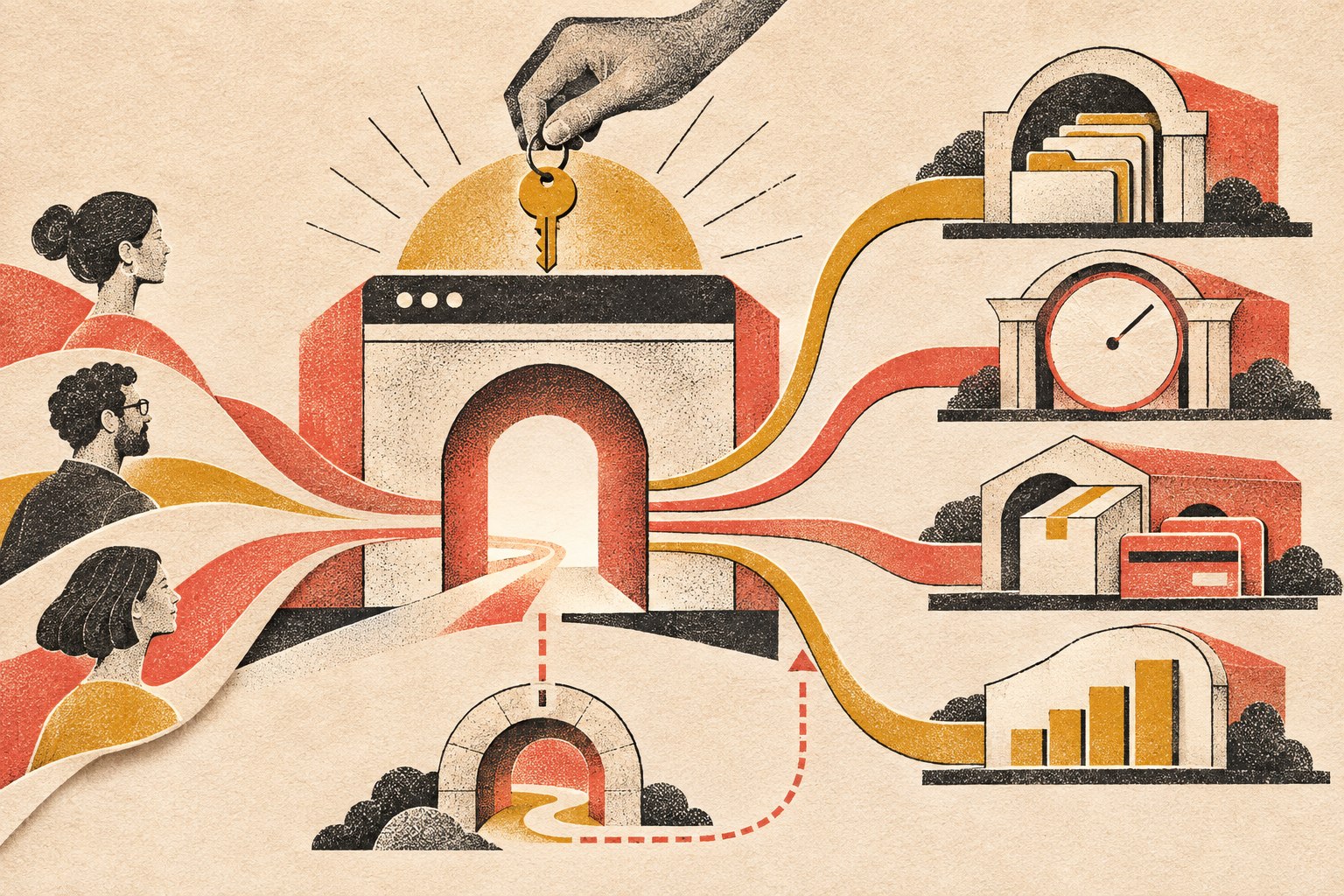
    A considered website gateway routes customer pathways to records, bookings, commerce, and measurement, with a clear fallback path.

    If a form submission still has to be copied into three systems by hand, the website may look modern while the process behind it is wearing a powdered wig. The hard part is not drawing a line between two logos on a flowchart. It is deciding which system owns each piece of information, what should happen when data changes, how errors and duplicates are handled, what staff must approve, and what happens when an external service is unavailable.

    Those are operational decisions. They belong in website planning whenever the site is expected to do real work.

    5. The Content Has a Job

    Serious websites do not treat content as filler poured into a finished design five minutes before launch.

    • The homepage establishes the broad value and main routes.
    • Service pages help a buyer evaluate a specific solution.
    • Comparison pages support commercial research.
    • Case studies and reviews provide proof.
    • Blog articles answer informational questions and build topical depth.
    • FAQs remove friction and handle objections.
    • Contact and booking pages make the next step feel safe and clear.

    This is also where search and AI discoverability begin. The goal is not to repeat one keyword until the page sounds like it was written by a malfunctioning parrot. The goal is to make the answer genuinely useful, structurally clear, easy to crawl, and unambiguous about the question it owns.

    That is why the direct answer appears at the top of this article. Readers should not have to survive 900 words of throat-clearing before learning the point. Scope Design’s guide to front-loading content for AI search explains that approach in more detail.

    6. Technical Quality Is Part of the Product

    A serious website must work when real people use it under real conditions. That includes people on phones, people with slower connections, people using assistive technology, people who mistype information, and people who do things the project team did not expect.

    • Responsive behavior across screen sizes.
    • Performance optimization and sensible asset loading.
    • Accessibility-minded structure, contrast, controls, and content.
    • Secure configuration, updates, backups, and recovery planning.
    • Browser and device testing.
    • Form validation and spam protection.
    • Redirects, canonical URLs, sitemap behavior, and indexation controls.
    • Analytics and event tracking.
    • Clean integrations and documented custom functionality.
    • Staging, deployment, rollback, and post-launch checks.

    None of that is glamorous. Neither is a seatbelt, right up until the moment it matters.

    Google’s current Core Web Vitals guidance defines good field performance as Largest Contentful Paint of 2.5 seconds or less, Interaction to Next Paint of 200 milliseconds or less, and Cumulative Layout Shift of 0.1 or less, measured at the 75th percentile. Performance is not the whole website, but it is one part of whether the experience works well.

    Accessibility deserves the same seriousness. The U.S. Department of Justice explains in its web accessibility and ADA guidance that inaccessible web features can prevent people with disabilities from accessing the goods, services, programs, and activities of covered organizations. The practical point for a business website is simple: accessibility is part of usable design, not a decorative checkbox at the end.

    For more on the performance layer, see Fast & Functional: Web Development & Performance Mastery.

    7. A Serious Website Measures Outcomes

    Page views are interesting. Business outcomes are useful.

    A professional business website should make it possible to understand what is working. The exact measurements depend on the business, but they may include:

    • Qualified contact requests.
    • Phone calls or booked consultations.
    • Quote starts and completions.
    • Ecommerce revenue and checkout completion.
    • Downloads, applications, or registrations.
    • Lead source and campaign performance.
    • Movement through important page sequences.
    • Use of specific tools, searches, calculators, or portal features.

    The point is not to collect every possible event because dashboards are pretty. The point is to connect website behavior to decisions. If nobody can explain what success looks like, the team cannot reliably improve it. They can only rearrange things and hope. Hope is not an analytics strategy.

    8. It Is Built to Change Without Falling Apart

    Businesses evolve. Services change. Teams grow. Marketing campaigns launch. New systems appear. Old systems are finally taken behind the barn.

    • A maintainable content structure.
    • Reusable design patterns.
    • Sensible custom code rather than mystery snippets everywhere.
    • Documentation for important workflows and integrations.
    • A staging environment for safer updates.
    • Clear ownership of domains, hosting, accounts, analytics, code, and source assets.
    • A recovery path if an update, integration, or deployment fails.
    • A plan for extending features without rebuilding the whole thing.

    Scalability does not mean engineering a global platform for a company with twelve customers. It means making smart choices today so tomorrow’s reasonable change does not become a demolition project.

    9. Launch Is a Milestone, Not a Funeral

    Basic sites are often treated as one-time projects: launch it, celebrate, and slowly forget the login.

    Serious business websites need an explicit ownership plan. Software changes. Integrations change. Content changes. Search behavior changes. Security issues appear. Forms break at the worst possible moment because apparently software also enjoys comedy.

    • Updates and compatibility testing.
    • Security monitoring and backups.
    • Uptime and performance monitoring.
    • Broken-link and visual-change checks.
    • Analytics review and conversion improvements.
    • Content updates and search refinement.
    • Testing forms, payments, notifications, and integrations.
    • Recovery procedures and clear account ownership.
    • Planning new features as the business changes.

    A website that matters to the business cannot be treated like a lawn ornament. Ongoing care is part of the system’s reliability.

    10. Cost Follows Responsibility, Complexity, and Risk

    People often compare website prices as if every project is the same object sold in different boxes.

    It is not.

    A focused site using established patterns is not the same project as a site that needs discovery, original positioning, complex content architecture, several audiences, advanced forms, integrations, automation, ecommerce rules, data migration, accessibility work, analytics, testing, and a safe launch plan.

    The higher scope is not payment for extra pixels. It covers more thinking, specialized work, coordination, testing, responsibility, and risk. That still does not mean expensive automatically equals good. A bloated proposal can produce an impressive pile of nonsense. Price is evidence of scope, not proof of quality.

    If you need actual budget ranges and a framework for comparing proposals, use Scope Design’s small business website cost guide. This article’s job is narrower: decide what level of responsibility the website needs to carry before you compare numbers.

    Which Kind of Website Do You Need?

    Choose a focused basic website when:

    • The offer is straightforward.
    • Referrals and existing relationships drive most business.
    • The main goal is credibility and essential information.
    • Standard functionality covers the need.
    • The business is validating an idea or needs to launch quickly.
    • There is no strong business case for deeper integrations or automation yet.

    Consider a more serious website investment when:

    • The site must generate or qualify leads.
    • Buyers need education, proof, or multiple decision paths.
    • The business has complex services, products, audiences, or locations.
    • Staff members are repeating work the website could reduce.
    • Multiple systems need to exchange information.
    • Quoting, booking, ecommerce, search, portal, or workflow features are required.
    • The current site is limiting marketing or operations.
    • Measurement, reliability, ownership, security, and ongoing improvement matter.

    There is no prize for buying more website than you need. There is also no bargain in buying too little for a site that is expected to carry real business risk.

    If you are still deciding what to buy, Scope Design’s business website buyer guide covers the full process from requirements and ownership to budget, provider selection, launch, and maintenance.

    Frequently Asked Questions

    What counts as a professional business website?

    A professional business website is a site whose strategy, content, design, technical quality, measurement, and ownership match the business job it is expected to do. It should clearly explain the offer, help the right visitor decide, provide an obvious next step, work reliably, and have a plan for what happens after launch.

    Is a basic website unprofessional?

    No. A focused website can be professional, useful, fast, accessible, and well designed. It becomes a problem only when its limited scope does not match what the business expects it to accomplish.

    Does a professional website have to be custom-coded?

    No. Templates, design systems, WordPress builders, and hosted website platforms can all produce professional results when their capabilities fit the business need. Custom development makes sense when the required workflow, data, integration, transaction, or product behavior cannot be handled responsibly with standard tools.

    When has a business outgrown a basic website?

    A business has probably outgrown a basic site when the website is limiting lead generation, customer service, marketing, ecommerce, internal workflows, integrations, measurement, or the ability to clearly explain a more complex offer.

    What’s the best website for a small business?

    The best website is the smallest responsible solution that can do the job the business actually needs. A simple service company may need a focused site with excellent messaging and contact paths. A revenue-critical operation may need ecommerce, portals, integrations, automation, advanced search, or custom workflows. Start with the business outcome, not the software brand.

    How much does a professional website cost?

    There is no useful universal number because “professional website” can describe very different scopes. Cost should follow the amount of strategy, content, design, functionality, integration, testing, migration, risk, and ongoing responsibility involved. Compare what the website must accomplish and what the proposal includes before comparing totals.

    Is Wix a professional website platform?

    It can be. Wix and other hosted builders can be a professional fit when their standard design, content, ecommerce, booking, and marketing tools cover the need. The question is not whether the platform is “professional.” The question is whether its limits interfere with the business requirements, ownership, integrations, performance, accessibility, or future change.

    Can WordPress handle a serious business website?

    Yes. WordPress can support brochure sites, ecommerce, memberships, portals, structured content, advanced search, integrations, and custom workflows when it is architected and maintained properly. The platform is only one part of the system; implementation and ownership matter more than the logo on the admin screen.

    What should a business website measure?

    Measure actions tied to business value: qualified inquiries, bookings, calls, quote requests, applications, sales, lead sources, conversion paths, and use of important tools or workflows. Traffic can provide context, but it does not tell you by itself whether the site is doing its job.

    What happens after a serious website launches?

    The site should be monitored, maintained, backed up, secured, tested, measured, and improved. Important accounts and assets should have clear owners, and the team should know how to recover when something breaks. Launch is the beginning of real-world use, not the moment everyone walks away and hopes the plugins behave forever.

    Stop Asking Your Website to Coast

    If all you need is a clean online presence, build that well and do not apologize for it.

    But if the website is supposed to help the business sell, operate, serve customers, and grow, stop treating it like a decorative expense. Treat it like the business system it is.

    Before choosing a scope, use the Website Fitness Test to judge whether the result will actually be good, check the Buyer Decision File for the information it must contain, and audit the full path with the seven-link conversion checklist. Then explore Scope Design’s website development services or contact Scope Design to talk about what your website actually needs to accomplish.

  • Website Strategy Is Not a Sitemap: A Constraint-First Blueprint

    Website Strategy Is Not a Sitemap: A Constraint-First Blueprint

    A website strategy is the set of business, audience, messaging, evidence, technology, and conversion decisions that determines what a website should do and how it should do it. A sitemap only tells you where the pages live. Strategy determines why those pages exist, who they need to persuade, what proof they require, what systems they must connect to, and how success will be measured.

    Put less politely: a sitemap is an output. Website strategy is the thinking that makes the sitemap inevitable.

    TL;DR: Diagnose the constraint before prescribing the website

    • Do not begin with “How many pages do we need?” Begin with “What business problem is the website responsible for helping solve?”
    • Check technical and measurement integrity before interpreting behavior. A broken form is not a messaging insight.
    • Separate traffic volume from traffic quality. More of the wrong visitor is just a larger analytics bill.
    • Fix unclear messaging before polishing interface details.
    • Treat friction as either accidental or intentional. Some friction hurts conversion; some protects lead quality.
    • Measure the last meaningful outcome the website can reasonably influence, then track it through to revenue.
    • Build features only after the business process underneath them is understood. Otherwise, custom functionality is expensive theater.

    What is a website strategy?

    A website strategy is a commercial and operational blueprint for using a website to create a specific business result. It aligns the audience’s intent with the company’s positioning, proof, website content strategy, conversion paths, technology, measurement, and ability to maintain what gets built.

    That definition matters because plenty of documents get called “strategy” when they are really inventories wearing a blazer.

    A page list is useful. A sitemap is useful. A mood board can be useful. None of them explains:

    • which business constraint the website must address;
    • which audience and buying moment take priority;
    • what the site needs to make believable;
    • how visitors should move from question to evidence to action;
    • which systems and teams own what happens after the click;
    • what success looks like numerically;
    • what the business can realistically maintain after launch.

    Without those decisions, the project may still produce a beautiful website. It just cannot explain what the beauty is supposed to accomplish.

    Website strategy vs. sitemap: what is the difference?

    A sitemap answers A website strategy answers
    What pages will exist? Why does the website exist?
    How are pages grouped? Which audience and intent deserve priority?
    What sits in the navigation? What argument should the site make?
    Where does content live? What proof reduces doubt at each decision point?
    What links to what? Which conversion paths fit each stage of readiness?
    How is the information organized? How does the site connect to marketing, sales, service, and operations?
    What needs to be designed? What should be measured, maintained, improved, or deliberately left out?

    The sitemap is the skeleton. Strategy decides whether you are building a house, a warehouse, or a very expensive place to store decorative pillows.

    The project the client requests is not always the problem they need solved

    A long-established specialty auction business came to Scope Design asking for a new website and new features. Discovery showed that a prettier website was not the real problem.

    The site sat on top of years of broken customer-facing functions, disconnected data, manual processes, legacy software, and systems that could not support where the business needed to go. Treating the engagement as a page-design exercise would have put fresh paint over an operational foundation that was already cracking.

    So we did not begin with mockups. We mapped the business processes, identified the systems involved, clarified how information moved between them, and rebuilt the foundation before piling on more features.

    That is website strategy in the real world: not refusing to design, but earning the right to design the correct thing.

    The Scope Design Constraint-First Website Strategy framework

    A single coral channel passes through a narrowing diagnostic mesh, filtering noise before opening into a clear business handoff.

    When a website is “not working,” diagnose the system in order. Upstream failures distort everything below them, so skipping ahead produces confident nonsense.

    1. Verify measurement and technical integrity

    Before interpreting a bounce, drop-off, or failed conversion, make sure the thing actually works.

    Check forms, notification delivery, phone links, checkout, analytics, consent configuration, mobile layouts, browser behavior, tracking events, redirects, and the pages receiving important traffic. Submit the form yourself and confirm the lead arrives where a human can act on it. This catches an embarrassing number of “marketing” problems.

    Performance belongs here too. Google’s current Core Web Vitals guidance defines good thresholds as LCP of 2.5 seconds or less, INP of 200 milliseconds or less, and CLS of 0.1 or less, evaluated at the 75th percentile. These are useful technical health signals, not a complete business diagnosis. web.dev explains how the thresholds are defined and evaluated.

    Decision: If the path is broken or the measurement is untrustworthy, repair it before drawing strategic conclusions from the data.

    2. Confirm there is enough relevant traffic to diagnose

    A conversion rate built from a handful of visits is trivia, not a trend. Start by isolating intent-bearing traffic: people arriving from relevant searches, referrals, campaigns, sales conversations, or direct navigation with a plausible reason to buy.

    Low traffic with a promising conversion rate points toward an acquisition or distribution problem. High traffic with weak outcomes gives you enough signal to keep diagnosing the site. Low traffic and no conversion data means you need evidence, not a button-color séance.

    Decision: Determine whether you have a website problem or simply too little relevant attention to judge.

    3. Separate traffic quality from traffic quantity

    Segment visitors by source, query, campaign, landing page, geography, and device. Ask whether the people arriving have the problem you solve, the authority to act, and an expectation the page can satisfy.

    If organic visitors want free instructions while the business sells implementation, or an ad promises one thing and the landing page delivers another, rewriting the CTA will not repair the mismatch.

    Decision: Fix targeting and acquisition fit before optimizing a page for visitors who should never have been sent there.

    4. Test messaging clarity

    A visitor should quickly understand what the business does, who it helps, why the offer matters, and what to do next. This is not permission to flatten a complex service into a cute six-word slogan. It means the first screen should orient the reader instead of making them decode agency poetry.

    Good messaging also explains the customer’s problem accurately, states a defensible point of view, and gives the rest of the page a narrative job. A homepage should orient and route mixed-intent visitors, not serve as a storage unit for every sentence the company has ever approved.

    Decision: If qualified visitors arrive and leave before meaningfully engaging, clarify the argument before redesigning the furniture around it.

    5. Find user-experience friction

    Messaging problems usually happen early: people do not understand, so they leave. UX problems often happen later: people understand and engage, but cannot complete the action.

    Look for abandoned forms, mobile-only failures, confusing navigation, inaccessible interactions, unexpected steps, unclear errors, weak information hierarchy, and repeated attempts to click non-interactive elements.

    Accessibility is part of functional quality, not a decorative compliance sticker. WCAG 2.2 organizes accessibility around content and interfaces being perceivable, operable, understandable, and robust. The W3C publishes the complete WCAG 2.2 standard. In the United States, the Department of Justice also explains that businesses open to the public must ensure the goods and services they provide online are accessible, while noting that legal obligations depend on the applicable law and circumstances. Read the DOJ’s website accessibility guidance.

    Decision: Remove accidental effort while preserving the information and qualification steps a serious buyer needs.

    6. Evaluate the offer and positioning

    If the right people arrive, understand the page, find the path usable, and still decline to act, the page may not be the constraint.

    The offer may feel too risky, too generic, too expensive for the perceived outcome, too difficult to implement, or too similar to an easier alternative. The proof may be weak. The business may be attracting buyers it cannot credibly serve. No amount of whitespace can rescue an exchange the market does not want.

    Decision: Strengthen the value, evidence, positioning, terms, or delivery model before buying another aesthetic reset.

    7. Inspect sales and operational follow-through

    The website’s job does not end at the form, but its influence eventually does. What happens after a conversion matters: response time, routing, qualification, scheduling, sales conversations, proposal process, onboarding, delivery capacity, and retention.

    A website that creates qualified inquiries is doing its job even if leads sit unanswered for three days. A high-converting form can also make the business worse if it floods an overloaded team with junk.

    Decision: Assign accountability to the stage that actually failed. Do not redesign the website to hide a sales or operations problem.

    The nine decisions every website strategy should make

    Once the constraint is understood, a serious website strategy should resolve nine connected decisions.

    Purpose and priority

    What is the website’s primary job: create qualified conversations, support purchases, establish credibility, reduce service workload, help sales, or something else? A site can support multiple goals, but one should win when priorities conflict.

    Audience and arrival intent

    Who is arriving, what question is already in their head, how did they get here, and what do they need next? This is more useful than a fictional persona whose defining trait is drinking artisanal coffee.

    Positioning and narrative

    What does the business claim, why should anyone believe it, and why are the alternatives less suitable? Pages become chapters in that argument.

    Evidence strategy

    Which claims require case studies, demonstrations, testimonials, credentials, original research, comparisons, or transparent explanations? Put proof near the doubt it resolves instead of exiling every testimonial to a page nobody visits.

    Conversion architecture

    What action fits each level of readiness? A high-intent visitor may be ready to book. A cautious buyer may need pricing context, a comparison, a diagnostic, or an example first. The site should provide a coherent next step without turning every page into a carnival of buttons.

    Acquisition fit

    How will people arrive—organic search, AI answers, paid campaigns, referrals, social content, email, or a salesperson sending a link? Our landing page optimization guide explains why a page written for a cold ad click has a different job from one used to support a six-month B2B decision.

    Technology and operational integration

    Which systems must exchange data? Who receives the inquiry? What happens if an integration fails? What must connect to the CRM, email platform, payment system, scheduling tool, inventory, support process, or reporting stack?

    Measurement and feedback

    Define one primary outcome tied to the business, plus a small set of diagnostic metrics that explain movement. Traffic, rankings, engagement, and button clicks can be useful signals, but they are not interchangeable with business success.

    Governance and lifecycle

    Who owns the content, integrations, security, updates, testing, and future decisions? Strategy that ignores maintenance capacity produces a beautiful launch followed by slow digital composting.

    Why professionally designed websites still fail to convert

    Visual design can make information easier to understand, increase perceived credibility, reinforce a position, and guide action. It cannot invent a compelling offer, qualify the wrong traffic, repair a broken sales process, or create proof the business does not have.

    Common failures include:

    • The site talks about the company instead of the customer’s decision. Visitors cannot recognize whether their situation fits.
    • The value proposition is vague. “Transforming possibilities through innovation” may sound expensive, but it does not explain a damn thing.
    • The page has no point of view. It looks polished and interchangeable with three competitors.
    • Evidence appears too late or in the wrong place. The claim and the proof are separated when they need to work together.
    • The page asks for too much commitment too soon. Every visitor gets “Book a call,” including people who still need to understand the basics.
    • The design fights comprehension. Low contrast, ornamental motion, clever labels, and oversized images make the answer harder to find.
    • The traffic and page intent do not match. The wrong visitor cannot be converted into the right customer by force of typography.
    • The offer is the problem. The page communicates clearly; the market simply does not consider the exchange worthwhile.

    This is why our UX and conversion guide owns the deeper question of why individual experiences fail to convert, while this strategy pillar focuses on diagnosing which business constraint deserves attention first.

    Friction is not automatically bad

    “Remove friction” is useful advice until it becomes a religion.

    Accidental friction wastes effort: broken forms, unclear labels, surprise requirements, inaccessible controls, irrelevant fields, redundant steps, and errors that do not explain how to recover.

    Intentional friction improves fit: asking about budget before a complex consultation, requiring essential project information, explaining who a service is not for, or making a consequential action deliberately reviewable.

    For a high-ticket service, reducing a form to name and email may increase submissions while destroying lead quality and staff time. The goal is not the largest number above the funnel. The goal is the best business result after quality, workload, no-shows, and close behavior are counted.

    The useful question is not “How do we remove friction?” It is “Which effort is unnecessary, and which effort improves the decision?”

    Ethical conversion optimization: two tests Scope Design uses

    We use two tests before recommending a conversion tactic:

    1. Would the lift survive if the visitor understood why we used the tactic?
    2. Does the lift remain after lead quality, refunds, no-shows, churn, staff time, accessibility, and long-term trust are counted?

    That eliminates manufactured countdown timers, fake scarcity, invented proof, confirmshaming, hidden fees, obstructive cancellation, consent mazes, and proxy metrics that make the report look better while making the business worse.

    The Federal Trade Commission describes dark patterns as design practices that can trick or manipulate people into choices involving money or personal data, including hidden disclosures and difficult cancellation paths. Its staff report documents common patterns and enforcement concerns.

    Persuasion is part of good communication. Deception is not a growth strategy; it is a liability with a temporary conversion bump.

    What outcome should a website strategy optimize?

    Choose the outcome closest to money that the website can meaningfully influence.

    Business model Useful primary website outcome Quality or business check
    E-commerce Completed purchases Margin, refunds, repeat purchases, average order value
    Consultative B2B Qualified opportunities Pipeline value, held meetings, close rate, sales cycle
    Local service Booked and attended appointments Job quality, close rate, source, service area
    Subscription Qualified starts or paid accounts Activation, retention, lifetime value, support burden
    Operational or service-heavy business Successful self-service or automated process completion Staff time saved, error reduction, customer satisfaction
    Content-led business Qualified subscriber or inquiry Downstream engagement, opportunity creation, revenue contribution

    The website cannot close every sale, control service quality, or force the team to follow up. Hold it accountable for the last meaningful outcome it can produce, then track that outcome through the rest of the business so you learn what creates customers rather than merely contacts.

    Sessions, rankings, impressions, scroll depth, and time on page are diagnostic metrics. They can explain a result. They should not be allowed to impersonate one.

    What should a website strategy deliver?

    A strategy does not need to become a 180-page deck that requires its own forklift. It needs to create enough clarity to build, prioritize, and measure responsibly.

    A useful deliverable should include:

    • the primary business problem and desired outcome;
    • the prioritized audiences and arrival intents;
    • the diagnosis of the current constraint;
    • the positioning and core narrative;
    • the evidence available and the proof still needed;
    • the conversion paths for different readiness levels;
    • the acquisition channels each major page must support;
    • the content model, sitemap, and page responsibilities;
    • the required integrations and operational handoffs;
    • accessibility, privacy, security, and technical requirements;
    • the measurement plan and current baseline;
    • ownership, governance, and maintenance expectations;
    • a phased roadmap that separates foundation work from optional features.

    This is also what separates a professional business website from a collection of pages. Our guide to basic websites versus serious business websites explains the broader distinction, while the $500 website and one-hammer contractor analogy shows why strategy, copy, design, development, accessibility, security, and maintenance cannot be collapsed into one mystery task.

    When should you redesign a website?

    Redesign when the evidence shows that the current structure, interface, technology, positioning, or content cannot support the business’s priority outcome without disproportionate repair.

    Do not redesign merely because the site feels old, a competitor launched something shiny, or a stakeholder is bored. Those may begin a useful investigation, but they are not diagnoses.

    Sometimes the correct answer is a new foundation. Sometimes it is three repaired mobile templates, clearer positioning, better proof, faster sales follow-up, or a form that finally sends email to the right inbox. Discovery should be allowed to save the client from buying the project they originally requested.

    If a redesign is justified, Scope Design’s website design and development service begins with the business and conversion requirements instead of treating strategy as the paragraph before the mood board.

    Website strategy FAQ

    What is the main purpose of a website strategy?

    The main purpose of a website strategy is to align the website with a prioritized business outcome and the decisions required to produce it. It gives design, content, development, marketing, sales, and measurement a shared reason for what gets built.

    What is the difference between website strategy and web design?

    Website strategy determines the problem, audience, argument, evidence, conversion paths, requirements, measurement, and priorities. Web design turns those decisions into a usable visual and interactive experience. Design is essential, but it should not be asked to diagnose the business by accident.

    Is a sitemap part of website strategy?

    Yes. A sitemap is one output of website strategy. It organizes pages and relationships after the audience, intent, narrative, evidence, acquisition, and conversion decisions are understood.

    What are the steps in creating a website strategy?

    Start by defining the business outcome, auditing the current evidence, and diagnosing the tightest constraint. Then map audience intent, positioning, proof, conversion paths, acquisition channels, technical integrations, measurement, governance, and the sitemap. Prioritize foundation work before optional features.

    Why am I getting website traffic but no conversions?

    The traffic may be poorly matched, the message may be unclear, the experience may contain friction, the proof may be insufficient, or the offer may not be compelling. Segment traffic by source and landing-page intent, then diagnose messaging, UX, evidence, and offer in that order instead of assuming every visitor has the same problem.

    What is a healthy website conversion rate?

    There is no universal healthy conversion rate. The right baseline depends on the action, traffic source, buying stage, price, business model, and definition of a qualified conversion. Compare like with like, protect lead quality, and measure downstream outcomes rather than chasing a borrowed industry average.

    What is the difference between SEO and conversion rate optimization?

    SEO helps qualified people discover the right page through search. Conversion rate optimization improves how effectively the page helps suitable visitors take a useful action. SEO without conversion creates traffic without enough business value; CRO applied to irrelevant traffic optimizes the wrong audience.

    Does every business need a custom website?

    No. A template or simpler platform can be the correct choice when the needs are standard, the budget is limited, and the operational requirements are straightforward. Custom design or development should earn its cost by solving a real constraint, supporting differentiation, connecting systems, reducing work, or enabling an experience a standard solution cannot provide.

    For local and home-service companies, use the service business website strategy guide to decide whether a template can handle the job or whether the handoffs, integrations, service areas, and operating workflow justify custom work.

    How much does website strategy cost?

    The cost depends on the number of audiences, stakeholders, systems, research requirements, content complexity, legal or technical constraints, and depth of validation. A small service business may need a focused diagnostic; a multi-system organization may need process mapping, analytics work, user research, technical architecture, and a phased implementation plan. The useful comparison is not strategy versus no strategy—it is the cost of diagnosis versus the cost of building the wrong thing.

    Can a website strategy improve AI-search visibility?

    Yes, indirectly. A strong strategy creates clear topic ownership, direct answers, original frameworks, first-hand evidence, useful internal relationships, explicit entities, and authoritative sourcing. Those qualities make the content easier for search engines and AI systems to interpret and potentially cite. No structure or schema can guarantee a citation, despite what the glitter merchants are selling.

    Stop prescribing pages before you understand the problem

    If your website is underperforming, the next step may be a redesign. It may also be clearer positioning, better traffic, repaired infrastructure, stronger proof, a sharper offer, or a sales process that answers the damn phone.

    Put the strategy into practice

    Once the website has a defined job, run the Website Fitness Test to evaluate its purpose, audience, clarity, trust, experience, technical reliability, and business fit. Then use the Buyer Decision File to identify the information a qualified buyer needs and audit the complete path with the seven-link website conversion checklist. Together they test whether the site is fit for its job, contains the truth buyers need, and can turn that truth into a useful business outcome.

    Scope Design can help diagnose the constraint, map the business process, and build the right solution in the right order. Tell us what is not working, and we will start with the problem instead of arriving with a prewritten shopping list.

  • Homepage Design Best Practices: Build a Router, Not a Billboard

    Homepage Design Best Practices: Build a Router, Not a Billboard

    Homepage design best practices begin with one unglamorous fact: the homepage serves people whose intent is not fully known yet. Its job is to orient them, help them recognize the right path, prove the business is credible, and route them toward a more specific decision. It should not try to close every possible customer in one heroic screen. A beautiful billboard with five equally loud buttons is not conversion architecture. It is a panic attack in brand colors.

    TL;DR: Design the homepage as a wayfinding system. State what the business does and who it helps, give one business action visual priority, provide sensible routes for visitors who are not ready for that action, place relevant proof beside important claims, and send people to focused service, case-study, resource, or contact pages. The homepage wins when more of the right visitors know where to go next—not when every available thing is crammed above the fold.

    Homepage design best practices for mixed-intent visitors

    A business homepage is the primary orientation and routing page for visitors who may arrive through a brand search, referral, direct visit, shared link, or general research. It explains the business at a useful level, establishes relevance and trust, and gives different visitors clear routes into the site.

    That makes a homepage different from a service page, which resolves a narrower service decision, and different from a campaign landing page, which usually responds to a known traffic source and promise. The homepage has to handle uncertainty without becoming vague.

    The strongest current Google results agree on the basics. Nielsen Norman Group’s homepage principles emphasize easy access, clear communication of who the organization is and what it does, current content, and consistently good presentation. Scope Design takes that one step further: the homepage must not merely explain the organization. It must help a visitor choose the next useful page or action.

    Homepage vs. landing page: different traffic requires different architecture

    A homepage handles mixed intent. A landing page handles a more specific intent. Treating them as interchangeable usually produces a homepage that feels pushy or a landing page that lets the campaign leak into twelve unrelated directions.

    Decision factor Homepage Landing page
    Arrival Brand search, direct, referral, broad organic discovery, customer return Campaign, targeted email, ad, event, offer, audience, or known problem
    Visitor’s first question “What is this business, and is there something here for me?” “Does this specific promise solve the thing I clicked for?”
    Primary job Orient, differentiate, establish trust, and route Resolve one decision and prompt one appropriate action
    Navigation Full but disciplined access to important sections Only the routes needed to understand, verify, or complete the decision
    Calls to action One dominant business action plus supporting paths One primary outcome, usually repeated
    Measurement Useful next-page selection, path progression, qualified actions Completion and quality of the intended outcome

    If the visitor’s reason for arriving is known, use a focused page built around that reason. Our companion guide explains the full landing page optimization process. If their intent is broader, the homepage should help them self-select without turning the menu into a junk drawer.

    The Scope Design Homepage Wayfinding Model

    Most homepage checklists start with components: logo, headline, image, testimonials, button. Those parts matter, but a component list does not tell you why something belongs on the page or what order it should have.

    We use four jobs to judge homepage architecture:

    1. Orient: Tell visitors what the business does, whom it serves, where it operates when relevant, and what meaningful outcome it supports.
    2. Separate: Help different audiences, problems, or service needs recognize the route intended for them.
    3. Prove: Place specific evidence where a visitor is most likely to doubt a claim, the fit, or the risk.
    4. Route: Send each visitor to the page or action capable of resolving the next decision.

    Every homepage section should perform at least one of those jobs. If a section only exists because a theme shipped with a carousel and somebody felt guilty leaving it empty, delete it. Template archaeology is not strategy.

    1. Orient: make the business understandable

    The opening should answer four questions without requiring the visitor to decode agency poetry:

    • What does this business provide?
    • Who is it for?
    • What meaningful problem or outcome does it address?
    • What can the visitor do next?

    The answer does not need to fit into a slogan. A clear headline and supporting sentence are usually enough. “Transforming possibilities through connected innovation” is not enough. It could describe software, leadership coaching, kitchen cabinets, or a reasonably ambitious toaster.

    2. Separate: let visitors recognize their route

    A mixed audience needs meaningful choices, not every choice. Separate by the distinction that changes what the visitor should see next: service, problem, industry, role, location, or stage of readiness.

    A commercial contractor might route visitors by project type. A professional-services firm might route them by business problem. A school might route families, current parents, staff, and applicants differently. Those are legitimate paths because the following information changes.

    Do not split the page into audience cards merely because personalization sounds sophisticated. If every card leads to the same generic service page, the separation is decorative theater.

    3. Prove: answer doubt where it appears

    Proof works best when it supports a specific claim. Put a relevant project beside a capability claim, a process explanation beside implementation anxiety, a credential beside work where the credential matters, and transparent cost factors beside pricing uncertainty.

    A wall of client logos can establish familiarity, but it rarely explains what happened. One specific, relevant example may carry more decision value than twenty silent logos. If evidence is not available, the honest job is to create or collect it—not to invent a 247% improvement and hope nobody asks which client it belonged to.

    4. Route: make the next page earn the click

    The homepage is not the entire sales conversation. Its links should lead to pages that answer progressively narrower questions: service fit, approach, results, pricing factors, project examples, resources, or contact.

    Google says its systems analyze a site’s link structure to find useful shortcuts, and its sitelinks guidance recommends informative titles and headings, logical structure, important internal links, and concise, relevant anchor text. Those practices help search engines, but they also help the person standing on the homepage wondering where the hell to click.

    What should appear above the fold?

    The first screen should provide recognition and direction, not finish the entire argument. “Above the fold” is still useful as a priority concept, but it is not a fixed pixel measurement and it does not mean people refuse to scroll.

    For most service-business homepages, the first screen needs:

    • a recognizable logo and usable primary navigation;
    • a clear headline stating the category, problem, or outcome;
    • a supporting sentence adding audience, scope, or differentiation;
    • one visually dominant call to action;
    • an optional lower-commitment path when it serves a different readiness level;
    • a visual that clarifies the work, result, environment, or brand rather than occupying space.

    A visitor should be able to understand the page before every asset finishes loading. Do not bury the only useful sentence inside a background video, rotate three conflicting offers through a carousel, or make the visitor wait for an animation to reveal the navigation. Motion is allowed. Hostage-taking is not.

    What is the best homepage layout?

    There is no universal homepage layout because the right sequence depends on the business, buyer, evidence, and conversion path. A useful default is to move from recognition to relevance, then from proof to action.

    Homepage section Question it must answer Common failure
    Header and navigation Where am I, and what important routes exist? Clever labels, sprawling menus, hidden contact information
    Hero What do you do, who is it for, and what should I do next? Vague slogan, decorative video, five competing buttons
    Self-selection Which service, problem, or audience path fits me? Cards based on internal departments rather than visitor needs
    Outcome and differentiation Why does this matter, and why choose this approach? Feature dumping and interchangeable claims
    Proof Why should I believe the important claims? Generic testimonials detached from the claims
    Process and objections What happens, what will it require, and what risk remains? Mystery process and “contact us for everything”
    Resources or transitional path What can I learn or verify before I am ready? Random latest-post feed with no relation to the buying decision
    Final action and footer What is the sensible next step, and where are the utility links? A repeated hard sell followed by a legal-link graveyard

    This is a decision sequence, not a mandatory wireframe. Ecommerce, membership, publishing, software, local service, and complex B2B sites will arrange the parts differently. The sequence should follow the visitor’s uncertainty, not the preferences panel in the page builder.

    Should a homepage have one call to action or several?

    A homepage should usually give one business action visual priority while preserving several useful pathways. “One primary action” does not mean every other link must be removed. It means the hierarchy is obvious.

    A ready buyer may request a consultation. A skeptical buyer may inspect case studies. An early-stage visitor may compare services. An existing customer may need support. These are not equal sales goals, but they are real visitor needs.

    Use a simple hierarchy:

    • Primary action: the last meaningful outcome the homepage should directly encourage, such as requesting a diagnostic, estimate, application, or purchase.
    • Supporting routes: service, project, process, pricing, team, FAQ, and resource pages that help a visitor become ready.
    • Utility routes: login, support, careers, legal, accessibility, and account functions.

    The mistake is not having multiple links. The mistake is giving every link the same visual urgency and then blaming visitors for failing to read the designer’s mind.

    Homepage navigation should use the visitor’s language

    Navigation labels are not a branding contest. Use terms people can predict before clicking. “Services,” “Work,” “About,” and “Contact” may look ordinary because they are ordinary—and being understood is occasionally useful.

    Replace vague containers such as “Solutions,” “Capabilities,” or “Our Approach” when they conceal more than they reveal. If the business has several important services, a well-structured menu can expose them without forcing a detour through a generic overview. If it has one focused offer, a smaller menu may be better.

    The W3C page-structure guidance explains that well-structured pages improve navigation and orientation for screen-reader, keyboard, low-vision, cognitive, and mobile users. Use meaningful headings, identifiable regions, a functioning skip link, visible keyboard focus, and correctly marked navigation. Accessibility is not a final coat of compliance paint. It shapes the architecture.

    Homepage content should make an argument, not inventory the company

    A homepage does not need to mention every service, product, credential, team member, office, blog post, partnership, and award. It needs enough content to establish the business’s position and route people to the right depth.

    Build the argument in this order:

    1. The visitor’s situation: show that you understand the problem, goal, or decision.
    2. The business’s answer: explain the service or product category in plain language.
    3. The meaningful difference: state what changes in the method, ownership, outcome, or risk.
    4. The evidence: substantiate the important differences.
    5. The next decision: route to the page or action that resolves it.

    This is where the broader website strategy matters. The homepage cannot create a position the business has never chosen, proof nobody has collected, or a follow-up process nobody owns. Design can clarify the truth. It should not be hired to fabricate one.

    Homepage SEO is mostly clarity, structure, and internal linking

    The homepage often needs to rank for the business or brand name and explain the primary business entity, category, service area, and major offers. Stuffing every service-and-city combination into the first screen makes it worse for humans and does not create a coherent search strategy.

    Use a descriptive title and H1, natural entity language, organization or local-business schema when accurate, consistent contact and business information, and clear internal links to the pages that own specific service and location queries. Let those deeper pages do their jobs.

    Internal links from the homepage carry special discovery and wayfinding value because almost every visitor and crawler can reach it. Link to the pages that represent the actual business priorities—not just whichever blog posts happened to publish last.

    Performance and accessibility are part of homepage design

    A homepage that communicates clearly but arrives slowly, shifts under the pointer, or ignores keyboard access is not well designed. The visual layer and the technical layer share the same visitor.

    The current Core Web Vitals are Largest Contentful Paint, Interaction to Next Paint, and Cumulative Layout Shift. The recommended “good” thresholds are LCP at 2.5 seconds or less, INP at 200 milliseconds or less, and CLS at 0.1 or less, evaluated at the 75th percentile. Those metrics are diagnostics, not the whole user experience, but they are more useful than the old article’s obsolete FID recommendation.

    Keep the first experience lean:

    • use appropriately sized modern images;
    • avoid autoplay video unless it earns the bandwidth and attention;
    • reserve dimensions for media to prevent layout shifts;
    • limit scripts and personalization that do not improve a defined decision;
    • test real forms, menus, focus states, and tap targets on actual devices;
    • preserve readable contrast and text sizing.

    AI-powered personalization is not a homepage requirement. If traffic, content operations, data quality, consent, and measurement cannot support it, it is expensive theater with a machine-learning nametag.

    How should homepage performance be measured?

    Do not judge the homepage only by its direct form conversion rate. Many successful homepage visits continue onto a service, project, pricing, location, or contact page before the visitor acts.

    Measure the homepage as a routing system:

    • selection of primary service or audience paths;
    • movement from the homepage into high-intent pages;
    • use of the primary call to action;
    • qualified inquiries or purchases that included a homepage visit;
    • search use, navigation failures, and dead-end exits;
    • performance and error rates by device;
    • what happens after the inquiry, including response and lead quality.

    A homepage can route people correctly while another page, the offer, the form, or the sales follow-up still fails. Use the constraint-first CRO process before ordering random homepage changes from a heatmap. Hope is not an analytics strategy, and neither is changing a button color after twelve visits.

    A 30-minute homepage design audit

    1. Run the recognition test: show the first screen to someone outside the company and ask what the business does, who it helps, and what action is available.
    2. List the arrival intents: identify why prospects, customers, partners, applicants, and referrals reach the homepage.
    3. Trace each path: confirm that every important visitor can reach a relevant next page without guessing labels.
    4. Match proof to claims: move evidence beside the uncertainty it addresses and remove unsupported chest-thumping.
    5. Rank the actions: choose one primary action, supporting routes, and utility functions.
    6. Test the mechanics: check menu, forms, phone links, keyboard access, mobile layout, analytics, notifications, and page speed.
    7. Inspect the handoff: submit the form and confirm who receives it, how quickly they respond, and how the outcome is recorded.

    If the visitor understands the page but still does not act, the homepage may not be the binding constraint. Our guide to website conversion mistakes helps find the first broken promise instead of redesigning the nearest visible thing.

    Homepage design FAQ

    What should a homepage include?

    A homepage should include clear identification, a plain-language value proposition, useful navigation, one visually dominant action, routes to major services or audiences, relevant proof, objection-reducing information, contact and utility links, and an accessible footer. The exact sections depend on the visitor’s decision and the business’s evidence.

    What is the ideal homepage layout?

    The ideal homepage layout moves from orientation to self-selection, differentiation, proof, objection handling, and a useful next step. It is a decision sequence rather than a universal wireframe. Put information in the order visitors need it, not the order the organization chart suggests.

    Is a landing page the same as a homepage?

    No. A homepage serves a broad, mixed-intent audience and routes visitors into the site. A landing page usually serves a defined campaign, audience, offer, or problem and concentrates on one intended outcome.

    Should my landing page be my homepage?

    Only when the entire business effectively has one audience, one offer, and one meaningful action. Most established businesses need a homepage for exploration and separate landing pages for targeted campaigns or services.

    How many calls to action should a homepage have?

    Give one business action clear visual priority, then provide supporting routes for visitors who need services, proof, process, pricing, resources, or support before taking it. Avoid several equal-weight sales buttons competing in the same section.

    What should appear above the fold?

    The first screen should identify the business, state what it does and for whom, show one primary action, provide usable navigation, and use a relevant visual when helpful. It does not need to answer every objection before the visitor scrolls.

    How long should homepage content be?

    Long enough to orient, differentiate, prove, and route the visitor—and no longer. A simple local service may need a concise homepage. A complex organization with several audiences may need more structure and explanation. Word count is not the decision.

    Does a homepage need testimonials?

    It needs credible proof, which may include testimonials, project examples, recognizable customers, quantified results, credentials, process evidence, reviews, or transparent policies. Use the proof that addresses the buyer’s actual risk and can be substantiated.

    How often should a homepage be updated?

    Review it whenever the offer, audience, positioning, proof, navigation, business priorities, or important technical requirements change. Also schedule a substantive annual review for evergreen strategy and more frequent checks for forms, links, staff, pricing, platform behavior, and performance.

    Your homepage should make the next decision easier

    A serious homepage is neither a minimalist art poster nor the entire company stuffed into one URL. It is a clear front door with useful signs, believable evidence, and routes that lead somewhere worth going.

    If your homepage looks polished but visitors still wander, Scope Design can diagnose whether the problem is messaging, navigation, proof, traffic, the offer, technical performance, or follow-up before recommending a redesign. Talk with Scope Design about a website diagnostic. We would rather find the right constraint than sell you a prettier version of the wrong answer.

  • Website Monetization: Turn Traffic Into Revenue Without Ruining Your Site

    Website Monetization: Turn Traffic Into Revenue Without Ruining Your Site

    Website monetization is the process of turning the attention, intent, or assets your website creates into revenue. For a small business, that usually should not mean cramming ads into every open space. It means choosing the revenue mechanism that best matches why the visitor arrived, what you can credibly offer, what the economics look like, and what your team can actually deliver.

    That distinction matters because the search results for “website monetization” are heavily shaped by publisher tactics such as display ads, affiliate links, sponsorships, and memberships. Those models can work, but they are not automatically the best fit for a service company, local business, manufacturer, professional firm, or ecommerce brand. In many cases, the highest-value use of the website is to generate a qualified lead, booking, sale, or recurring customer—not to sell the visitor’s attention to somebody else.

    Our rule is simple: monetize the visitor’s intent, not the empty pixels. If you need the broader acquisition and measurement context first, start with our SEO strategy and analytics guide. This article owns the next decision: what revenue model should the site use once useful attention arrives?

    Website monetization starts with the business model, not the tactic

    Traffic is an input. It is not the monetization model. A service business can make a great website profitable with relatively modest traffic if the visitors are qualified and one new customer is valuable. A media site may need a much larger audience because each ad impression or affiliate click is worth far less than a closed service contract.

    This is why a traffic-first mindset can be misleading. Our guide on why traffic is not the holy grail makes the same point from the conversion side: more visitors do not fix a weak offer, confusing path, or poor fit. Monetization adds another layer. Before adding a new revenue stream, decide what a successful visitor should become.

    • Service business: a qualified inquiry, estimate request, consultation, or booked appointment.
    • Ecommerce business: a completed purchase, repeat order, or higher-value basket.
    • Software or membership business: a trial, paid subscription, upgrade, or retained member.
    • Expert or education business: a lead, paid resource, course purchase, or membership.
    • Media or audience business: a subscriber, sponsor impression, affiliate click, paid membership, or advertising impression.

    Use the VALUE Fit Check before choosing a revenue stream

    We use a five-part check before recommending a website monetization model. It forces the revenue idea to survive contact with the actual customer journey instead of looking good on a tactics list.

    A business owner balances a clear customer path with sustainable delivery and a useful offer.

    V — Visitor intent

    Why did the visitor arrive? Someone looking for “emergency furnace repair” is expressing a very different intent from someone reading a broad industry explainer. The first visitor probably needs a clear path to call, book, or request service. The second may need education, comparison help, a newsletter, or another low-friction next step.

    A — Asset and offer fit

    What can you sell, book, capture, recommend, or provide that naturally solves the visitor’s next problem? A revenue stream should extend the value of the page. If the monetization idea feels bolted on, that is usually a warning that the offer and the audience do not belong together.

    L — Leverage economics

    What is the economic value of the action? A qualified lead for a high-value professional service may be worth far more than thousands of ad impressions. A low-cost digital product may need a large audience or strong repeat sales. A subscription can create recurring revenue, but it also creates recurring delivery and retention obligations. Compare gross margin, fulfillment cost, customer value, and the amount of traffic required before choosing the model.

    U — User-experience cost

    Does the revenue mechanism help the visitor complete the task, or does it interrupt it? A relevant “Get a quote” call to action can be part of a useful experience. A full-screen interruption covering the phone number is not. Google Search’s guidance on intrusive interstitials warns against promotional overlays that block access to content and recommends less-intrusive patterns such as banners where practical.

    E — Execution and evidence

    Can you fulfill the demand, track the result, and prove the model works? More conversions are not a win if the sales team cannot respond, inventory cannot keep up, support collapses, or analytics cannot distinguish real revenue from vanity activity. Capacity is part of monetization strategy.

    Compare the six most useful website monetization models

    Model Best fit Traffic dependency Main advantage Main risk
    Lead generation Services, B2B, local businesses, high-value sales Can work with modest qualified traffic Monetizes your own offer and customer relationship Poor follow-up or weak qualification wastes demand
    Direct sales Ecommerce, digital products, bookings, packaged services Depends on intent, price, margin, and repeat purchase Direct revenue and first-party customer relationship Checkout, fulfillment, returns, support, and margin complexity
    Subscriptions or memberships Software, communities, education, support, recurring access Needs enough demand plus sustained retention Recurring revenue and deeper customer relationship Churn if ongoing value is weak
    Affiliate marketing Review, comparison, tutorial, and recommendation content Usually benefits from meaningful qualified content traffic Monetizes recommendations without owning fulfillment Third-party dependency and trust/disclosure risk
    Sponsorships Niche publications, newsletters, communities, local media Audience quality can matter more than raw volume Can monetize a clearly defined audience Sales effort and sponsor pressure can affect editorial trust
    Display advertising Media and content sites with substantial repeat traffic Typically the most traffic-dependent option Simple way to monetize attention at scale Low control, page clutter, performance impact, distraction from higher-value actions

    1. Lead generation: often the strongest fit for service businesses

    If your business makes money by selling expertise, projects, appointments, estimates, retainers, or high-value services, the website usually earns its keep by creating qualified opportunities. The site does not need to “make money from traffic” in the publisher sense. It needs to help the right person take the next commercial step.

    That means the monetization work lives in the offer, message, proof, call to action, qualification, response time, and sales handoff. Make the next step obvious. Explain who the service is for, what happens after the inquiry, and what evidence supports the decision. If reviews are part of that proof, our guide to how customer reviews influence buying decisions explains why context and credibility matter more than pasting a star rating everywhere.

    2. Direct sales: best when the visitor can buy the outcome now

    Direct sales fit naturally when the site already attracts people with purchase intent and you can deliver the product or service through a clear transaction. That can include physical products, digital downloads, tickets, paid consultations, deposits, bookings, courses, or standardized service packages.

    The important question is not whether ecommerce software can be installed. It is whether the economics and operating system make sense. Consider product margin, payment fees, shipping or delivery cost, returns, support, inventory, taxes, fulfillment time, and the friction created by the checkout process. A technically functioning cart is not the same thing as a profitable sales system.

    3. Subscriptions: recurring billing only works with recurring value

    Subscriptions and memberships are attractive because they can turn a one-time transaction into an ongoing customer relationship. They fit software, maintenance, support, premium research, communities, education, data, and other offers where the customer continues receiving something useful.

    The catch is simple: the customer gets to re-evaluate the value every billing cycle. Before adding a membership, define what improves, updates, saves time, provides access, or removes risk month after month. Then measure activation, renewal, churn, support load, and margin—not just signups.

    4. Affiliate marketing: monetize recommendations without sacrificing trust

    Affiliate marketing can work well when the visitor is already comparing tools, products, vendors, or resources and your recommendation genuinely helps the decision. The revenue mechanism is a commission when the visitor completes a qualifying action with the third party.

    The tradeoff is control. The merchant can change the commission, tracking, product, terms, or program entirely. More importantly, the recommendation can damage trust if it looks like the payout drove the advice. In the United States, the FTC’s endorsement guidance says material connections that could affect how people evaluate an endorsement should be disclosed clearly and conspicuously. For affiliate links, the disclosure should be easy to notice and close to the recommendation rather than buried on a generic legal page.

    5. Sponsorships: sell access to a defined audience, not generic impressions

    Sponsorships make more sense when the site, newsletter, community, podcast, or content program reaches a clearly defined group that another company values. A narrow audience of actual buyers can be commercially useful even when it is much smaller than a broad entertainment audience.

    Protect the reason the audience trusts you. Label sponsored material, set boundaries on editorial control, and decide which categories of sponsor do not belong. If the sponsor needs you to blur the line between independent advice and paid promotion, the short-term revenue may be purchasing long-term distrust.

    6. Display ads: useful for media economics, often a distraction for small-business sites

    Display advertising is the model people often picture first because it visibly turns page space into revenue. It can be appropriate for media businesses, high-volume content sites, tools with repeat usage, and publishers whose core asset is audience attention.

    For many small-business websites, however, advertising can compete with the higher-value action the company actually wants. A roofer, lawyer, manufacturer, consultant, school, or agency usually has little reason to send a qualified prospect toward a third-party banner if the visitor could become a customer. Use ads because the media economics make sense—not because a layout has unused white space.

    What should you fix before monetizing website traffic?

    Do not add a second revenue mechanism to compensate for a broken first one. Before monetization expands, make sure the core path works.

    1. Clarify the primary visitor and page job. Know who the page is for, why they arrived, and what useful action should follow.
    2. Fix the offer. Make the value, audience, deliverable, price or next step understandable enough that a visitor can decide.
    3. Reduce conversion friction. Test forms, checkout, mobile interaction, navigation, speed, confirmation messages, and follow-up from a fresh device.
    4. Add credible proof. Use relevant reviews, case examples, policies, credentials, guarantees, demonstrations, or other evidence appropriate to the purchase.
    5. Verify measurement. Track the events that represent business value—qualified leads, bookings, purchases, revenue, subscription starts, renewals—not pageviews alone.
    6. Check operating capacity. Know how many additional customers, orders, calls, or members the business can absorb without degrading service.

    If the site cannot reliably attract and convert appropriate visitors, the acquisition layer may be the constraint. Our SEO basics for business owners explains the visibility side without turning SEO into a bag of tricks.

    How to add a second revenue stream without damaging the first

    Diversification is not automatically safer. A second stream can create more revenue, or it can split attention, slow pages, confuse positioning, add support cost, and cannibalize the action that was already working.

    Treat the second stream as a hypothesis. It is a stronger candidate when it serves the same audience, follows the same underlying intent, has attractive margin, does not interrupt the primary conversion path, can be fulfilled with existing capacity, and can be measured separately.

    • Service site: lead generation first; add a paid assessment, maintenance plan, or carefully chosen referral only when it complements the service.
    • Ecommerce site: direct sales first; add subscription, bundles, related affiliates, or membership only when they improve customer value.
    • Expert/content site: lead generation or direct product first; add membership or affiliate revenue where recommendations are part of the reader’s task.
    • Media/community site: subscription, sponsorship, affiliate, and display ads can coexist, but each should be tested against retention, trust, and page experience.

    Measure website monetization as a business system

    The useful measurement chain is not “traffic → money.” It is visitor → qualified action → customer → revenue → margin/retention. Each monetization model has a different middle step, so the dashboard should reflect the model rather than force every site into the same conversion metric.

    Model Leading indicators Business outcomes
    Lead generation CTA clicks, qualified form starts, calls, booking starts Qualified leads, close rate, revenue per lead, sales cycle
    Direct sales Product views, add-to-cart, checkout starts Orders, revenue, gross margin, repeat purchase, refunds
    Subscriptions Trial starts, activation, upgrade intent Paid subscribers, recurring revenue, retention, churn, margin
    Affiliate Qualified outbound clicks Confirmed commissions, revenue per relevant page, program stability
    Sponsorship Audience reach and engagement in the promised segment Sponsor revenue, renewals, pipeline, audience retention
    Display ads Eligible pageviews and ad viewability Net ad revenue weighed against speed, engagement, and lost primary conversions

    Our SEO and analytics strategy uses the same principle: measure discovery signals separately from business outcomes. A ranking, impression, click, citation, session, or pageview can explain part of the path, but it is not the same thing as revenue.

    Privacy, consent, and disclosure are part of the revenue design

    Monetization often adds tracking, advertising technology, affiliate relationships, email capture, personalization, and third-party platforms. That creates privacy and disclosure responsibilities that vary by jurisdiction and implementation, so treat this as an operational review rather than a legal checkbox.

    For Google tags, Google’s consent-mode overview explains how tags and SDKs adjust behavior based on users’ consent choices. Consent Mode itself does not decide what law applies or make a site compliant. Determine the applicable requirements for the business, audience, location, data, and vendors, then configure the stack accordingly.

    What our audit of this exact page taught us

    Before rewriting this article, we checked the old URL against the actual first-party evidence instead of assuming the existing copy had earned protection. In GA4, the page returned no Organic Search landing-page rows across the current and prior 12-month comparison we queried. Search Console returned no exact-page performance rows and showed the URL as crawlable and self-canonical, but “Crawled – currently not indexed.” Bing’s URL traffic endpoint reported zero clicks and zero impressions. Ubersuggest returned no exact-URL backlinks in the page-level backlink check.

    That does not mean the topic has no demand. Our keyword research showed meaningful U.S. search demand for “website monetization” and “how to monetize a website,” and the current Google results include an AI Overview. The lesson is narrower: the old page had no measurable search performance worth defending, while the topic itself still deserves a better answer. We kept the established URL, replaced unsupported claims, narrowed the page’s job, and built the revision around a distinct small-business decision framework.

    A practical 30-day website monetization plan

    Week 1: define the primary revenue path

    Use the VALUE Fit Check. Pick one primary model and one measurable business outcome. Document the visitor intent, offer, economics, UX risks, capacity constraints, and baseline metrics before changing the site.

    Week 2: repair the path

    Fix the pages and handoffs that support the primary model. Clarify calls to action, strengthen proof, simplify forms or checkout, test mobile behavior, verify confirmation and follow-up, and remove distracting elements that compete with the intended action.

    Week 3: verify measurement and fulfillment

    Test analytics events from a fresh browser. Confirm that sales, lead, booking, and subscription data can be reconciled with the real system of record where possible. Then pressure-test capacity: who responds, who fulfills, how fast, and what happens when volume increases?

    Week 4: run one controlled monetization test

    Change one important variable or launch one clearly bounded revenue mechanism. Compare the business outcome against the baseline. If the change increases gross value without unacceptable trust, UX, fulfillment, or retention costs, keep learning. If it only increases clicks while weakening the primary business, roll it back.

    Frequently asked questions about website monetization

    How do I monetize a small-business website?

    Start with the way the business already makes money. Service businesses usually begin with qualified lead generation or bookings. Product businesses begin with direct sales. Subscription models fit recurring value. Affiliate, sponsorship, and display advertising are better treated as separate audience-monetization models that should only be added when they match visitor intent and economics.

    How much traffic do I need before monetizing a website?

    There is no useful universal threshold because the answer depends on the model. A few highly qualified visitors can matter to a high-value service business, while advertising usually depends on much larger traffic volume. Estimate the value of the target action, expected margin, conversion path, and traffic quality instead of chasing a generic pageview number.

    Are display ads a good idea for a business website?

    Usually only when the website is operating partly as a media property and ad revenue is worth more than the distraction it creates. If the primary goal is to win customers for your own business, sending a qualified visitor toward a third-party ad can be an expensive trade.

    Should I use more than one website monetization strategy?

    You can, but prove the primary model first. Add a second stream when it serves the same audience, does not undermine the main conversion path, fits your capacity, and can be measured independently. Diversification that creates more friction than margin is not diversification you want.

    Does AI change website monetization?

    AI can help analyze behavior, personalize experiences, support customer service, generate hypotheses, and automate parts of the workflow. It does not eliminate the need for offer fit, trustworthy evidence, good UX, unit economics, consent, measurement, or human judgment. Use automation where it improves the system; do not turn “AI-powered” into a substitute for a revenue model.

    Build the revenue system before adding more revenue tactics

    The best website monetization strategy is the one that fits the visitor, the offer, the economics, the experience, and the business behind the screen. Start with one primary outcome. Measure it. Fix the weak constraint. Then add another stream only when the evidence says it improves total business value.

    If you want help deciding whether the constraint is visibility, conversion, offer design, measurement, or the monetization model itself, contact Scope Design. We can diagnose the system before you spend money adding another layer of tools or tactics.

  • The Complete Web Redesign Strategy Guide: Essential Planning for 2025 Success

    The Complete Web Redesign Strategy Guide: Essential Planning for 2025 Success

    A website redesign strategy is the plan for changing your site without accidentally deleting the parts that already do their jobs. Before anyone opens Figma, picks a theme, or starts arguing about button colors, define the business outcome, diagnose the constraint, capture a baseline, inventory what must survive, map the systems the website touches, and decide how the finished redesign will be accepted and measured.

    At Scope Design, we use a simple rule: a requested redesign is evidence of dissatisfaction, not a diagnosis. Sometimes the site really is the constraint. Sometimes the actual problem is weak traffic, unclear positioning, a bad offer, broken tracking, slow lead follow-up, or one ugly piece of UX hiding inside an otherwise useful site. A redesign can be an expensive way to solve the wrong damn problem.

    This guide owns the strategy layer: what you need to decide before and around a redesign so the project improves the business without trashing search visibility, conversion paths, analytics continuity, useful content, or operational systems. If you are still trying to determine what is actually failing, start with our guide to diagnosing website UX before redesigning it.

    What a website redesign strategy actually is

    A website redesign strategy is not a mood board, a sitemap, or a list of trendy features. Those can be outputs. Strategy is the set of decisions that makes those outputs make sense.

    A useful redesign strategy answers five questions:

    1. Outcome: What meaningful business result should the website influence?
    2. Constraint: What is currently preventing that result?
    3. Preserve: Which URLs, content, proof, data, accounts, workflows, and integrations already work and must survive?
    4. Change: What exactly will change, and what evidence will prove the change is acceptable?
    5. Operate: Who owns measurement, maintenance, content, accessibility, and improvement after launch?

    That sequence matters. If you jump straight from “the site feels old” to “let’s redesign it,” you have skipped the two decisions most likely to prevent wasted work: what outcome matters and what is actually blocking it.

    First question: do you actually need a redesign?

    Do not let the requested deliverable smuggle in the diagnosis. “We need a new website” may be true, but it is still a hypothesis.

    We normally work through the constraint in roughly this order: measurement and technical integrity, sufficient relevant traffic, traffic quality, messaging clarity, UX friction, offer and positioning, then sales or operational follow-through. The order keeps a company from polishing the interface when the real failure happens before or after the interface.

    One long-established specialty auction business came to us asking for a new website and features. Discovery showed that the visual site was only part of the problem. Legacy web infrastructure and disconnected operational systems were creating the deeper constraint. The responsible plan became foundation first, features second: map how the business actually works, rebuild the system foundation, then decide which interface changes deserve to exist.

    That is why “redesign” should be a conclusion, not the opening assumption. When redesign is the right intervention, the next step is not random inspiration hunting. Use a structured readiness process. Our website redesign checklist covers the detailed operational gates; this article focuses on the strategy that tells those gates what they are protecting.

    The Scope Design Redesign Control Map

    The Redesign Control Map is our compact way to keep a website redesign strategy from turning into an uncontrolled pile of pages, preferences, and late discoveries. Every major decision should attach to one of five controls: Outcome, Constraint, Preserve, Change, or Operate.

    A renovation team diagnoses a building, preserves valuable original work, rebuilds a focused section, and prepares its ongoing care.
    Control Question Required artifact
    Outcome What business result must the site influence? One primary outcome plus a small set of diagnostic metrics
    Constraint What is actually blocking that outcome? Evidence-backed problem statement
    Preserve What already works or carries risk if lost? Preserve Register
    Change What will change, and how will we know it works? Scope map plus acceptance criteria
    Operate Who owns the site after launch? Owners, measurement cadence, maintenance plan

    1. Outcome: define success before the deliverables

    Pick the last meaningful outcome the website can reasonably control. For a service business, that may be a qualified inquiry or booked consultation. For ecommerce, it may be a completed order. For a membership organization, it may be an application or renewal. Sessions, rankings, scroll depth, and speed are useful diagnostics, but they are not automatically the business outcome.

    2. Constraint: prove what is blocking the outcome

    Write the constraint as an evidence-backed statement, not a vibe. “The homepage looks dated” is a preference. “Qualified prospects reach the service page but cannot understand the difference between our two offers” is a problem you can test.

    3. Preserve: identify the equity you refuse to lose by accident

    Preservation is not fear of change. It is change control. If a URL ranks, a form routes correctly, a product page answers the right objections, or an old integration quietly keeps the business moving, it deserves an explicit keep/change decision rather than accidental deletion.

    4. Change: turn redesign goals into testable decisions

    “Make it modern” is not acceptance criteria. “A buyer can identify the right service, understand the proof, complete the inquiry, and trigger the correct CRM/email workflow on mobile and desktop” is much closer.

    5. Operate: design the ownership model before launch

    A website that launches with no owner is already decaying. Decide who handles content, forms, analytics, updates, backups, accessibility checks, performance, search issues, and integrations. Launch is a milestone, not a retirement party.

    Build the baseline before you touch the site

    You cannot prove a redesign improved anything if you never captured what “before” looked like. The baseline also tells you what is worth preserving.

    Capture four kinds of evidence:

    • Business: qualified inquiries, bookings, orders, applications, revenue-connected outcomes, and the current sales/fulfillment process.
    • Acquisition and search: organic landing pages, paid campaign destinations, rankings that matter, indexed URLs, backlinks, branded search patterns, and traffic sources.
    • User behavior and conversion: critical paths, form completion, drop-off points, navigation failures, support questions, and known objections.
    • Technical and operational: performance, errors, accessibility findings, CMS/hosting, DNS/CDN, analytics, consent, email, CRM, payments, scheduling, search, APIs, webhooks, and ownership.

    Verify the instrumentation before trusting the numbers. Google’s current Analytics troubleshooting guidance recommends DebugView and other immediate verification methods for confirming that events and parameters are being sent correctly. Analytics that never fired correctly is not a baseline; it is a misleading spreadsheet.

    Save the baseline with a date and an owner. Screenshots are fine for context, but exports and documented definitions are better. “Conversion” should mean the same thing before and after launch.

    Create a Preserve Register: what must survive the redesign

    The Preserve Register is one of the highest-leverage redesign artifacts because it forces the team to distinguish intentional change from collateral damage. Make it before designs are approved, not the night before launch.

    • URLs and search equity: current URLs, top landing pages, inbound links, canonicals, titles, structured data, and any content with meaningful search demand.
    • Content and proof: useful copy, testimonials, case evidence, product/service details, FAQs, documentation, policies, downloads, media, and evergreen resources.
    • Conversion paths: forms, phone links, chat where it genuinely helps, booking flows, cart/checkout, payment confirmation, thank-you pages, and lead-routing logic.
    • Measurement: GA4 property/data stream, Google Tag Manager container, ad pixels, Search Console/Bing ownership, consent settings, event names, key events, and campaign conventions.
    • Operations: CRM, email delivery, automations, webhooks, scheduling, search, customer portals, inventory, subscriptions, APIs, DNS/CDN, backups, and deployment routines.
    • Control: registrar, hosting, CMS, analytics, ad accounts, payment accounts, API credentials, recovery methods, and the person responsible for each one.

    If a URL still accurately represents the content and is not creating a real technical or usability problem, changing it simply because a cleaner slug looks nicer usually creates work without creating value. When URLs do change, Google recommends an old-to-new URL mapping and server-side permanent redirects such as 301 or 308 where possible, with redirects pointing as directly as possible to the final destination. Its current site-move guidance also warns that significant moves can produce temporary ranking fluctuations while changed URLs are recrawled and reindexed.

    The redesign strategy should therefore say which URLs stay, which change, why they change, where they map, and who verifies the map. “We’ll handle redirects later” is not a strategy.

    Map redesign scope as a system, not a page list

    A sitemap tells you what pages exist. It does not tell you why those pages exist, what systems they depend on, or what breaks when they change. A redesign strategy needs a wider map.

    Layer Decisions to make Failure if ignored
    Positioning and message Audience, arrival intent, promise, differentiation, proof New design presents the same unclear argument more beautifully
    Information architecture and content Page roles, navigation, findability, content ownership, migration Useful content disappears or buyers cannot find it
    UX and conversion Tasks, decision paths, forms, qualification, checkout/booking More clicks, dead ends, or lower-quality leads
    Visual system Brand expression, hierarchy, responsive behavior, reusable components One-off pages and inconsistent experiences
    Technology CMS, hosting, performance, security, accessibility, integrations, deployment A pretty site that is fragile or impossible to maintain
    Operations CRM, email, fulfillment, ownership, analytics, content process The website succeeds technically while the business drops the handoff

    This is where project management matters. Requirements, responsibilities, approvals, content dependencies, acceptance tests, and launch decisions need named owners. Our guide to organizing a website design project goes deeper on keeping those moving parts from turning into chaos.

    Turn vague redesign goals into acceptance criteria

    Acceptance criteria answer a brutally useful question: what must be true before we call this redesign ready? They prevent “looks good to me” from becoming the only quality standard.

    Search and URL migration

    • Every changed URL has an intentional destination.
    • Permanent moves use appropriate server-side redirects where technically possible.
    • Internal links point to final destinations rather than relying on redirect chains.
    • Canonical tags, indexability, robots directives, XML sitemaps, titles, and key structured data are checked.
    • Important pre-redesign landing pages are compared against the Preserve Register.

    Google’s redirect documentation treats permanent redirects as a canonicalization signal, which is another reason redirect behavior belongs in the specification instead of the cleanup list.

    Performance

    Define measurable targets, not “fast.” Google’s current Core Web Vitals are LCP, INP, and CLS. Its published “good” thresholds are LCP at or below 2.5 seconds, INP at or below 200 milliseconds, and CLS at or below 0.1, evaluated at the 75th percentile. Those are useful web-performance targets; your project may also need page-weight, server-response, or business-specific performance budgets.

    Accessibility

    Name the accessibility target and how it will be tested. WCAG 2.2 is a W3C Recommendation with testable, technology-neutral success criteria. Use the standard as a technical target; do not turn “we ran an automated scanner” into a blanket promise of legal compliance. Automated checks are useful, but critical journeys also deserve human keyboard, focus, content, form, and assistive-technology review where appropriate. Our website accessibility monitoring guide covers the ongoing side of that work.

    Measurement

    • Analytics loads on the intended templates.
    • Critical events fire with the expected names and parameters.
    • Key events reflect the business outcomes defined in the strategy.
    • Consent behavior is tested.
    • Realtime/DebugView or equivalent verification proves the implementation is collecting what the team expects.

    Conversion and operations

    • Forms, calls, bookings, carts, checkout, account flows, and confirmations work on representative devices.
    • Leads and orders reach the correct CRM, inbox, automation, fulfillment, or payment system.
    • Error states are understandable and recoverable.
    • Every critical handoff has an owner.
    • The team knows how to update the site without rebuilding the whole damn thing six months later.

    Acceptance criteria should be written while scope is being decided. If you wait until QA, you are discovering what “done” means after most of the money has already been spent.

    Plan launch as a migration, not a reveal party

    A redesign launch is a controlled systems change. Treat it like one.

    • Freeze the moving target. Decide when content, configuration, and URL changes stop being casual edits and start going through launch control.
    • Keep a rollback path. Know what will be backed up, how restoration works, and who has authority to use it.
    • Run the redirect map. Check old URLs against their final destinations, not just the ones someone remembers.
    • Test critical journeys. Inquiry, checkout, booking, account access, search, email, CRM, analytics, consent, and payment flows deserve end-to-end tests.
    • Launch when the business can observe it. If timing is flexible, choose a lower-risk traffic/operational window and make sure the people who can fix problems are available.
    • Monitor after the change. Watch 404s, forms, integrations, analytics, performance, crawl/index behavior, and the primary business outcome against the baseline.

    Do not confuse migration volatility with failure, and do not dismiss real failures as “Google just needs time.” The baseline, Preserve Register, and acceptance criteria give you a way to tell the difference. For the operational sequence around launch, use the redesign checklist rather than improvising from a Slack thread.

    Measure the redesign against a business outcome

    Do not declare victory because the new site has better Lighthouse scores, longer sessions, more animation, or a stakeholder who finally likes the font. Those may be useful signals. They are not automatically the reason the business paid for the redesign.

    Choose one primary money-connected outcome the site can materially influence, then two or three diagnostics that help explain movement. Examples:

    • Service business: qualified inquiries as the outcome; organic landing-page quality, form completion, and lead-routing success as diagnostics.
    • Ecommerce: completed orders or contribution margin as the outcome; product discovery, checkout completion, performance, and error rate as diagnostics.
    • Membership or nonprofit: completed applications, registrations, or donations as the outcome; task completion and content findability as diagnostics.

    Compare the new site with a trustworthy baseline over enough business cycles to mean something. A one-day spike or dip is not a strategy review. The point is to learn whether the redesign relieved the diagnosed constraint, not to manufacture a “before and after” victory chart.

    Decide who owns the site after launch

    Website strategy does not end at launch because the website does not stop changing. Plugins and platforms update. Content ages. Staff changes. Integrations break. Offers evolve. Accessibility regressions appear. Analytics tags drift. Search behavior moves.

    Assign ownership for forms and integrations, uptime/security, backups, software updates, accessibility, performance, search monitoring, analytics, content, and improvement. The cadence should reflect risk and change rate, not a ritual calendar. Our website maintenance guide explains how to turn that into an operating cycle instead of emergency work.

    If your redesign partner disappears the moment the launch checklist is green, make sure the handoff leaves your team with administrative access, documentation, data ownership, and a clear path for maintenance. If you are still comparing providers, our guide to choosing a web design company includes the questions that expose those ownership gaps early.

    Website redesign strategy FAQ

    How often should a website be redesigned?

    There is no responsible universal redesign schedule. Redesign when evidence shows the current system cannot support the business objective without structural change. If the real problem is content, an offer, traffic quality, one broken flow, or maintenance debt, fix that problem instead of rebuilding on a calendar.

    How do you redesign a website without losing SEO?

    Inventory current URLs and valuable landing pages, preserve useful content and metadata where appropriate, map every intentional URL change, use proper permanent redirects, update internal links to final destinations, verify canonicals/indexability/sitemaps, and monitor Search Console and analytics after launch. SEO preservation is migration work, not a plugin setting.

    What should a website redesign plan include?

    At minimum: the business outcome, diagnosed constraint, baseline, Preserve Register, scope/change map, acceptance criteria, URL/content migration rules, launch/rollback plan, measurement plan, and post-launch owners. Budget and timeline should be built around that scope rather than guessed first.

    Should you keep the same URLs during a redesign?

    Keep a URL when it is still accurate, understandable, and not causing a real technical or information-architecture problem. Change it when the long-term benefit is worth the migration risk, then map and redirect it deliberately. Do not churn established URLs just to squeeze an exact keyword into the slug.

    How much does a website redesign cost?

    Cost is driven by uncertainty and scope: number of templates, content migration, integrations, functionality, SEO migration, accessibility/performance requirements, creative work, stakeholder complexity, training, and post-launch ownership. For the pricing decision itself, see our guide to website redesign costs and project-vs-retainer planning.

    Is there really a 3-second rule for website design?

    Not as a universal law that says every visitor decides your fate at exactly three seconds. Treat that kind of rule as a prompt to investigate, not a design standard. Performance is measurable with real metrics such as Core Web Vitals, and comprehension should be tested against the actual user, task, message, and context.

    Control the change before you decorate it

    A strong website redesign strategy does not make change slower. It makes change intentional. You know what outcome matters, what constraint you are solving, what cannot be lost by accident, what the new system must prove, and who owns it after launch.

    That gives designers and developers better constraints, gives stakeholders fewer subjective arguments, and gives the business a way to judge the investment without pretending every metric moved because the homepage got prettier.

    If you want help diagnosing the constraint and turning it into a redesign plan your team can actually build and operate, talk with Scope Design. We will start with the problem the website needs to solve—not with a pile of mockups.

  • What Is the Purpose of a Business Website? Give It One Real Job

    What Is the Purpose of a Business Website? Give It One Real Job

    The purpose of a business website is to move a defined audience toward a business outcome while reducing uncertainty and operational friction. That outcome might be a qualified inquiry, a purchase, a booked appointment, a completed support task, or a better-informed sales conversation. A website can support several jobs, but one of them has to lead. Otherwise, you do not have a strategy. You have a committee with a URL.

    TL;DR: Give the website one primary job

    • Choose the business constraint: traffic, qualification, sales friction, service delivery, support load, credibility, or something else.
    • Define the audience and moment: who arrives, what they already know, and what uncertainty is blocking them.
    • Choose one meaningful next step: not “engage,” “explore,” or another fog-machine verb.
    • Add a quality gate: a qualified lead can be better than ten junk form fills.
    • Measure the last outcome the website genuinely controls: then track it through revenue without blaming the site for everything sales and operations do afterward.

    Website purpose is not the same as pages, features, or vague goals

    A sitemap tells you where content lives. A feature list tells you what the system can do. A goal such as “increase awareness” tells you what someone hopes will happen. The purpose of a business website explains why the site exists, who it is for, what change it should create, and how the business will know that change occurred.

    That distinction matters because teams routinely start with deliverables: five pages, a blog, a calculator, a chatbot, a slick animation, perhaps a small parade. Then everyone discovers halfway through the project that nobody agreed on the decision the visitor should be able to make.

    Google’s own people-first content guidance asks whether a site has a primary purpose or focus. That is useful far beyond SEO. Focus determines what evidence gets created, which pages earn priority, what the navigation emphasizes, which technology is justified, and which metrics matter.

    How to define the purpose of a business website: use the five-part test

    Before debating layouts or software, write one sentence that answers all five parts below. If the sentence turns into a paragraph stuffed with “and,” the project is already trying to serve too many masters.

    A customer and business owner move through a focused marketplace toward one useful interaction and outcome.

    1. What business constraint should the website influence?

    Start with the constraint, not the requested deliverable. Does the business lack qualified traffic? Do prospects arrive confused? Are good leads failing to book? Is the sales team answering the same basic questions over and over? Are customers calling because they cannot complete routine tasks online? A redesign is not a diagnosis. It is merely one possible treatment.

    This is the foundation of Scope Design’s constraint-first website strategy: find the tightest problem the business can influence, then decide what the site should do about it.

    2. Who is arriving, and what moment are they in?

    “Small-business owners” is not enough. A referral who already trusts you needs a different path from a cold search visitor comparing five options. A current customer trying to download an invoice needs something entirely different from a prospect deciding whether your service is worth the price.

    Define the audience by the question in their head, the evidence they need, and the risk they are trying to avoid. That is more useful than inventing a persona named Marketing Mary and documenting her fictional fondness for oat-milk lattes.

    3. What meaningful action should become easier?

    The action must connect to the constraint. It could be requesting a properly scoped consultation, buying the right product, finding an answer without calling staff, comparing service options, applying for a job, or giving a salesperson permission to continue the conversation.

    Not every visitor should be pushed into “Book a Call.” Sometimes the honest next step is a pricing guide, a requirements checklist, a relevant case study, or a clear explanation of who is not a fit. A website should reduce uncertainty, not mug every reader for their contact details.

    4. What quality gate protects the business?

    More conversions are not automatically better. A two-field form may create more leads while burying the sales team in students, vendors, spam, and people with a budget roughly equivalent to lunch. For a high-consideration service, useful friction can qualify. For emergency support, the same friction may be obnoxious.

    Define what a successful action includes: correct service need, viable location, realistic budget, purchasing authority, completed payment, resolved support question, or another quality condition. The gate should protect the visitor and the business.

    5. What is the last result the website genuinely controls?

    A site can produce a qualified inquiry. It cannot force the sales team to follow up quickly, run a competent discovery call, or deliver the work well. Hold the website accountable for the last meaningful outcome it can influence, then track what happens afterward so the business learns which website actions produce revenue and which produce noise.

    Google Analytics allows important business actions to be marked as key events. That setup is only useful after the business decides which actions actually matter. Tracking every click without a decision model is just hoarding numbers.

    Common business website purposes and the metrics that fit them

    Primary website job Meaningful action Useful quality gate Primary website metric
    Generate demand Qualified person requests the right conversation Fit, need, geography, or budget Qualified inquiries, not raw form fills
    Sell directly Customer completes a purchase Paid, non-fraudulent, supportable order Completed purchases and contribution margin
    Support customers Customer resolves a task without avoidable staff help Correct resolution, not a dead-end article view Resolved tasks and reduced support effort
    Build authority Right reader consumes evidence and takes a next step Relevant audience and topic depth Qualified assisted actions, citations, or sales use
    Recruit Qualified candidate completes an application Role requirements and realistic expectations Qualified applications
    Run an operation User completes a workflow accurately Valid data and successful downstream handoff Completion, error rate, and staff time saved

    The purpose of a business website determines which metric deserves priority. An ecommerce site can often connect the website directly to a purchase. A consultative B2B site usually controls a qualified conversation, not closed revenue. A support portal may create more value by eliminating repetitive support work than by generating a new lead.

    One primary purpose does not mean one page or one audience

    Defining the purpose of a business website does not mean every page serves the same person or action. A serious business website can educate prospects, support customers, recruit employees, publish thought leadership, and process transactions. The problem is not having secondary purposes. The problem is pretending they all deserve equal weight on every page.

    Choose a primary commercial job for the site and a specific job for each important page. The homepage may help visitors self-select. A pricing page may reduce cost uncertainty. A case study may prove the result in a relevant situation. A support page may help an existing customer finish a task. The whole system stays coherent because each page contributes to an agreed outcome.

    This is also what separates a basic website from a professional business website. The distinction is not the number of animations or the amount of custom code. It is whether the site supports real decisions, responsibilities, integrations, and measurable work.

    A redesign request can hide a completely different website purpose

    A long-established specialty auction business approached Scope Design about a new website and new features. A superficial response would have been to quote pages, polish the interface, and start moving boxes around.

    Discovery showed that the visible website sat on top of a much larger operational problem: broken customer-facing functions, disconnected data, manual processes, legacy software, and systems that could not support where the business needed to go. The useful website purpose was not “look modern.” It was to become a dependable bridge between the customer-facing experience and the business processes and systems behind it.

    So the strategy became foundation first, features second. That is less glamorous than unveiling a mood board, but it is considerably more useful. The thing a client asks you to build is not necessarily the problem they need you to solve.

    Accessibility, performance, privacy, and security are quality gates

    These responsibilities affect whether the website can fulfill its purpose, but they are not interchangeable with the purpose itself. “Be accessible” does not explain the commercial job of the site. It explains a condition the experience must meet so people can use it and the organization can manage its responsibilities.

    The W3C Web Accessibility Initiative treats accessibility as something to integrate through planning, assigned responsibility, implementation, and ongoing improvement. The same operational logic applies to security, privacy, performance, content ownership, and maintenance. If nobody owns them after launch, they are not requirements. They are wishes wearing business casual.

    How to write a useful website purpose statement

    To make the purpose of a business website operational, use this structure:

    For [specific audience in a specific moment], the website will make it easier to [meaningful action] so the business can improve [business constraint]. We will count success when [quality condition] occurs, and [named owner] will review [metric] on [cadence].

    For example: “For referred service-business owners comparing website partners, the site will make it easier to understand our approach, likely scope, and fit so we can improve the quality of discovery conversations. We will count a success when an appropriate prospect submits enough context for a useful response, and the owner will review qualified inquiries and downstream pipeline monthly.”

    Notice what is missing: “delight users,” “increase engagement,” “build awareness,” and “create a world-class digital presence.” Those phrases are not forbidden. They are simply too vague to make a design decision or settle an argument.

    Seven questions to answer before commissioning the website

    1. What business problem is closest to money, time, risk, or customer trust?
    2. Which audience and arrival moment matter most right now?
    3. What must that person understand before taking action?
    4. What evidence do we have, and what proof still needs to be created?
    5. What action should become easier, and what qualifies it as useful?
    6. What happens after the website action, and who owns that handoff?
    7. What number will tell us the site is helping, and who will review it?

    Only after those answers should the team decide whether it needs a landing page, a multi-page site, a portal, custom development, new copy, a redesign, or no new website at all. Our $500 website analogy makes the same point from the other direction: low prices usually mean disciplines and decisions have been omitted, not magically compressed.

    When should a website purpose change?

    Review the purpose of a business website when the business model, offer, buyer, sales process, support burden, technology, or regulatory environment materially changes. Also review it when the site is achieving its stated metric but the business is not benefiting. That usually means the quality gate is wrong, the handoff is broken, or the team optimized a proxy instead of an outcome.

    Do not rewrite the purpose because a competitor launched a chatbot or somebody on LinkedIn declared that every company now needs an AI concierge. New tools should earn their place by improving the agreed job. Otherwise they are expensive theater with a monthly subscription.

    Frequently asked questions about website purpose

    What are five important things every business website needs?

    Every business website needs a clear purpose, relevant messaging, credible evidence, a usable path to a meaningful action, and measurement tied to that action. Performance, accessibility, security, privacy, and maintenance are quality requirements that support all five.

    What are the 7 C’s of a website?

    Several marketing and design models use different “7 C” lists, so there is no single universal standard. A memorable acronym can help a workshop, but it should not replace the practical questions: who is here, what do they need, what should become easier, what qualifies the result, and how will it be measured?

    Do small businesses really need a website?

    Not every small business needs a large or custom website. A simple owned page may be enough when customers come through referrals, the offer is straightforward, and the main need is verification or contact information. A more capable site earns its cost when it must attract demand, educate buyers, qualify inquiries, process transactions, support customers, or integrate with operations.

    Can a website have more than one purpose?

    Yes, but it should have one primary purpose and a clear hierarchy of secondary jobs. Different sections and pages can serve prospects, customers, employees, and partners without giving all of them equal prominence everywhere.

    What is the purpose of a business website for a service company?

    For most service businesses, the main purpose is to help an appropriate prospect understand the problem, evaluate fit and evidence, and take a qualified next step. That may be a call, assessment, estimate request, paid diagnostic, or detailed inquiry—not necessarily the shortest possible contact form.

    What is the difference between a website purpose and a website goal?

    The purpose is the enduring job the website performs. A goal is a specific target within that job, such as increasing qualified consultation requests from ten to fifteen per month. Purpose guides the system; goals set measurable targets for a period.

    How do you measure whether a website is fulfilling its purpose?

    Choose the last meaningful action the website controls, add a quality condition, track it correctly, and connect it to downstream business results. Use one primary outcome and a few diagnostic metrics. Sessions, rankings, bounce rate, and time on page can explain behavior, but none of them proves the website is helping the business by itself.

    Who should own the website purpose?

    A named business owner or leader should own the purpose and outcome, with marketing, sales, service, operations, and technical partners contributing evidence. If ownership belongs to “the team,” it usually belongs to nobody once launch week is over.

    Define the job before you buy the deliverable

    If the purpose of a business website is still a list of page counts, templates, or features, pause. Define the constraint, audience moment, meaningful action, quality gate, measurement boundary, and owner first. Then the sitemap, copy, design, development, and technology choices have something real to serve.

    If the problem is still fuzzy, Scope Design’s Impact Consulting is built for the diagnostic work before a business commits to the wrong deliverable. When the purpose is clear and the work genuinely requires it, our website development work can turn that strategy into a system that actually earns its keep.

  • 8 Essential Reasons Why Your Small Business Needs a Website

    8 Essential Reasons Why Your Small Business Needs a Website

    Most established small businesses benefit from having a website, but not because a website is a magic credibility badge or a guaranteed growth engine. A small business needs a website when the site has useful jobs to own: giving customers a dependable destination for the offer and proof, creating crawlable pages for search, improving marketing handoffs, supporting routine self-service, qualifying demand, measuring meaningful behavior, and connecting marketing to operations.

    That does not mean every new business needs a large custom build on day one. A solo operator validating demand may be fine with referrals and a Google Business Profile for a while. If you are still deciding whether a website is the right tactic at all, our guide on when a business actually needs a website owns that deeper decision.

    Why a small business needs a website: the jobs that matter

    At Scope Design, website work starts as business strategy and market intelligence, not a sitemap. We use a constraint-first sequence: Objective → Constraint → Positioning → Strategy → Tactics → Measurement. A requested website is evidence that something feels wrong; it is not automatically the diagnosis. The site earns its place when it has a defined job, serves a real buyer-intent moment, supplies proof where doubt appears, creates a useful next step, integrates with the business, and can be measured against an outcome it can actually influence.

    • What customer moment does this website own? Discovery, comparison, qualification, booking, buying, support, or something else?
    • What must the visitor learn, believe, or do? The answer determines the content and functionality.
    • What evidence would show the site is helping? Use a qualified inquiry, booking, purchase, application, support deflection, or another meaningful outcome.
    A small business website connects discovery, trust, customer service, measurement, and operations

    1. Own the destination customers can return to

    A website gives your business one durable address for your offer, services, products, policies, proof, FAQs, and next steps. Instead of scattering important information across social profiles, directory listings, PDFs, and inbox threads, you can decide how the canonical destination is organized and what action comes next.

    “Owned” does not mean independent of every vendor. Domains, hosting, software, and connected services still require governance. The advantage is that your business controls the destination and can evolve it as the customer journey changes.

    2. Put proof where buyers can inspect it

    A professional-looking site does not automatically make a business trustworthy. The useful job is reducing uncertainty. Depending on the decision, that can mean relevant work, testimonials, credentials, service areas, process details, policies, pricing context, FAQs, or a clear explanation of what happens after someone contacts you.

    The buyer can inspect that evidence on their schedule and revisit it without asking your team to resend the same material. For a considered purchase, that makes a website more useful than a thin “we exist” profile.

    3. Create crawlable source material for search and Google’s AI features

    A website can create public pages that search engines are able to discover, crawl, and index. Google’s technical requirements say a page can be eligible for indexing when Googlebot is not blocked, the page works, and it contains indexable content. Google also makes the important caveat that eligibility does not guarantee indexing or rankings.

    Google’s 2026 generative-AI Search guidance says its AI features build on the same Search crawling and indexing systems. A website therefore gives you source material that can be eligible for discovery, but it does not guarantee that Google—or any other system—will rank, cite, or recommend it.

    4. Give every marketing channel a better handoff

    Search, social media, email, paid ads, referrals, QR codes, print, events, and word of mouth create attention. A website can turn that attention into a more useful next step: explain the service, show proof, answer the next objection, and present the action that fits the visitor’s intent.

    The handoff should be intentional. Sending every channel to a generic homepage can be as unhelpful as having no destination. Our guide to online marketing channels for small business goes deeper on assigning each channel a specific job.

    5. Let customers handle routine actions without waiting for you

    A website can reduce repetitive handoffs by giving customers self-service paths for tasks that should not require a phone call or custom email. Depending on the business, that can include contact forms, scheduling, purchasing, quote intake, downloads, resource libraries, applications, registrations, account access, or support information.

    The benefit is not that a static page becomes a “24/7 salesperson.” It is that useful information and functioning tools remain available while your team is busy or unavailable, so some customer needs can move forward without synchronous staff time.

    6. Qualify inquiries and route the next step

    More traffic is not always the constraint. Sometimes the wrong people inquire, good prospects do not understand the offer, or every lead arrives with too little context. Clear fit criteria, service areas, process details, budget context where appropriate, FAQs, examples, and a specific call to action can help visitors decide whether to proceed.

    If lead generation is the website’s primary job, build and measure around that job rather than treating the site as a general branding project. Our guide to turning a website into a lead-generating system covers that deeper conversion work.

    7. Measure actions that matter—if tracking is configured

    A website can support strong measurement, but only when the plan is implemented correctly. Google Analytics 4 events measure user interactions on a website or app, and important events can be marked as key events for business reporting.

    At Scope Design, we prefer to measure a website against the last meaningful outcome it can control. For a service business, that may be a qualified inquiry or booked consultation. For ecommerce, it may be a purchase. Rankings, sessions, and engagement can help diagnose the path, but they are not automatically the business result.

    8. Connect marketing to the rest of the business

    The highest-value website jobs are often operational. The site can connect the public customer journey to booking systems, ecommerce, CRM records, email automation, onboarding, payments, support workflows, inventory, member areas, or internal processes.

    That does not mean every small business should automate everything. It means the website can become part of the operating system when a real handoff problem exists. If the broader problem is a fragmented digital stack rather than the website itself, use a small-business digital transformation priority check before buying more technology.

    When a website may not be your first priority

    No, every small business does not need a complex website immediately. A lightweight profile or landing page may be enough while you validate an offer. A marketplace-first seller or referral-only consultant may intentionally keep the buying path somewhere else. And if the business already has more qualified demand than it can serve, fixing capacity or follow-through may matter more than adding acquisition infrastructure.

    Google provides a useful reality check: a verified Google Business Profile can help customers find a business on Search and Maps. So “you cannot exist online without a website” is too absolute. The tradeoff is control and depth: once you need richer proof, broader indexable content, owned lead capture, integrations, or better measurement, the website starts earning a clearer job.

    How much website does a small business need?

    The number of pages is not the decision. The jobs are. A compact service business might need a clear home page, focused service information, proof, and a contact path. A lead-generation site may need distinct pages for services or buyer questions. Ecommerce and client portals have different jobs again.

    Right-size the site to the business constraint instead of buying complexity because “serious companies have big websites.” A small site with a precise job is more strategic than a large site whose pages exist only to fill a sitemap.

    Frequently asked questions

    Does every small business need a website?

    No. Many established businesses benefit from one, but some early-stage, marketplace-first, referral-only, or profile-first businesses can operate without a full website for a period. Decide based on the job the site would own.

    Is a Google Business Profile enough without a website?

    It can be enough for some local businesses to establish a basic Search/Maps presence and contact path. It becomes limiting when you need deeper proof, richer service information, your own lead capture, broader indexable content, custom functionality, or integrations.

    Can social media replace a business website?

    Social media can be the primary discovery or community channel, especially early on. It is not identical to an owned website because the platform controls the interface, feature set, distribution, and rules. A practical setup gives social a clear channel job and uses the website when the buyer needs more context or a more controlled next step. See our guide to making a small business stand out online.

    Will a website help my business rank on Google?

    A website creates pages that can be eligible for crawling and indexing when Google’s technical requirements are met. That is useful infrastructure for organic search, but a website by itself does not guarantee indexing, rankings, traffic, or leads.

    What should I measure after launching a website?

    Start with the last meaningful outcome the site can influence: a qualified inquiry, booked appointment, sale, application, registration, or another business-specific action. Then use visibility, visits, engagement, form starts, clicks, and other diagnostic metrics to understand why that outcome is or is not happening.

    What our audit of this exact article changed

    For the 12 complete months from August 21, 2025 through August 20, 2026, Scope Design’s active GA4 property recorded only 2 landing sessions for this exact URL, both Direct, with 0 engaged sessions and 0 configured key events. The prior comparison returned no exact-page row. Search Console returned no exact-page query rows in either period and currently reports the page as “Crawled – currently not indexed” while crawling, indexing directives, and the established canonical are technically allowed. Bing reports 0 clicks and 0 impressions for the exact URL. Ubersuggest returned no ranking-keyword data and no exact-URL backlinks.

    That tiny sample does not prove the topic is worthless or that this revision will rank. It supports a narrower decision: the old page had no demonstrated search or conversion equity strong enough to justify keeping unsupported statistics. We preserved the established URL, removed claims we could not reproduce, narrowed the article to one defensible job, and rebuilt it around current first-party and authoritative evidence.

    The rule is simple: do not buy a website because a list says you should. Give it a real job, build only what that job requires, and measure the outcome that job can control.

  • How to Choose a Domain Name for Your Business: The CORE Test

    How to Choose a Domain Name for Your Business: The CORE Test

    If you are wondering how to choose a domain name for your business, start with this rule: the right domain is not the one with the most keywords. It is the shortest, clearest name that your business can safely use, grow into, and control. Before you register anything, run the name through four checks: Clarity, Ownership, Reach, and Execution. We call that the CORE Domain Test.

    A domain is more than a web address. It becomes part of your brand, your email, your links, your advertising, your analytics history, and the technical path customers use to reach you. That is why a clever name can still be a bad decision if it creates trademark risk, boxes the business into one service or city, or lives in an account the business does not control.

    This guide is for U.S. small-business owners choosing a new domain or deciding whether an existing one is worth changing. It is practical business guidance, not individualized trademark or legal advice.

    What makes a good domain name?

    A good domain is easy for a person to recognize, say, type, and remember; distinct enough to support your brand; broad enough to survive reasonable growth; and registered in a way that leaves the business in control.

    There is no universal “15 characters or fewer” rule. Shorter often helps because there is less to remember and mistype, but character count is a weak substitute for clarity. NorthStarDental.com can be a better business name than a shorter string that nobody can pronounce. The useful test is human: say the domain out loud once, ask someone to type it, and see where they hesitate.

    Likewise, do not force a keyword into the domain because you expect an SEO shortcut. Google’s current SEO Starter Guide says keywords in a domain name or URL path alone have hardly any ranking effect beyond their possible appearance in breadcrumbs. Our guide to keywords and search traffic reaches the same practical conclusion: choose words for people and positioning, not because someone promised an algorithmic jackpot.

    How to choose a domain name: use the CORE Domain Test

    The CORE Domain Test separates four decisions that generic “top 10 domain tips” lists usually blend together. A candidate can be strong in one area and still fail overall.

    Four domain-name checks cover clarity, safe ownership, room to reach future markets, and business control of registration and access.

    C — Clarity: can people use the name without coaching?

    Clarity is the human-factors test. A domain should be easy to hear, read, type, and repeat. That does not mean every domain must be tiny or literal. It means the friction should be intentional.

    • Say it: Can a customer hear the domain once and type it correctly?
    • Spell it: Does it depend on an unusual spelling that you will have to explain forever?
    • Separate the words: When the words run together, do they create an unintended reading?
    • Test numbers and hyphens: Will people wonder whether you said “5” or “five,” or forget the dash?
    • Match the brand: Does the domain sound like the business you want people to remember?

    A domain is one piece of a larger identity system. If the business name itself is still unsettled, solve the positioning and naming problem before optimizing the URL. Our brand strategy guide covers that broader work.

    O — Ownership: can you safely use the name?

    Ownership is a veto check. A memorable name is not a good domain if it creates an obvious rights conflict or carries history you did not investigate.

    Start with the USPTO’s current federal trademark search, but do not treat a database search as a complete legal clearance. USPTO notes that a proper clearance search can be complex and should consider marks that look, sound, mean, or create a commercial impression similar to yours, along with related goods and services. Its trademark process guidance also makes an important distinction: registering a domain name does not give you trademark rights, and a domain can still create infringement problems.

    Then investigate the name beyond trademarks. Search the web for the exact name and close variants. Check major social platforms if handle consistency matters to your launch. If the domain was previously registered, review historical snapshots in the Wayback Machine and inspect what the old site appears to have been used for. A clean-looking registration page today does not tell you the whole history.

    If the name is strategically important or the search turns up a close competitor or existing mark, involve a qualified trademark attorney before you build the brand around it.

    R — Reach: will the name still fit the market you want?

    Reach asks whether the domain communicates enough without narrowing the business unnecessarily. A city, product, or niche word can help people understand what you do, but it can also become a constraint later.

    For example, a service business that genuinely intends to stay local may be comfortable with a city in the domain. A firm planning to expand across a region should be more cautious. The same applies to product-specific names: a domain built around one offer can become awkward after the offer changes.

    The extension belongs in this decision too. .com is often a practical choice when the natural .com is available and matches what your audience expects, but it is not an SEO requirement. Google says the top-level domain generally does not matter to Search; country-code domains can act as a usually low-impact signal when you are specifically targeting users in that country. Choose the extension because it fits the business and market, not because you think Google rewards the letters after the dot.

    E — Execution: does the business control the infrastructure?

    Execution is the second veto check. The best domain name in the world is fragile if the registrar account, DNS, recovery email, renewal method, or transfer controls are outside the business’s reach.

    ICANN defines the registrant as the individual or entity that registers the domain and manages it through the registrar. In practical terms, the business should know which account controls the registration, who can recover that account, how renewals are paid, and how the DNS can be changed if a vendor relationship ends.

    ICANN’s security guidance recommends keeping the registrar account secure and recoverable, enabling multifactor authentication when the registrar supports it, and using a registrar lock as another layer against unauthorized changes or transfers. It also warns against casually listing a web designer or hosting provider as the registrant. Scope Design takes the same position in our business website ownership guide: a vendor can manage the domain, but the business should not become a tenant in somebody else’s account.

    This is also why domain and hosting are related but not the same thing. If those pieces are still blurry, our explainer on how domains, DNS, hosting, and websites work together shows which control belongs where.

    Does putting a keyword in your domain help SEO?

    Not enough to choose the domain around it. A descriptive word can help a human understand the business, but Google says the keyword in the domain itself has hardly any ranking effect. That makes “plumber,” “lawyer,” “design,” or a city name a branding choice first—not a ranking strategy.

    If two candidate domains are equally clear and ownable, a descriptive term can be useful. But do not accept a clumsy, limiting, or legally risky name because it contains a search phrase. The stronger SEO work happens on the website: useful content, clear page topics, crawlable architecture, credible evidence, links, local relevance where appropriate, and a site that satisfies the query.

    Should you always choose a .com domain?

    No. Choose .com when it is the cleanest version of your brand, not because it gets a ranking bonus. If the exact .com is held by another active business, buying an awkward spelling just to keep .com can create more confusion than choosing a clear alternative extension.

    Evaluate the whole name and extension together. Ask whether customers will remember it, whether the extension fits the audience, whether the corresponding .com creates material confusion, and whether the extension has registration rules or renewal pricing you are comfortable with. Country-code domains deserve extra attention because eligibility and policy can vary by registry.

    The pre-registration domain checklist

    Run every serious candidate through the same checklist so you do not fall in love with the first available name.

    CheckQuestionWhat a failure means
    Say/spell testCan someone type it after hearing it once?Expect avoidable word-of-mouth and email friction.
    Brand fitDoes it sound like the company you want to build?The domain may preserve an old positioning problem.
    Trademark screenAre there confusingly similar marks in related goods/services?Veto until resolved.
    Web and social searchWho already uses the name or close variants?Potential confusion, reputation, or handle conflicts.
    Domain historyWhat did archived versions of the domain contain?Investigate reputation and legacy-link risk before buying.
    ReachDoes a city, product, or niche word unnecessarily limit growth?You may need a rebrand just when the business expands.
    TLD fitWill customers understand and remember the full address?Extension friction can erase the benefit of the shorter name.
    Price termsWhat are registration, renewal, transfer, premium, and privacy terms?A cheap first year can hide an expensive long-term choice.
    Registrant/controlIs the business the registrant and account owner?Veto until fixed.
    Recovery/securityAre MFA, registrar lock, recovery contacts, and renewal details set?Veto until the business can recover and retain control.

    ICANN’s registrant rights and responsibilities are useful when comparing registrars because they emphasize accessible information about pricing, management, transfers, renewals, restoration, privacy services, and support. That is a better basis for choosing a registrar than a permanent “best” or “worst” list that will age as products and prices change.

    What if your preferred domain is taken?

    Do not immediately add three keywords, a hyphen, and an extra letter. Treat the taken domain as a constraint and generate a better shortlist.

    1. Try a brand modifier that people already associate with the company. A service category, product family, or simple verb can work when it still sounds natural.
    2. Consider a different TLD. Compare the full address against the existing .com so you understand potential confusion.
    3. Consider acquisition only when the domain is genuinely strategic. Verify the seller, rights, transfer process, history, and total cost before money changes hands.
    4. Rename early if the clean alternatives all feel compromised. Changing a young brand before launch is usually easier than migrating an established website and email system later.

    Should you buy multiple domain names?

    Sometimes. Buy extra domains to solve a specific problem, not because every typo or TLD feels scary. Useful cases can include a genuinely confusing variant, an old domain retained during a migration, or a campaign name with a clear purpose. Point alternatives to one primary home with deliberate redirects rather than maintaining duplicate sites.

    Every extra domain also creates another renewal, security, DNS, and inventory obligation. A “protect everything” portfolio can become the thing that causes the important domain to expire unnoticed.

    Should an established business change its domain name?

    Usually not for cosmetic reasons or a keyword upgrade. Once a domain is established, the decision changes. You are no longer comparing two names in a vacuum; you are comparing the benefit of the new name with the cost of moving links, email, analytics history, customer habits, ads, profiles, DNS, and search signals.

    Google treats a domain change as a site move with URL changes. Its current guidance calls for mapping old URLs to new ones, using server-side permanent redirects, updating canonicals and internal links, submitting the appropriate Search Console Change of Address, monitoring the move, and keeping redirects generally for at least a year. Google also says temporary ranking fluctuations can happen while it recrawls and reprocesses the move.

    A domain change can still be worth it when the old name creates a real problem: a legal conflict, a merger or major rebrand, a name that materially misrepresents the business, or a history/reputation problem that cannot reasonably be separated from the domain. But “the new URL has a better keyword” is not a sufficient business case.

    A real example: why this article still has “2025” in its URL

    This article is a useful test of our own rule. Its established permalink ends in /choosing-right-domain-name-2025/, even though the guidance has now been rebuilt to be evergreen.

    We checked the evidence before touching the URL. In the most recent 12-month GA4 window, the page had 11 landing sessions, all Direct, with one engaged session and zero configured key events. Search Console returned no exact-page query rows in either of the two 12-month comparison periods and currently reports the URL as “Crawled – currently not indexed,” while also confirming a successful fetch and a matching self-canonical. Bing reports zero clicks and zero impressions, and Ubersuggest found no exact-page ranking keywords or backlinks.

    Those numbers do not show valuable search equity. We still kept the URL because removing the year would not solve a user problem, while it would create a redirect and another migration dependency. The visible title and article can become current without making every old link learn a new address. This is the larger lesson: change a domain or URL because the benefit clears the migration cost—not because a scorecard dislikes the slug.

    Frequently asked questions about choosing a domain name

    How long should a domain name be?

    There is no magic character limit. Make it as short as practical without sacrificing clarity, pronunciation, spelling, or brand fit. The voice test is more useful than chasing an arbitrary number.

    Is a keyword in the domain good for SEO?

    A keyword can help a person understand the business, but Google says the keyword in the domain alone has hardly any ranking effect. Choose it for clarity or positioning, not as a ranking hack.

    What is the best domain extension for a business?

    There is no universal winner. .com is often practical when the natural version is available and familiar to your audience. Other generic TLDs can work when the full address is clear. Country-code TLDs can make sense for a country-specific market. Google does not give .com a general ranking advantage.

    Should I put LLC in my domain name?

    Usually only if “LLC” is genuinely part of the public-facing brand. A domain is a customer-facing identifier, not a substitute for your legal entity records. If customers know the company without the suffix, adding it can create unnecessary typing and recall friction.

    Who should own the business domain?

    The domain should be registered and recoverable under business-controlled credentials and contacts, with clear internal responsibility for renewal and security. A designer, developer, or managed provider can administer it, but the business should be able to regain control without needing that vendor’s permission.

    How do I check a domain’s history before buying it?

    Review archived versions in the Wayback Machine, search the web for the exact domain and brand name, inspect obvious legacy backlinks or mentions, and look for prior uses that could create confusion or reputation problems. No single check proves a domain is “clean,” so investigate anything material before acquisition.

    Can I change my domain later?

    Yes, but an established domain change is a migration project, not a simple rename. Plan URL mappings and permanent redirects, update canonicals and internal links, verify analytics and Search Console, update campaigns and profiles, preserve the old domain, and monitor both sides of the move.

    Choose the domain as part of the website strategy

    A domain decision happens early, but its consequences last. The best choice is not “shortest wins,” “.com at any cost,” or “put the keyword in it.” It is the name that passes CORE: clear to humans, safe enough to use, broad enough for the intended market, and controlled by the business.

    That is also why domain selection belongs inside website strategy, not as a five-minute registrar task. If you are choosing a domain because a new website, rebrand, or business launch is coming next, Scope Design can help connect the naming decision to the brand, site structure, technical ownership, SEO, and conversion path before those choices become expensive to unwind.

  • How to Turn Your Website into a Lead-Generating Powerhouse

    How to Turn Your Website into a Lead-Generating Powerhouse

    Website lead generation is the process of turning the right website visitors into qualified next steps your business can actually handle and measure. That is different from collecting the largest possible pile of form submissions. A lead-generating website aligns demand, message, proof, action, and follow-up so the right prospect can recognize the fit and move forward.

    Bottom line: If your website is not generating useful leads, do not start by adding another popup, shortening every form, or buying more traffic. Find the constraint first. The problem may be traffic quality, message clarity, weak proof, the wrong call to action, broken routing, or slow sales follow-up. Fix the first broken link in the chain.

    TL;DR: How to turn a website into a lead-generating system

    • Attract relevant demand, not just more sessions.
    • Make it immediately clear who you help, what you solve, and why your approach fits.
    • Put proof where doubt appears instead of hiding it on a testimonials page.
    • Ask for the right commitment for the visitor’s stage and the economics of the sale.
    • Use qualification friction intentionally; fewer form fields are not automatically better.
    • Make form notifications, phone tracking, CRM routing, and follow-up work before obsessing over micro-conversion tests.
    • Measure the last meaningful outcome the website can influence: a qualified inquiry, booked appointment, opportunity, or another business-relevant next step.

    A lead-generating website is a system, not a brochure

    A brochure website can look polished and still fail commercially. It describes the company, lists services, and offers a contact page. A lead-generating website does more: it creates a deliberate path from a visitor’s reason for arriving to a next step that makes sense for both the visitor and the business.

    That distinction matters because a form fill is not automatically a win. Ten vague inquiries outside your service area can create more sales work and less revenue than two well-qualified conversations. If you only optimize the visitor-to-form rate, you can accidentally get very efficient at attracting the wrong people.

    Scope Design’s broader small-business marketing strategy treats acquisition as a system rather than a channel shopping list. This article picks up at the point where that demand reaches your site and asks one narrower question: how does relevant attention become a qualified lead?

    The Scope Design LEAD System for website lead generation

    We use a simple four-stage model for the acquisition-to-lead bridge:

    1. L — Land the right demand. Match the visitor’s source, query, campaign, and intent to the right page.
    2. E — Explain the fit. Make the audience, outcome, difference, proof, and important objections clear.
    3. A — Ask for the right commitment. Give the visitor an appropriate direct or transitional action and collect only the information the next step requires.
    4. D — Deliver and diagnose. Route the inquiry correctly, follow up, measure quality, and use the result to find the next constraint.
    A connected route shows the four stages of website lead generation: relevant demand, clear fit, the right commitment, and delivery with measurement.
    The Scope Design LEAD System: diagnose the broken stage before prescribing the tactic.

    The point of the framework is not the acronym. The point is sequence. If the wrong people are landing on the page, rewriting a button is not your first problem. If the offer is unclear, a faster form will not rescue it. If qualified leads are arriving but nobody responds promptly, the website may be doing its job while the follow-up system is failing.

    Diagnose the real constraint before you optimize

    A requested tactic is evidence, not a diagnosis. “We need a new homepage,” “make the form shorter,” “add a chatbot,” or “run more ads” may be reasonable requests, but none tells you what is actually broken.

    For lead-generation problems, Scope Design’s Constraint-First approach checks the system in this order:

    1. Measurement and technical integrity: Do forms work? Do notifications arrive? Are calls trackable? Does the mobile experience function? Can you tell where inquiries came from?
    2. Sufficient relevant volume: Is enough of the right audience reaching the page to judge conversion performance at all?
    3. Traffic quality and acquisition fit: Are search queries, ads, referrals, email clicks, or social visitors arriving with intent the page can satisfy?
    4. Messaging clarity: Can the right buyer quickly tell what you do, who it is for, and what outcome you help create?
    5. UX friction: Can the visitor find the information, proof, and next step without unnecessary confusion?
    6. Offer and positioning: Is the thing being offered compelling and differentiated enough to deserve action?
    7. Sales and operational follow-through: Does the inquiry reach the right person, get an appropriate response, and enter a process the business can actually support?

    This order prevents expensive nonsense. A button-color test is not useful when the form notification is broken. More SEO traffic is not useful when the page attracts research intent but asks for a sales call. A chatbot is not useful when the business cannot answer the qualified inquiries it already receives.

    L — Land the right demand

    Website lead generation begins before the visitor reaches the page. The quality of the lead is partly determined by the promise that earned the click.

    A person searching “emergency commercial roof repair” has a different job than someone searching “how long does a commercial roof last.” A returning email subscriber has different context than a cold social visitor. Sending all of them to the same generic homepage and measuring a single conversion rate hides the real story.

    For each meaningful acquisition source, answer four questions:

    • What did the visitor see or search before clicking?
    • What problem are they probably trying to solve now?
    • Which page best continues that promise?
    • What next step is reasonable at this level of intent?

    This is where SEO and analytics measurement becomes commercially useful. Rankings, impressions, and sessions are not the finish line. They help you diagnose whether the right demand is arriving and which sources deserve more attention.

    Do not force every visitor through the homepage

    Your homepage should explain the business and route people well. It does not need to be the best destination for every campaign. High-intent ads, service-specific searches, event promotions, lead magnets, and segmented email campaigns often deserve a page built around that exact promise.

    The principle is simple: the closer the landing experience matches the reason for the click, the less translation the visitor has to do.

    E — Explain the fit

    Once the right visitor arrives, your site has to help them decide whether you are relevant. “Welcome to our website” and “we provide quality solutions” do not do that job.

    A strong lead-generation page usually answers these questions quickly:

    • Who is this for? Name the customer, situation, or problem specifically enough that the right person recognizes themselves.
    • What outcome do you help create? Lead with the business or life result, not an internal feature list.
    • Why this approach? Explain what is different, what tradeoffs you make, and where your method fits.
    • What proves it? Put relevant examples, testimonials, process evidence, certifications, numbers, or case material near the claim they support.
    • What should I expect? Reduce uncertainty around process, scope, timing, geography, pricing approach, or eligibility where those questions affect fit.

    Specificity does two jobs at once. It improves persuasion for the right prospect and creates self-selection for the wrong one. That is useful lead generation. A page that appeals vaguely to everyone often qualifies no one.

    Put proof where doubt appears

    Do not make visitors hunt through a giant “Testimonials” page to decide whether a claim is believable. If you say you understand manufacturers, place a relevant manufacturing example nearby. If you promise a smoother migration, show what that process looks like. If price is the obvious concern, explain what changes the investment instead of pretending the question does not exist.

    Proof works best as part of the argument, not as decoration after it.

    A — Ask for the right commitment

    The call to action should match the buyer’s readiness and the economics of your sale. “Contact us” is not wrong because the words are boring. It is weak when the visitor cannot tell what happens next or whether the commitment is appropriate.

    Use a direct action when someone is ready to move: request a quote, schedule a consultation, start an assessment, call now, reserve a spot. Use a transitional action when the visitor needs a lower-risk next step: compare options, download a checklist, see a sample, use a calculator, review a case study.

    Good CTA architecture gives a motivated buyer a clear path without forcing an early-stage visitor into a sales conversation they do not want. Our guide to CTA psychology and conversion language goes deeper on wording; the more important strategic question here is what commitment the page should ask for.

    Should you use fewer form fields?

    Sometimes. Not always.

    Reducing unnecessary friction is good. Removing useful qualification is not automatically good. If every inquiry requires 30 minutes of sales review, one or two high-signal questions about project type, location, timing, company size, or budget range may save both sides time. For a simple low-risk download, those same questions may be absurd.

    Choose form friction based on:

    • the value and complexity of the sale;
    • how expensive each follow-up is;
    • your capacity to serve new work;
    • what information changes eligibility or routing;
    • how much trust the visitor has built before the form;
    • whether a phone call, booking flow, or transitional offer is a better next step.

    The goal is not the shortest form. The goal is the lowest appropriate friction for a useful next step.

    D — Deliver the lead and diagnose what happens next

    A conversion does not end when someone clicks Submit. That click starts an operational process.

    Before spending serious time on conversion experiments, verify the boring plumbing:

    • Test every important form on desktop and mobile.
    • Confirm success messages and confirmation emails are accurate.
    • Make sure notifications reach a monitored inbox or CRM queue.
    • Route service, geography, budget, or product inquiries to the correct owner.
    • Track calls when phone leads matter.
    • Record original source, campaign, landing page, or other acquisition context when possible.
    • Define what happens if nobody responds within the expected window.

    This is where lead quality becomes measurable. Google supports deeper-funnel concepts such as qualified leads and converted leads, and Google Analytics provides a lead acquisition report. The tool does not create your measurement strategy for you, but the direction is right: connect acquisition to what happened after the first inquiry.

    Homepage vs. landing page: give each page one clear job

    A common lead-generation mistake is asking one page to serve every audience, channel, service, and stage of awareness.

    Page typeBest jobTypical next step
    HomepageExplain the business, establish relevance, and route visitorsChoose a service, explore proof, start a primary action
    Service pageMatch a specific problem or buying need to an offerRequest an estimate, schedule a call, review fit
    Campaign landing pageContinue one focused promise from an ad, email, event, or offerComplete the campaign-specific action
    Resource pageHelp a research-stage visitor solve a question and build trustRead next, use a tool, subscribe, or take a transitional step

    You do not need dozens of landing pages because a statistic says so. Build another page when a meaningful audience, intent, offer, or campaign needs a distinct argument and next step.

    What should a lead-generating website measure?

    Use metrics according to the decision they help you make. A diagnostic metric can be useful without being the business outcome.

    MetricWhat it tells youHow to use it
    Impressions, rankings, sessionsWhether demand exists and whether people are reaching youDiagnose visibility and traffic volume
    Source, query, campaign, landing pageWhere visitors came from and what likely shaped their intentCompare acquisition fit and lead quality by source
    CTA clicks, form starts, phone clicksWhere intent appears or friction beginsLocate page-level problems
    Form submissions and callsRaw inquiry volumeTrack the top of the lead process, not the final result
    Qualified inquiries or attended appointmentsWhether the website is producing usable next stepsPrimary accountable outcome for many service businesses
    Opportunities, close rate, revenue, churnWhether lead quality holds up downstreamValidate whether website optimization is helping the business

    For a considered B2B service, a qualified opportunity may be the best website-accountable outcome. For a local service company, it may be a booked-and-attended appointment or a tracked phone inquiry that meets service criteria. The exact metric changes. The principle does not: measure as close to real business value as your site and systems can reliably influence.

    What this article’s own data taught us

    We applied the same rule to this page before revising it in August 2026.

    For the exact URL during the 12 months ending August 20, 2026, Scope Design’s GA4 property recorded only 3 Direct sessions, 0 engaged sessions, and 0 configured key events. The prior comparison period returned no landing-page row. Google Search Console returned no exact-URL query/page rows in either 12-month period and, at the time of inspection, reported the page as Crawled – currently not indexed. Bing reported the URL as in its index but showed 0 exact-URL clicks and 0 impressions in its URL traffic view.

    That is not enough data to say the old article “did not convert.” It is not enough traffic to judge conversion performance at all, and configured analytics events may not capture every meaningful business action. It also is not evidence that the topic lacks demand: current keyword research showed meaningful commercial interest around website lead generation.

    So we did not change the established URL just to force an exact keyword into the slug. We preserved the address, removed unsupported statistic soup, clarified what the article owns, and rebuilt the content around a specific diagnostic model. That is the same constraint-first logic we recommend for a client’s website: do not claim certainty the evidence cannot support.

    Website lead-generation implementation checklist

    • Define a qualified lead. Write down the characteristics that make an inquiry worth sales attention.
    • Pick the accountable outcome. Decide whether the website should produce qualified inquiries, booked appointments, quote requests, opportunities, or another meaningful next step.
    • Test the plumbing. Submit forms, click phone links, test mobile flows, verify notifications, and check CRM routing.
    • Map acquisition intent. List your important sources, queries, campaigns, and referral paths. Make sure each lands on a page that continues the promise.
    • Rewrite for fit. Make the audience, problem, outcome, difference, proof, and process obvious.
    • Place proof near claims. Use the most relevant example at the moment doubt is likely to appear.
    • Choose a primary next step. Give ready buyers one clear direct action.
    • Add a transitional step when needed. Help research-stage visitors move forward without forcing a sales call.
    • Right-size form friction. Remove pointless fields, keep high-signal qualification fields when they improve routing or lead quality.
    • Measure source to qualified outcome. Do not stop at sessions and form submissions.
    • Fix the first constraint. Change the variable most likely to be limiting results before piling on tactics.
    • Re-measure after the change. Keep what improves the business outcome; undo what merely moves a vanity metric.

    Website lead generation FAQ

    What is a lead generation website?

    A lead generation website is designed to turn relevant visitors into a meaningful next step, such as a qualified inquiry, consultation, estimate request, booked appointment, or another action connected to the sales process. It combines acquisition fit, clear messaging, proof, conversion paths, routing, and measurement.

    Why is my website getting traffic but not leads?

    Common causes include low-intent or mismatched traffic, unclear positioning, weak proof, an inappropriate CTA, too much or too little qualification friction, broken forms, poor mobile usability, or a follow-up process that loses inquiries after submission. Segment performance by source and landing page before assuming the page design is the only problem.

    Should every page have a call to action?

    Most commercially useful pages should give the visitor a sensible next step, but that does not mean every page needs the same “Book a Call” button. The action should match the page’s purpose and the visitor’s stage. A resource page may point to a related guide or diagnostic tool; a high-intent service page may ask for an estimate.

    How many fields should a lead form have?

    There is no universal best number. Ask for the least information needed to make the next step useful. For a simple download, that may be an email address. For a high-value service with expensive sales follow-up, project type, geography, timing, or budget range may be justified qualification fields.

    Do I need a separate landing page for every campaign?

    No. Create a dedicated landing page when the audience, promise, offer, or desired action is distinct enough that a generic page creates unnecessary translation or distraction. The page should exist because it has a clear job, not because you are trying to hit an arbitrary landing-page count.

    What is the best metric for website lead generation?

    For many service businesses, the most useful metric is a qualified inquiry, booked-and-attended appointment, or qualified opportunity rather than a raw form submission. Use sessions, rankings, CTA clicks, and form starts as diagnostics, then connect them to deeper-funnel outcomes.

    Should I add a chatbot or popup to generate more leads?

    Only if it solves a diagnosed problem. A chatbot can help when visitors repeatedly need fast answers or routing. A popup can help present a relevant transitional offer. Neither fixes bad traffic, weak positioning, an uncompetitive offer, or poor follow-up by itself.

    Build the lead system before buying more attention

    A lead-generating website does not come from stacking tactics until something moves. It comes from making the chain work: Land the right demand. Explain the fit. Ask for the right commitment. Deliver and diagnose.

    If you have traffic but not enough useful inquiries, start with the constraint. If you do not have enough relevant traffic to judge the site, solve that first. If good prospects arrive but cannot tell whether you fit, fix the message. If they act but the leads disappear into an inbox nobody owns, fix the operation.

    If you want Scope Design to help diagnose the lead-generation chain before you spend money on another redesign, campaign, or conversion gadget, bring us the site, the traffic sources, and your definition of a qualified lead. That gives us something real to work with.