Category: Marketing & Advertising

  • 18 Essential YouTube Tools for Better Content and Smarter Growth

    18 Essential YouTube Tools for Better Content and Smarter Growth

    The best YouTube tool stack is usually smaller than the list of tools you could buy. For most small businesses and creators, the right starting point is YouTube Studio, one thumbnail tool, one editor, and a reliable audio source. Add a specialist only when a repeated bottleneck proves you need it.

    That is the difference between a useful production system and a folder full of subscriptions. A keyword tool cannot rescue a weak topic. A video editor cannot fix an unclear promise. A scheduler cannot create demand. And an AI clipping tool cannot decide which moment actually matters to your customer.

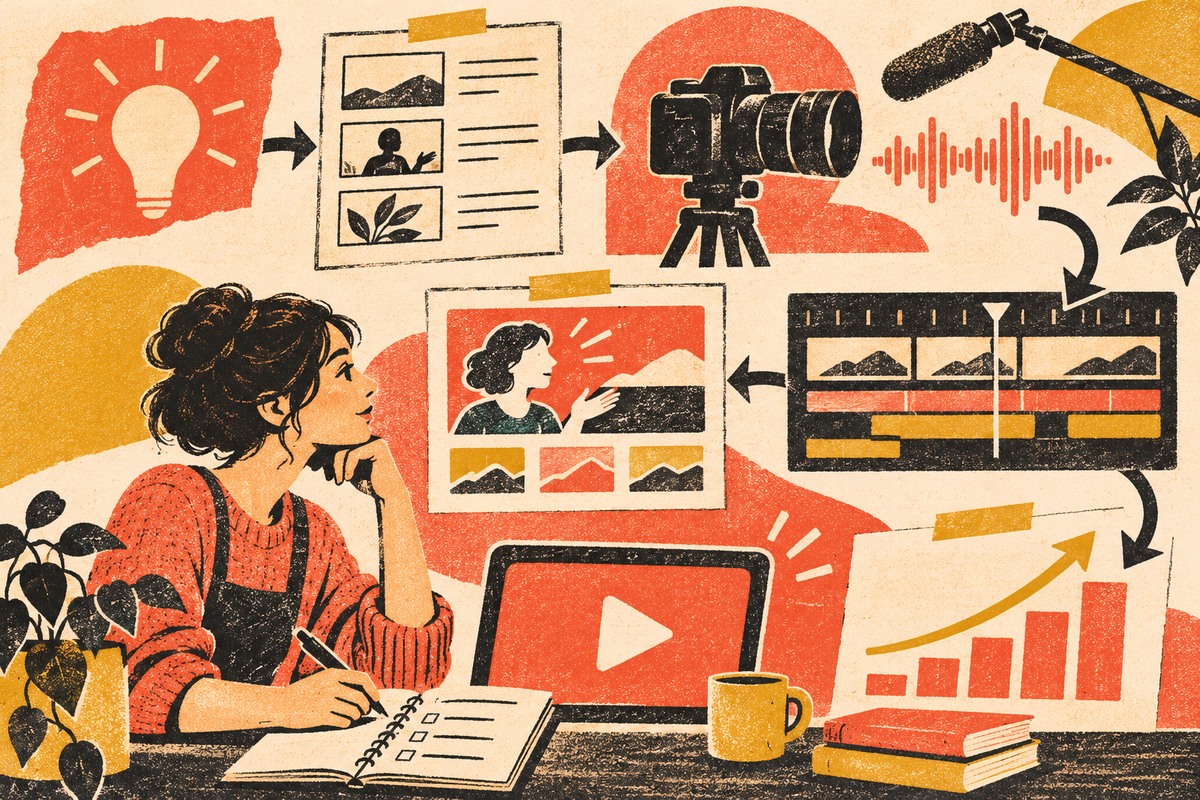
    This guide compares 18 current YouTube tools by the job they perform: research, packaging, recording, editing, audio, captions, publishing, repurposing, and measurement. For each one, the important question is not “Is this popular?” It is “What problem would this remove from my workflow?”

    Which YouTube tools do you actually need?

    If you are starting from scratch, build a minimum viable stack before you shop for advanced features:

    • Plan and measure: YouTube Studio first; Google Trends for directional topic research.
    • Package: Canva or Adobe Express for thumbnails. Pick one unless your team already has a reason to use both.
    • Record: OBS Studio for screen/solo recording, Riverside for remote interviews, or StreamYard for live production.
    • Edit: choose one primary editor—DaVinci Resolve, Premiere Pro, CapCut, or Descript—based on the work you actually do.
    • Audio and captions: start with YouTube Audio Library and YouTube’s native captions; add a paid library or caption service when quality, licensing, or workflow demands it.
    • Distribute and repurpose: use YouTube’s native scheduling unless you truly need cross-platform coordination; add Buffer or OpusClip only for that proven gap.

    If your real problem is getting more qualified views rather than producing videos efficiently, use our dedicated guide on how to get more YouTube views. This article owns the tool decision; that one owns the growth diagnosis.

    Use the Scope Design GEAR Test before adding another tool

    Software decisions get easier when you start with the constraint instead of the feature list. We use a simple four-part test for YouTube tools:

    • G — Gap: What recurring bottleneck does this tool fix?
    • E — Evidence: What metric or workflow result will show that it helped?
    • A — Added overhead: What does it duplicate, cost, or complicate?
    • R — Reversibility: Can you export your media, data, and process and leave cleanly?

    A tool that cannot pass GEAR probably belongs on the “interesting” list, not the company card. This follows the same lean-stack principle we use in our broader small business marketing strategy: fix the system before buying more attention or more software.

    18 YouTube tools worth knowing

    1. YouTube Studio — the native command center

    YouTube Studio should be the first tool in almost every stack because it is the source closest to the platform itself. Current Studio analytics covers reach, engagement, audience, content performance, revenue for eligible channels, and a Trends area for idea discovery. At the video level, Reach helps you inspect impressions and click-through rate while Engagement helps you inspect watch time and retention.

    YouTube also now offers native title and thumbnail A/B testing for eligible content, testing up to three variants and selecting the result using watch-time share. That matters when evaluating third-party “optimization” tools: some jobs you once needed a plugin for may now exist natively.

    Use it when: always. Skip another tool when: Studio already answers the question you are trying to solve.

    2. Google Trends — directional topic research

    Google Trends is useful for comparing topic momentum, seasonality, and related interest before you commit time to production. It is especially useful when you are deciding between two ways of framing the same business problem.

    Do not treat Trends as exact YouTube search volume. Use it as directional evidence, then pair it with what your own audience watches, the questions customers ask, and the search terms visible in YouTube Analytics.

    Use it when: you need a free signal about topic direction. Skip it when: you are looking for channel-specific performance evidence—Studio is better for that.

    3. vidIQ — YouTube-specific research when research is the bottleneck

    vidIQ layers YouTube-specific keyword, trend, competitor, ideation, and optimization tools around the creator workflow. Its current keyword research can surface related terms, questions, rising keywords, and estimated search/competition signals.

    The important limitation is conceptual: an estimated keyword score is not a promise that a video will rank or satisfy viewers. YouTube itself describes search and recommendation as multi-signal systems. Use vidIQ to improve research speed, not to outsource editorial judgment.

    Use it when: topic and search research is repeatedly slow or inconsistent. Skip it when: Studio, customer questions, and a simple research process already give you enough evidence.

    4. TubeBuddy — a browser layer for YouTube workflows

    TubeBuddy is a browser extension that adds tools directly on top of YouTube. It remains useful for creators who want an integrated extension-based workflow around channel management and optimization.

    But compare every paid feature against current YouTube Studio before subscribing. Native Studio now handles more packaging, analytics, scheduling, and experimentation than it once did. If your only reason for buying a third-party tool is title or thumbnail testing, check whether your channel already has YouTube’s native A/B test first.

    Use it when: its extension workflow saves recurring channel-management time. Skip it when: it mostly duplicates Studio or another research tool you already pay for.

    Thumbnail and packaging tools

    5. Canva — fast, repeatable thumbnail production

    Canva is a practical choice when the bottleneck is producing consistent thumbnails without a full design workflow. Templates, reusable brand elements, and simple collaboration make it approachable for a small team.

    The risk is template sameness. A thumbnail is packaging, not decoration. Start from the video promise, then design the image. If the visual looks polished but says nothing specific, the tool did its job and the strategy did not.

    Use it when: speed and consistency matter more than advanced image compositing. Skip it when: your existing design stack already makes thumbnails efficiently.

    6. Adobe Express — a strong alternative for Adobe-oriented teams

    Adobe Express offers a fast template-driven route to YouTube thumbnails and branded social graphics. It is most compelling when your team already lives in Adobe’s ecosystem or prefers its asset workflow.

    You probably do not need both Express and Canva for the same job. Pick the one your team can use quickly, keep the source files organized, and create recognizable packaging with.

    Use it when: it fits your existing Adobe workflow. Skip it when: another design tool already owns thumbnail production.

    Recording and live-production tools

    7. OBS Studio — free screen recording and live production

    OBS Studio is free, open-source software for video recording and live streaming on Windows, macOS, and Linux. It is especially useful for tutorials, demonstrations, screen recordings, webinars, and more technical live setups where you want scene control without a subscription.

    Its strength is also its tradeoff: OBS gives you control, but that means setup. If your only requirement is a simple talking-head recording, a lighter tool may remove more friction.

    Use it when: screen capture, scenes, or live control are recurring needs. Skip it when: setup complexity is larger than the production problem.

    8. Riverside — remote interviews with separate source tracks

    Riverside is built around remote recording for interviews, podcasts, webinars, and video content. Its workflow can capture separate local tracks for participants, which gives an editor more control than relying on a compressed meeting recording.

    That makes it useful when guests are part of the content format. It is unnecessary overhead for a solo creator whose main job is recording a screen or camera locally.

    Use it when: remote guest quality and separate tracks matter. Skip it when: you rarely interview people.

    9. StreamYard — browser-based live shows and interviews

    StreamYard focuses on browser-based live streaming, guest interviews, podcasts, and webinars. It reduces some of the technical setup that comes with a more configurable broadcasting tool.

    Use it when: live or guest-based programming is a recurring format and ease of operation matters. Skip it when: you do not publish live content or already have a reliable OBS workflow.

    Video editing tools

    Editing is where tool overlap gets expensive quickly. Pick one primary editor based on the kind of videos you make. If you routinely export a project from one editor just to perform one minor task in another, that may be a real gap. If you bounce among four editors because each one has an interesting AI button, that is tool sprawl.

    10. DaVinci Resolve — powerful editing with a capable free tier

    DaVinci Resolve combines editing, color, visual effects, motion graphics, and audio post-production in one application. The current free version is substantial enough for many YouTube workflows, while Studio adds advanced capabilities.

    Use it when: you want a serious editor without automatically committing to a recurring editing subscription. Skip it when: your editing needs are simple enough that the learning curve becomes the bottleneck.

    11. Adobe Premiere Pro — mature post-production for Adobe teams

    Adobe Premiere Pro remains a strong choice for teams that already depend on Adobe workflows, hand projects between editors, or need a traditional timeline-based editing environment with a broad professional ecosystem.

    Use it when: the Adobe ecosystem, team compatibility, or advanced post-production work justifies it. Skip it when: you are paying for professional complexity but producing simple cuts that another tool handles faster.

    12. CapCut — fast editing for Shorts and social derivatives

    CapCut is useful when speed matters, particularly for vertical clips, captions, and social-first edits. Current CapCut documentation confirms auto-caption workflows across web, desktop, and mobile, with platform-specific differences.

    Use it when: short-form editing and caption styling are recurring production tasks. Skip it when: your long-form post-production already works cleanly in a primary editor and adding another timeline creates more handoffs than it removes.

    13. Descript — edit spoken video through the transcript

    Descript turns transcription into an editing interface: change the text and the underlying spoken video follows. That can be dramatically faster for interviews, tutorials, podcasts, and talking-head content where the edit is mostly about words, pacing, and cleanup.

    Use it when: transcript-first editing removes time from spoken-content production. Skip it when: your work depends heavily on visual timing, complex motion, or a timeline workflow your editor already knows well.

    Audio, music, and caption tools

    14. YouTube Audio Library — start here for music and sound effects

    The YouTube Audio Library is built into YouTube Studio and provides production music and sound effects that YouTube identifies as copyright-safe for use on the platform. Some Creative Commons tracks require attribution, so check the license details instead of assuming every track has identical terms.

    Use it when: you need a native, low-friction audio source. Skip a paid library when: the Audio Library already covers the sound and licensing job.

    15. Epidemic Sound — a broader paid music and SFX library

    Epidemic Sound is useful when a broader licensed music and sound-effects catalog materially improves production or saves licensing research time. The important part is choosing a plan that actually matches how you publish—including business or client work where applicable—not simply downloading tracks under the assumption that every subscription grants every use.

    Use it when: music selection and licensing are recurring production constraints. Skip it when: native/free audio already meets the job.

    16. Rev — transcription and captions when accuracy is the real requirement

    Rev can fill the gap when you need a dedicated transcription/caption workflow rather than accepting platform-generated text as-is. That may matter for accessibility, customer-facing transcripts, regulated or technical vocabulary, or content you plan to reuse elsewhere.

    Automatic captions are a starting point, not a reason to stop reviewing text. Names, jargon, numbers, and ambiguous audio still deserve human QA regardless of which tool created the first pass.

    Use it when: caption/transcript quality or downstream reuse justifies a specialist workflow. Skip it when: native captions plus a careful manual review already meet the requirement.

    Scheduling and repurposing tools

    17. Buffer — useful when YouTube is part of a multi-platform calendar

    Buffer currently supports planning and scheduling YouTube Shorts alongside other social channels. That can make sense for a team coordinating Shorts, Reels, TikTok, and other derivatives from one content calendar.

    But YouTube Studio can schedule YouTube uploads natively. Do not add a social scheduler just to recreate a button the platform already gives you. Add it when cross-channel coordination is the actual gap.

    Use it when: one team manages multiple social destinations and needs one queue. Skip it when: YouTube is the only destination or native scheduling is sufficient.

    18. OpusClip — turn long recordings into short-form candidates

    OpusClip can identify and reformat portions of a longer video into short-form clips, with automated captioning and reframing. It is useful when the bottleneck is the mechanical work of finding and formatting clip candidates.

    Do not confuse automated clipping with editorial judgment. The most quotable 30 seconds are not automatically the best 30 seconds for your customer, brand, or conversion path. Review every derivative against the promise of the destination channel. Our content repurposing guide explains why strong derivatives should preserve the source idea rather than turn it into generic fragments.

    Use it when: clip extraction/reformatting is a repeated time sink. Skip it when: your clips require enough editorial reconstruction that automation adds another review layer without saving time.

    Four practical YouTube tool stacks

    A lean small-business starter stack

    • YouTube Studio
    • Google Trends
    • Canva or Adobe Express
    • DaVinci Resolve, CapCut, or Descript—pick one primary editor
    • YouTube Audio Library

    This is enough to plan, package, edit, publish, and measure without buying a dozen subscriptions. Add a recording platform only if interviews/live content become part of the format.

    A search-led educational channel

    • YouTube Studio
    • Google Trends
    • vidIQ or TubeBuddy if deeper research is a proven need
    • one thumbnail tool
    • one primary editor

    Do not buy both YouTube SEO tools on day one. Trial one against a real research problem and compare the output to Studio, search terms, customer questions, and your own results.

    An interview or podcast-to-YouTube stack

    • Riverside for remote recording
    • Descript or DaVinci Resolve for post-production
    • Canva or Adobe Express for thumbnails
    • YouTube Audio Library or Epidemic Sound
    • YouTube Studio for publishing and measurement

    A multi-platform content team

    • YouTube Studio as the channel source of truth
    • your established editor
    • Buffer if cross-platform scheduling is genuinely centralized
    • OpusClip if derivative clipping is a high-volume bottleneck
    • a durable source-asset workflow so social clips still point back to useful complete content

    For the last point, our guide to content marketing for small business explains why one complete source asset should come before a publishing treadmill of fragments.

    Measure the bottleneck, not the size of the tool stack

    “Greater exposure” is too vague to manage. A useful YouTube workflow separates at least four questions:

    • Discovery: are the right people seeing the video? Review impressions, traffic sources, search terms, and the topics that actually bring viewers.
    • Packaging: do the right people choose the video? Review title/thumbnail performance in context, not CTR alone.
    • Experience: does the video deliver the promise? Review retention, watch time, and where viewers leave or rewatch.
    • Business continuation: does the viewer have a useful next step? Track the relevant page visit, inquiry, signup, sales conversation, or other outcome your business actually values.

    That last layer is easy to miss. A business channel can get more views and still fail to create business value. Scope Design’s internal YouTube strategy treats video as a client-attraction and trust system: answer a real problem, package it clearly, deliver the answer, and connect the right viewer to a useful next step.

    If you are deciding what role video should play in a larger marketing system, start with our guide to video marketing types and strategy before you choose production software.

    Frequently asked questions about YouTube tools

    What are the best YouTube tools for beginners?

    Start with YouTube Studio, a thumbnail tool such as Canva or Adobe Express, one editor, and YouTube Audio Library. Add a research tool, remote recorder, scheduler, or repurposing app only after you can name a recurring bottleneck it will solve.

    What are the best free YouTube tools?

    YouTube Studio, YouTube Audio Library, Google Trends, OBS Studio, and the free version of DaVinci Resolve can cover a surprising amount of a small-business workflow. Canva, Adobe Express, vidIQ, and other products also offer free entry points, but plan limits change; verify current terms before building a workflow around them.

    Do I need vidIQ or TubeBuddy for YouTube SEO?

    No. They can make research and channel workflows faster, but they are optional. YouTube Studio already provides first-party performance evidence, and YouTube Search is not a simple keyword-density game. Use an SEO tool when research is a real constraint, not because a score promises rankings.

    What is the best video editor for YouTube?

    There is no universal best editor. DaVinci Resolve is strong for a capable all-in-one post-production workflow, Premiere Pro fits Adobe-oriented professional teams, CapCut is fast for social/Shorts work, and Descript is unusually efficient for transcript-heavy spoken content. The best editor is the one that removes the largest editing constraint without creating a larger learning or handoff problem.

    Can YouTube Studio replace third-party tools?

    Sometimes. Studio already covers publishing, scheduling, analytics, research/trend signals, captions, audio resources, and—in eligible cases—title/thumbnail A/B testing. Check the native feature first, then pay for a specialist only when you can identify the missing capability or time savings.

    Should a small business measure YouTube success by views?

    Views are useful, but they are not the whole business result. Measure whether the right audience discovers the video, chooses it, stays long enough to receive the promised value, and has a sensible next step. Then connect YouTube performance to inquiries, leads, sales conversations, or another outcome the business actually values.

    The bottom line

    You do not need 18 YouTube subscriptions. You need a dependable production system and a small set of tools that remove real constraints.

    Start native. Pick one tool per job. Make every addition pass the GEAR Test. Measure the constraint it was supposed to fix. And remember that the software is supporting the content—not substituting for a clear audience, a useful promise, and a reason for the right viewer to continue.

  • Email Marketing for Small Business: Build a Relationship System, Not a Blast Calendar

    Email Marketing for Small Business: Build a Relationship System, Not a Blast Calendar

    Email marketing for a small business should be an owned relationship system that earns permission, sends useful messages at the right lifecycle moment, hands responses to a responsible person, and measures what happens next. It is not a newsletter calendar, an open-rate contest, or a magical machine that turns every dollar into forty-two more because an infographic said so.

    TL;DR: Start with one permissioned, exportable contact record. Define the job of each email. Segment by the customer relationship, authenticate the sending domain, automate only stable moments, assign every reply and sales signal, and measure qualified progress rather than vanity metrics. If those pieces are missing, sending more email merely scales the confusion.

    What Is a Small-Business Email Marketing Strategy?

    A small-business email marketing strategy defines whom the business may contact, why each message exists, what customer moment it supports, how the contact data is maintained, who owns the response, and which business outcome will be observed. The platform is only one component.

    That definition deliberately reaches beyond campaigns. A welcome email can be beautifully written and still fail if the contact source is unknown, the reply goes to an unattended inbox, the sales team cannot see the customer’s question, or nobody knows whether the recipient later booked, bought, renewed, or asked for help.

    Email remains useful because it can continue a direct relationship outside an algorithmic feed. But “owned channel” is often overstated. You do not own Gmail’s inbox, a vendor’s delivery infrastructure, or a person’s attention. You can own the business records, sending domain, permission history, message logic, exports, and operational process. That is the part worth building.

    The Scope Design Email Relationship Chain

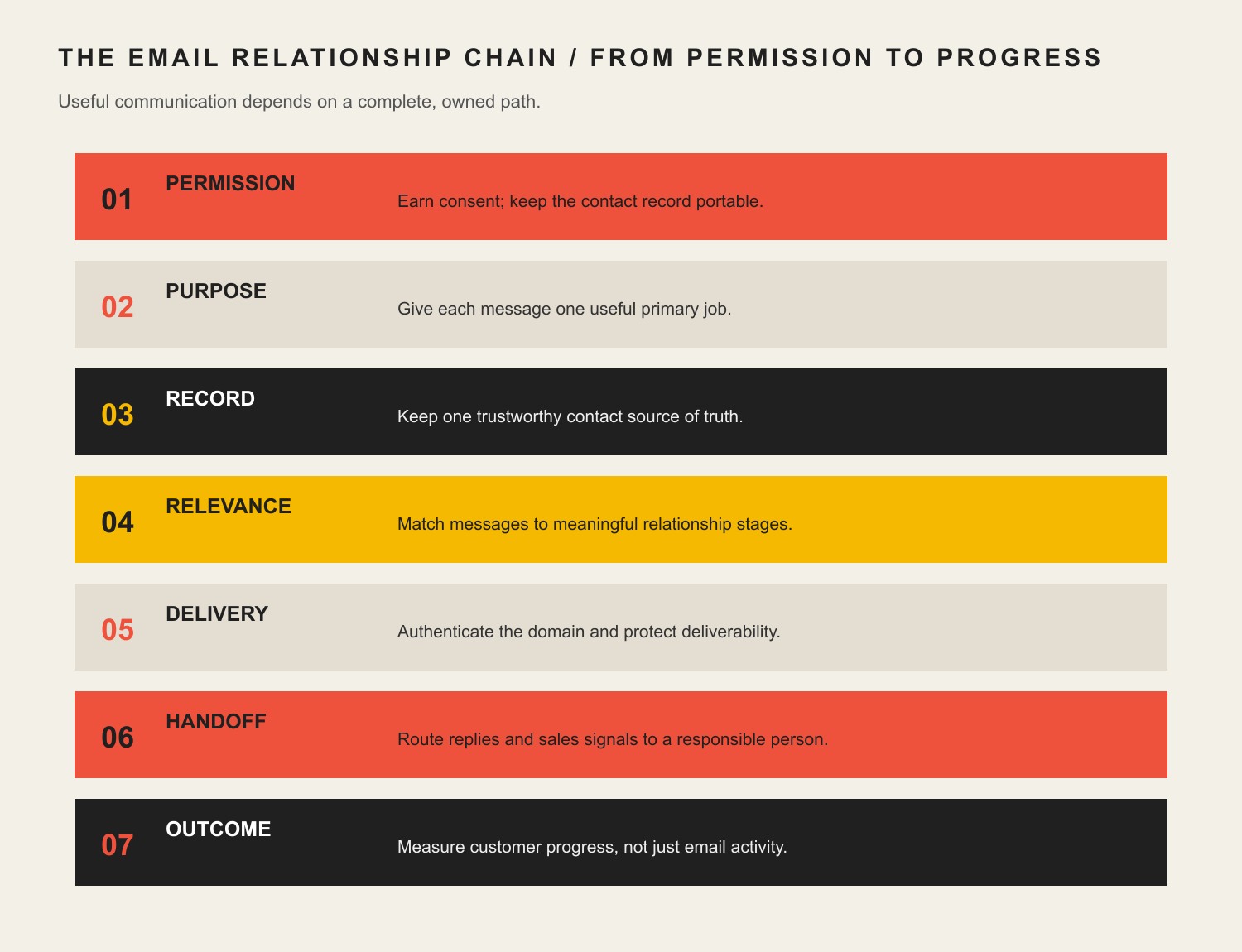
    Seven email relationship stages: permission, purpose, trustworthy record, relevance, delivery, human handoff, and customer outcome.

    Use seven connected parts to plan or audit the system: Permission, Purpose, Record, Relevance, Delivery, Handoff, and Outcome.

    LinkQuestion it must answerTypical failure
    PermissionWhy is this person receiving this type of message?A mystery spreadsheet is treated as a marketing list
    PurposeWhat useful job should this message perform now?“We should send something this week” becomes the strategy
    RecordWhich system preserves source, preference, status, and ownership?Five conflicting lists and no reliable export
    RelevanceWhat relationship fact materially changes the message?Everyone receives the same generic blast
    DeliveryCan authenticated, wanted mail reliably reach and render in the inbox?Copy is polished while the domain looks untrustworthy
    HandoffWho or what owns the reply, purchase signal, service need, or exception?High-intent responses disappear into a shared inbox
    OutcomeWhat observable customer or business transition matters?Opens are celebrated while sales and service remain blind

    Every link affects the next. More relevance cannot rescue bad permission. Better deliverability cannot fix a pointless message. Automation cannot repair an unowned handoff. A dashboard cannot manufacture an outcome the business never defined.

    1. Earn Permission and Keep the List Portable

    Build the list through real customer interactions: a useful subscription, inquiry, purchase, event registration, account preference, resource request, or explicit offline signup. Record the source and date when the platform and process allow it. Tell people what they are choosing rather than hiding a marketing subscription beneath a button with the emotional warmth of a parking ticket.

    Permission is both a trust standard and a deliverability advantage. Google’s current sender guidance recommends that recipients opt in and that senders make subscription and unsubscription easy. The United States’ CAN-SPAM Act is not an opt-in law for ordinary commercial email, but it does establish a federal baseline for accurate sender information, truthful subject lines, a valid postal address, and an effective opt-out. Legal permission and a good reason to occupy somebody’s inbox are not always the same bar.

    List ownership also requires portability. The business should be able to export contacts, consent or source information, preferences, suppression status, and important lifecycle fields in a usable format. The sending domain and vendor accounts should be controlled by the business—not trapped in a former employee’s login or an agency account nobody can recover.

    Never buy a list and call it audience development. Purchased addresses lack relationship context, create complaint and reputation risk, and usually violate the acceptable-use rules of reputable email platforms. You acquired rows, not attention.

    2. Give Every Email One Primary Job

    “Engagement” is too vague to govern a message. Define the customer transition the email is supposed to help.

    Lifecycle momentUseful primary jobSensible next action
    New subscriberConfirm expectations and deliver promised valueChoose preferences, read the promised resource, or reply
    Evaluating prospectAnswer a consequential question or reduce uncertaintyRead evidence, compare options, request a diagnostic, or reply
    New customerExplain what happens next and prevent avoidable anxietyComplete onboarding, supply information, or contact the owner
    Active customerSupport successful use, service, or deliveryUse the service, resolve a problem, or access help
    Lapsed customerTest whether the relationship is still relevantReturn, update preferences, or leave cleanly
    Loyal customerRecognize the relationship and make the next value exchange appropriateRenew, refer, review, or use a relevant benefit

    One message may contain several links, but it should have one primary job. When every email tries to educate, sell, announce, survey, cross-sell, collect a review, and introduce the intern, the reader gets a digital junk drawer.

    This is where the broad strategy separates from an email newsletter. A newsletter is one recurring format. The strategy decides whether that format has a job, which audience should receive it, and what happens when somebody responds.

    Retention mechanics also deserve their own design. A small-business loyalty or rewards program can support repeat behavior, but email should reflect the actual customer relationship rather than spraying the same coupon at subscribers, active customers, and people who already left.

    3. Maintain One Trustworthy Contact Record

    Small businesses rarely begin with one clean database. Contacts live in the email platform, ecommerce system, accounting package, CRM, form plugin, event spreadsheet, support inbox, and somebody’s phone. The answer is not always one gigantic replacement system. It is clear authority for each important fact.

    At minimum, decide where the following information is maintained:

    • email address and customer or account identity;
    • acquisition source and permission basis;
    • subscription preferences and suppression status;
    • lifecycle stage or relationship type;
    • purchases, services, or inquiries that materially affect communication;
    • responsible employee or team;
    • promised next action and deadline;
    • export, backup, and account ownership.

    The email platform may execute sends while the CRM owns lead status and ecommerce owns purchases. That can work. The systems simply need defined synchronization and conflict rules. If three tools disagree about whether someone is a customer, “personalization” becomes a very efficient way to send the wrong message.

    This concern is grounded in Scope Design’s own operating experience. Greg has repeatedly worked to reduce email clutter while preserving searchability, assignment, long-term control, and the ability to delegate. The lesson is not that every business needs a complicated CRM. It is that communication should survive the person who currently remembers where everything is.

    4. Segment by the Relationship, Not Creepy Trivia

    Useful segmentation changes the message because the relationship is genuinely different. A new subscriber, active prospect, current customer, lapsed customer, and service contact should not all receive the same pitch.

    Start with fields the business can maintain and act on:

    • subscription or stated topic preference;
    • lifecycle stage;
    • customer versus prospect status;
    • product, service, or problem involved;
    • recent intentional action such as a purchase, request, reply, or registration;
    • location when it changes availability, regulations, events, or service;
    • engagement only when the signal is reliable enough to change treatment.

    Avoid accumulating demographic or behavioral trivia merely because software can. More data creates more responsibility, more opportunities for error, and more ways to sound unsettling. The minimum useful context usually beats the maximum collectible context.

    Before creating a segment, ask: What will we do differently, and can we keep this field accurate? If there is no operational answer, the segment is decorative complexity.

    5. Authenticate the Domain Before Polishing the Confetti

    Email deliverability begins with identity and reputation, not clever subject lines. Google recommends setting up SPF, DKIM, and DMARC for sending domains. Its requirements for senders delivering more than 5,000 messages per day to personal Gmail accounts include SPF and DKIM, DMARC, aligned sender domains, TLS, a spam rate below 0.3%, and one-click unsubscribe for marketing or subscribed messages. Yahoo’s sender requirements also emphasize timely, relevant email to active audiences.

    In plain English:

    • SPF identifies systems authorized to send for the domain.
    • DKIM adds a cryptographic signature that receiving systems can verify.
    • DMARC tells receivers how the visible sender domain should align with SPF or DKIM and provides reporting and policy controls.

    These records must reflect every legitimate sender: the email platform, business mailbox provider, transactional system, CRM, ecommerce service, or other authorized tool. Randomly pasting DNS records from three vendors can create multiple SPF records or broken alignment. Have somebody inventory the senders and test the result.

    Authentication does not guarantee inbox placement. List quality, complaints, bounces, relevance, sending patterns, and recipient behavior still matter. It does, however, establish that the business took the basic step of proving who is sending. Spending hours on emojis while the domain cannot pass authentication is marketing theater with a technical support sequel.

    Once those foundations are credible, email subject-line strategy can help the recipient understand why the message deserves attention. The subject line’s job is accurate relevance—not emotionally mugging the reader into an open.

    6. Build Automations Around Stable Lifecycle Moments

    Email automation is valuable when the trigger is reliable, the message has a defined job, exceptions are known, and a human can inspect what happened. Start with moments that recur and remain useful without daily improvisation.

    Good first candidates include:

    1. Requested-resource delivery: provide the promised guide, receipt, confirmation, or account information immediately.
    2. Welcome and expectation setting: explain what the subscriber will receive, how often it may arrive, and how to change preferences.
    3. Inquiry acknowledgement and routing: confirm receipt, state what happens next, and alert the responsible person.
    4. Onboarding reminders: request genuinely necessary information and stop when the step is completed.
    5. Post-purchase or post-service follow-up: help the customer succeed, find support, or take the next appropriate action.
    6. Re-engagement or preference check: ask whether the relationship remains wanted before continuing indefinitely.

    Automation should have an owner, review schedule, stop conditions, and failure alerts. A three-year-old sequence can quietly send obsolete pricing, introduce departed employees, link to dead pages, or pitch services the business no longer wants. “Set it and forget it” is usually how digital assets become haunted.

    For broader workflow design, see Scope Design’s business automation and AI services. The technology earns its place only when the process, data, exceptions, and ownership are understood first.

    7. Design the Sales and Service Handoff

    The email did not succeed merely because somebody clicked. Define what happens when a recipient replies, requests pricing, visits a high-intent page, starts a purchase, reports a problem, or asks to stop a particular communication.

    A responsible handoff specifies:

    • the event that creates the handoff;
    • the person or team receiving it;
    • the context they receive;
    • the expected response time;
    • the customer confirmation;
    • the backup when the owner is unavailable;
    • the record that proves completion;
    • the next step when no response occurs.

    The handoff should match capacity. If one owner receives every “hot lead” alert but checks the inbox twice a week, more automation creates faster disappointment. If service replies are mixed with promotional responses, the business may optimize a campaign while overlooking a customer who needs help.

    This is the same constraint-first principle used in the 90-day marketing framework: fix the binding operational problem before adding more activity. More sends are not progress when the response path is broken.

    When email must coordinate with the website, phone, sales, service, or an in-person experience, use the broader omnichannel handoff model to decide which context survives the transition and who owns the next moment.

    8. Measure Customer Progress, Not Just Email Activity

    Open rate is a diagnostic signal, not a business outcome. It is also less dependable than it once appeared. Apple’s Mail Privacy Protection can prevent senders from seeing whether recipients opened a message and may privately load remote content in the background. A neat open-rate trend can therefore reflect technology behavior as well as human attention.

    Use a measurement hierarchy:

    1. Business outcome: qualified inquiries, purchases, renewals, retained customers, completed onboarding, service resolution, or another traceable result.
    2. Lifecycle progression: subscriber to qualified prospect, prospect to conversation, customer to successful onboarding, or lapsed customer to a deliberate return.
    3. Intentional action: reply, useful click, form completion, booking, preference change, or resource use.
    4. System health: delivery, hard bounces, complaints, unsubscribes, authentication, and list growth or decay.
    5. Attention proxy: opens and read-time estimates, interpreted cautiously.

    Choose metrics according to the message’s job. A service notice should not be judged like a promotion. A welcome series may be evaluated by preference completion, replies, and downstream qualification. A newsletter may support return visits and useful conversations. A win-back message may succeed by reactivating a good customer—or by helping uninterested recipients leave cleanly so the list becomes healthier.

    Do not force perfect attribution where it does not exist. Record what can be traced, preserve useful source information, and combine campaign data with sales and service feedback. Hope is not an analytics strategy, but fake precision is not one either.

    9. Choose an Email Platform After Defining the System

    There is no universal “best email marketing platform for small business.” The right tool is the least complicated supported platform that can execute the required permissions, fields, segments, automations, authentication, integrations, exports, and reporting.

    Evaluate platforms against the real operating model:

    • Can contacts, fields, preferences, and suppression records be exported?
    • Can the business control its account, domain authentication, billing, and administrators?
    • Does the platform support the needed lifecycle triggers without brittle workarounds?
    • Can employees see replies and handoffs in the system where work is managed?
    • Does it support accessible templates and usable plain-text alternatives?
    • Can it honor unsubscribes and preference changes consistently across lists?
    • What will it cost at the expected contact and send volume over three years?
    • Can another competent provider maintain it if the current consultant disappears?

    Do not begin with a comparison chart containing seventy features. Start with the jobs and constraints. A simpler platform maintained well is more valuable than an “enterprise” stack nobody trusts.

    10. Use a Sustainable Sending Cadence

    There is no universal best day, hour, or frequency. A local retailer’s event reminders, a professional firm’s educational sequence, an ecommerce replenishment message, and a service company’s onboarding emails have different timing logic.

    Choose cadence from:

    • the promise made when the person subscribed;
    • how often the business has something genuinely relevant to say;
    • the customer lifecycle and buying interval;
    • urgency created by the customer’s action, not manufactured scarcity;
    • staff capacity to handle replies and next steps;
    • segment-level response, complaints, unsubscribes, and downstream results.

    Consistency matters because expectations matter. That does not mean filling every Tuesday because a content calendar has an empty square. If the only available message is “just checking in” wearing a promotional hat, wait until there is a useful reason.

    11. Treat Compliance as the Floor, Not the Personality

    For commercial email in the United States, the Federal Trade Commission’s CAN-SPAM compliance guide requires accurate header information, non-deceptive subject lines, clear identification as advertising when applicable, a valid physical postal address, a clear opt-out mechanism, and honoring opt-out requests within ten business days. The opt-out mechanism must remain available for at least thirty days after sending. A business cannot contract away responsibility simply by hiring a platform or agency.

    Google’s sender FAQ can demand faster and more technical behavior than the legal minimum. It recommends processing one-click unsubscribe requests within 48 hours to protect recipients, reputation, and list health. Follow the stricter operational standard when feasible instead of treating the legal deadline as a service goal.

    CAN-SPAM is only a United States federal baseline. State privacy rules, industry requirements, contracts, and laws in other countries may apply depending on the business and recipient. This article is operational guidance, not individualized legal advice. When the audience or data crosses jurisdictions, get appropriate counsel rather than asking a footer to perform legal magic.

    A Practical Small-Business Email Marketing Plan

    Build the first useful version in this order:

    1. Inventory every contact source, sending tool, domain, list, form, automation, and employee owner.
    2. Decide which records are legitimate, current, exportable, and still useful.
    3. Define the permission, purpose, and primary owner for each communication type.
    4. Choose a small lifecycle model the business can maintain.
    5. Authenticate the domain and test every legitimate sender.
    6. Establish one suppression and preference process across the system.
    7. Build one high-value lifecycle sequence, including replies, handoffs, exceptions, and stop conditions.
    8. Connect the sequence to an observable customer or business outcome.
    9. Test on real devices, inboxes, roles, and failure cases before expanding.
    10. Review the system quarterly and after material offer, staff, platform, or compliance changes.

    Do not launch eight automations because the software offers templates. Build one relationship path that the business can own, observe, and improve. Then earn the complexity of the next one.

    Frequently Asked Questions About Email Marketing for Small Businesses

    Is email marketing worth it for a small business in 2026?

    Yes, when the business has a permissioned audience, a useful recurring reason to communicate, and an operational next step. It is not automatically worthwhile when contacts are poor, the offer is weak, replies are ignored, or nobody can trace what happens after a click.

    What is the best email marketing platform for a small business?

    There is no universal winner. Choose the simplest maintained platform that supports your permission records, segments, automations, domain authentication, integrations, exports, accessibility needs, and three-year budget.

    How should a small business build an email list?

    Collect addresses through real value exchanges and customer interactions: useful subscriptions, purchases, inquiries, events, accounts, resources, or explicit offline signup. State what the person will receive and keep source and preference data when practical.

    Should a small business buy an email list?

    No. A purchased list does not contain permission, relationship context, or demonstrated interest. It also creates deliverability, complaint, platform-policy, and brand-trust risk.

    How often should a small business send marketing emails?

    Send often enough to fulfill the stated promise and support the customer lifecycle, but not merely to fill a calendar. Watch useful clicks, replies, conversions, complaints, unsubscribes, and downstream outcomes by segment instead of following a universal weekly rule.

    What is the 80/20 rule for email marketing?

    It is usually presented as a heuristic suggesting that most content should be useful or relationship-building and a smaller portion directly promotional. It is not a standard or guarantee. The better rule is that every message should have a legitimate customer job, even when that job is selling.

    What is the three-email rule or 3-3-3 rule?

    Several unrelated sales and marketing heuristics use those names. None is a universal email standard. Define the sequence from the customer’s situation, message purpose, buying cycle, urgency, and response instead of forcing every relationship into three messages or three days.

    What are the five Ts of email marketing?

    Different sources assign different words to the mnemonic, commonly including concepts such as targeting, timing, testing, and tracking. Treat it as a memory aid, not governing doctrine. Permission, purpose, ownership, delivery, handoff, and outcomes matter whether they fit a catchy letter.

    Does an LLC need to appear in the sender email address?

    Usually the email address should use a recognizable branded domain and sender identity; the legal suffix does not need to clutter the address itself merely because the company is an LLC. Commercial messages still need accurate sender information and a valid postal address, and the business should use its legal identity where applicable. Ask counsel about entity-specific requirements.

    What is email segmentation?

    Email segmentation divides contacts into groups whose relationship or needs justify different communication. Useful segments may reflect lifecycle stage, customer status, topic preference, service involved, location, or recent intentional actions—not irrelevant personal trivia.

    Which email automation should a small business build first?

    Start with the repeated moment causing the most meaningful friction. Often that is promised-resource delivery, welcome and expectation setting, inquiry acknowledgement and routing, onboarding, or post-purchase support. Include an owner, stop conditions, exception handling, and measurement.

    Which email marketing metrics matter most?

    Start with the business or customer outcome the message supports, then lifecycle progression, intentional actions, and system health. Opens can help diagnose patterns, but privacy features and remote-content handling make them an unreliable primary outcome.

    Build the Relationship Before Scaling the Sends

    The strongest small-business email strategy is not the one with the most campaigns. It is the one the business can explain, maintain, export, authenticate, hand off, and connect to an honest outcome.

    If the list, CRM, forms, automations, website, and staff workflow have become one unowned tangle, Scope Design’s Impact Consulting can diagnose the constraint before another platform or campaign is added. Sometimes the answer is better email. Sometimes it is fixing the system email has been politely exposing for years.