
A website strategy is the set of business, audience, messaging, evidence, technology, and conversion decisions that determines what a website should do and how it should do it. A sitemap only tells you where the pages live. Strategy determines why those pages exist, who they need to persuade, what proof they require, what systems they must connect to, and how success will be measured.
Put less politely: a sitemap is an output. Website strategy is the thinking that makes the sitemap inevitable.
TL;DR: Diagnose the constraint before prescribing the website
- Do not begin with “How many pages do we need?” Begin with “What business problem is the website responsible for helping solve?”
- Check technical and measurement integrity before interpreting behavior. A broken form is not a messaging insight.
- Separate traffic volume from traffic quality. More of the wrong visitor is just a larger analytics bill.
- Fix unclear messaging before polishing interface details.
- Treat friction as either accidental or intentional. Some friction hurts conversion; some protects lead quality.
- Measure the last meaningful outcome the website can reasonably influence, then track it through to revenue.
- Build features only after the business process underneath them is understood. Otherwise, custom functionality is expensive theater.
What is a website strategy?
A website strategy is a commercial and operational blueprint for using a website to create a specific business result. It aligns the audience’s intent with the company’s positioning, proof, website content strategy, conversion paths, technology, measurement, and ability to maintain what gets built.
That definition matters because plenty of documents get called “strategy” when they are really inventories wearing a blazer.
A page list is useful. A sitemap is useful. A mood board can be useful. None of them explains:
- which business constraint the website must address;
- which audience and buying moment take priority;
- what the site needs to make believable;
- how visitors should move from question to evidence to action;
- which systems and teams own what happens after the click;
- what success looks like numerically;
- what the business can realistically maintain after launch.
Without those decisions, the project may still produce a beautiful website. It just cannot explain what the beauty is supposed to accomplish.
Website strategy vs. sitemap: what is the difference?
| A sitemap answers | A website strategy answers |
|---|---|
| What pages will exist? | Why does the website exist? |
| How are pages grouped? | Which audience and intent deserve priority? |
| What sits in the navigation? | What argument should the site make? |
| Where does content live? | What proof reduces doubt at each decision point? |
| What links to what? | Which conversion paths fit each stage of readiness? |
| How is the information organized? | How does the site connect to marketing, sales, service, and operations? |
| What needs to be designed? | What should be measured, maintained, improved, or deliberately left out? |
The sitemap is the skeleton. Strategy decides whether you are building a house, a warehouse, or a very expensive place to store decorative pillows.
The project the client requests is not always the problem they need solved
A long-established specialty auction business came to Scope Design asking for a new website and new features. Discovery showed that a prettier website was not the real problem.
The site sat on top of years of broken customer-facing functions, disconnected data, manual processes, legacy software, and systems that could not support where the business needed to go. Treating the engagement as a page-design exercise would have put fresh paint over an operational foundation that was already cracking.
So we did not begin with mockups. We mapped the business processes, identified the systems involved, clarified how information moved between them, and rebuilt the foundation before piling on more features.
That is website strategy in the real world: not refusing to design, but earning the right to design the correct thing.
The Scope Design Constraint-First Website Strategy framework
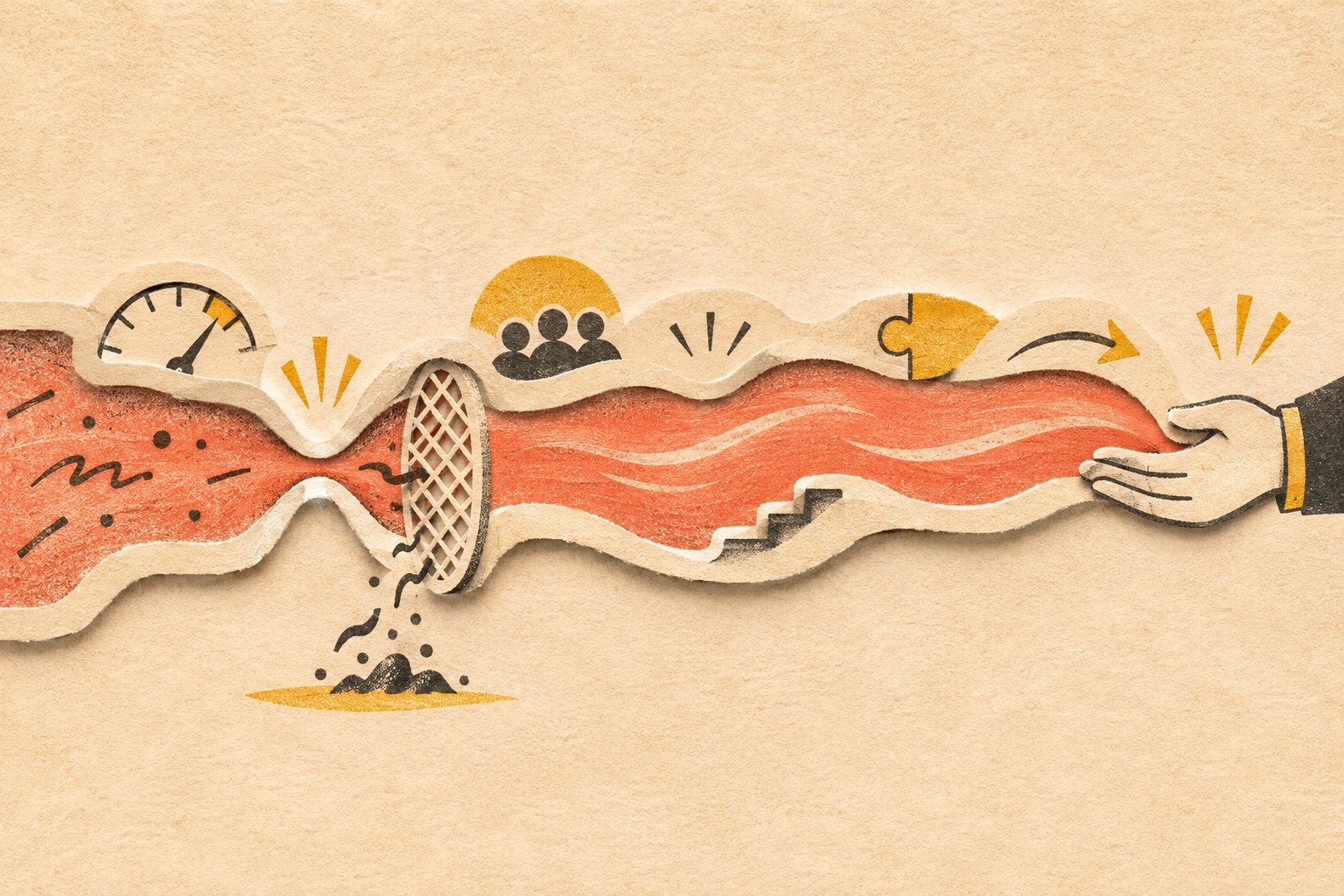
When a website is “not working,” diagnose the system in order. Upstream failures distort everything below them, so skipping ahead produces confident nonsense.
1. Verify measurement and technical integrity
Before interpreting a bounce, drop-off, or failed conversion, make sure the thing actually works.
Check forms, notification delivery, phone links, checkout, analytics, consent configuration, mobile layouts, browser behavior, tracking events, redirects, and the pages receiving important traffic. Submit the form yourself and confirm the lead arrives where a human can act on it. This catches an embarrassing number of “marketing” problems.
Performance belongs here too. Google’s current Core Web Vitals guidance defines good thresholds as LCP of 2.5 seconds or less, INP of 200 milliseconds or less, and CLS of 0.1 or less, evaluated at the 75th percentile. These are useful technical health signals, not a complete business diagnosis. web.dev explains how the thresholds are defined and evaluated.
Decision: If the path is broken or the measurement is untrustworthy, repair it before drawing strategic conclusions from the data.
2. Confirm there is enough relevant traffic to diagnose
A conversion rate built from a handful of visits is trivia, not a trend. Start by isolating intent-bearing traffic: people arriving from relevant searches, referrals, campaigns, sales conversations, or direct navigation with a plausible reason to buy.
Low traffic with a promising conversion rate points toward an acquisition or distribution problem. High traffic with weak outcomes gives you enough signal to keep diagnosing the site. Low traffic and no conversion data means you need evidence, not a button-color séance.
Decision: Determine whether you have a website problem or simply too little relevant attention to judge.
3. Separate traffic quality from traffic quantity
Segment visitors by source, query, campaign, landing page, geography, and device. Ask whether the people arriving have the problem you solve, the authority to act, and an expectation the page can satisfy.
If organic visitors want free instructions while the business sells implementation, or an ad promises one thing and the landing page delivers another, rewriting the CTA will not repair the mismatch.
Decision: Fix targeting and acquisition fit before optimizing a page for visitors who should never have been sent there.
4. Test messaging clarity
A visitor should quickly understand what the business does, who it helps, why the offer matters, and what to do next. This is not permission to flatten a complex service into a cute six-word slogan. It means the first screen should orient the reader instead of making them decode agency poetry.
Good messaging also explains the customer’s problem accurately, states a defensible point of view, and gives the rest of the page a narrative job. A homepage should orient and route mixed-intent visitors, not serve as a storage unit for every sentence the company has ever approved.
Decision: If qualified visitors arrive and leave before meaningfully engaging, clarify the argument before redesigning the furniture around it.
5. Find user-experience friction
Messaging problems usually happen early: people do not understand, so they leave. UX problems often happen later: people understand and engage, but cannot complete the action.
Look for abandoned forms, mobile-only failures, confusing navigation, inaccessible interactions, unexpected steps, unclear errors, weak information hierarchy, and repeated attempts to click non-interactive elements.
Accessibility is part of functional quality, not a decorative compliance sticker. WCAG 2.2 organizes accessibility around content and interfaces being perceivable, operable, understandable, and robust. The W3C publishes the complete WCAG 2.2 standard. In the United States, the Department of Justice also explains that businesses open to the public must ensure the goods and services they provide online are accessible, while noting that legal obligations depend on the applicable law and circumstances. Read the DOJ’s website accessibility guidance.
Decision: Remove accidental effort while preserving the information and qualification steps a serious buyer needs.
6. Evaluate the offer and positioning
If the right people arrive, understand the page, find the path usable, and still decline to act, the page may not be the constraint.
The offer may feel too risky, too generic, too expensive for the perceived outcome, too difficult to implement, or too similar to an easier alternative. The proof may be weak. The business may be attracting buyers it cannot credibly serve. No amount of whitespace can rescue an exchange the market does not want.
Decision: Strengthen the value, evidence, positioning, terms, or delivery model before buying another aesthetic reset.
7. Inspect sales and operational follow-through
The website’s job does not end at the form, but its influence eventually does. What happens after a conversion matters: response time, routing, qualification, scheduling, sales conversations, proposal process, onboarding, delivery capacity, and retention.
A website that creates qualified inquiries is doing its job even if leads sit unanswered for three days. A high-converting form can also make the business worse if it floods an overloaded team with junk.
Decision: Assign accountability to the stage that actually failed. Do not redesign the website to hide a sales or operations problem.
The nine decisions every website strategy should make
Once the constraint is understood, a serious website strategy should resolve nine connected decisions.
Purpose and priority
What is the website’s primary job: create qualified conversations, support purchases, establish credibility, reduce service workload, help sales, or something else? A site can support multiple goals, but one should win when priorities conflict.
Audience and arrival intent
Who is arriving, what question is already in their head, how did they get here, and what do they need next? This is more useful than a fictional persona whose defining trait is drinking artisanal coffee.
Positioning and narrative
What does the business claim, why should anyone believe it, and why are the alternatives less suitable? Pages become chapters in that argument.
Evidence strategy
Which claims require case studies, demonstrations, testimonials, credentials, original research, comparisons, or transparent explanations? Put proof near the doubt it resolves instead of exiling every testimonial to a page nobody visits.
Conversion architecture
What action fits each level of readiness? A high-intent visitor may be ready to book. A cautious buyer may need pricing context, a comparison, a diagnostic, or an example first. The site should provide a coherent next step without turning every page into a carnival of buttons.
Acquisition fit
How will people arrive—organic search, AI answers, paid campaigns, referrals, social content, email, or a salesperson sending a link? Our landing page optimization guide explains why a page written for a cold ad click has a different job from one used to support a six-month B2B decision.
Technology and operational integration
Which systems must exchange data? Who receives the inquiry? What happens if an integration fails? What must connect to the CRM, email platform, payment system, scheduling tool, inventory, support process, or reporting stack?
Measurement and feedback
Define one primary outcome tied to the business, plus a small set of diagnostic metrics that explain movement. Traffic, rankings, engagement, and button clicks can be useful signals, but they are not interchangeable with business success.
Governance and lifecycle
Who owns the content, integrations, security, updates, testing, and future decisions? Strategy that ignores maintenance capacity produces a beautiful launch followed by slow digital composting.
Why professionally designed websites still fail to convert
Visual design can make information easier to understand, increase perceived credibility, reinforce a position, and guide action. It cannot invent a compelling offer, qualify the wrong traffic, repair a broken sales process, or create proof the business does not have.
Common failures include:
- The site talks about the company instead of the customer’s decision. Visitors cannot recognize whether their situation fits.
- The value proposition is vague. “Transforming possibilities through innovation” may sound expensive, but it does not explain a damn thing.
- The page has no point of view. It looks polished and interchangeable with three competitors.
- Evidence appears too late or in the wrong place. The claim and the proof are separated when they need to work together.
- The page asks for too much commitment too soon. Every visitor gets “Book a call,” including people who still need to understand the basics.
- The design fights comprehension. Low contrast, ornamental motion, clever labels, and oversized images make the answer harder to find.
- The traffic and page intent do not match. The wrong visitor cannot be converted into the right customer by force of typography.
- The offer is the problem. The page communicates clearly; the market simply does not consider the exchange worthwhile.
This is why our UX and conversion guide owns the deeper question of why individual experiences fail to convert, while this strategy pillar focuses on diagnosing which business constraint deserves attention first.
Friction is not automatically bad
“Remove friction” is useful advice until it becomes a religion.
Accidental friction wastes effort: broken forms, unclear labels, surprise requirements, inaccessible controls, irrelevant fields, redundant steps, and errors that do not explain how to recover.
Intentional friction improves fit: asking about budget before a complex consultation, requiring essential project information, explaining who a service is not for, or making a consequential action deliberately reviewable.
For a high-ticket service, reducing a form to name and email may increase submissions while destroying lead quality and staff time. The goal is not the largest number above the funnel. The goal is the best business result after quality, workload, no-shows, and close behavior are counted.
The useful question is not “How do we remove friction?” It is “Which effort is unnecessary, and which effort improves the decision?”
Ethical conversion optimization: two tests Scope Design uses
We use two tests before recommending a conversion tactic:
- Would the lift survive if the visitor understood why we used the tactic?
- Does the lift remain after lead quality, refunds, no-shows, churn, staff time, accessibility, and long-term trust are counted?
That eliminates manufactured countdown timers, fake scarcity, invented proof, confirmshaming, hidden fees, obstructive cancellation, consent mazes, and proxy metrics that make the report look better while making the business worse.
The Federal Trade Commission describes dark patterns as design practices that can trick or manipulate people into choices involving money or personal data, including hidden disclosures and difficult cancellation paths. Its staff report documents common patterns and enforcement concerns.
Persuasion is part of good communication. Deception is not a growth strategy; it is a liability with a temporary conversion bump.
What outcome should a website strategy optimize?
Choose the outcome closest to money that the website can meaningfully influence.
| Business model | Useful primary website outcome | Quality or business check |
|---|---|---|
| E-commerce | Completed purchases | Margin, refunds, repeat purchases, average order value |
| Consultative B2B | Qualified opportunities | Pipeline value, held meetings, close rate, sales cycle |
| Local service | Booked and attended appointments | Job quality, close rate, source, service area |
| Subscription | Qualified starts or paid accounts | Activation, retention, lifetime value, support burden |
| Operational or service-heavy business | Successful self-service or automated process completion | Staff time saved, error reduction, customer satisfaction |
| Content-led business | Qualified subscriber or inquiry | Downstream engagement, opportunity creation, revenue contribution |
The website cannot close every sale, control service quality, or force the team to follow up. Hold it accountable for the last meaningful outcome it can produce, then track that outcome through the rest of the business so you learn what creates customers rather than merely contacts.
Sessions, rankings, impressions, scroll depth, and time on page are diagnostic metrics. They can explain a result. They should not be allowed to impersonate one.
What should a website strategy deliver?
A strategy does not need to become a 180-page deck that requires its own forklift. It needs to create enough clarity to build, prioritize, and measure responsibly.
A useful deliverable should include:
- the primary business problem and desired outcome;
- the prioritized audiences and arrival intents;
- the diagnosis of the current constraint;
- the positioning and core narrative;
- the evidence available and the proof still needed;
- the conversion paths for different readiness levels;
- the acquisition channels each major page must support;
- the content model, sitemap, and page responsibilities;
- the required integrations and operational handoffs;
- accessibility, privacy, security, and technical requirements;
- the measurement plan and current baseline;
- ownership, governance, and maintenance expectations;
- a phased roadmap that separates foundation work from optional features.
This is also what separates a professional business website from a collection of pages. Our guide to basic websites versus serious business websites explains the broader distinction, while the $500 website and one-hammer contractor analogy shows why strategy, copy, design, development, accessibility, security, and maintenance cannot be collapsed into one mystery task.
When should you redesign a website?
Redesign when the evidence shows that the current structure, interface, technology, positioning, or content cannot support the business’s priority outcome without disproportionate repair.
Do not redesign merely because the site feels old, a competitor launched something shiny, or a stakeholder is bored. Those may begin a useful investigation, but they are not diagnoses.
Sometimes the correct answer is a new foundation. Sometimes it is three repaired mobile templates, clearer positioning, better proof, faster sales follow-up, or a form that finally sends email to the right inbox. Discovery should be allowed to save the client from buying the project they originally requested.
If a redesign is justified, Scope Design’s website design and development service begins with the business and conversion requirements instead of treating strategy as the paragraph before the mood board.
Website strategy FAQ
What is the main purpose of a website strategy?
The main purpose of a website strategy is to align the website with a prioritized business outcome and the decisions required to produce it. It gives design, content, development, marketing, sales, and measurement a shared reason for what gets built.
What is the difference between website strategy and web design?
Website strategy determines the problem, audience, argument, evidence, conversion paths, requirements, measurement, and priorities. Web design turns those decisions into a usable visual and interactive experience. Design is essential, but it should not be asked to diagnose the business by accident.
Is a sitemap part of website strategy?
Yes. A sitemap is one output of website strategy. It organizes pages and relationships after the audience, intent, narrative, evidence, acquisition, and conversion decisions are understood.
What are the steps in creating a website strategy?
Start by defining the business outcome, auditing the current evidence, and diagnosing the tightest constraint. Then map audience intent, positioning, proof, conversion paths, acquisition channels, technical integrations, measurement, governance, and the sitemap. Prioritize foundation work before optional features.
Why am I getting website traffic but no conversions?
The traffic may be poorly matched, the message may be unclear, the experience may contain friction, the proof may be insufficient, or the offer may not be compelling. Segment traffic by source and landing-page intent, then diagnose messaging, UX, evidence, and offer in that order instead of assuming every visitor has the same problem.
What is a healthy website conversion rate?
There is no universal healthy conversion rate. The right baseline depends on the action, traffic source, buying stage, price, business model, and definition of a qualified conversion. Compare like with like, protect lead quality, and measure downstream outcomes rather than chasing a borrowed industry average.
What is the difference between SEO and conversion rate optimization?
SEO helps qualified people discover the right page through search. Conversion rate optimization improves how effectively the page helps suitable visitors take a useful action. SEO without conversion creates traffic without enough business value; CRO applied to irrelevant traffic optimizes the wrong audience.
Does every business need a custom website?
No. A template or simpler platform can be the correct choice when the needs are standard, the budget is limited, and the operational requirements are straightforward. Custom design or development should earn its cost by solving a real constraint, supporting differentiation, connecting systems, reducing work, or enabling an experience a standard solution cannot provide.
For local and home-service companies, use the service business website strategy guide to decide whether a template can handle the job or whether the handoffs, integrations, service areas, and operating workflow justify custom work.
How much does website strategy cost?
The cost depends on the number of audiences, stakeholders, systems, research requirements, content complexity, legal or technical constraints, and depth of validation. A small service business may need a focused diagnostic; a multi-system organization may need process mapping, analytics work, user research, technical architecture, and a phased implementation plan. The useful comparison is not strategy versus no strategy—it is the cost of diagnosis versus the cost of building the wrong thing.
Can a website strategy improve AI-search visibility?
Yes, indirectly. A strong strategy creates clear topic ownership, direct answers, original frameworks, first-hand evidence, useful internal relationships, explicit entities, and authoritative sourcing. Those qualities make the content easier for search engines and AI systems to interpret and potentially cite. No structure or schema can guarantee a citation, despite what the glitter merchants are selling.
Stop prescribing pages before you understand the problem
If your website is underperforming, the next step may be a redesign. It may also be clearer positioning, better traffic, repaired infrastructure, stronger proof, a sharper offer, or a sales process that answers the damn phone.
Put the strategy into practice
Once the website has a defined job, run the Website Fitness Test to evaluate its purpose, audience, clarity, trust, experience, technical reliability, and business fit. Then use the Buyer Decision File to identify the information a qualified buyer needs and audit the complete path with the seven-link website conversion checklist. Together they test whether the site is fit for its job, contains the truth buyers need, and can turn that truth into a useful business outcome.
Scope Design can help diagnose the constraint, map the business process, and build the right solution in the right order. Tell us what is not working, and we will start with the problem instead of arriving with a prewritten shopping list.