
Tag: small business website

  • Basic Website vs. Professional Business Website: What Separates a Serious Site?

    Basic Website vs. Professional Business Website: What Separates a Serious Site?

    Direct answer: A professional business website is not defined by custom code, a giant page count, or a designer price tag. It is defined by the business responsibility the site carries. A basic website mainly establishes a credible presence and provides essential information. A professional business website is scoped to help the business attract, persuade, qualify, serve, measure, connect, automate, and improve. The difference is the job the website is designed to do—and the consequences if it fails.

    TL;DR: A basic website is usually an online brochure: it explains who you are, what you do, and how to contact you. A serious business website has more responsibility. It supports customer decisions, creates clear conversion paths, connects to business systems, measures meaningful actions, and has an ownership plan for security, backups, maintenance, recovery, and change. A template-based site can be fully professional when that is all the business needs. Custom work should earn its place.

    A basic website and a professional business website can both be good investments. They simply have different jobs.

    Sometimes a business needs a clean, credible place online so people can verify that it is legitimate, understand the services, see proof, and make contact. That is a perfectly reasonable goal. Not every company needs a client portal, a quoting engine, six integrations, and enough automation to make a robot jealous.

    The problem starts when a business buys a digital business card and expects it to behave like a sales team, operations assistant, lead qualifier, customer-service desk, and marketing engine.

    That is not a website problem. That is an expectation problem.

    What Does a Basic Website Include?

    A basic website usually includes a homepage, an About page, service or product information, contact details, and a simple inquiry form. It may also include testimonials, a map, business hours, a gallery, FAQs, or a small blog. It should still look professional, load quickly, work on phones, use clear language, present the brand consistently, be reasonably accessible, and make contacting the business easy. “Basic” is not permission to build something slow, confusing, insecure, or held together with digital duct tape.

    It simply means the scope is focused.

    • Establish a credible online presence.
    • Explain a straightforward set of services.
    • Show hours, location, service area, or contact information.
    • Support referrals who already know the company name.
    • Launch quickly while an offer or market is still being validated.
    • Give customers one dependable place to verify the business.

    If that is the actual job, a well-built basic website may be exactly right. A focused site built from a strong theme, design system, or website builder can still be professional. The platform does not decide whether the work is serious; the fit between the business need and the execution does.

    But if the website is expected to generate qualified leads, support a complicated buying decision, connect to business systems, automate work, serve customers, or create measurable revenue, the project has crossed into different territory.

    Basic Website vs. Professional Business Website: The Difference at a Glance

    Area Basic website Professional business website
    Primary job Establish presence and provide information Improve marketing, sales, service, or operations
    Strategy Organized around pages and supplied content Organized around a business outcome, audience needs, and measurable actions
    Visitor journey Browse, read, contact Arrive with intent, find the right path, build confidence, take the next step
    Functionality Standard pages, forms, maps, galleries Workflows, portals, quoting, booking, ecommerce, search, or gated content when justified
    Integrations Few or none CRM, email, payments, scheduling, analytics, inventory, support, or internal tools
    Content Essential business information Content mapped to customer questions, proof, search intent, and conversion paths
    Measurement Traffic and form notifications Events, lead sources, conversion paths, funnel behavior, and business outcomes
    Ownership after launch Occasional updates Clear responsibility for maintenance, security, backups, monitoring, recovery, and iteration

    The visual design matters in both columns. It just is not the whole damn job.

    1. A Professional Business Website Starts With a Business Outcome

    A basic project often starts with a page list: Home, About, Services, Contact. A serious project starts with better questions.

    • What is the business trying to improve?
    • Who is the right customer?
    • What does that customer need to understand before taking action?
    • Where are leads or customers getting stuck?
    • Which repetitive tasks are wasting staff time?
    • What systems already exist, and where are the handoffs failing?
    • What result would make the project worth doing?
    • Who will own the site, accounts, data, and maintenance after launch?

    Those answers shape architecture, content, features, integrations, measurement, and calls to action. The website is not planned as a stack of pages. It is planned as part of the business.

    That is the core of website strategy: define the business outcome, understand the customer decisions, identify the constraint, and make the site responsible for the parts it can actually improve.

    “We need a new website” may actually mean:

    • Our leads are terrible.
    • Customers do not understand what makes us different.
    • Our sales team answers the same questions all day.
    • Quotes take too long to prepare.
    • We look smaller and less capable online than we are in real life.
    • Staff members are copying information between systems like it is still 2007.

    The website is often the visible part of the project. The thinking behind it is where much of the value lives.

    2. It Is Built Around Customer Decisions, Not a Navigation Menu

    Visitors do not arrive because they are excited to admire your menu structure. They arrive with a problem, a question, a concern, or a decision to make.

    A serious website helps a visitor answer three things quickly:

    1. Can you solve my problem?
    2. Can I trust you?
    3. What should I do next?

    That means the site needs clear positioning, useful proof, relevant service details, realistic expectations, and an obvious next step. Different visitors may need different paths. A first-time buyer may need education. A ready-to-buy prospect may want pricing context or a consultation. An existing client may need support, documents, or a portal.

    Good design makes those paths feel obvious. Good strategy makes sure they exist in the first place. If the site already attracts people but they do not act, the deeper issue may be conversion friction rather than appearance.

    3. It Does More Than Display Information

    A brochure site publishes information. A serious site can participate in the work.

    • Qualifying leads before they reach the sales team.
    • Guiding customers to the correct service or product.
    • Calculating estimates or configuring options.
    • Scheduling appointments or consultations.
    • Accepting payments, deposits, applications, or document uploads.
    • Providing a client, dealer, member, or employee portal.
    • Searching complex inventories, records, resources, or catalogs.
    • Routing inquiries based on location, service, urgency, or value.
    • Triggering follow-up messages and internal tasks.
    • Syncing information with a CRM, accounting system, ecommerce platform, or help desk.

    This is where “just a website” stops being an honest description. The site becomes software with a public face.

    That does not mean every business needs custom development. Standard tools should do the work when they solve the problem cleanly. Custom functionality becomes justified when the required workflow, integration, data model, transaction, or operational risk cannot be handled responsibly with standard patterns. Adding features because they sound impressive is how budgets disappear into a smoking crater. Adding the right feature because it removes friction or creates value is a different story.

    4. It Connects Systems Instead of Creating Another Silo

    Many businesses already have a website, CRM, email platform, scheduling tool, payment processor, accounting system, spreadsheets, and at least one mysterious workflow that only Linda understands.

    A serious website project considers that ecosystem. The public website may sit between customer intent and several business systems: a form creates a lead, a booking reserves time, a payment updates an order, a portal retrieves records, or an application launches an internal review.
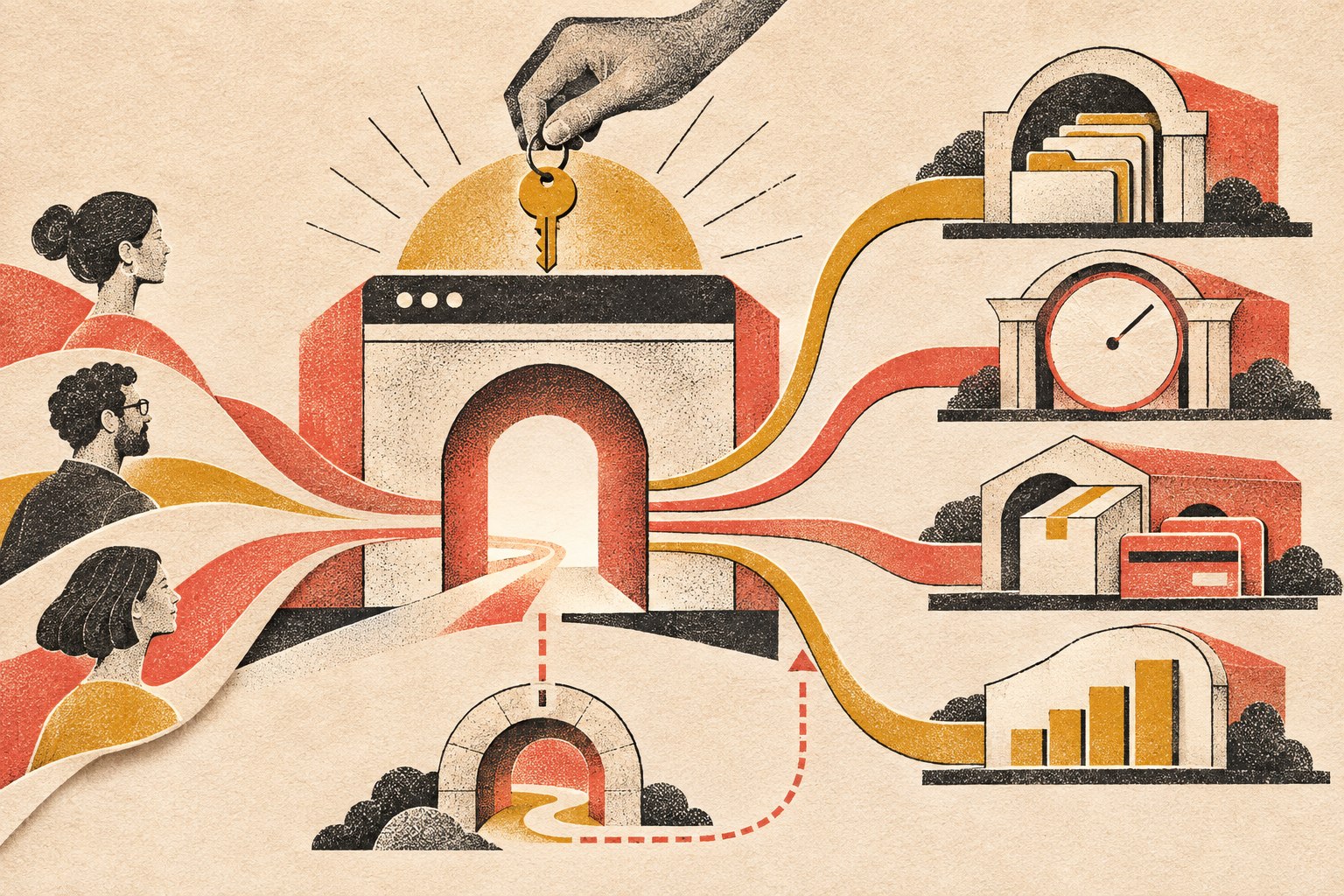
    A considered website gateway routes customer pathways to records, bookings, commerce, and measurement, with a clear fallback path.

    If a form submission still has to be copied into three systems by hand, the website may look modern while the process behind it is wearing a powdered wig. The hard part is not drawing a line between two logos on a flowchart. It is deciding which system owns each piece of information, what should happen when data changes, how errors and duplicates are handled, what staff must approve, and what happens when an external service is unavailable.

    Those are operational decisions. They belong in website planning whenever the site is expected to do real work.

    5. The Content Has a Job

    Serious websites do not treat content as filler poured into a finished design five minutes before launch.

    • The homepage establishes the broad value and main routes.
    • Service pages help a buyer evaluate a specific solution.
    • Comparison pages support commercial research.
    • Case studies and reviews provide proof.
    • Blog articles answer informational questions and build topical depth.
    • FAQs remove friction and handle objections.
    • Contact and booking pages make the next step feel safe and clear.

    This is also where search and AI discoverability begin. The goal is not to repeat one keyword until the page sounds like it was written by a malfunctioning parrot. The goal is to make the answer genuinely useful, structurally clear, easy to crawl, and unambiguous about the question it owns.

    That is why the direct answer appears at the top of this article. Readers should not have to survive 900 words of throat-clearing before learning the point. Scope Design’s guide to front-loading content for AI search explains that approach in more detail.

    6. Technical Quality Is Part of the Product

    A serious website must work when real people use it under real conditions. That includes people on phones, people with slower connections, people using assistive technology, people who mistype information, and people who do things the project team did not expect.

    • Responsive behavior across screen sizes.
    • Performance optimization and sensible asset loading.
    • Accessibility-minded structure, contrast, controls, and content.
    • Secure configuration, updates, backups, and recovery planning.
    • Browser and device testing.
    • Form validation and spam protection.
    • Redirects, canonical URLs, sitemap behavior, and indexation controls.
    • Analytics and event tracking.
    • Clean integrations and documented custom functionality.
    • Staging, deployment, rollback, and post-launch checks.

    None of that is glamorous. Neither is a seatbelt, right up until the moment it matters.

    Google’s current Core Web Vitals guidance defines good field performance as Largest Contentful Paint of 2.5 seconds or less, Interaction to Next Paint of 200 milliseconds or less, and Cumulative Layout Shift of 0.1 or less, measured at the 75th percentile. Performance is not the whole website, but it is one part of whether the experience works well.

    Accessibility deserves the same seriousness. The U.S. Department of Justice explains in its web accessibility and ADA guidance that inaccessible web features can prevent people with disabilities from accessing the goods, services, programs, and activities of covered organizations. The practical point for a business website is simple: accessibility is part of usable design, not a decorative checkbox at the end.

    For more on the performance layer, see Fast & Functional: Web Development & Performance Mastery.

    7. A Serious Website Measures Outcomes

    Page views are interesting. Business outcomes are useful.

    A professional business website should make it possible to understand what is working. The exact measurements depend on the business, but they may include:

    • Qualified contact requests.
    • Phone calls or booked consultations.
    • Quote starts and completions.
    • Ecommerce revenue and checkout completion.
    • Downloads, applications, or registrations.
    • Lead source and campaign performance.
    • Movement through important page sequences.
    • Use of specific tools, searches, calculators, or portal features.

    The point is not to collect every possible event because dashboards are pretty. The point is to connect website behavior to decisions. If nobody can explain what success looks like, the team cannot reliably improve it. They can only rearrange things and hope. Hope is not an analytics strategy.

    8. It Is Built to Change Without Falling Apart

    Businesses evolve. Services change. Teams grow. Marketing campaigns launch. New systems appear. Old systems are finally taken behind the barn.

    • A maintainable content structure.
    • Reusable design patterns.
    • Sensible custom code rather than mystery snippets everywhere.
    • Documentation for important workflows and integrations.
    • A staging environment for safer updates.
    • Clear ownership of domains, hosting, accounts, analytics, code, and source assets.
    • A recovery path if an update, integration, or deployment fails.
    • A plan for extending features without rebuilding the whole thing.

    Scalability does not mean engineering a global platform for a company with twelve customers. It means making smart choices today so tomorrow’s reasonable change does not become a demolition project.

    9. Launch Is a Milestone, Not a Funeral

    Basic sites are often treated as one-time projects: launch it, celebrate, and slowly forget the login.

    Serious business websites need an explicit ownership plan. Software changes. Integrations change. Content changes. Search behavior changes. Security issues appear. Forms break at the worst possible moment because apparently software also enjoys comedy.

    • Updates and compatibility testing.
    • Security monitoring and backups.
    • Uptime and performance monitoring.
    • Broken-link and visual-change checks.
    • Analytics review and conversion improvements.
    • Content updates and search refinement.
    • Testing forms, payments, notifications, and integrations.
    • Recovery procedures and clear account ownership.
    • Planning new features as the business changes.

    A website that matters to the business cannot be treated like a lawn ornament. Ongoing care is part of the system’s reliability.

    10. Cost Follows Responsibility, Complexity, and Risk

    People often compare website prices as if every project is the same object sold in different boxes.

    It is not.

    A focused site using established patterns is not the same project as a site that needs discovery, original positioning, complex content architecture, several audiences, advanced forms, integrations, automation, ecommerce rules, data migration, accessibility work, analytics, testing, and a safe launch plan.

    The higher scope is not payment for extra pixels. It covers more thinking, specialized work, coordination, testing, responsibility, and risk. That still does not mean expensive automatically equals good. A bloated proposal can produce an impressive pile of nonsense. Price is evidence of scope, not proof of quality.

    If you need actual budget ranges and a framework for comparing proposals, use Scope Design’s small business website cost guide. This article’s job is narrower: decide what level of responsibility the website needs to carry before you compare numbers.

    Which Kind of Website Do You Need?

    Choose a focused basic website when:

    • The offer is straightforward.
    • Referrals and existing relationships drive most business.
    • The main goal is credibility and essential information.
    • Standard functionality covers the need.
    • The business is validating an idea or needs to launch quickly.
    • There is no strong business case for deeper integrations or automation yet.

    Consider a more serious website investment when:

    • The site must generate or qualify leads.
    • Buyers need education, proof, or multiple decision paths.
    • The business has complex services, products, audiences, or locations.
    • Staff members are repeating work the website could reduce.
    • Multiple systems need to exchange information.
    • Quoting, booking, ecommerce, search, portal, or workflow features are required.
    • The current site is limiting marketing or operations.
    • Measurement, reliability, ownership, security, and ongoing improvement matter.

    There is no prize for buying more website than you need. There is also no bargain in buying too little for a site that is expected to carry real business risk.

    If you are still deciding what to buy, Scope Design’s business website buyer guide covers the full process from requirements and ownership to budget, provider selection, launch, and maintenance.

    Frequently Asked Questions

    What counts as a professional business website?

    A professional business website is a site whose strategy, content, design, technical quality, measurement, and ownership match the business job it is expected to do. It should clearly explain the offer, help the right visitor decide, provide an obvious next step, work reliably, and have a plan for what happens after launch.

    Is a basic website unprofessional?

    No. A focused website can be professional, useful, fast, accessible, and well designed. It becomes a problem only when its limited scope does not match what the business expects it to accomplish.

    Does a professional website have to be custom-coded?

    No. Templates, design systems, WordPress builders, and hosted website platforms can all produce professional results when their capabilities fit the business need. Custom development makes sense when the required workflow, data, integration, transaction, or product behavior cannot be handled responsibly with standard tools.

    When has a business outgrown a basic website?

    A business has probably outgrown a basic site when the website is limiting lead generation, customer service, marketing, ecommerce, internal workflows, integrations, measurement, or the ability to clearly explain a more complex offer.

    What’s the best website for a small business?

    The best website is the smallest responsible solution that can do the job the business actually needs. A simple service company may need a focused site with excellent messaging and contact paths. A revenue-critical operation may need ecommerce, portals, integrations, automation, advanced search, or custom workflows. Start with the business outcome, not the software brand.

    How much does a professional website cost?

    There is no useful universal number because “professional website” can describe very different scopes. Cost should follow the amount of strategy, content, design, functionality, integration, testing, migration, risk, and ongoing responsibility involved. Compare what the website must accomplish and what the proposal includes before comparing totals.

    Is Wix a professional website platform?

    It can be. Wix and other hosted builders can be a professional fit when their standard design, content, ecommerce, booking, and marketing tools cover the need. The question is not whether the platform is “professional.” The question is whether its limits interfere with the business requirements, ownership, integrations, performance, accessibility, or future change.

    Can WordPress handle a serious business website?

    Yes. WordPress can support brochure sites, ecommerce, memberships, portals, structured content, advanced search, integrations, and custom workflows when it is architected and maintained properly. The platform is only one part of the system; implementation and ownership matter more than the logo on the admin screen.

    What should a business website measure?

    Measure actions tied to business value: qualified inquiries, bookings, calls, quote requests, applications, sales, lead sources, conversion paths, and use of important tools or workflows. Traffic can provide context, but it does not tell you by itself whether the site is doing its job.

    What happens after a serious website launches?

    The site should be monitored, maintained, backed up, secured, tested, measured, and improved. Important accounts and assets should have clear owners, and the team should know how to recover when something breaks. Launch is the beginning of real-world use, not the moment everyone walks away and hopes the plugins behave forever.

    Stop Asking Your Website to Coast

    If all you need is a clean online presence, build that well and do not apologize for it.

    But if the website is supposed to help the business sell, operate, serve customers, and grow, stop treating it like a decorative expense. Treat it like the business system it is.

    Before choosing a scope, use the Website Fitness Test to judge whether the result will actually be good, check the Buyer Decision File for the information it must contain, and audit the full path with the seven-link conversion checklist. Then explore Scope Design’s website development services or contact Scope Design to talk about what your website actually needs to accomplish.


  • 8 Essential Reasons Why Your Small Business Needs a Website

    8 Essential Reasons Why Your Small Business Needs a Website

    Most established small businesses benefit from having a website, but not because a website is a magic credibility badge or a guaranteed growth engine. A small business needs a website when the site has useful jobs to own: giving customers a dependable destination for the offer and proof, creating crawlable pages for search, improving marketing handoffs, supporting routine self-service, qualifying demand, measuring meaningful behavior, and connecting marketing to operations.

    That does not mean every new business needs a large custom build on day one. A solo operator validating demand may be fine with referrals and a Google Business Profile for a while. If you are still deciding whether a website is the right tactic at all, our guide on when a business actually needs a website owns that deeper decision.

    Why a small business needs a website: the jobs that matter

    At Scope Design, website work starts as business strategy and market intelligence, not a sitemap. We use a constraint-first sequence: Objective → Constraint → Positioning → Strategy → Tactics → Measurement. A requested website is evidence that something feels wrong; it is not automatically the diagnosis. The site earns its place when it has a defined job, serves a real buyer-intent moment, supplies proof where doubt appears, creates a useful next step, integrates with the business, and can be measured against an outcome it can actually influence.

    • What customer moment does this website own? Discovery, comparison, qualification, booking, buying, support, or something else?
    • What must the visitor learn, believe, or do? The answer determines the content and functionality.
    • What evidence would show the site is helping? Use a qualified inquiry, booking, purchase, application, support deflection, or another meaningful outcome.
    A small business website connects discovery, trust, customer service, measurement, and operations

    1. Own the destination customers can return to

    A website gives your business one durable address for your offer, services, products, policies, proof, FAQs, and next steps. Instead of scattering important information across social profiles, directory listings, PDFs, and inbox threads, you can decide how the canonical destination is organized and what action comes next.

    “Owned” does not mean independent of every vendor. Domains, hosting, software, and connected services still require governance. The advantage is that your business controls the destination and can evolve it as the customer journey changes.

    2. Put proof where buyers can inspect it

    A professional-looking site does not automatically make a business trustworthy. The useful job is reducing uncertainty. Depending on the decision, that can mean relevant work, testimonials, credentials, service areas, process details, policies, pricing context, FAQs, or a clear explanation of what happens after someone contacts you.

    The buyer can inspect that evidence on their schedule and revisit it without asking your team to resend the same material. For a considered purchase, that makes a website more useful than a thin “we exist” profile.

    3. Create crawlable source material for search and Google’s AI features

    A website can create public pages that search engines are able to discover, crawl, and index. Google’s technical requirements say a page can be eligible for indexing when Googlebot is not blocked, the page works, and it contains indexable content. Google also makes the important caveat that eligibility does not guarantee indexing or rankings.

    Google’s 2026 generative-AI Search guidance says its AI features build on the same Search crawling and indexing systems. A website therefore gives you source material that can be eligible for discovery, but it does not guarantee that Google—or any other system—will rank, cite, or recommend it.

    4. Give every marketing channel a better handoff

    Search, social media, email, paid ads, referrals, QR codes, print, events, and word of mouth create attention. A website can turn that attention into a more useful next step: explain the service, show proof, answer the next objection, and present the action that fits the visitor’s intent.

    The handoff should be intentional. Sending every channel to a generic homepage can be as unhelpful as having no destination. Our guide to online marketing channels for small business goes deeper on assigning each channel a specific job.

    5. Let customers handle routine actions without waiting for you

    A website can reduce repetitive handoffs by giving customers self-service paths for tasks that should not require a phone call or custom email. Depending on the business, that can include contact forms, scheduling, purchasing, quote intake, downloads, resource libraries, applications, registrations, account access, or support information.

    The benefit is not that a static page becomes a “24/7 salesperson.” It is that useful information and functioning tools remain available while your team is busy or unavailable, so some customer needs can move forward without synchronous staff time.

    6. Qualify inquiries and route the next step

    More traffic is not always the constraint. Sometimes the wrong people inquire, good prospects do not understand the offer, or every lead arrives with too little context. Clear fit criteria, service areas, process details, budget context where appropriate, FAQs, examples, and a specific call to action can help visitors decide whether to proceed.

    If lead generation is the website’s primary job, build and measure around that job rather than treating the site as a general branding project. Our guide to turning a website into a lead-generating system covers that deeper conversion work.

    7. Measure actions that matter—if tracking is configured

    A website can support strong measurement, but only when the plan is implemented correctly. Google Analytics 4 events measure user interactions on a website or app, and important events can be marked as key events for business reporting.

    At Scope Design, we prefer to measure a website against the last meaningful outcome it can control. For a service business, that may be a qualified inquiry or booked consultation. For ecommerce, it may be a purchase. Rankings, sessions, and engagement can help diagnose the path, but they are not automatically the business result.

    8. Connect marketing to the rest of the business

    The highest-value website jobs are often operational. The site can connect the public customer journey to booking systems, ecommerce, CRM records, email automation, onboarding, payments, support workflows, inventory, member areas, or internal processes.

    That does not mean every small business should automate everything. It means the website can become part of the operating system when a real handoff problem exists. If the broader problem is a fragmented digital stack rather than the website itself, use a small-business digital transformation priority check before buying more technology.

    When a website may not be your first priority

    No, every small business does not need a complex website immediately. A lightweight profile or landing page may be enough while you validate an offer. A marketplace-first seller or referral-only consultant may intentionally keep the buying path somewhere else. And if the business already has more qualified demand than it can serve, fixing capacity or follow-through may matter more than adding acquisition infrastructure.

    Google provides a useful reality check: a verified Google Business Profile can help customers find a business on Search and Maps. So “you cannot exist online without a website” is too absolute. The tradeoff is control and depth: once you need richer proof, broader indexable content, owned lead capture, integrations, or better measurement, the website starts earning a clearer job.

    How much website does a small business need?

    The number of pages is not the decision. The jobs are. A compact service business might need a clear home page, focused service information, proof, and a contact path. A lead-generation site may need distinct pages for services or buyer questions. Ecommerce and client portals have different jobs again.

    Right-size the site to the business constraint instead of buying complexity because “serious companies have big websites.” A small site with a precise job is more strategic than a large site whose pages exist only to fill a sitemap.

    Frequently asked questions

    Does every small business need a website?

    No. Many established businesses benefit from one, but some early-stage, marketplace-first, referral-only, or profile-first businesses can operate without a full website for a period. Decide based on the job the site would own.

    Is a Google Business Profile enough without a website?

    It can be enough for some local businesses to establish a basic Search/Maps presence and contact path. It becomes limiting when you need deeper proof, richer service information, your own lead capture, broader indexable content, custom functionality, or integrations.

    Can social media replace a business website?

    Social media can be the primary discovery or community channel, especially early on. It is not identical to an owned website because the platform controls the interface, feature set, distribution, and rules. A practical setup gives social a clear channel job and uses the website when the buyer needs more context or a more controlled next step. See our guide to making a small business stand out online.

    Will a website help my business rank on Google?

    A website creates pages that can be eligible for crawling and indexing when Google’s technical requirements are met. That is useful infrastructure for organic search, but a website by itself does not guarantee indexing, rankings, traffic, or leads.

    What should I measure after launching a website?

    Start with the last meaningful outcome the site can influence: a qualified inquiry, booked appointment, sale, application, registration, or another business-specific action. Then use visibility, visits, engagement, form starts, clicks, and other diagnostic metrics to understand why that outcome is or is not happening.

    What our audit of this exact article changed

    For the 12 complete months from August 21, 2025 through August 20, 2026, Scope Design’s active GA4 property recorded only 2 landing sessions for this exact URL, both Direct, with 0 engaged sessions and 0 configured key events. The prior comparison returned no exact-page row. Search Console returned no exact-page query rows in either period and currently reports the page as “Crawled – currently not indexed” while crawling, indexing directives, and the established canonical are technically allowed. Bing reports 0 clicks and 0 impressions for the exact URL. Ubersuggest returned no ranking-keyword data and no exact-URL backlinks.

    That tiny sample does not prove the topic is worthless or that this revision will rank. It supports a narrower decision: the old page had no demonstrated search or conversion equity strong enough to justify keeping unsupported statistics. We preserved the established URL, removed claims we could not reproduce, narrowed the article to one defensible job, and rebuilt it around current first-party and authoritative evidence.

    The rule is simple: do not buy a website because a list says you should. Give it a real job, build only what that job requires, and measure the outcome that job can control.

  • Online Presence for Small Business: 6 Steps to Win and Retain Customers

    Online Presence for Small Business: 6 Steps to Win and Retain Customers

    A strong online presence for small business growth is not a website, a Google Business Profile, a few social accounts, and an email list sitting beside one another. It is a connected system that helps the right people find you, understand you, take the next step, receive a competent response, and have a reason to come back.

    Most advice about an online presence for small business owners stops at the channel list. That distinction matters because customer retention is rarely won by one page or one channel. A site can generate a perfectly good lead and still fail if the form goes nowhere. Search can bring qualified visitors to a confusing offer. Social media can create attention that never reaches an owned audience. A polished redesign can hide the fact that slow follow-up—not design—is the real bottleneck.

    Scope Design’s approach is to treat the web presence as an acquisition-to-retention system and fix the earliest constraint in that system before adding more tactics downstream. We call the model the Presence-to-Repeat Loop: Home Base → Findability → Trust → Handoff → Follow-through → Feedback.

    If you remember one idea from this guide, make it this: build the loop, then improve the first stage that is actually failing. More channels are not automatically more presence, and more traffic is not automatically more business.

    TL;DR: Build the Smallest Complete Online Presence for Small Business Growth

    • Own the home base: keep the website clear, usable, accessible, measurable, and connected to the systems that receive customer actions.
    • Earn relevant discovery: use search, local listings, social, referrals, ads, and other channels only where they reach the right people.
    • Protect the handoff: test what happens after a form, call, booking, order, or signup so customer intent reaches a real owner and receives a useful response.
    • Improve the first constraint: use feedback and business outcomes to fix the earliest failing stage instead of stacking more tactics downstream.

    In This Guide

    Online Presence for Small Business: What It Should Actually Do

    Your online presence is every meaningful digital touchpoint where a prospect or customer can discover, evaluate, contact, buy from, or return to your business. That can include your website, search results, Google Business Profile, social profiles, review sites, marketplace listings, email, booking or ecommerce systems, and customer portals.

    The phrase online presence for small business can sound like a channel checklist. In practice, it is a customer-path problem: discovery only matters when it reaches a useful handoff and a customer experience worth repeating.

    Those touchpoints do not deserve equal strategic weight. Your website is normally the owned hub: the place where you control the message, structure, offers, calls to action, measurement, and integrations. Search, maps, social, directories, ads, and referrals are discovery or distribution surfaces that should send the right people toward that hub—or toward another intentional next step.

    That is why “being everywhere” is a poor goal. The better question is: what job should each channel perform, and what happens after it performs that job? Our broader SEO strategy and analytics framework applies the same logic to search: visibility matters only when it connects to a qualified business outcome.

    A useful web presence should do six jobs in sequence: provide an owned destination, earn relevant discovery, reduce uncertainty, make the next action easy, route that action into a real business process, and feed what you learn back into the system. That sequence is the Presence-to-Repeat Loop.

    The Presence-to-Repeat Loop

    The loop is not a funnel that ends when somebody submits a form. It continues through the operational handoff and customer experience, then brings evidence back to marketing and the website. That is what makes retention part of web strategy instead of an unrelated task owned by somebody else.

    1. Home Base: Own the Destination

    Your home base is the digital property where the business can explain what it does, for whom, why it is credible, and what should happen next. For most small businesses, that is the website. It should be stable enough to trust, easy enough to use, and structured around real customer decisions rather than around whatever pages came with the theme.

    Ownership also means maintainability. Forms need to work. Contact information needs to be current. Important pages need clear owners. Analytics should be installed correctly. Critical third-party dependencies should be understood. Accessibility belongs in this foundation, too: WCAG 2.2 is the current W3C Recommendation with testable, technology-neutral criteria for making web content more accessible, and W3C notes that following the guidance often improves usability more broadly.

    A redesign can help when the home base itself is the constraint, but redesign is not the default diagnosis. Before rebuilding, use a website redesign checklist that proves the need before the rebuild. If the real failure is lead routing, offer clarity, or follow-up, a prettier interface can leave the business problem untouched.

    2. Findability: Help the Right People Discover You

    Findability is not the same as traffic. The goal is relevant discovery from people who have a reasonable chance of becoming customers. Depending on the business, that can come from organic search, local search, paid media, referrals, social content, partnerships, directories, or direct demand created offline.

    Google’s SEO Starter Guide describes SEO as helping search engines understand content and helping users find a site. Google also says it primarily discovers new pages through links from pages it already crawled. In practical terms, useful content, logical internal links, clear page ownership, and crawlable navigation are part of being findable; publishing isolated pages and hoping search figures it out is not a strategy.

    For a local business, your website and your Google Business Profile should reinforce one another. Google says an eligible, verified Business Profile lets a business manage how it appears in Search and Maps, maintain key information, and interact through features such as photos and reviews. Our local SEO guide for small businesses goes deeper on being found and chosen in local search.

    3. Trust: Answer the Questions That Block Action

    Once the right person arrives, the site has to make a clear argument. What problem do you solve? Who is the offer for? What is included? What does the process look like? What proof supports the claim? What happens if the visitor is not ready to buy today?

    Trust is not a pile of badges. It is the reduction of relevant uncertainty. A service business may need strong examples, process clarity, scope boundaries, and credible reviews. A local retailer may need hours, inventory expectations, directions, policies, and real photos. A consultant may need a point of view that shows how decisions are made. Put proof near the doubt it resolves rather than hiding all credibility on a testimonial page.

    Social media can support this stage by showing activity, expertise, community participation, and evidence of work, but it should have a defined role. If social is one of your authority channels, our guide to building a social media presence that actually builds authority covers that specialist job without turning this article into a social-media checklist.

    4. Handoff: Make the Next Step Reach a Real Person or System

    This is the stage most “online presence” guides skip. A conversion is not complete because a form says “Thank you.” The business has to receive the inquiry, know what it means, assign responsibility, and act on it.

    Test the whole path. Submit the form. Call the tracked number. Make a test booking. Use a different email address. Check what reaches the CRM or inbox. Confirm who owns the response. Check mobile notifications. Verify that the customer receives the promised confirmation. If a lead can disappear into a generic mailbox or an integration can fail silently, the web presence has a business-process problem, not merely a page-design problem.

    The best handoff is usually boring: the visitor knows what will happen, the business knows who owns it, the data lands where staff can use it, and exceptions are visible instead of silently falling through the floor.

    5. Follow-through: Continue the Relationship After the Click

    Retention starts with delivering what the web presence promised. That can include prompt lead response, clear onboarding, appointment reminders, order updates, support information, replenishment or rebooking prompts, useful education, customer-only resources, and intentional requests for feedback or reviews.

    Email is useful here because it gives the business a direct channel it can operate intentionally rather than depending entirely on a social algorithm. But the job is not “send more email.” Each message should have a reason to exist and a useful next step. Our email newsletter strategy guide covers how to publish something worth opening.

    For U.S. commercial email, follow the rules as well as the strategy. The FTC’s CAN-SPAM compliance guide requires accurate sender information and subject lines, a valid postal address, a working opt-out method, and prompt honoring of opt-out requests. Retention does not mean trapping customers in a list they cannot leave.

    6. Feedback: Use Customer Evidence to Improve the Loop

    The final stage sends evidence back to the beginning. Search Console can show which queries and pages earn visibility. Analytics can show which landing pages and actions people use. CRM or booking data can show which leads become qualified opportunities. Support notes can expose confusion the website should prevent. Repeat purchases, renewals, referrals, cancellations, and reviews can show where the experience is helping or hurting the relationship.

    The important rule is to measure the last meaningful outcome the web system can control. A website cannot close every sale for a consultative service, but it can influence qualified inquiries, completed bookings, usable lead data, and clear handoffs. Measure those outcomes, then connect them to what happens next without pretending every downstream business result belongs to marketing.

    Find the Earliest Constraint Before Buying Another Tactic

    When performance is weak, small businesses often jump to the visible tactic: redesign the site, post more, run ads, add chat, buy a CRM, install another plugin, or publish more content. Scope Design uses a constraint-first diagnostic order instead. Start at the top and do not move down until the earlier stage is reasonably healthy.

    That makes online presence for small business planning a prioritization problem, not a shopping list. The first failed stage should determine the next investment.

    1. Measurement and technical integrity: Can the important pages load, forms submit, tracking record useful events, and systems pass data reliably?
    2. Sufficient relevant volume: Is there enough qualified discovery to judge what happens after arrival?
    3. Acquisition fit: Are the right people arriving for the right reasons, or are you attracting curiosity that will never become demand?
    4. Messaging clarity: Can a qualified visitor understand the offer, audience, difference, proof, and next step?
    5. UX friction: Is the site making a clear decision unnecessarily difficult through confusing navigation, unreadable layouts, broken mobile behavior, slow interactions, or forms that ask for the wrong things?
    6. Offer and positioning: Is the underlying offer compelling and appropriate for the market, or are you trying to optimize the interface around a weak proposition?
    7. Sales and operational follow-through: Once the site does its job, does the business respond, qualify, onboard, deliver, and follow up consistently?

    This ordering prevents expensive misdiagnoses. If tracking is broken, you cannot confidently diagnose conversion. If qualified traffic is tiny, a conversion-rate argument may be noise. If the right leads arrive but nobody responds for three days, another SEO campaign cannot fix the handoff. The constraint—not the trendiest tactic—should determine the next investment.

    What Should You Measure From First Visit to Repeat Customer?

    For an online presence for small business owners, measurement should follow the same customer path as the strategy. There is no universal dashboard that proves a web presence is working. The useful metric depends on the stage and the business model. A local service company, ecommerce store, professional practice, membership organization, and B2B consultant do not share one conversion definition.

    StagePrimary business signalUseful diagnosticsQuestion if weak
    FindabilityQualified discoveryRelevant impressions, visits, local actions, source/mediumAre enough of the right people finding us?
    TrustQualified next actionsService-page paths, calls to action, proof engagement, assisted pathsDo qualified visitors understand and believe the offer?
    HandoffUsable inquiries, calls, bookings, or ordersForm success, call routing, booking completion, integration errorsCan intent move into a real business process without getting lost?
    Follow-throughQualified opportunities and delivered customer actionsResponse time, appointment completion, onboarding completion, abandoned stepsDoes the business keep the promise made by the website?
    RetentionRepeat purchases, renewals, rebookings, referrals, or expansionCohorts, customer source, cancellation reasons, review themesWhat makes good customers return—or disappear?
    FeedbackBetter next decisionsSearch queries, support questions, lost-lead reasons, review languageWhat evidence should change the next website or marketing decision?

    Traffic still matters as a diagnostic. It simply does not deserve to be mistaken for the outcome. The same is true of rankings, followers, email opens, time on page, and any other intermediate signal. Use them to explain the system, not to replace the business result you actually care about.

    A First-Hand Example: The Website Was Not the First Constraint

    One Scope Design project involved a long-established specialty auction business that understandably wanted website and feature improvements. A superficial response would have started with layouts and a feature list.

    But the discovery work exposed a broader constraint. Important forms were unreliable, business data lived in disconnected places, staff depended on manual processes, and legacy systems shaped what could safely change. A new interface alone would have covered some of that complexity without fixing the operational handoff underneath it.

    So the first job was to map what happened from customer action through the internal process, identify fragile dependencies, repair foundation problems, and decide which changes would genuinely reduce friction. Design still mattered. It simply had to follow the constraint instead of pretending to be the diagnosis.

    That lesson generalizes: a requested deliverable is evidence of dissatisfaction, not proof of the binding problem. If somebody asks for a redesign, SEO, social media, automation, or a CRM, first trace the customer and data path far enough to see where value is actually leaking.

    Common Online-Presence Mistakes That Weaken Retention

    Treating Social Profiles as the Whole Business Presence

    Social networks can be excellent discovery and trust channels, but they are rented distribution. Account rules, reach, formats, and platform priorities can change. Use social where your audience actually participates, then give important prospects and customers an owned place to learn, act, subscribe, book, buy, or return.

    Adding Channels Without Giving Them Jobs

    A neglected TikTok account, a monthly newsletter with no purpose, an unused chat widget, and six directories do not become a strategy because they appear in the marketing plan. Every channel should have a job, an owner, a next step, and a reason to remain in the system.

    Collecting Leads Into a Dead End

    If form submissions land in an inbox nobody owns, booking exceptions are invisible, or sales staff cannot tell where an inquiry came from, the problem is not “conversion optimization.” Test handoffs as carefully as pages.

    Automating a Process You Have Not Defined

    Automation can make a good process faster, but it can also make a bad process fail at scale. Define ownership, required data, exceptions, response expectations, and escalation first. Then automate the repetitive parts that are actually stable.

    Promising an Experience Operations Cannot Deliver

    Marketing and retention separate when the website promises speed, customization, availability, or service quality that the operational system cannot consistently provide. The fix may be a better workflow, a narrower promise, clearer expectations, or more capacity—not a new headline.

    Measuring Activity Instead of Progress

    A rise in followers, traffic, impressions, or email sends can be useful, but those numbers do not tell you whether more suitable prospects became customers or whether good customers returned. Keep intermediate metrics attached to the customer path they are supposed to explain.

    Run a 90-Minute Online Presence for Small Business Audit

    A useful online presence for small business audit follows the customer path, not the marketing org chart. You do not need a three-month consulting engagement to find obvious breaks. In 90 minutes, a business owner or small team can walk the same loop and create a short constraint list. The goal is not to “audit everything.” It is to identify the first plausible failure that deserves deeper investigation.

    1. Minutes 0–15 — Home Base: Open the site on desktop and mobile. Check the main offer, contact details, key pages, primary calls to action, important forms, booking or checkout, security warnings, analytics presence, and obvious accessibility barriers. Write down anything that can stop a qualified visitor from using the site.
    2. Minutes 15–30 — Findability: Search your business name, core services, and local terms that real customers use. Check how your website, Business Profile, reviews, social profiles, directories, and ads represent the same business. Look for missing, stale, contradictory, or irrelevant discovery paths.
    3. Minutes 30–45 — Trust: Pretend you are a careful first-time buyer. Can you understand the audience, offer, process, proof, boundaries, and next step without calling to ask basic questions? Note every uncertainty that could reasonably delay action.
    4. Minutes 45–60 — Handoff: Submit a form, make a test call, or complete a booking. Follow the data. Who gets it? How quickly? What confirmation does the customer receive? What happens if the normal owner is absent? Record every place the inquiry can disappear.
    5. Minutes 60–75 — Follow-through: Map what happens from inquiry to onboarding, delivery, support, rebooking, renewal, review request, or next purchase. Look for promises that rely on memory instead of a defined process.
    6. Minutes 75–90 — Feedback: Pull only the evidence needed to judge the loop: search visibility, qualified actions, lead quality, response or completion data, repeat behavior, cancellations, reviews, and support themes. Choose the earliest stage with credible evidence of failure.

    Finish with one sentence: “The next constraint we need to prove or disprove is ______.” That sentence is more useful than a 40-item tactic list because it tells you what evidence to gather and what not to buy yet.

    Frequently Asked Questions About Online Presence for Small Business Owners

    How do I build my online presence?

    Start with an owned home base that clearly explains what you do and what visitors should do next. Then build the discovery channels your customers actually use, add proof that resolves buying doubts, connect every important action to a real internal owner or system, create intentional follow-up, and measure what happens through the first repeat-customer outcome. Do not launch every channel at once. Build the smallest complete loop first.

    Do small businesses need a website if they already use social media?

    Most established small businesses benefit from an owned website even when social media is important. Social platforms are useful discovery and authority channels, but the platform controls the account environment, reach, formats, and rules. A website gives the business more control over its message, customer paths, integrations, content organization, measurement, and owned conversion points. There are exceptions—especially very small or temporary businesses—but “we have social” is not the same as owning a durable digital hub.

    What should a small business website do after it generates a lead?

    It should hand the lead into a defined process. The inquiry needs to reach the right owner or system with enough context to respond, the prospect should receive a clear confirmation, and the business should have a response expectation plus a way to see failures. The website’s job is not finished at the form submission.

    Can a website redesign improve customer retention?

    Yes, when website friction is part of the retention problem—for example, customers cannot find support information, rebook easily, manage an account, understand next steps, or use the site reliably. But a redesign will not repair weak service delivery, an unclear offer, bad lead routing, or inconsistent follow-up. Diagnose the constraint first.

    Which online channels matter most for a small business?

    The channels that reach your real customers and perform a defined job in the Presence-to-Repeat Loop. A local service business may depend heavily on Google Search, Maps, reviews, its website, and direct follow-up. A B2B specialist may rely more on referrals, search, LinkedIn, email, and strong proof content. A retailer may need local discovery, ecommerce, social, and post-purchase communication. Start with customer behavior and the business model, not a generic platform list.

    How often should I review my online presence?

    Scope Design recommends lightweight monthly health checks for obvious technical, tracking, listing, and handoff problems, plus a deeper quarterly review of the customer journey. Revisit the loop sooner after a major offer change, site launch, system migration, staffing change, or repeated customer complaint. The cadence is a management recommendation, not a universal industry rule.

    Build the Loop, Not the Pile

    The strongest online presence for small business success is not the one with the most accounts, automations, pages, or dashboards. It is the one where discovery, trust, action, handoff, service, and feedback support one another.

    If your business is getting traffic but not good leads, generating leads but losing them after the form, or redesigning the site without knowing what problem the redesign is supposed to solve, start with the constraint. Map the Presence-to-Repeat Loop, identify the first failing stage, and make the next investment answer that evidence.

    That is also how Scope Design approaches website and digital strategy: diagnose the business job first, then choose the site, SEO, content, automation, or operational work that actually addresses it. If you need help mapping the system, Scope Design can start with the evidence instead of another pile of tactics.