Tag: business systems

  • Custom Business Software: Build the System That Fits

    Custom Business Software: Build the System That Fits

    Custom business software is worth considering when an important workflow has already proved that generic software is a poor fit. The opportunity is not to custom-code everything. It is to keep what works, buy the commodity capabilities that are already solved, integrate strong systems where that is enough, and build only the part of the workflow that is genuinely yours.

    That distinction matters more now because AI-assisted development is changing how quickly a team can turn a business need into something testable. For decades, custom software usually demanded a large specification up front because every round of implementation was expensive. Increasingly, we can work in smaller loops: observe the real process, build a narrow solution, put it in front of real users, learn what is actually needed, and extend it only when the evidence earns the next feature.

    This article is the custom-build branch of our broader small business technology decision framework. The question is not “Can AI build an app?” It is: when does custom business software create less operational friction than the alternatives?

    The idea: stop predicting the whole system before you use it

    This article started with Derek Sivers’ August 2026 essay “Building without predicting.” He is building a house by deferring decisions, living with what is there, discovering actual needs, and only then adding simple, flexible, maintainable solutions. His shorthand is memorable: “All buildings are predictions. All predictions are wrong.”

    The metaphor maps unusually well to business software.

    Traditional software projects often begin by asking people to predict the finished system before they have used it. What screens will you need? Which fields? Which reports? Which automations? What will the business need two years from now? The team tries to answer everything, turns those guesses into a specification, and then discovers during real use that some “requirements” never mattered while important exceptions were invisible at the beginning.

    Off-the-shelf SaaS makes a different prediction. The vendor predicts what thousands of customers in a category are likely to need and packages the result into one product. That can be exactly the right answer when your workflow is common. It can also leave a company adapting its operations to a product designed for the statistical middle.

    The new possibility is not “custom software instead of SaaS.” It is software fitting instead of software predicting.

    What is custom business software?

    Custom business software is software designed around the specific workflows, rules, data, users, and operating constraints of one business or organization. It can be an internal tool, customer portal, estimating system, scheduling layer, reporting dashboard, workflow engine, integration hub, or a larger operational application.

    “Custom” does not have to mean “rebuild everything from scratch.” In fact, the healthiest custom systems often depend on standard services for the parts that are already commodities: payments, email delivery, accounting, identity, cloud infrastructure, calendars, maps, or other mature capabilities.

    Think of it this way: imagine a business subscribes to a platform with 100,000 possible features but depends on 25 behaviors every day. The number is illustrative, not literal. The useful question is whether those 25 behaviors fit cleanly inside the product. If they do, buy the product. If eight require workarounds, four live in spreadsheets, three depend on somebody remembering an exception, and two force employees to re-enter the same data, then the real cost is no longer visible in the subscription price.

    That is the territory where custom business software becomes interesting.

    Why this matters now: AI changes the cost of learning

    The most important change from AI-assisted development is not that code suddenly became free. It did not. The change is that the distance between “this is how our work actually happens” and “here is a working version we can react to” can be shorter.

    Natural-language coding tools and agents can help developers explore codebases, generate interface and application code, connect APIs, write tests, refactor, and iterate. That makes smaller experiments more practical in many situations. But there is no responsible universal claim that AI makes every software project a fixed percentage faster or cheaper. METR’s 2025 randomized study of experienced developers working in mature open-source repositories found the then-current AI tools actually slowed participants, while its February 2026 follow-up says newer tools likely provide more acceleration but that its newer experiment cannot reliably quantify the effect because of selection and measurement problems.

    That nuance is useful. We do not need an “AI makes developers 10x faster” story for this model to matter. We need a development process where the cost of trying a bounded idea is low enough that we can learn before making the system permanent.

    Our existing guide to vibe coding and AI-assisted engineering covers the implementation guardrails in depth. The important rule here is simpler: AI can accelerate implementation; it does not outsource accountability.

    Use the Scope Design FIT Loop

    We use a three-part idea for deciding what deserves to become custom business software: Find, Isolate, Test. The FIT Loop deliberately starts before anyone writes code.

    The FIT Loop: observe the real workflow, isolate a small custom bridge between useful existing systems, and test it with people doing the work.
    The FIT Loop keeps custom software grounded in demonstrated needs: find the real friction, isolate the smallest useful system, test it in real work, then repeat only when use proves the next need.

    F — Find the worn path

    Do not start with “What app should we build?” Start by watching the business work.

    • What already works well enough that we should leave it alone?
    • Where does information get entered twice?
    • Where does somebody export a CSV just to finish the job somewhere else?
    • Which handoffs regularly require a Slack message, sticky note, or “Did you remember to…”?
    • Which exceptions break the normal process?
    • What are employees doing outside the official software because the official workflow does not fit?
    • Where are customers waiting because one person has to manually bridge two systems?

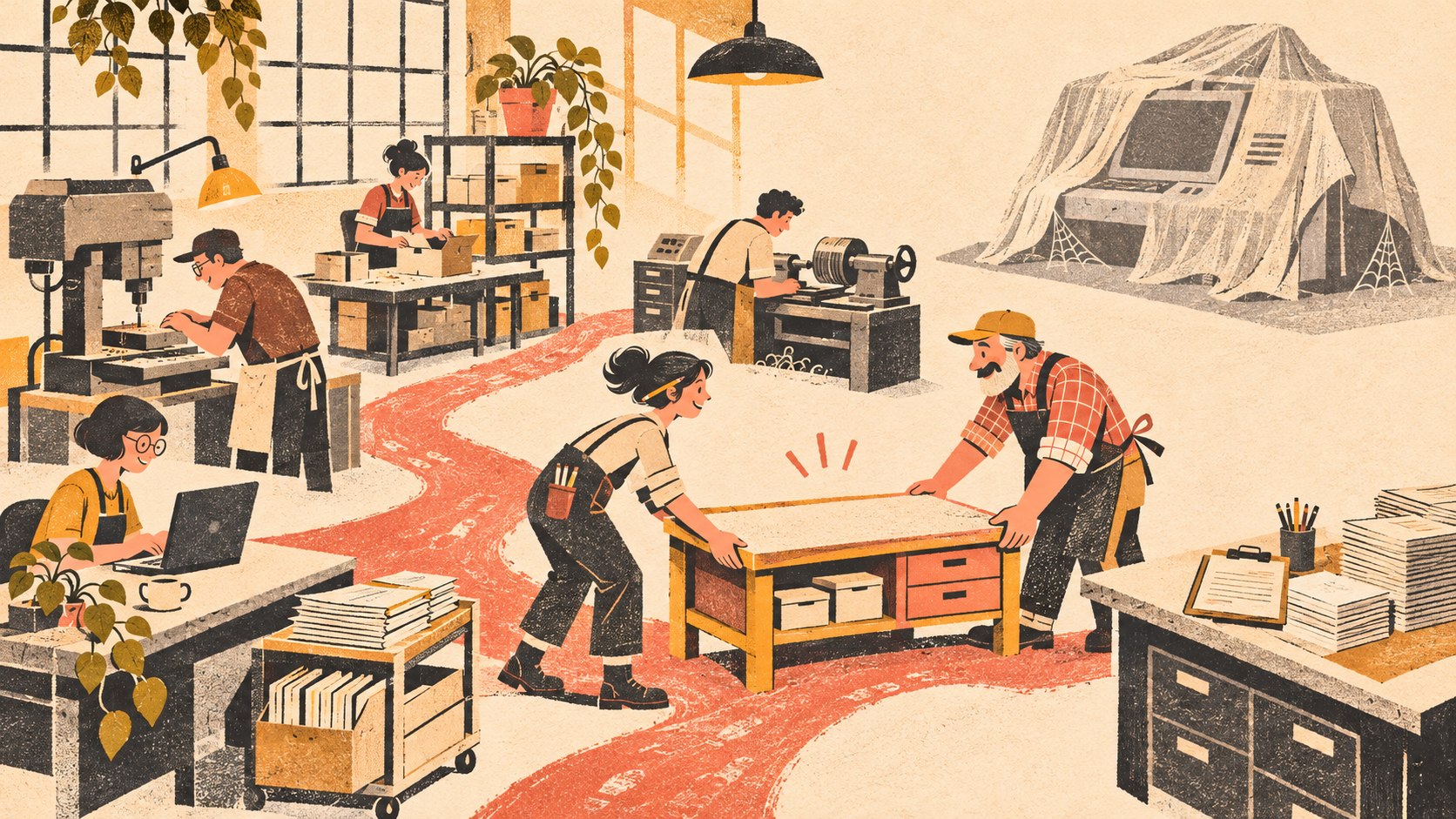
    Those repeated workarounds are the equivalent of the worn grass in Sivers’ park-path example. They are evidence of where the real workflow wants to go.

    I — Isolate the smallest useful system

    Once the friction is visible, resist the temptation to turn it into a new all-in-one platform. Ask what the smallest intervention is that would remove the demonstrated constraint.

    Sometimes the answer is no custom code at all. Better configuration may solve it. A reliable integration may solve it. A process change may solve it. A standard SaaS product may solve it once the real requirement is clear.

    If a custom layer is justified, isolate it. Maybe the business does not need a custom CRM; it needs one custom quoting workflow that writes the result back to the CRM. Maybe it does not need a new accounting platform; it needs a job-costing view that combines data from accounting and project management. Maybe it does not need an “AI platform”; it needs one constrained assistant that prepares a specific internal handoff for review.

    Buy commodities. Build differentiators. Integrate the rest.

    That is a stronger custom-software strategy than rebuilding mature infrastructure just because AI can generate code for it.

    T — Test it in real work

    A prototype is not evidence until the people who do the work use it under real conditions. Test the normal path, but also test the awkward customer, the late approval, the duplicate record, the employee who lacks permission, the disconnected API, the changed price, and the person who needs to undo a mistake.

    Then ask what actually happened. Did the custom business software remove steps or create new ones? Did it reduce ambiguity? Did people return to their spreadsheet anyway? Did the integration fail silently? Does somebody know how to support it? Can the business get its data out?

    If the system works, keep using it. If another need repeatedly reveals itself, extend the system. The feature roadmap should come from observed use, not from anxiety about everything the company might someday want.

    Build vs. buy software: the practical boundary

    Custom business software is not automatically more strategic than SaaS. The right approach depends on where the workflow is standard and where it is meaningfully different.

    Approach Use it when Watch for
    Buy The job is common and a mature product already handles it well. Paying for breadth is usually fine if the important workflow fits cleanly.
    Configure The product fits, but fields, roles, templates, rules, or reports need tailoring. Customization that becomes so elaborate the product is difficult to upgrade or hand off.
    Integrate Good systems own different parts of the job and the real problem is the handoff. Hidden dependencies, duplicate sources of truth, and failures nobody monitors.
    Build The workflow is genuinely differentiated or existing products repeatedly force costly compromise. Recreating commodity features and underbudgeting security, testing, documentation, support, and exit.

    The goal is not fewer subscriptions at any cost. A $50 subscription can be a bargain if it replaces a fragile system you would otherwise own forever. Likewise, an “all-in-one” platform can be expensive even at a reasonable license price if employees spend hours every week working around it.

    In the U.S. Chamber of Commerce’s 2025 small-business technology survey, 58% of respondents said they use four or more technology platforms. That does not mean four tools is too many. It means multi-tool operations are normal. The architectural question is whether those tools form a system the business can understand and operate.

    What custom business software can look like for a small company

    The most useful opportunities are often less glamorous than “replace our whole software stack.” They sit at the points where generic systems repeatedly fail to match the business.

    • Estimating and approval: a contractor has unusual pricing rules, options, approvals, and job handoffs that generic quoting software cannot model cleanly.
    • Customer portal: clients need one view of project status, files, invoices, approvals, service requests, or other information currently scattered across systems.
    • Scheduling exceptions: a service company has crew, equipment, geography, certification, or sequencing rules that make ordinary calendar software insufficient.
    • Operations dashboard: managers need one operational picture assembled from accounting, CRM, ecommerce, production, or service data without replacing the underlying systems.
    • Internal workflow: a business has a repeatable process that currently moves through email, spreadsheets, forms, and memory because no single product owns the handoff.
    • Specialized reporting or decision support: the data already exists, but the company needs its own calculations, thresholds, review steps, or actions.

    In each example, custom business software earns its place because the workflow itself is valuable or unusually specific to the business—not because custom code sounds sophisticated.

    The hidden danger: replacing SaaS lock-in with developer lock-in

    If the reason for building is “we want more control,” the custom system has to be designed for control. Otherwise the business can escape one vendor only to become dependent on one developer, one AI builder, one hosting account, or one undocumented codebase.

    Before operational custom business software becomes critical, someone should be able to answer:

    • Who owns the source code and repository?
    • Who controls the domain, hosting, deployment, databases, model/API accounts, and other infrastructure?
    • Where is the authoritative data, and how is it exported?
    • Which external services and libraries does the system depend on?
    • What tests prove the critical workflows still work?
    • How are authentication, permissions, secrets, logs, backups, and recovery handled?
    • Who receives an alert when an integration fails?
    • Where are architecture decisions and operating instructions documented?
    • Who supports the system when the original builder is unavailable?
    • What would it take to move the system to another competent provider?

    NIST’s Secure Software Development Framework is a useful reminder that security practices have to be part of the software-development lifecycle. AI-generated code is still code. Authentication, authorization, data handling, dependencies, testing, release controls, and maintenance do not disappear because the first version was fast to produce.

    When you should not build custom software

    There are plenty of situations where custom business software is the wrong answer.

    • The workflow is ordinary. If mature products solve it well, buy one.
    • The process is still unclear. Do not encode a disagreement or constantly changing process into software.
    • The problem is temporary. A spreadsheet or lightweight automation may be the better reversible tool.
    • The business cannot own the operational responsibility. If nobody can budget for support, security, backups, monitoring, and maintenance, the build is not actually cheaper.
    • The motivation is feature envy. A competitor having a portal does not mean your customers need one.
    • The custom feature is really a commodity. Payment processing, accounting, email infrastructure, identity, and other mature capabilities usually deserve a very high bar before replacement.

    The FIT Loop is intentionally allowed to end with “do nothing” or “buy the existing tool.” A useful discovery process is one that can tell a development firm not to develop something.

    What a bespoke business systems engagement could look like

    We think the more interesting service model is not “send us your app specification.” It is closer to bespoke business systems: consulting and software development built around the way the company actually operates.

    1. Observe and interview. Sit with the owner and the people doing the work. Map what works, where pain recurs, what information moves, and which exceptions matter.
    2. Map the current system. Identify the existing software, spreadsheets, forms, APIs, data owners, subscriptions, handoffs, and manual work.
    3. Classify each part. Keep it, configure it, replace it, integrate it, automate it, or consider building it.
    4. Choose one constrained problem. Define the smallest custom business software slice that can prove whether the idea improves the workflow.
    5. Prototype and test. Use real users, realistic data, and at least one ugly exception. Learn before expanding scope.
    6. Harden what earns permanence. Add the engineering work required for production: testing, security, access, logging, backups, documentation, deployment, and support.
    7. Operate and observe again. Measure whether the system actually reduces friction. Add features because real use reveals them—not because the roadmap has empty boxes.

    This can still be delivered as a hosted, managed service. But “bespoke SaaS” should not become a polite name for a new kind of lock-in. The client should understand what it owns, what Scope manages, what third parties are involved, how costs behave, and what an eventual handoff or replacement would require.

    Custom business software FAQ

    Is custom business software cheaper than SaaS?

    Not automatically. Compare total operating cost, not just subscription fees. Custom software has design and development costs plus hosting, maintenance, security, support, integrations, third-party services, documentation, and eventual change or migration costs. It can make economic sense when it removes enough recurring operational friction or supports a strategically important workflow.

    How do you create your own software for a business?

    Start by mapping the real workflow rather than listing features. Identify the repeated constraint, confirm that configuration or an existing product will not solve it cleanly, isolate the smallest custom slice, prototype it, test with real users and exceptions, then harden and document only what proves useful.

    What are examples of customized business software?

    Examples include custom estimating workflows, customer portals, operations dashboards, scheduling systems with unusual rules, internal approval tools, data-integration layers, reporting applications, and workflow automations. The strongest candidates usually encode a process that is important and specific to the business.

    Does AI make custom software a good idea for every small business?

    No. AI can make some forms of prototyping and implementation faster or more accessible, but it does not make an unnecessary system necessary. Start with the business constraint. If a standard product, better configuration, integration, or a simple process change solves the problem, that is often the better system.

    What is the difference between bespoke software and SaaS?

    Bespoke software is designed for one organization’s specific needs. SaaS is a delivery and licensing model in which software is hosted as a service, usually for many customers. A custom system can also be hosted and managed as a service, so the concepts are not mutually exclusive. The important questions are fit, ownership, support, cost, and exit.

    Build what the business has earned

    The old custom-software instinct was to predict as much as possible before development began. The new opportunity is to make fewer predictions permanent.

    Watch the company work. Find the worn path. Preserve the systems that already do their jobs. Isolate the part where generic software keeps creating compromise. Build the smallest credible answer. Put it into real use. Then let the next version be shaped by evidence.

    That is what “custom” should mean: not more software, but software that fits.

    If your business has a workflow held together by subscriptions, spreadsheets, manual re-entry, workarounds, and somebody’s memory, Scope Design can help map the system before deciding what deserves to be configured, integrated, automated, replaced, or built. Start with the workflow—not the app idea.


  • Business Technology for Small Companies: Choose Systems You Can Own, Support, and Replace

    Business Technology for Small Companies: Choose Systems You Can Own, Support, and Replace

    Small business technology should make the company easier to run, not harder to leave. The best system is not automatically the one with the longest feature list, the slickest demo, or the lowest monthly price. It is the one that improves a real business outcome, fits the way work actually moves, meets your non-negotiable requirements, can be replaced without a crisis, and has a named person responsible for keeping it healthy.

    That sounds less exciting than a list of “must-have apps.” It is also much more useful. Most technology pain in a small company does not begin with a bad product. It begins when a reasonable product becomes a critical dependency without anyone deciding who owns it, how its data moves, what happens when an integration breaks, or how the company would get out.

    What small business technology do you actually need?

    A small company needs enough technology to support its critical workflows reliably: communication, customer records, sales, delivery, finance, files, access, reporting, and whatever is specific to the business. It does not need every category of software another company uses.

    Start with the work. If the business problem is “three people answer the same inbox and nobody knows who owns the reply,” the requirement is not “buy a collaboration platform.” The requirement is a shared communication workflow with clear ownership, visibility, permissions, and handoffs. Sometimes that leads to a purpose-built tool. Sometimes a simpler architecture—such as a well-designed shared business email setup—solves the problem with less machinery.

    The question to ask before shopping is: what job does the business need the system to do, under what conditions, and who will own it after launch?

    Use the OWNER Test before you shortlist vendors

    We use a simple five-part filter for business systems: Outcome, Workflow, Non-negotiables, Exit, Responsibility. Together, they spell OWNER.

    The OWNER Test connects a business outcome, a real workflow, non-negotiable boundaries, an open exit, and a named system owner.
    The OWNER Test keeps the decision centered on the business: what must improve, how work moves, what cannot be compromised, how you can leave, and who owns the system.

    A system does not need to be perfect on every dimension. It does need a defensible answer on all five. If one answer is “we will figure that out later,” treat that as part of the cost and risk of the decision.

    O — Outcome: define the business result first

    Write the outcome in business language before you look at products. “We need a CRM” is a category. “Every qualified lead should have one owner, one current status, and a visible next action” is an outcome.

    A useful outcome statement includes three things: the problem you are changing, the behavior you expect after the change, and the evidence that will tell you the system is helping. Evidence can be operational rather than dramatic: fewer duplicate entries, faster handoffs, fewer missed renewals, fewer manual reconciliations, cleaner reporting, or less time spent asking where the current information lives.

    This is important because a product demo is designed to show what the software can do. Your outcome statement keeps the evaluation focused on what the business needs it to do.

    W — Workflow: map the real work, including exceptions

    Technology sits inside a workflow. Map that workflow before you automate it. Who starts the work? Who approves it? Where does information come from? What system is the source of truth? What happens when the normal path fails? Who needs read-only access? Who can change a record? What happens when someone leaves?

    The exceptions matter because they are where “simple” software often turns into manual patches. A sales tool may handle the happy path beautifully but require a spreadsheet for renewals. A scheduling tool may work until a job needs two crews. A form may collect data cleanly until a customer changes something after submission. Those edge cases are not reasons to reject a tool automatically; they are reasons to understand what the full operating workflow will become.

    Do not automate ambiguity. If two people disagree about the process before the software exists, the software will usually make the disagreement faster, not disappear.

    N — Non-negotiables: decide the guardrails before the demo

    Non-negotiables are the conditions the system must meet even if the feature set is attractive. The exact list depends on the workflow, but common areas include access control, multi-factor authentication, data export, integrations, reporting, performance, mobile use, audit history, vendor support, recovery, and any legal or contractual requirements that apply to the business.

    This is where security and continuity become part of the buying decision instead of an afterthought. NIST’s Cybersecurity Framework resources for small businesses treat cybersecurity as business risk and organize work across governance, identification, protection, detection, response, and recovery. CISA’s small-business resources likewise emphasize practical controls such as multi-factor authentication, software updates, logging, backups, encryption, and password hygiene.

    You do not need to turn every software purchase into a security audit. You do need to know what would be unacceptable. For a system with sensitive access, that may mean credentials are stored and governed through a business password manager rather than shared informally. For a system holding critical files, it may mean understanding the difference between day-to-day cloud storage and an actual recovery plan.

    E — Exit: prove you can leave before you commit

    Replaceability is a design requirement, not a breakup plan. You are not predicting that the vendor will fail. You are making sure the company can respond if pricing changes, support declines, the workflow outgrows the product, ownership changes, a better option appears, or the product itself changes direction.

    Ask for the exit path while everyone still likes the product. What data can you export? In what format? Does the export include attachments, relationships, histories, permissions, custom fields, and metadata—or only a flat table? Can an administrator export without vendor assistance? Are there cancellation windows or data-retention deadlines? Which integrations would have to be rebuilt? What knowledge exists only in the configuration?

    Ownership does not require open source, self-hosting, or avoiding SaaS. It requires knowing where control lives. Our open-source versus proprietary CMS comparison applies that same exit question to content platforms: control is valuable when it materially improves portability, support options, and long-term fit—not simply because “open” sounds better.

    R — Responsibility: name the owner and the support path

    A business system should have a named owner even when an outside vendor administers it. “IT handles it” is not ownership unless everyone knows who “IT” means and what that person or provider is responsible for.

    At minimum, identify the business owner for the workflow, the administrative owner for accounts and configuration, the billing/contract owner, and the support path when something breaks. Critical systems may also need a data owner, technical integration owner, recovery owner, or compliance owner. In a five-person company, one person may hold several of those roles. That is fine. The point is that the roles are explicit.

    Backups deserve the same clarity. “It is in the cloud” does not answer who can restore it, what is backed up, how long copies are retained, or what the business does if the primary account is inaccessible. For systems where downtime or data loss matters, use a real backup and recovery plan rather than assuming the application vendor’s availability equals your recovery strategy.

    Buy, configure, integrate, or build?

    Once the OWNER Test is clear, the next decision is not “which app?” It is how much of the solution should be purchased versus shaped around the business.

    ApproachBest whenMain risk to watch
    BuyThe workflow is common and the product already solves it well.Changing the business to fit the software when the fit is actually poor.
    ConfigureA standard product fits the core job but needs fields, permissions, automations, templates, or reporting.Over-customizing until every update or handoff becomes fragile.
    IntegrateTwo or more strong systems need to share data or trigger work across a boundary.Creating invisible dependencies with unclear ownership and failure handling.
    BuildThe workflow is genuinely differentiated, existing products create persistent compromise, or the custom capability has strategic value.Underestimating maintenance, documentation, security, testing, and replacement responsibility.

    Small businesses often jump from “buy” directly to “build” because a SaaS product annoys them. Usually there is a middle path. Better configuration, a small integration, or a narrower process change may solve the real constraint without creating a custom software product the company now has to maintain forever.

    Calculate lifecycle ownership cost, not just subscription price

    A cheap subscription can become expensive duct tape. A more expensive platform can be the better choice if it removes manual work and simplifies support. Compare the lifecycle ownership cost rather than the sticker price:

    Lifecycle ownership cost = license + implementation + integration + administration + training + support + risk controls + change cost + exit/migration reserve.

    The point is not to create fake precision. You may not know the exact future migration cost. Estimating the categories forces you to notice where the cost is hiding.

    • Implementation: setup, cleanup, migration, configuration, testing, and launch work.
    • Integration: connectors, API work, automation platforms, monitoring, and maintenance when either side changes.
    • Administration: user provisioning, permissions, templates, rules, reporting, and routine changes.
    • Training: initial onboarding plus what happens when a new employee starts six months later.
    • Support: internal troubleshooting time, vendor support tiers, consultants, or managed services.
    • Risk controls: backups, security, logging, recovery, compliance, and access governance where appropriate.
    • Change and exit: contract timing, exports, migration, retraining, rebuilt integrations, and parallel operation during a transition.

    Run a bounded pilot before a full rollout

    A pilot should reduce uncertainty, not become an indefinite half-implementation. Define the question the pilot is testing, who participates, what real workflow it includes, what evidence counts as success, what would make you stop, and when the decision will be made.

    This matters especially with emerging technology, where novelty can overpower the business case. We use the same principle when evaluating design technology trends worth piloting and in our PILOT framework for VR business applications: test a bounded use case before you scale the dependency.

    • Test with real data and real users where practical.
    • Include at least one exception or failure case, not only the happy path.
    • Test permissions and handoffs, not just features.
    • Perform an export before the pilot ends.
    • Document what required manual work outside the system.
    • Decide: adopt, revise, pause, or reject. Do not let “pilot” become permanent limbo.

    Document ownership before the system becomes critical

    The best time to document a system is while the implementation is still fresh. The minimum useful record is not a hundred-page manual. It is enough information for a competent person to understand what the system does, how to get administrative access, what depends on it, where to get help, how to recover, and how to leave.

    • Business purpose and workflow owner
    • Administrative owner and backup administrator
    • Billing owner, contract term, renewal date, and cancellation window
    • Credential location and MFA/recovery ownership
    • Primary data stored and source-of-truth rules
    • Integrations, automations, APIs, and downstream dependencies
    • Support contact and escalation path
    • Backup/recovery method where required
    • Export method, formats, and any known limitations
    • Key configuration decisions and customizations
    • Training/runbook location
    • Date for the next fit, cost, access, and exit review

    This record is what lets a company survive staff turnover and vendor turnover without rediscovering its own technology stack from scratch.

    Review the stack before tools become permanent

    Software tends to become permanent by inertia. A team adopts a tool for one urgent need, adds an integration, changes a process around it, and two years later nobody remembers why it was chosen.

    Review critical systems on a regular cadence and when something meaningful changes: a renewal, major price increase, acquisition, staffing change, workflow redesign, new compliance requirement, recurring incident, vendor product shift, or integration failure. The review does not need to become a procurement project. Re-run the OWNER Test.

    • Outcome: Is the system still improving the job it was selected to improve?
    • Workflow: Does the real process still match the configured one?
    • Non-negotiables: Have the business requirements or risks changed?
    • Exit: Is the export and replacement path still credible?
    • Responsibility: Do the named owners still exist, and can they still administer and support the system?

    A small-business technology scorecard

    Before a meaningful commitment, score each statement as yes, partly, or no. A “partly” is not automatically a blocker. It is a decision that needs an owner and a mitigation plan.

    TestDecision question
    OutcomeCan we name the business result this system must improve and how we will recognize improvement?
    WorkflowHave we mapped real users, handoffs, permissions, exceptions, and the source of truth?
    Non-negotiablesHave we defined security, data, integration, reporting, performance, support, and compliance requirements before choosing?
    ExitCan we explain how we would export data, unwind dependencies, and replace the system?
    ResponsibilityIs there a named owner for administration, support, access, training, recovery, and review as applicable?
    Lifecycle costHave we considered implementation, integration, administration, training, support, controls, change, and exit—not only subscription price?
    PilotCan we test the riskiest assumptions with a bounded trial and a decision date?
    DocumentationCould another competent person understand and operate this system if the current owner disappeared tomorrow?

    Small business technology FAQ

    What technology does a small business need?

    A small business needs technology that reliably supports its critical workflows: communication, customer and sales information, service or product delivery, finance, files, access, reporting, and industry-specific operations. Start with the workflows and risks, then choose the smallest set of systems that supports them well.

    What should a small business evaluate before buying new software?

    Evaluate the business outcome, real workflow fit, non-negotiable requirements, exit path, and operating responsibility. Then compare lifecycle cost and test the riskiest assumptions with a bounded pilot. A feature checklist is useful only after those questions are clear.

    How can a small company avoid vendor lock-in?

    Do not try to eliminate every dependency; that is usually unrealistic. Make dependencies visible. Confirm data export, contract terms, administrative control, integration boundaries, documentation, backup/recovery where necessary, and the work required to migrate. Test an export before the system becomes critical.

    Is open-source software always easier to own?

    No. Open-source software can increase portability and provider choice, but it can also shift more responsibility for hosting, updates, security, and support onto the business or its technical partner. Ownership is not a licensing label; it is the practical ability to administer, support, recover, and replace the system.

    How often should a small business review its technology stack?

    Use a regular review cadence for critical systems and re-evaluate when a major trigger occurs: renewal, price change, staffing change, repeated failure, workflow change, vendor shift, acquisition, or new business requirement. The goal is not constant migration; it is preventing inertia from becoming architecture.

    Build a stack you can still explain in two years

    Good small business technology creates leverage without creating mystery. You should be able to explain what each critical system does, why it exists, what it depends on, who owns it, what it costs to operate, and what happens if you have to change it.

    If your current stack was assembled one urgent subscription at a time, Scope Design can help map the workflows, ownership, integrations, support burden, and exit risks before you buy, replace, integrate, or build. Start with the business problem. The technology decision should come second.