Tag: AI systems

  • AI Agent Access Control: What Should AI Be Allowed to Do Without Asking?

    AI Agent Access Control: What Should AI Be Allowed to Do Without Asking?

    AI agent access control should be based on consequence, not on whether the agent can technically reach an app. Give the agent only the resources, actions, environments, and conditions required for its job. Let low-risk read, search, draft, and staging work run with less friction. Require stronger approval for money, contracts, production changes, deletion, identity and access changes, personnel decisions, and public or legally significant communication.

    That is ordinary least-privilege thinking applied to a new kind of software actor. The goal is not to make the AI ask permission fifty times a day. The goal is to let routine work flow while keeping consequential authority explicit, attributable, reviewable, and revocable.

    TL;DR: Use low-risk autonomy and high-risk approval

    • Give each agent a separate identity when possible.
    • Scope permission by resource × action × environment × condition, not “access to the app.”
    • Read and draft permissions can usually be broader than send, delete, purchase, publish, or production-change permissions.
    • Use stronger approval for actions involving money, legal commitments, people, security, credentials, deletion, or public consequences.
    • Make elevated permissions temporary when the workflow only needs them for one task.
    • Keep secrets usable by the integration without making the raw secret readable by the agent where practical.
    • Log what the agent requested, what it used, what it changed, what tests ran, and who approved or overrode it.
    • Maintain a kill switch and a manual recovery path outside the agent.

    Why AI agent access control cannot stop at app access

    Application-level access is often too broad. A human account may have dozens of abilities inside one system, while the agent only needs two of them.

    An email agent might need to read a support inbox, draft replies, label messages, and schedule an appointment. That does not mean it should be able to reset the owner’s password, change forwarding rules, send a company-wide announcement, or forward confidential information externally.

    The same principle applies to CRMs, accounting systems, WordPress, cloud storage, calendars, ecommerce, and internal databases. Access should describe the job, not the full power of the human account the agent happens to connect through.

    This follows the broader small business technology ownership principle: systems should have explicit responsibility, access, recovery, and exit paths rather than invisible inherited authority.

    The four dimensions of AI agent access control

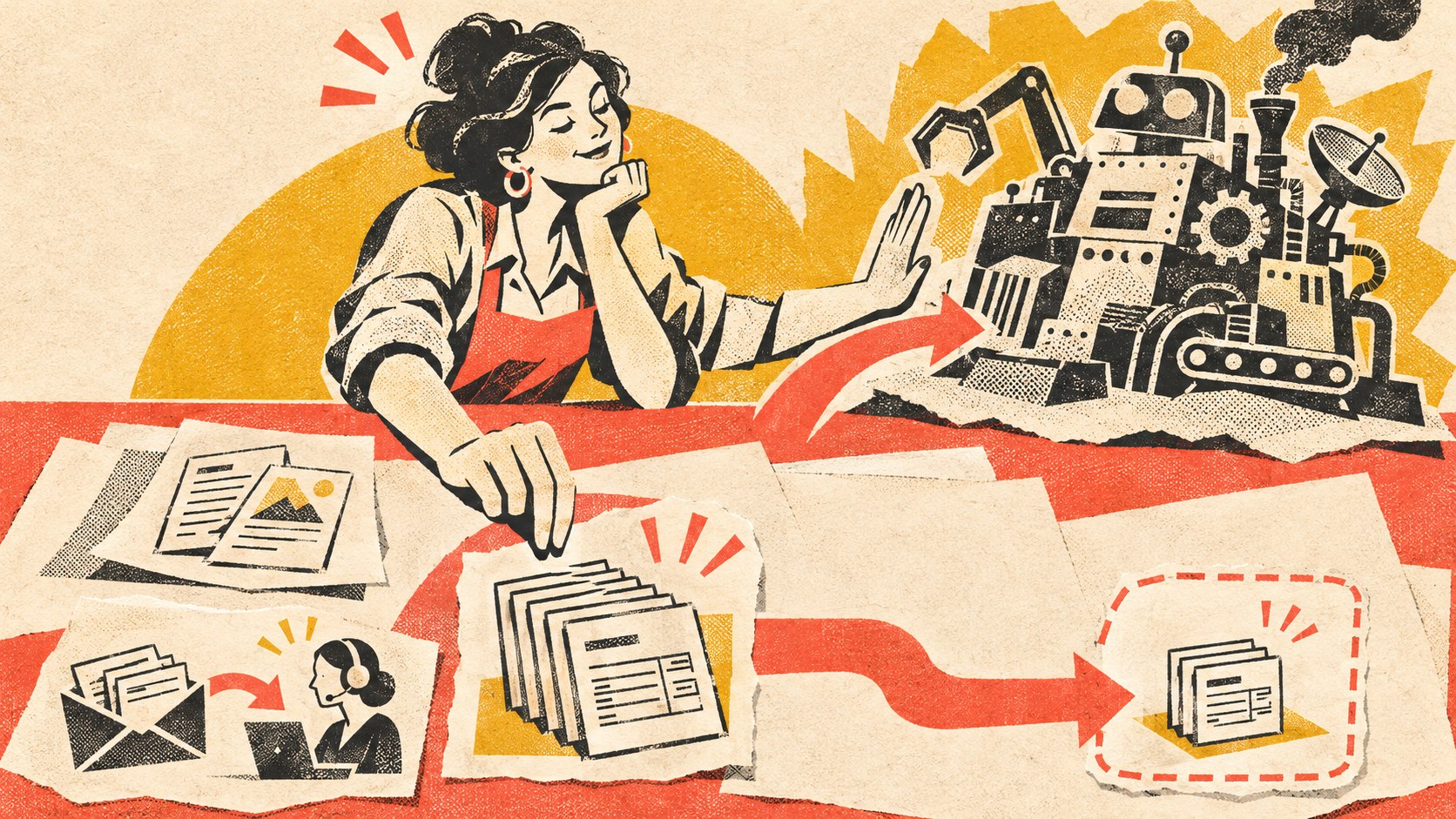
    A small agent passes through successive resource, action, environment, and condition boundaries before a human opens a temporary route; a consequential vault stays locked.
    A useful permission rule says what the agent can touch, what it can do, where it can do it, and under what conditions.

    1. Resource: what can the agent touch?

    Define the objects or systems the agent may access: one mailbox, one folder, one CRM pipeline, selected customer records, a staging website, specific API endpoints, or a bounded database schema.

    A support agent does not need payroll records because the company uses the same AI platform for both jobs. A website-maintenance agent does not need every cloud-storage folder because it can access the deployment server.

    2. Action: what may it do to the resource?

    Separate read, search, summarize, draft, create, edit, send, publish, purchase, delete, approve, and administer permissions. Reading a customer record and changing payment details are not the same level of authority.

    3. Environment: where may the action happen?

    Development, staging, sandbox, internal, and production environments should not automatically share the same permission. An agent may be allowed to modify code in staging while production deployment still requires approval.

    4. Condition: when is the action allowed?

    Conditions can include amount limits, business hours, customer type, approval state, confidence/evidence requirements, allowed templates, specific workflow states, or temporary elevation for one task.

    The point is not to create a complicated policy engine for a five-person company. It is to stop vague permissions from becoming permanent architecture.

    Give the agent its own identity

    Where the platform supports it, use a dedicated agent or service identity rather than the owner’s personal account. That makes attribution, revocation, logging, and permission review far easier.

    NIST/NCCoE’s 2026 work on software and AI-agent identity and authorization explicitly focuses on agent identity, authentication, authorization, delegation, and auditing. That does not prescribe one small-business implementation, but it confirms the architectural point: an autonomous software actor needs an identity and authority model of its own.

    If one integration token effectively impersonates the owner everywhere, you have made both security and accountability harder.

    A practical default permission ladder

    Action type Reasonable starting default
    Read approved internal or public data Autonomous within scope
    Search, summarize, classify, or analyze Autonomous within scope
    Create drafts, internal notes, or proposed records Autonomous; human reviews before consequential use
    Update low-risk internal records Autonomous with logging and validation
    Send routine external messages Allow only for defined topics/templates after testing
    Publish public content or modify production systems Approval until the workflow has strong evidence and controls
    Spend money, issue refunds, change pricing Explicit limits and approval based on consequence
    Change users, roles, credentials, secrets, or security settings Strong approval; often human-controlled
    Sign contracts, make legal/personnel decisions, delete critical data Human-controlled except narrowly engineered cases

    These are starting categories, not universal rules. The consequence changes by business. A $50 purchase may be trivial in one company and material in another. A public social post may be low-risk for one brand and highly regulated for another.

    Approval should be risk-based, not ceremonial

    A human click is not automatically governance. If the reviewer sees “Approve?” with no useful context fifty times a day, the approval becomes theater.

    For consequential actions, the approval record should show enough evidence to make a decision:

    • requested outcome;
    • source information used;
    • important assumptions;
    • proposed action;
    • records, files, or systems affected;
    • tests or validation already performed;
    • known exceptions or unresolved risk;
    • rollback or correction path;
    • what the reviewer should pay attention to.

    That is a much stronger approval surface than “the AI is confident.”

    Use temporary elevation instead of permanent privilege

    An agent may occasionally need more authority than its ordinary job allows. Do not automatically solve that by giving it permanent elevated access.

    A safer pattern is: the workflow reaches a defined state, requests elevation for a specific task, a policy or human approves it, the action runs, and the extra authority expires. That keeps exceptional privilege exceptional.

    Secrets should be usable without being casually readable

    An agent may need a credential to call an API. That does not mean the model should be able to print the raw secret into a response, forward it in email, or write it into a log.

    Where possible, the integration layer should use the secret on the agent’s behalf. The agent asks for an allowed action; the controlled connector performs it using a scoped credential. Separate “can use this capability” from “can reveal the credential that enables it.”

    Audit the execution, not just the prompt

    For consequential work, preserve an execution record: who or what initiated the task, the agent identity, tools called, sources used, changes made, validation performed, approval state, result, rollback events, and unresolved exceptions.

    This is especially important because an agent may chain several actions from one instruction. “Update the customer” can become read email → query CRM → edit record → send reply → create follow-up task. The useful audit trail is the chain, not only the first prompt.

    Keep an emergency stop outside the agent

    Every agent with consequential authority should have a practical way to stop it: revoke its identity, disable the connector, pause the queue, block production actions, or remove the elevated permission.

    The emergency path should not depend on the agent cooperating. If the problem is the agent, “ask the agent to stop” is not a control.

    Let autonomy expand only after evidence

    A narrow workflow can earn more autonomy after enough real runs show that its inputs, outputs, exceptions, and failure modes are understood. Start with observation and drafting. Add staging or low-risk writes. Introduce approval-gated execution. Only then consider autonomous production actions inside well-defined limits.

    The existing OWNED Automation Test is useful for that broader readiness decision. Permission design is one part of a maintained automation system, not a substitute for workflow ownership, exception handling, measurement, and durability.

    AI agent access control FAQ

    What is AI agent access control?

    AI agent access control is the set of identities, permissions, conditions, and runtime checks that determine what an agent may read, change, execute, or administer across business systems.

    Should an AI agent use my personal account?

    Prefer a dedicated agent or service identity when the platform supports it. Separate identity improves attribution, revocation, least privilege, and auditing.

    What can an AI agent usually do without approval?

    Read, search, summarize, classify, draft, and other reversible low-consequence work can often run autonomously inside approved boundaries. The correct line depends on the business and the workflow.

    What actions should usually require stronger approval?

    Money, contracts, legal or personnel decisions, security and access changes, credential changes, deletion, public statements, and consequential production changes deserve stronger human or policy gates.

    Can approval ever be automated?

    Yes, for narrow cases where the policy can be expressed and tested reliably—for example a bounded transaction below a company-defined threshold with known inputs and a reversible outcome. Policy approval is still a governance decision; it should be explicit and auditable.

    Give the agent a job description, not unlimited access

    The practical question is not “Do we trust AI?” It is “What authority does this software actor need for this job, in this environment, under these conditions—and what happens when the situation falls outside that boundary?”

    If your company is connecting AI agents to email, websites, CRM, files, or other operational systems, Scope Design can help map the permission model, approval gates, execution records, and recovery controls before broad access becomes permanent architecture.

  • How to Build an AI Knowledge Base Your Business Can Actually Own

    How to Build an AI Knowledge Base Your Business Can Actually Own

    An AI knowledge base should not be the place where your business knowledge becomes trapped. The durable layer should be the business-owned facts, documents, structured records, relationships, provenance, permissions, instructions, and workflow state. Search indexes and AI models should sit on top of that layer so they can be rebuilt or replaced without reconstructing the company’s institutional memory from scratch.

    That is the architecture behind a real source of truth for AI: your business owns the facts, retrieval finds the facts, and the model interprets the facts. It also fits the broader way we evaluate small business technology systems: choose systems you can understand, support, recover, export, and replace.

    TL;DR: Build the knowledge layer so the AI can be replaced

    • Keep canonical business knowledge outside any one chatbot or model provider.
    • Store durable knowledge in formats and systems the business can export and understand.
    • Attach provenance, ownership, dates, status, permissions, and relationships to important records.
    • Treat vector search, embeddings, semantic indexes, and model memory as derived layers that can be rebuilt.
    • Query transactional systems directly for live facts such as payments, inventory, or account state.
    • Make “no authoritative evidence found” a valid system response.
    • Test the knowledge layer independently from the model by asking the same questions through different models.
    • Use Knovra as one implementation of this philosophy—not as proof that platform dependency disappears.
    • Make meaningful export and reconstruction part of the system design before the knowledge becomes critical.

    What is an AI knowledge base?

    An AI knowledge base is the governed information layer an AI system can retrieve from when it answers questions or performs work. That can include policies, procedures, product knowledge, project history, pricing rules, sales language, customer-service guidance, technical documentation, decisions, and expert know-how.

    The important part is what the phrase does not mean. It does not mean “everything the chatbot has seen.” It does not mean “whatever is currently in the vector database.” It does not mean “the model remembers our company.” Those may be useful runtime behaviors, but they are poor definitions of ownership.

    NIST defines retrieval-augmented generation as combining a generative model with a separate retrieval system or knowledge base. That separation is useful because the knowledge can be managed independently from the model that consumes it.

    Separate the canonical layer from the AI layer

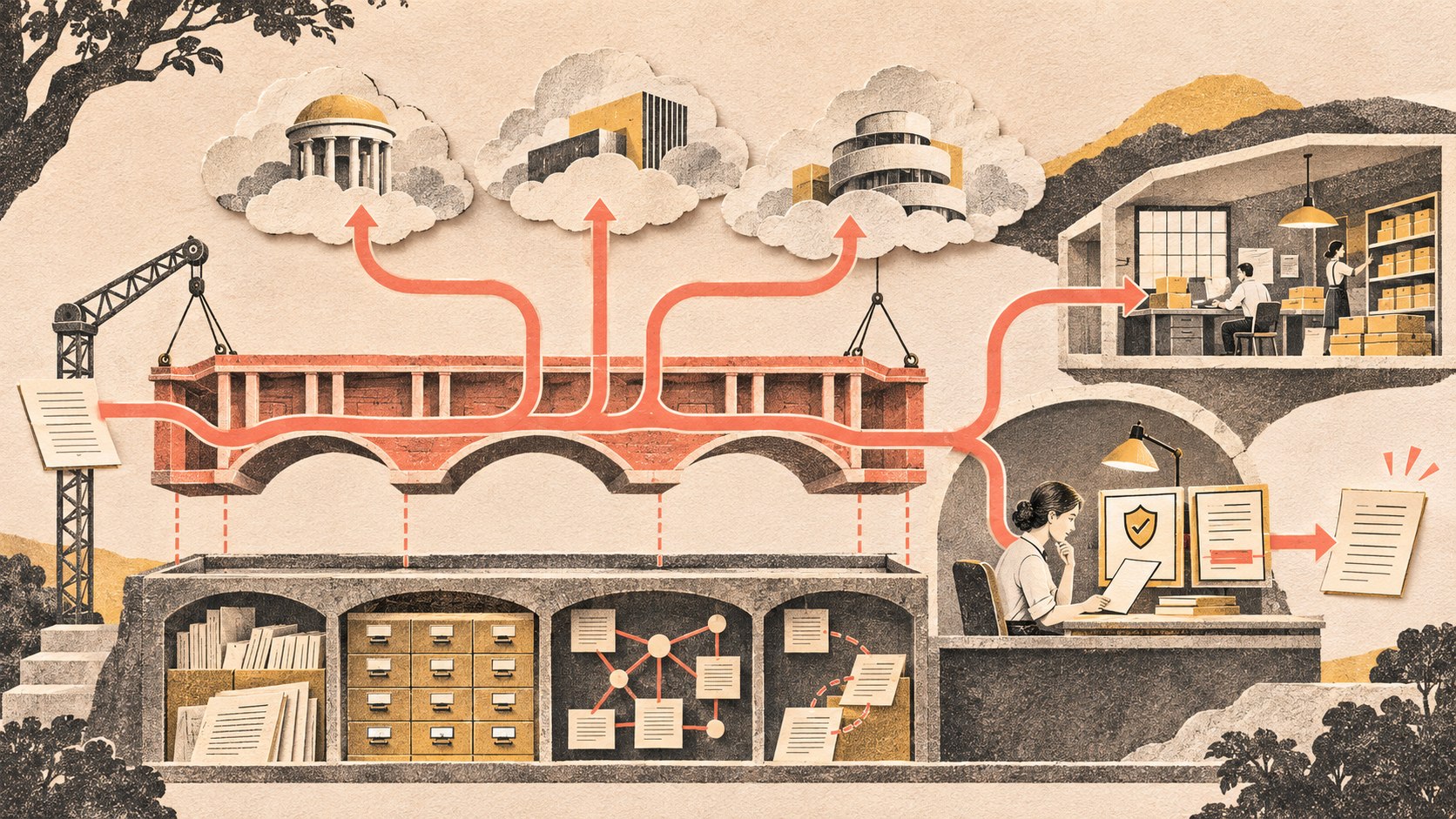
    Canonical business records stay on a durable foundation while replaceable search and model layers retrieve them; live transactional facts keep a direct route.
    The durable knowledge layer belongs to the business. Retrieval and model layers can be replaced or rebuilt around it.

    A useful architecture has at least three layers:

    1. Canonical knowledge: the approved documents, records, relationships, rules, sources, and current business state.
    2. Retrieval and indexes: full-text search, embeddings, vector indexes, graphs, caches, and other structures that make the canonical layer easier to find.
    3. AI interpretation: the model that reads retrieved context, reasons over it, drafts an answer, or proposes an action.

    The second and third layers should be replaceable. If you switch vector databases, rebuild the index. If you switch from one model to another, keep the knowledge. If the model provider has an outage, your source material still exists in an ordinary form that people and other software can use.

    This is the difference between using AI on your knowledge and putting your knowledge inside AI.

    What belongs in the durable knowledge layer?

    The exact answer depends on the business, but a durable AI knowledge base usually needs more than documents.

    Documents and approved guidance

    Policies, SOPs, product documentation, service descriptions, onboarding guides, proposal language, FAQs, technical notes, training material, and other reference content are obvious candidates.

    Structured records

    Some knowledge is clearer as fields rather than prose: product attributes, service packages, office locations, supported integrations, renewal rules, owners, dates, statuses, categories, decision states, or approved terminology.

    Relationships

    A document rarely exists alone. A policy may supersede another policy. A client belongs to an account. A process depends on a tool. An article supports a pillar. A technical decision explains why a configuration exists. Explicit relationships preserve meaning that disappears when everything is flattened into chunks of text.

    Provenance and authority

    For important records, preserve where the information came from, who owns it, when it became effective, whether it is approved, what it replaced, when it should be reviewed, and who is allowed to change it. NIST’s AI Risk Management Framework emphasizes documentation, data provenance, limits, roles, oversight, and lifecycle governance for AI systems.

    Prompts, instructions, and operating rules

    When prompts or system instructions encode meaningful business process, they are part of the operating system. Keep them versioned and exportable rather than burying them in one vendor dashboard.

    Useful workflow state

    If an AI-assisted workflow has approvals, pending tasks, decisions, corrections, review states, or execution history, store that state outside the model. A model should not be the only place that “remembers” what the business is waiting on.

    Do not make the vector database the source of truth

    Embeddings and vector search are useful because they make semantic retrieval possible. They are still an index.

    If the authoritative policy is a Markdown file, database record, or approved document, that item should remain the authoritative copy. The vector representation can be regenerated from it. The same is true for keyword indexes, caches, search snippets, and model-specific retrieval formats.

    A simple test is: if we deleted the AI search index tonight, could we rebuild it tomorrow without losing business meaning? If the answer is no, too much authority has leaked into the derived layer.

    Do not put transactional truth into RAG

    RAG is good for reference knowledge. It is not a replacement for systems that own live transactional state.

    Question Best source
    What is our return policy? Approved knowledge record or document
    What services do we offer? Approved service records and documentation
    Has customer 1847 paid the invoice? Accounting system
    How many units are in stock right now? Inventory/ecommerce system
    What did we decide about this project? Approved decision record / project history
    Summarize this customer account Authorized live data plus AI interpretation

    The AI can unify the experience, but it should not quietly become a second accounting system, CRM, or inventory database.

    Permissions should be enforced before retrieval

    Do not retrieve confidential records for every user and then ask the model not to reveal them. The retrieval layer should return only what the requesting person or agent is authorized to see.

    That means the knowledge system needs an access model of its own. A salesperson may need approved service and account information without HR records. A support agent may need customer history without payroll data. An external client portal may expose one project’s documents without exposing the company’s internal notes.

    This is also why the cluster includes a separate article on AI-agent permissions: knowledge access and action authority should be explicit rather than inherited from whichever human account happened to connect the tool.

    Make “I don’t know” a valid system state

    A trustworthy source of truth needs a boundary. If no approved record supports the answer, the system should be able to say that the evidence is missing, outdated, disputed, or outside the user’s permissions.

    That is different from a model hallucinating. The retrieval layer can return a structured state such as:

    • authoritative evidence found;
    • supporting but non-authoritative evidence found;
    • conflicting records found;
    • record exists but is not accessible to this user;
    • no current evidence found.

    The model can then interpret that state instead of being forced to manufacture certainty.

    Use the portability test before the system becomes critical

    A business-owned AI knowledge base should survive a platform change without losing its meaning. Test that claim before you need to leave.

    • Can you export the original documents?
    • Can you export structured records and custom fields?
    • Do relationships survive the export?
    • Are provenance, owners, statuses, dates, and source links included?
    • Can you export prompts, instructions, policies, and evaluation examples?
    • Can you reconstruct useful workflow state such as approvals or pending work?
    • Can a different search/index layer be built from the exported material?
    • Can a different AI model answer the same test questions against it?

    No platform makes dependency disappear. The goal is to make the dependency understandable and the exit cost bounded.

    Test the knowledge layer independently from the model

    Create a fixed set of questions the business expects the system to answer correctly. Include ordinary questions, edge cases, conflicts, outdated records, permission boundaries, and cases where the right answer is “we do not have approved evidence.”

    Then run the same tests through different models. If the retrieval evidence and citations remain correct while the model changes, you have separated the durable knowledge problem from the model-selection problem.

    If switching models requires rebuilding the company’s knowledge from proprietary memory or manually recreating hidden vendor configuration, the architecture is not very portable yet.

    Where Knovra fits

    Knovra is Scope Design’s implementation of this philosophy. The product direction is to capture approved company knowledge, structured records, sources, attachments, relationships, expert process, and workflow state so AI systems can retrieve and act against a governed business context.

    The important editorial distinction is that Knovra is not the philosophy itself. A business could build the same architecture with ordinary databases, files, search services, APIs, version control, and model providers. Knovra is our attempt to make that architecture practical for organizations that do not want to assemble it piece by piece.

    Knovra also remains a dependency. That is why portability has to be part of the product promise: useful exports of documents, records, relationships, provenance, prompts/instructions, and other important system state should make it possible to move or reconstruct the knowledge layer instead of pretending lock-in has vanished.

    AI knowledge base FAQ

    Is an AI knowledge base the same thing as RAG?

    No. RAG is one way to retrieve relevant information for a model. A business knowledge system is broader: it includes canonical records, provenance, permissions, relationships, governance, workflow state, export, and the rules for deciding what is authoritative.

    Should my vector database be the system of record?

    Usually no. Treat embeddings and vector indexes as derived search structures that can be rebuilt from canonical documents and records.

    What formats should business knowledge use?

    Use ordinary, exportable formats appropriate to the data: structured database tables for records, Markdown/HTML/JSON for governed content, CSV/JSON for exchange, and original files or object storage where necessary. The exact technology matters less than preserving meaning and a practical export path.

    Can I keep using cloud AI and still own my knowledge?

    Yes. Model hosting location and knowledge ownership are separate questions. A business can keep its canonical knowledge under its control while selectively sending authorized context to cloud models.

    Does Knovra eliminate vendor lock-in?

    No. Knovra is itself a platform dependency. The goal is to reduce the cost of that dependency through useful export, open interfaces, understandable data structures, and an architecture where models and indexes can be replaced without losing the company’s knowledge.

    The model should be the easiest part to replace

    Your company’s durable advantage is not that one chatbot remembers your policies. It is the body of knowledge, decisions, relationships, workflows, and expert process the company has accumulated—and the ability to keep using that material as technology changes.

    If your company knowledge is scattered across inboxes, chat histories, documents, and individual employees, Scope Design can help map the durable knowledge layer and the AI architecture around it. Start by owning the facts. Everything else can be made more replaceable from there.

  • How to Prioritize AI Automation Opportunities Before You Build Them

    How to Prioritize AI Automation Opportunities Before You Build Them

    AI automation prioritization should happen before you choose a tool, agent, or integration. Build a backlog of repeated work, then rank each candidate by whether the process is stable, easy to check, frequent enough to matter, painful enough to justify change, and easy to undo if the automation is wrong. At Scope Design, we call that the SCOPE Test: Stable, Checkable, Often repeated, Painful, Easy to undo.

    SCOPE does not tell you how to build an automation. It tells you which ideas deserve deeper investigation. Once a candidate survives SCOPE, use our existing OWNED Automation Test to decide whether the workflow is actually ready to implement, govern, measure, and maintain.

    TL;DR: Choose the boring automation before the impressive one

    • Start with a backlog of repeated operational friction, not an AI wish list.
    • Use AI automation prioritization to compare candidates before implementation work begins.
    • Stable: the process behaves consistently enough to describe.
    • Checkable: a competent person can tell whether the result is correct.
    • Often repeated: the workflow happens frequently enough to repay setup and maintenance.
    • Painful: the current process consumes meaningful time, attention, delay, rework, or opportunity.
    • Easy to undo: an incorrect result can be corrected before consequences spread.
    • After SCOPE, use OWNED to test outcome, workflow, ownership, exceptions, evidence, and durability.

    Why AI automation prioritization comes before automation design

    Small businesses usually have more possible automations than they have time to build well. Lead follow-up. Proposal assembly. Meeting notes. Scheduling. Customer questions. Reporting. Website checks. Invoice preparation. CRM cleanup. Content research. Onboarding. The list grows quickly because modern AI can interact with language and documents that older rule-based automation struggled to handle.

    That does not mean every repeated task deserves an agent.

    The first decision is portfolio management: which workflow deserves scarce implementation attention? That decision is different from asking whether a particular workflow can technically be automated. A developer can often make a demo work. The business still has to decide whether the workflow is worth owning after the demo.

    This is consistent with the broader way we evaluate small business technology systems. Start with the business job, real workflow, non-negotiables, exit path, and operating responsibility. Software comes after the requirement.

    NIST’s AI Risk Management Framework similarly treats intended purpose, business value, roles, human oversight, measurement, monitoring, and lifecycle management as part of the system decision. The practical lesson for a small company is simple: do not spend governance effort on an AI workflow until the underlying job has earned a place in the queue.

    Build an automation backlog before you score anything

    Good AI automation prioritization starts with observation. Ask the people doing the work where attention disappears every week. Do not ask only, “What should we automate?” That question encourages people to nominate whatever sounds most futuristic.

    Ask instead:

    • What do you copy, retype, reformat, or summarize repeatedly?
    • What waits because one person has to assemble information from several places?
    • What gets forgotten when the week becomes busy?
    • What work follows the same general pattern but still needs some interpretation?
    • What report takes longer to assemble than to understand?
    • What information do customers or staff ask for repeatedly?
    • What process creates avoidable rework because inputs arrive inconsistently?
    • What task would you gladly stop doing if the result stayed reliable?

    Scope’s own candidate list includes things such as generating a proposal skeleton from discovery notes, preparing a call brief from a prospect’s public information, turning call notes into a follow-up draft, producing an onboarding checklist from the project type, assembling a weekly status draft from project records, and running a repeatable pre-launch QA prompt. These are useful examples because the AI assists with assembly and interpretation while a person can still inspect the result.

    Do not rank the ideas while collecting them. First build the backlog. Then compare them using the same filter.

    The SCOPE Test for AI automation prioritization

    Several automation candidates pass through stability, checkability, frequency, pain, and reversibility gates; one contained workflow reaches a maintained pilot.
    SCOPE ranks the candidate. OWNED determines whether the surviving workflow is ready to become a maintained system.

    S — Stable: does the process behave consistently enough to describe?

    A stable workflow does not need to be perfectly deterministic. It does need a recognizable shape. You should be able to identify the trigger, typical inputs, expected output, owner, common exceptions, and what happens next.

    A proposal skeleton can be stable even though every proposal is different. The stable part may be: discovery notes arrive, approved service language is selected, known project facts are organized, open questions are flagged, and a person reviews scope and pricing. That is much easier to automate safely than “write whatever proposal will win this client.”

    If three employees perform the process three completely different ways because nobody agrees on the policy, automation is premature. Fix the process before encoding the disagreement.

    C — Checkable: can a competent person tell whether the result is right?

    AI is easier to use where quality can be inspected. A meeting summary is checkable against the transcript. Extracted invoice fields are checkable against the invoice. A draft follow-up is checkable against the notes and approved business rules.

    “Recommend the perfect strategic direction for the company” is much harder to verify. A fluent answer can sound plausible without giving the reviewer a clean test of correctness.

    For AI automation prioritization, checkability matters because it makes a pilot informative. You can compare output with known cases, measure corrections, and learn where the workflow should escalate to a person.

    O — Often repeated: does the workflow happen enough to earn maintenance?

    Every automation becomes a small software dependency. Credentials expire. APIs change. Staff need training. Exceptions accumulate. Someone has to notice when the workflow stops behaving as expected.

    A task that happens once a year may be annoying without being a good automation candidate. A ten-minute task performed thirty times a week may be far more attractive even if nobody would put it in an AI keynote.

    Frequency is not only volume. Regularity matters too. A weekly process with the same trigger and owner can be easier to support than a bursty process nobody remembers until a crisis.

    P — Painful: does the current workflow create a business problem worth solving?

    Pain can mean labor, but it can also mean waiting, dropped handoffs, rework, inconsistency, attention switching, slow response, poor visibility, or dependence on one overloaded person.

    Be specific. “Email is annoying” is weak. “Every new inquiry is manually copied into the CRM, summarized for the project team, and assigned by one person, so leads can wait until that person checks the inbox” is a useful problem statement.

    The pain should be observable enough that you can later tell whether the workflow improved. That does not require a dramatic ROI spreadsheet. It may be as simple as fewer manual touches, shorter queue time, fewer missing fields, or fewer exceptions requiring cleanup.

    E — Easy to undo: how far can a mistake spread before a person can correct it?

    Reversibility is the most underrated part of AI automation prioritization.

    A bad internal draft can be discarded. A wrong CRM classification can usually be corrected. A public price change, deleted database, signed agreement, sent payment, terminated employee account, or mass customer message has a very different consequence profile.

    That does not mean consequential work can never use AI. It means it is a poor place to learn your first lessons about autonomous execution. Start where mistakes are visible and recoverable.

    Score the backlog without pretending the numbers are science

    You can score each SCOPE dimension from 0 to 2:

    Dimension 0 1 2
    Stable Process changes constantly or is disputed Mostly consistent with important exceptions Clear recurring workflow
    Checkable Quality is subjective or hard to verify Some outputs can be tested Correctness is easy to inspect
    Often repeated Rare Regular but modest volume Frequent or continuous
    Painful Minor inconvenience Noticeable time or friction Material delay, rework, attention, or bottleneck
    Easy to undo Consequences are difficult to reverse Some correction path exists Error is cheap and contained

    A ten is not automatically better than an eight. The score is a forcing function for a useful conversation. It reveals why one idea feels safer or more valuable than another.

    For example, “draft weekly project updates” may score high across all five dimensions. “Let an AI negotiate custom contracts and send them without review” may be frequent and painful but score poorly on checkability and reversibility. The second idea may have more theoretical upside and still be a worse first project.

    What should you reject or postpone?

    Push a candidate down the backlog when:

    • the team cannot agree how the current process works;
    • the authoritative data lives in scattered or unreliable places;
    • success cannot be inspected without expert guesswork;
    • the workflow happens too rarely to justify support;
    • the real pain is unclear;
    • mistakes create public, financial, legal, security, personnel, or relationship consequences before review;
    • the idea requires a large new platform before a small version can be tested;
    • the proposed automation is mostly a solution looking for a business problem.

    Sometimes the correct result of AI automation prioritization is “do not automate this.” Sometimes it is “standardize the intake first,” “fix the source of truth,” or “use the native feature we already pay for.” That is progress. Scope has removed working custom automation after discovering the platform could solve the underlying problem more simply. A working automation can still be the wrong system.

    SCOPE chooses the candidate; OWNED decides whether it is ready

    This distinction keeps the cluster clean.

    SCOPE is a prioritization test. It helps a small business compare possible automation opportunities before investing implementation effort.

    OWNED is an implementation-readiness test. It asks whether the selected automation has a defined outcome, mapped workflow, named owner, exception/evidence model, and durability plan. The full method, including ROI, failure handling, autonomy levels, rollout, and retirement, belongs in our AI automation for business guide.

    If the selected workflow needs custom integrations or a system shaped around how the business actually works, the next question may be whether to buy, configure, integrate, or build custom business software. Do not make that architecture decision until the job is clear.

    Pilot one bounded workflow and learn cheaply

    A good first pilot uses real inputs, includes ugly cases, and keeps the action boundary narrow. Let the system draft before it sends. Let it recommend before it commits. Let it write to staging before production. Let it create a proposed record before it can delete one.

    Define the evidence before you run the pilot:

    • What manual baseline are we comparing against?
    • What types of errors matter?
    • How often does a human correct or override the output?
    • What exceptions appear that the original process map missed?
    • How much review time remains?
    • What maintenance or new dependency did the pilot create?
    • What would make us expand, constrain, replace, or stop the workflow?

    The purpose of a pilot is not to prove that AI is exciting. It is to reduce uncertainty about a real business workflow.

    AI automation prioritization FAQ

    What is AI automation prioritization?

    AI automation prioritization is the process of ranking possible AI-assisted workflows before deciding what to build. A useful ranking considers process stability, verifiability, frequency, business pain, reversibility, implementation readiness, and consequence.

    What makes a good first AI automation?

    A strong first candidate is repeated, reasonably stable, easy to inspect, painful enough to matter, and cheap to correct when wrong. Drafting, extraction, classification, routing, summarization, and report assembly are often easier learning environments than irreversible autonomous decisions.

    Should I prioritize by hours saved?

    Hours are one input, not the whole decision. Also consider delay, rework, error risk, attention switching, customer impact, review burden, maintenance cost, and reversibility. An automation that saves labor but creates hidden exception work may not improve the process.

    Should the highest SCOPE score be automated automatically?

    No. SCOPE only ranks candidates for deeper investigation. A high-scoring idea still needs implementation-readiness analysis, ownership, data and permission decisions, exception handling, measurement, and a maintenance plan.

    Can a low-frequency workflow still be worth automating?

    Yes, if the consequence or effort is large enough. The SCOPE score is a conversation tool, not a formula that replaces judgment. A quarterly process that takes days and is highly structured may still justify automation.

    When should an AI automation require human approval?

    Approval should increase with consequence, ambiguity, privilege, and reversibility. Drafts and internal summaries can often run with less friction. Public communications, production changes, money, contracts, access controls, deletion, personnel decisions, and other consequential actions need much stronger boundaries.

    Pick the workflow that will teach you something useful

    The best first AI project is not necessarily the one with the largest theoretical upside. It is the one that creates useful evidence while keeping mistakes affordable.

    Build the backlog. Apply SCOPE. Take the strongest candidate into OWNED. Then run the smallest pilot that can prove whether the workflow deserves to become part of the business.

    If your team has a dozen possible AI ideas and no clear way to decide which one deserves attention, Scope Design can help map and prioritize the workflows before you buy another platform or wire an agent into production. The goal is not more automation. It is a business that is easier to operate and easier to change.