Tag: AI Automation

  • How to Prioritize AI Automation Opportunities Before You Build Them

    How to Prioritize AI Automation Opportunities Before You Build Them

    AI automation prioritization should happen before you choose a tool, agent, or integration. Build a backlog of repeated work, then rank each candidate by whether the process is stable, easy to check, frequent enough to matter, painful enough to justify change, and easy to undo if the automation is wrong. At Scope Design, we call that the SCOPE Test: Stable, Checkable, Often repeated, Painful, Easy to undo.

    SCOPE does not tell you how to build an automation. It tells you which ideas deserve deeper investigation. Once a candidate survives SCOPE, use our existing OWNED Automation Test to decide whether the workflow is actually ready to implement, govern, measure, and maintain.

    TL;DR: Choose the boring automation before the impressive one

    • Start with a backlog of repeated operational friction, not an AI wish list.
    • Use AI automation prioritization to compare candidates before implementation work begins.
    • Stable: the process behaves consistently enough to describe.
    • Checkable: a competent person can tell whether the result is correct.
    • Often repeated: the workflow happens frequently enough to repay setup and maintenance.
    • Painful: the current process consumes meaningful time, attention, delay, rework, or opportunity.
    • Easy to undo: an incorrect result can be corrected before consequences spread.
    • After SCOPE, use OWNED to test outcome, workflow, ownership, exceptions, evidence, and durability.

    Why AI automation prioritization comes before automation design

    Small businesses usually have more possible automations than they have time to build well. Lead follow-up. Proposal assembly. Meeting notes. Scheduling. Customer questions. Reporting. Website checks. Invoice preparation. CRM cleanup. Content research. Onboarding. The list grows quickly because modern AI can interact with language and documents that older rule-based automation struggled to handle.

    That does not mean every repeated task deserves an agent.

    The first decision is portfolio management: which workflow deserves scarce implementation attention? That decision is different from asking whether a particular workflow can technically be automated. A developer can often make a demo work. The business still has to decide whether the workflow is worth owning after the demo.

    This is consistent with the broader way we evaluate small business technology systems. Start with the business job, real workflow, non-negotiables, exit path, and operating responsibility. Software comes after the requirement.

    NIST’s AI Risk Management Framework similarly treats intended purpose, business value, roles, human oversight, measurement, monitoring, and lifecycle management as part of the system decision. The practical lesson for a small company is simple: do not spend governance effort on an AI workflow until the underlying job has earned a place in the queue.

    Build an automation backlog before you score anything

    Good AI automation prioritization starts with observation. Ask the people doing the work where attention disappears every week. Do not ask only, “What should we automate?” That question encourages people to nominate whatever sounds most futuristic.

    Ask instead:

    • What do you copy, retype, reformat, or summarize repeatedly?
    • What waits because one person has to assemble information from several places?
    • What gets forgotten when the week becomes busy?
    • What work follows the same general pattern but still needs some interpretation?
    • What report takes longer to assemble than to understand?
    • What information do customers or staff ask for repeatedly?
    • What process creates avoidable rework because inputs arrive inconsistently?
    • What task would you gladly stop doing if the result stayed reliable?

    Scope’s own candidate list includes things such as generating a proposal skeleton from discovery notes, preparing a call brief from a prospect’s public information, turning call notes into a follow-up draft, producing an onboarding checklist from the project type, assembling a weekly status draft from project records, and running a repeatable pre-launch QA prompt. These are useful examples because the AI assists with assembly and interpretation while a person can still inspect the result.

    Do not rank the ideas while collecting them. First build the backlog. Then compare them using the same filter.

    The SCOPE Test for AI automation prioritization
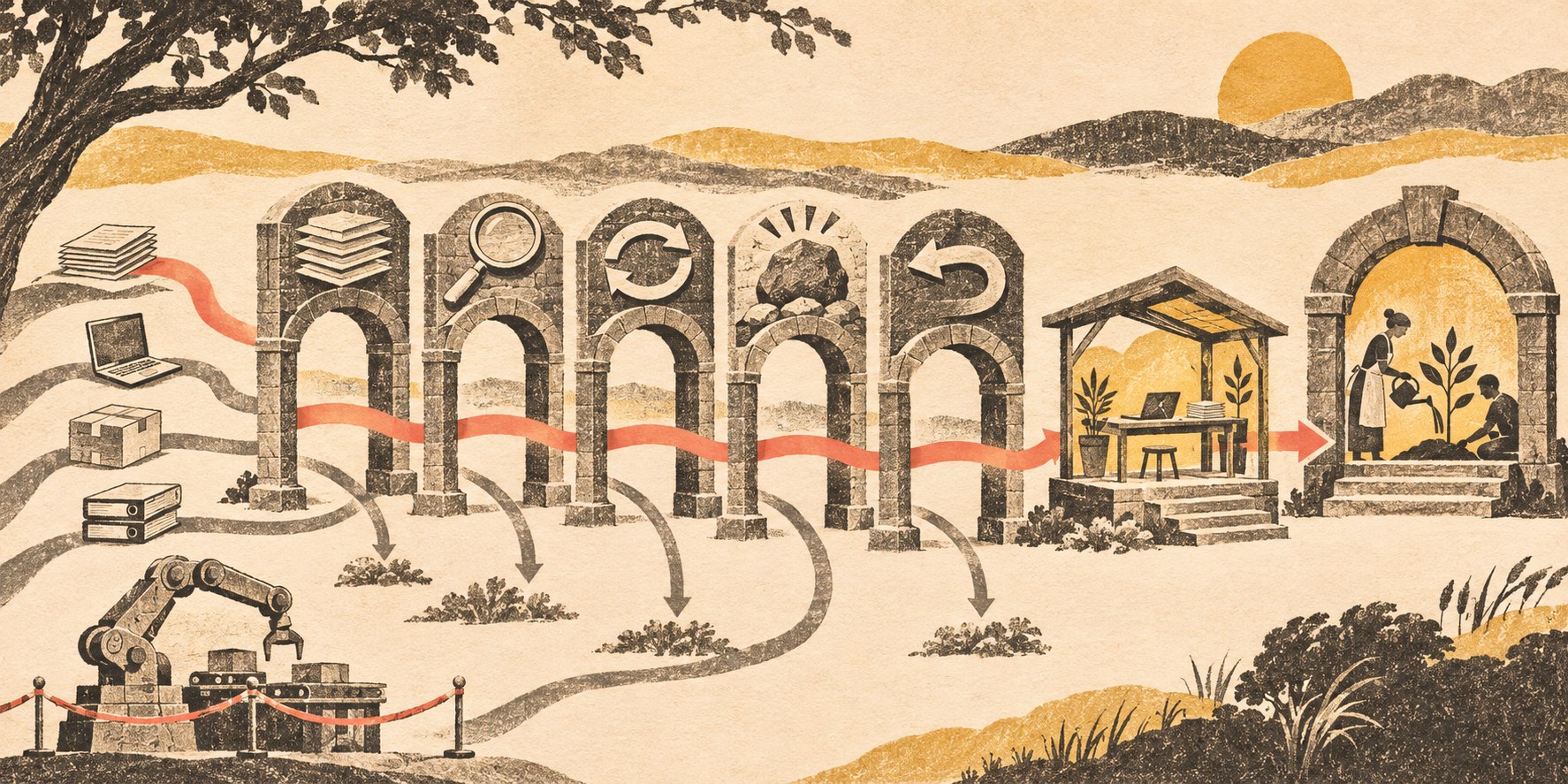
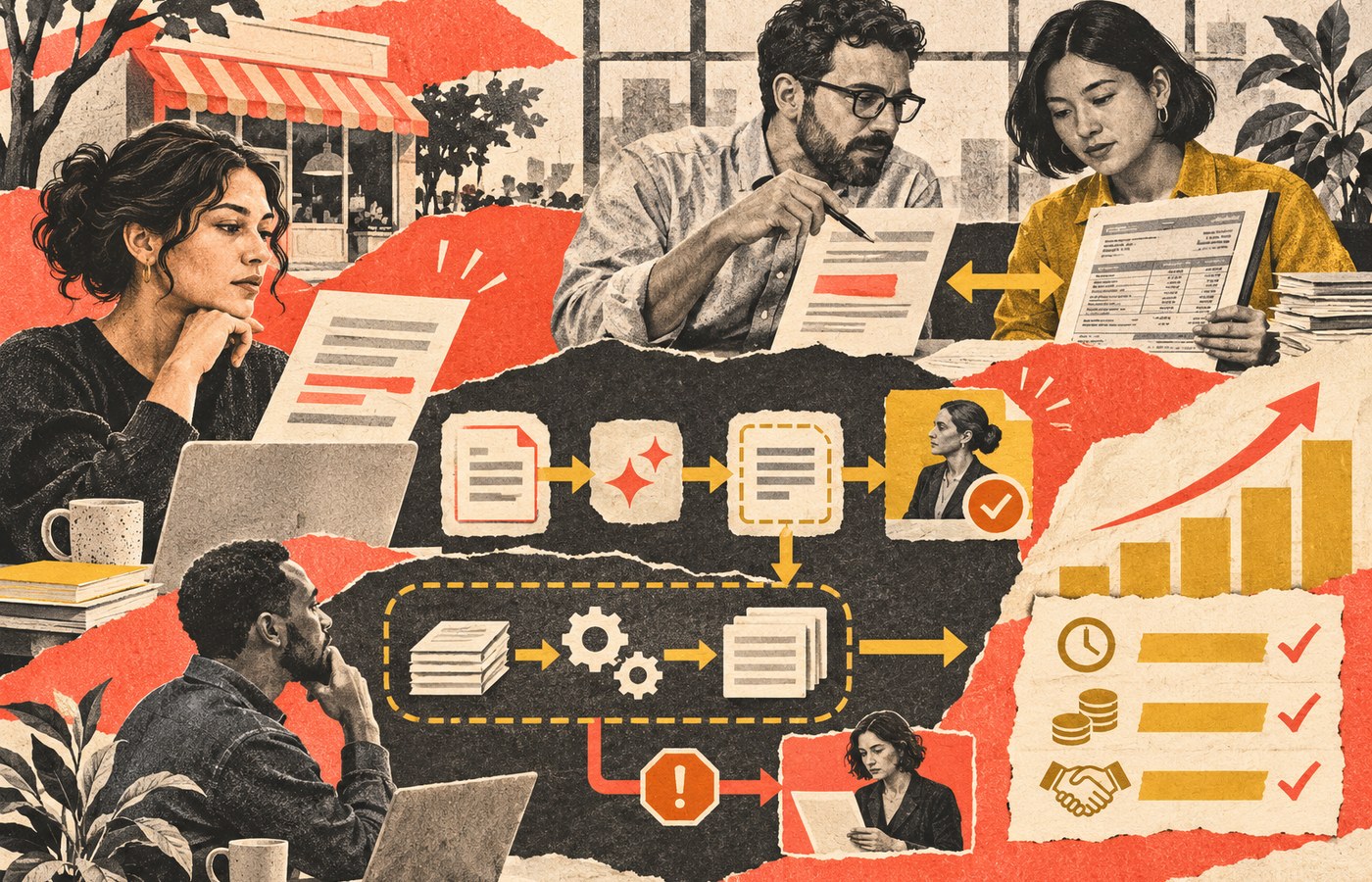
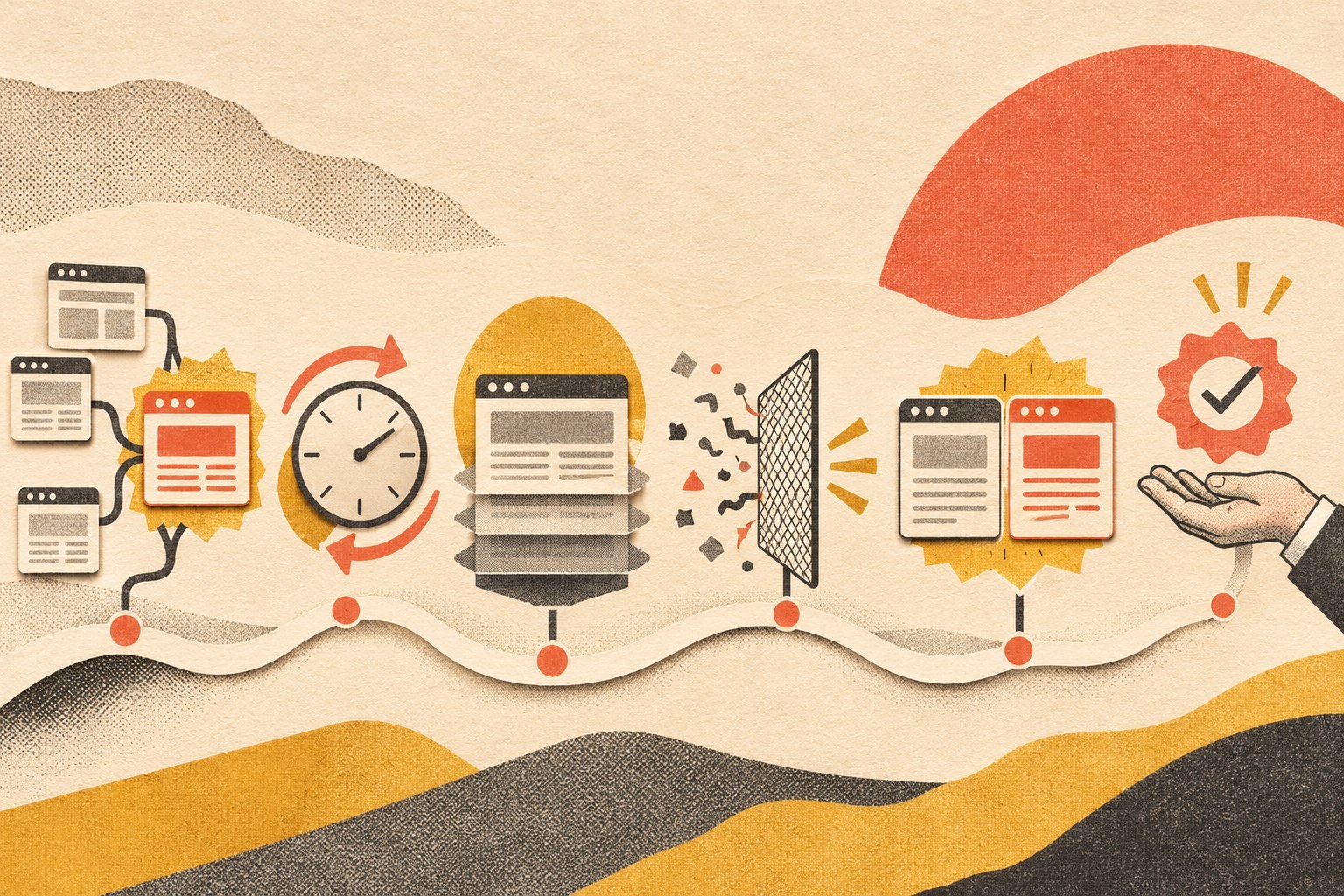
    Several automation candidates pass through stability, checkability, frequency, pain, and reversibility gates; one contained workflow reaches a maintained pilot.
    SCOPE ranks the candidate. OWNED determines whether the surviving workflow is ready to become a maintained system.

    S — Stable: does the process behave consistently enough to describe?

    A stable workflow does not need to be perfectly deterministic. It does need a recognizable shape. You should be able to identify the trigger, typical inputs, expected output, owner, common exceptions, and what happens next.

    A proposal skeleton can be stable even though every proposal is different. The stable part may be: discovery notes arrive, approved service language is selected, known project facts are organized, open questions are flagged, and a person reviews scope and pricing. That is much easier to automate safely than “write whatever proposal will win this client.”

    If three employees perform the process three completely different ways because nobody agrees on the policy, automation is premature. Fix the process before encoding the disagreement.

    C — Checkable: can a competent person tell whether the result is right?

    AI is easier to use where quality can be inspected. A meeting summary is checkable against the transcript. Extracted invoice fields are checkable against the invoice. A draft follow-up is checkable against the notes and approved business rules.

    “Recommend the perfect strategic direction for the company” is much harder to verify. A fluent answer can sound plausible without giving the reviewer a clean test of correctness.

    For AI automation prioritization, checkability matters because it makes a pilot informative. You can compare output with known cases, measure corrections, and learn where the workflow should escalate to a person.

    O — Often repeated: does the workflow happen enough to earn maintenance?

    Every automation becomes a small software dependency. Credentials expire. APIs change. Staff need training. Exceptions accumulate. Someone has to notice when the workflow stops behaving as expected.

    A task that happens once a year may be annoying without being a good automation candidate. A ten-minute task performed thirty times a week may be far more attractive even if nobody would put it in an AI keynote.

    Frequency is not only volume. Regularity matters too. A weekly process with the same trigger and owner can be easier to support than a bursty process nobody remembers until a crisis.

    P — Painful: does the current workflow create a business problem worth solving?

    Pain can mean labor, but it can also mean waiting, dropped handoffs, rework, inconsistency, attention switching, slow response, poor visibility, or dependence on one overloaded person.

    Be specific. “Email is annoying” is weak. “Every new inquiry is manually copied into the CRM, summarized for the project team, and assigned by one person, so leads can wait until that person checks the inbox” is a useful problem statement.

    The pain should be observable enough that you can later tell whether the workflow improved. That does not require a dramatic ROI spreadsheet. It may be as simple as fewer manual touches, shorter queue time, fewer missing fields, or fewer exceptions requiring cleanup.

    E — Easy to undo: how far can a mistake spread before a person can correct it?

    Reversibility is the most underrated part of AI automation prioritization.

    A bad internal draft can be discarded. A wrong CRM classification can usually be corrected. A public price change, deleted database, signed agreement, sent payment, terminated employee account, or mass customer message has a very different consequence profile.

    That does not mean consequential work can never use AI. It means it is a poor place to learn your first lessons about autonomous execution. Start where mistakes are visible and recoverable.

    Score the backlog without pretending the numbers are science

    You can score each SCOPE dimension from 0 to 2:

    Dimension 0 1 2
    Stable Process changes constantly or is disputed Mostly consistent with important exceptions Clear recurring workflow
    Checkable Quality is subjective or hard to verify Some outputs can be tested Correctness is easy to inspect
    Often repeated Rare Regular but modest volume Frequent or continuous
    Painful Minor inconvenience Noticeable time or friction Material delay, rework, attention, or bottleneck
    Easy to undo Consequences are difficult to reverse Some correction path exists Error is cheap and contained

    A ten is not automatically better than an eight. The score is a forcing function for a useful conversation. It reveals why one idea feels safer or more valuable than another.

    For example, “draft weekly project updates” may score high across all five dimensions. “Let an AI negotiate custom contracts and send them without review” may be frequent and painful but score poorly on checkability and reversibility. The second idea may have more theoretical upside and still be a worse first project.

    What should you reject or postpone?

    Push a candidate down the backlog when:

    • the team cannot agree how the current process works;
    • the authoritative data lives in scattered or unreliable places;
    • success cannot be inspected without expert guesswork;
    • the workflow happens too rarely to justify support;
    • the real pain is unclear;
    • mistakes create public, financial, legal, security, personnel, or relationship consequences before review;
    • the idea requires a large new platform before a small version can be tested;
    • the proposed automation is mostly a solution looking for a business problem.

    Sometimes the correct result of AI automation prioritization is “do not automate this.” Sometimes it is “standardize the intake first,” “fix the source of truth,” or “use the native feature we already pay for.” That is progress. Scope has removed working custom automation after discovering the platform could solve the underlying problem more simply. A working automation can still be the wrong system.

    SCOPE chooses the candidate; OWNED decides whether it is ready

    This distinction keeps the cluster clean.

    SCOPE is a prioritization test. It helps a small business compare possible automation opportunities before investing implementation effort.

    OWNED is an implementation-readiness test. It asks whether the selected automation has a defined outcome, mapped workflow, named owner, exception/evidence model, and durability plan. The full method, including ROI, failure handling, autonomy levels, rollout, and retirement, belongs in our AI automation for business guide.

    If the selected workflow needs custom integrations or a system shaped around how the business actually works, the next question may be whether to buy, configure, integrate, or build custom business software. Do not make that architecture decision until the job is clear.

    Pilot one bounded workflow and learn cheaply

    A good first pilot uses real inputs, includes ugly cases, and keeps the action boundary narrow. Let the system draft before it sends. Let it recommend before it commits. Let it write to staging before production. Let it create a proposed record before it can delete one.

    Define the evidence before you run the pilot:

    • What manual baseline are we comparing against?
    • What types of errors matter?
    • How often does a human correct or override the output?
    • What exceptions appear that the original process map missed?
    • How much review time remains?
    • What maintenance or new dependency did the pilot create?
    • What would make us expand, constrain, replace, or stop the workflow?

    The purpose of a pilot is not to prove that AI is exciting. It is to reduce uncertainty about a real business workflow.

    AI automation prioritization FAQ

    What is AI automation prioritization?

    AI automation prioritization is the process of ranking possible AI-assisted workflows before deciding what to build. A useful ranking considers process stability, verifiability, frequency, business pain, reversibility, implementation readiness, and consequence.

    What makes a good first AI automation?

    A strong first candidate is repeated, reasonably stable, easy to inspect, painful enough to matter, and cheap to correct when wrong. Drafting, extraction, classification, routing, summarization, and report assembly are often easier learning environments than irreversible autonomous decisions.

    Should I prioritize by hours saved?

    Hours are one input, not the whole decision. Also consider delay, rework, error risk, attention switching, customer impact, review burden, maintenance cost, and reversibility. An automation that saves labor but creates hidden exception work may not improve the process.

    Should the highest SCOPE score be automated automatically?

    No. SCOPE only ranks candidates for deeper investigation. A high-scoring idea still needs implementation-readiness analysis, ownership, data and permission decisions, exception handling, measurement, and a maintenance plan.

    Can a low-frequency workflow still be worth automating?

    Yes, if the consequence or effort is large enough. The SCOPE score is a conversation tool, not a formula that replaces judgment. A quarterly process that takes days and is highly structured may still justify automation.

    When should an AI automation require human approval?

    Approval should increase with consequence, ambiguity, privilege, and reversibility. Drafts and internal summaries can often run with less friction. Public communications, production changes, money, contracts, access controls, deletion, personnel decisions, and other consequential actions need much stronger boundaries.

    Pick the workflow that will teach you something useful

    The best first AI project is not necessarily the one with the largest theoretical upside. It is the one that creates useful evidence while keeping mistakes affordable.

    Build the backlog. Apply SCOPE. Take the strongest candidate into OWNED. Then run the smallest pilot that can prove whether the workflow deserves to become part of the business.

    If your team has a dozen possible AI ideas and no clear way to decide which one deserves attention, Scope Design can help map and prioritize the workflows before you buy another platform or wire an agent into production. The goal is not more automation. It is a business that is easier to operate and easier to change.

  • Website Change Monitoring: Catch What Uptime Checks Miss

    Website Change Monitoring: Catch What Uptime Checks Miss

    Website change monitoring repeatedly captures selected web pages, compares each new version with a trusted baseline, and alerts you when the content, layout, structure, or destination changes. Uptime monitoring asks whether a page answered. Change monitoring asks whether it is still the page you intended to publish. A website can return a cheerful 200 OK while its checkout button is missing, its pricing is wrong, or a spam redirect is escorting customers somewhere deeply unhelpful.

    The short version: use uptime monitoring to learn whether the site is reachable, and website change monitoring to learn whether important pages are still correct. Monitor the pages closest to revenue, trust, compliance, and customer action. Set the scan interval according to business risk, suppress predictable noise, retain before-and-after evidence, and assign a human owner who can act on the alert. Otherwise, you have not built monitoring. You have built a notification hobby.

    What is website change monitoring?

    Website change monitoring is an automated process that captures a baseline version of a web page, checks the page again on a schedule, compares the new state with the previous state, and reports meaningful differences. Depending on the system, it can compare visible text, rendered screenshots, page structure, links, status codes, redirects, or several of those signals together.

    The useful part is not merely discovering that something changed. Modern pages change constantly. Cookie banners appear, timestamps tick, carousels rotate, inventory moves, recommendations personalize themselves, and third-party widgets do whatever third-party widgets feel like doing that day. The useful part is separating expected motion from a change that deserves attention.

    That creates a five-step monitoring loop:

    1. Capture a known-good baseline.
    2. Revisit the selected URL on a defined schedule.
    3. Compare the current page with the baseline or previous version.
    4. classify the difference and suppress expected noise.
    5. Alert the right person with enough evidence to decide what happens next.

    The baseline matters more than most product pages admit. If the first captured version is already broken, the monitor can faithfully protect the wrong thing forever. Establish the baseline after a deliberate review, not because Tuesday at 2:17 p.m. happened to be convenient.

    Uptime monitoring and change monitoring answer different questions

    Uptime monitoring and website change monitoring belong in the same operating system, but they are not interchangeable.

    Monitoring layer Question it answers Typical evidence What it can miss
    Uptime monitoring Can the server or page be reached? Status code, response time, timeout Broken layout, changed copy, missing CTA, altered price, defacement that still returns 200
    Content monitoring Did visible text or selected data change? Added and removed words, numbers, links, or fields CSS breakage and visual changes with identical text
    Visual monitoring Does the rendered page look different? Before-and-after screenshots and highlighted regions A subtle data change, the reason for a change, or an interaction that no longer works
    Structural monitoring Did the page composition change? DOM, elements, attributes, scripts, links, or metadata Whether the new structure is intentional or harmful
    Redirect monitoring Is the request being sent somewhere different? Status, redirect chain, destination URL or host The cause of the redirect

    The HTTP standard defines 200 OK as a successful response for the request. It does not certify that your page is attractive, accurate, secure, or capable of making money. It is a protocol status, not a Yelp review. The same standard defines redirect responses including 301, 302, 307, and 308, which is why a serious monitoring setup should record where a URL went rather than blindly following it and pretending nothing happened. See RFC 9110, HTTP Semantics for the underlying status-code and redirect definitions.

    Google also treats server-side redirects as important signals when URLs move and recommends avoiding unnecessarily long redirect chains. That makes unexpected destination changes relevant to both security and search operations. See Google Search Central’s redirect guidance.

    The practical answer is not to choose one layer. Use uptime checks to catch outages and change monitoring to catch pages that are available but wrong.

    What kinds of website changes can monitoring catch?

    Content changes

    Content monitoring can detect additions, deletions, and edits to visible text or selected page elements. Common targets include:

    • product prices and availability;
    • policy, legal, and disclosure language;
    • headlines, offers, and calls to action;
    • contact information and business hours;
    • navigation labels and links;
    • product descriptions and specifications;
    • competitor pages you are permitted to monitor.

    A text comparison is excellent at spotting a changed number that barely affects the page visually. It is less useful when the words remain intact but CSS stacks the page into modern art.

    Visual changes

    Visual monitoring compares rendered screenshots. It can reveal missing sections, broken grids, swapped images, unexpected overlays, typography changes, design regressions, or obvious defacement.

    The weakness is noise. Ads, animations, consent banners, lazy-loaded images, location, personalization, and A/B tests can all alter pixels without creating a business problem. A useful visual monitor needs region controls, tolerance, stable rendering, and evidence that shows where the page changed. A naked percentage such as “14% different” is technically information, but so is a smoke alarm that only emails “something somewhere may be warm.”

    Structural changes

    Structural monitoring looks beneath the screenshot. It can identify removed elements, changed page sections, altered links, injected scripts, missing forms, modified metadata, or changes to the page’s document structure.

    This layer matters because text can stay identical while the page composition breaks. It also matters for malicious injections that may be hidden from an ordinary visual glance. Structural change does not prove compromise, but it gives the response team a better place to start.

    Redirect and destination changes

    A URL can appear “up” while redirecting visitors to the wrong page or an external domain. Redirect monitoring should ideally preserve the original URL, response status, destination, and chain. That evidence helps distinguish an intentional migration from a broken rule or suspicious redirect.

    Website defacement signals

    Website change monitoring can surface public-facing symptoms of defacement: replaced content, spam links, injected scripts, changed forms, altered images, or unexpected redirects. It is one detection layer inside a broader website security program.

    It is not a malware scanner, forensic investigation, firewall, backup, or incident-response team. A change alert can establish that the monitored representation changed. It usually cannot prove who caused the change, whether the CMS was compromised, or how the attacker got in. Honest boundaries make the tool more useful, not less.

    The Scope Design SIGNAL framework for website monitoring

    Buying a monitoring tool before defining the monitoring policy is classic software-shopping behavior: select a dashboard, admire the charts, and postpone the difficult decisions until the first alert storm. We use the SIGNAL framework to turn the tool into an operating process.

    A six-step visual flow shows selected pages, scan intervals, trusted baselines, noise filtering, before-and-after evidence, and an accountable owner.
    The SIGNAL framework turns website change monitoring into an owned business process: Select, Interval, Ground truth, Noise, Actionable evidence, and Link to an owner.

    S: Select pages by business risk

    Do not begin by importing every URL because the plan says you can. Begin with pages where an unnoticed change would affect revenue, trust, compliance, search visibility, or a critical customer task.

    Good first candidates include the homepage, primary service pages, pricing, checkout, login, lead forms, contact details, policy pages, high-traffic landing pages, and high-value organic search pages.

    I: Interval follows acceptable delay

    Choose the scan frequency according to how long the business can safely remain unaware of a change. A checkout page may justify a short interval. A static policy archive may not.

    Scheduled polling creates a detection window. If a page is checked hourly, a change that occurs immediately after one scan may wait almost an hour for detection. Faster checks reduce that window but consume more scans and can produce more noise. “Real time” should be a measurable interval, not marketing incense.

    G: Ground truth needs a trusted baseline

    Approve the initial version. Record what the page should contain, where it should lead, and which dynamic regions are expected to change. Refresh the baseline after confirmed legitimate edits.

    The baseline is the answer key. If nobody reviewed it, the monitor is grading from a photocopy it found on the floor.

    N: Noise needs rules

    Exclude or normalize timestamps, rotating banners, personalization, advertisements, stock counters, session values, and other predictable movement. Use selected regions or element-level checks when the whole page is too volatile.

    Conditions and thresholds can reduce meaningless alerts. Distill’s documentation, for example, explains how conditions can trigger alerts only when specified criteria are met, rather than whenever any change occurs. See Distill’s alert-condition documentation.

    A: Alerts need actionable evidence

    Every alert should answer four questions quickly:

    1. Which URL changed?
    2. What changed?
    3. When was the difference detected?
    4. What evidence should the reviewer inspect?

    Before-and-after screenshots, text differences, structural findings, status information, and a plain-language summary beat “page changed” by a country mile. A durable history also makes later diagnosis and client reporting far less dependent on memory. Distill’s product documentation provides a concrete example of retaining and highlighting prior changes in a change history.

    L: Link every alert to an owner and response

    Name the person or team responsible for reviewing each class of alert. Define escalation, maintenance windows, false-positive handling, and what happens when a scan fails.

    Security guidance from OWASP emphasizes that logging and monitoring should support detection and response, not merely exist. The same operational principle applies here: an alert with no owner is just a tiny automated scream into the void. See the OWASP guidance on security logging and monitoring.

    How often should you monitor a website for changes?

    There is no universal “best” frequency. Use the shortest acceptable detection delay that the page’s risk, change pattern, noise, and budget justify.

    Page type Starting cadence Why
    Checkout, login, or high-value transaction page Frequent, based on risk A broken or redirected flow can affect revenue quickly
    Homepage and primary lead pages Hourly to daily High visibility and commercial importance
    Pricing and product pages Hourly to daily Incorrect information can create sales and trust problems
    High-value organic landing pages Daily Protect important copy, links, metadata, and layout
    Legal and policy pages Daily to weekly Preserve awareness and history without pretending monitoring creates legal compliance
    Stable reference pages Weekly to monthly Lower change frequency and lower immediate impact
    Competitor pages Based on decision use Check only as often as the information can change an actual decision

    These are starting points, not commandments carved into a server rack. Adjust them using observed change frequency and the cost of delayed detection.

    For WordPress sites, a scheduled baseline is only part of the answer. Run checks before and after controlled updates. Our WordPress plugin update guide explains why updating one component, testing, and preserving rollback evidence is safer than clicking “update all” and discovering your experimental phase on the live homepage.

    How do you reduce false alerts?

    False positives are not a minor usability issue. They train people to ignore the system. Once every rotating testimonial generates an emergency email, the real checkout failure arrives disguised as Tuesday.

    Reduce noise with a layered approach:

    • Monitor the right scope. Select a stable section or element instead of the entire page when possible.
    • Exclude known dynamic regions. Ignore ads, clocks, carousels, recommendations, and other expected movement.
    • Wait for stable rendering. Modern pages often need JavaScript, fonts, images, and lazy-loaded assets to settle.
    • Use thresholds carefully. A small pixel difference may be harmless, but a one-character price change may matter.
    • Compare more than one signal. Visual, content, and structural evidence together provide better context than one metric alone.
    • Classify before escalating. Separate no change, minor update, content update, layout change, potential breakage, and security concern.
    • Confirm legitimate changes. Refresh the baseline after a planned edit so the system does not keep reporting yesterday’s news.
    • Suppress alerts during maintenance. Planned work should not trigger a fake incident, but monitoring should resume automatically.

    AI can help classify higher-signal changes and create a readable summary. It should not be treated as an oracle. Keep the raw before-and-after evidence, let people review consequential alerts, and measure false positives and missed changes over time. That is the same human-ownership principle we apply in our AI automation framework: automate the repetitive work, preserve evidence, and keep humans responsible for consequential decisions.

    What should a website change alert contain?

    A useful alert is a decision packet, not a panic button. At minimum, it should include:

    • the monitored URL and page label;
    • the scan timestamp and configured frequency;
    • the previous and current state;
    • highlighted visual or content differences;
    • structural or redirect evidence when relevant;
    • a severity or classification with plain-language reasoning;
    • a link to history;
    • the assigned owner or response route;
    • enough context to acknowledge, dismiss, escalate, or refresh the baseline.

    The history should distinguish detection from attribution. A monitoring record may prove that the public page changed between two scans. It does not necessarily prove which editor, deployment, plugin, attacker, CDN rule, or third-party widget caused it. Connect monitoring with CMS activity, deployment logs, security telemetry, and team records when attribution matters.

    What website change monitoring cannot do

    Every useful technology gets ruined eventually by a marketing page claiming it does everything. Let us skip that phase.

    Website change monitoring has real limitations:

    • It samples pages on a schedule. A brief change can occur entirely between scans.
    • A cloud scanner may receive a different page than a customer because of geography, cookies, authentication, personalization, user agent, CDN behavior, or feature flags.
    • Public-page monitoring does not automatically test authenticated dashboards.
    • A screenshot can prove pixels changed, not why they changed.
    • A text comparison can miss a visually broken layout.
    • Detection does not repair the site, remove malware, restore a backup, or roll back a deployment unless a separate response system is integrated.
    • A captured baseline can already be wrong.
    • Bot protection, rate limits, CAPTCHAs, and blocked scanner addresses can prevent or distort scans.
    • A page can look correct while its form, search, checkout, or login interaction is broken.

    That final boundary matters. Change monitoring asks whether the page’s observed state changed. Cross-browser testing and synthetic journey testing ask whether people can still complete critical tasks. Good operations use the right test for the right failure instead of forcing one tool to cosplay as an entire QA department.

    How PageSentinel approaches website change monitoring

    PageSentinel is Scope Design’s website change monitoring product for agencies, site owners, ecommerce teams, and other organizations that cannot afford to learn about broken pages from customers.

    The current product monitors selected URLs on demand or on a schedule, captures visual, content, and structural signals, and retains before-and-after evidence. When a change is significant, AI-assisted review helps classify the result and produce a human-readable summary. The goal is not “AI everywhere.” The goal is fewer useless alerts and faster triage when a change actually deserves a human.

    The operating flow is deliberately simple:

    1. Add the pages you care about.
    2. Choose the scan frequency allowed by your plan.
    3. Run a scan or let the schedule do it.
    4. Review the change evidence and alert history.

    PageSentinel uses scan credits because frequency is the real cost driver. Ten URLs checked every few minutes consume far more monitoring work than ten URLs checked weekly. Plans therefore provide a scan budget and make faster cadences available by tier. You can set a domain-level default and override important URLs, so the homepage does not have to share a schedule with a dusty terms page.

    Email alerts are included. Other alert channels are available as add-ons. Retention varies by plan. The live PageSentinel pricing and feature page is the source of truth for current limits because embedding a price table in an evergreen article is how stale promises are born.

    Watch PageSentinel in action

    The demo shows the add-URL, scan, alert, comparison, and history flow.

    Practical website monitoring use cases

    Agencies managing client websites

    Monitor important client pages after plugin, theme, content, or deployment changes. Keep evidence of when a page changed and what the monitor observed. This supports proactive maintenance and far better client conversations than “it looked fine when we checked last month.”

    Website monitoring belongs inside the broader ownership and recovery process described in our website maintenance guide.

    Ecommerce teams

    Watch product pages, pricing, availability messages, shipping policies, checkout steps, and revenue-critical landing pages. Monitoring can also track public competitor pages when that information supports a legitimate pricing, merchandising, or market decision.

    Marketing and SEO teams

    Protect high-value landing pages from accidental copy deletion, changed calls to action, missing sections, altered links, unexpected redirects, and design regressions. The broader business website development pillar explains why reliable operations belong to the technical foundation, not the launch-day victory lap.

    Compliance and reputation teams

    Retain timestamped evidence that a public policy, disclosure, or claims page changed. This history may support review and investigation, but it does not automatically satisfy a regulation or identify who made the edit. Have legal and compliance professionals define the actual obligation.

    Website owners worried about defacement

    Monitor high-visibility pages for unexpected public changes, spam content, injected links, or redirects. Pair this with access control, supported software, backups, security monitoring, and an incident-response plan. One alerting layer is useful. Calling it a complete security program would be bullshit.

    Website change monitoring buying checklist

    Before choosing a monitoring tool, ask it to demonstrate five deliberately different events:

    1. A one-word text change.
    2. A CSS or layout change with identical text.
    3. A structural change with little visual difference.
    4. An unexpected external redirect.
    5. A dynamic element that should not create an alert.

    Then evaluate the evidence, classification, alert, and history for each event.

    Use this checklist during the demonstration:

    Buying question What a credible answer includes
    What does the tool compare? Clear explanation of visual, content, structural, status, and redirect signals
    Does it render JavaScript? A browser-based capture process for modern sites, with stated limitations
    Can I target or exclude regions? Page, element, selector, region, or ignore controls
    How are false positives reduced? Stable rendering, thresholds, exclusions, conditions, classification, or confirmation
    Can frequency vary by URL? Per-page schedules or overrides tied to risk
    What is the detection window? A measurable interval, not vague “real-time” language
    What evidence is retained? Before and after states, diffs, timestamps, status, destination, and history
    How long is evidence retained? A clear retention period and export policy
    What happens when a scan fails? Failure alerts, retry behavior, and visible status
    Does it support authenticated pages? Explicit support and secure session handling, or an honest no
    How is monitored data protected? Clear storage, access, credential, and deletion practices
    Who handles the alert? Routing, acknowledgment, suppression, escalation, and integrations
    Does detection include remediation? A precise boundary between detection, diagnosis, and recovery

    The best tool is not the one that reports the most changes. It is the one that finds consequential changes with enough evidence for your team to act, without conditioning everyone to ignore it.

    Frequently asked questions about website change monitoring

    Can I monitor a website for changes?

    Yes. A website change monitoring service can revisit selected URLs on a schedule, compare each page with a prior version or baseline, and alert you when monitored content, visuals, structure, status, or redirects change.

    How can I monitor changes on a website?

    Choose the important URL, establish a reviewed baseline, select the scan frequency, configure dynamic-content exclusions, run a test change, and route alerts to an owner. Review the first alerts closely and tune the monitor before expanding to more pages.

    What is the difference between website monitoring and website change monitoring?

    “Website monitoring” is a broad category that can include uptime, performance, transactions, security, and change detection. Website change monitoring specifically compares page states to identify what changed in content, presentation, structure, or destination.

    What is the difference between uptime monitoring and website change monitoring?

    Uptime monitoring asks whether a site or endpoint is reachable and responding. Website change monitoring asks whether the returned page is still correct. A page can return 200 OK while its layout, copy, form, price, or redirect behavior is wrong.

    Can I see when a website was changed?

    A change monitor can show when it first observed a difference between scheduled scans and preserve before-and-after evidence. It cannot necessarily reveal the exact edit time or who made the change unless it is connected to CMS, deployment, identity, or security logs.

    Can website monitoring detect defacement?

    Change monitoring can detect public symptoms such as replaced text or images, injected links, altered forms, structural changes, or unexpected redirects. It does not by itself prove compromise or replace malware scanning, access controls, backups, and incident response.

    Can website change monitoring detect broken layouts?

    Visual monitoring can detect rendered differences such as missing sections, broken grids, swapped images, overlays, and other layout changes. Test at the viewport sizes that matter and combine monitoring with functional and cross-browser testing for critical user journeys.

    How often should a website be checked?

    Set the interval according to business risk and acceptable detection delay. Revenue-critical and security-sensitive pages may need frequent checks, while stable reference pages may only need weekly or monthly scans. Faster is not automatically better if it creates noise nobody reviews.

    Can I monitor competitor website changes?

    Yes, for public pages and legitimate business purposes. Common targets include pricing, product listings, policies, and positioning. Respect applicable laws, site terms, access controls, and reasonable request rates. Monitor only information tied to a real decision, or you are paying to collect trivia.

    How do I stop false website change alerts?

    Target stable elements, exclude dynamic regions, wait for the page to render, normalize predictable values, set appropriate thresholds, classify changes, and refresh the baseline after approved edits. Review alert quality continuously rather than assuming the default configuration understands your business.

    Is website change monitoring the same as a backup?

    No. Monitoring detects observed differences and preserves evidence. A backup preserves recoverable site data and files. You need monitoring to learn that something changed and tested backups to restore the system when recovery is required.

    Does website change monitoring prove who changed a page?

    Usually not. It can establish what the monitor observed and when. Attribution requires records from the CMS, hosting platform, deployment pipeline, identity provider, CDN, firewall, or other systems involved in the change.

    Stop waiting for a customer to become your monitoring system

    A serious business website should not rely on memory, occasional manual checks, or the hope that customers will politely report damage before leaving. Monitor the pages that carry revenue and trust, set the cadence by risk, keep the evidence, and give every alert an owner.

    If you want to see the process before committing to a plan, start a PageSentinel trial and run a monitored URL through its first baseline and comparison. Two minutes of setup is cheaper than the next “hey, did you know your homepage is broken?” email.

  • Artificial Intelligence in Business: The Real Impact of AI in 2026

    Artificial Intelligence in Business: The Real Impact of AI in 2026

    Artificial intelligence in business is already normal. Mature AI operations are not. By 2025, 88% of surveyed organizations reported using AI, yet AI-agent deployment remained in the single digits across nearly every business function. That gap matters more than another breathless prediction about robots taking over the world.

    The real impact of artificial intelligence in 2026 is the shift from isolated prompts to systems that help people generate, interpret, coordinate, and eventually operate parts of real work. The companies getting lasting value are not simply “using AI.” They are connecting it to useful outcomes, trusted context, clear ownership, measurable evidence, and limits that keep one bad output from becoming an expensive problem.

    TL;DR: What is the real impact of artificial intelligence in business?

    • AI adoption is widespread. Stanford HAI reports 88% of surveyed organizations used AI in 2025, while 70% used generative AI in at least one business function.
    • Most use is still augmentation, not autonomy. A 2026 U.S. Chamber Foundation/Ipsos survey found that among small-business workers using AI, 64% primarily used it for personal productivity, 26% for recurring tasks, and only 6% for workflows with minimal human involvement.
    • The business opportunity is bigger than content generation. AI is increasingly useful for classification, extraction, forecasting, decision support, customer service, software work, and workflow coordination.
    • The hard part is not the model. Durable value depends on approved data, permissions, handoffs, monitoring, ownership, and a way to measure whether the process actually improved.
    • Human responsibility does not disappear. The more consequential, ambiguous, or relationship-sensitive the action, the stronger human control should be.

    If you only remember one idea from this guide, make it this: AI is becoming operating infrastructure. Treat it like infrastructure, not a magic trick.

    What changed by 2026? AI use became common, but maturity did not

    The conversation around AI has changed quickly. A few years ago, the question was whether businesses would use generative AI at all. Now the more useful question is what kind of work AI should own, what evidence it needs, and what happens when it is wrong.

    Stanford HAI’s 2026 AI Index reports that 88% of surveyed organizations used AI in 2025 and 70% used generative AI in at least one business function. Yet agent deployment remained in the single digits across nearly all functions. In other words: access is no longer the bottleneck. Operational maturity is.

    Small businesses show the same pattern. A Federal Reserve Bank of San Francisco analysis of the 2024 Small Business Credit Survey found that nearly 40% of respondents were using or planning to use AI. The use cases ranged from productivity and marketing to customer service, analytics, equipment and sensors, and custom AI tools. The sophistication varied dramatically.

    The U.S. Chamber of Commerce Foundation and Ipsos found an even more revealing split in 2026: half of surveyed small-business workers said they used AI, but the dominant use was personal productivity. Among AI users, 64% primarily used it for their own productivity, 26% used it for recurring tasks, and only 6% said their primary use involved workflows running with minimal human involvement.

    That is the maturity gap in one picture. Plenty of people have AI open in a browser tab. Far fewer companies have turned it into a dependable operating system for work.

    The AI Impact Ladder: from prompts to operating infrastructure

    Scope Design uses a simple four-stage model to separate casual AI use from operational impact. The point is not to rush to the top. The point is to know which rung you are actually standing on.

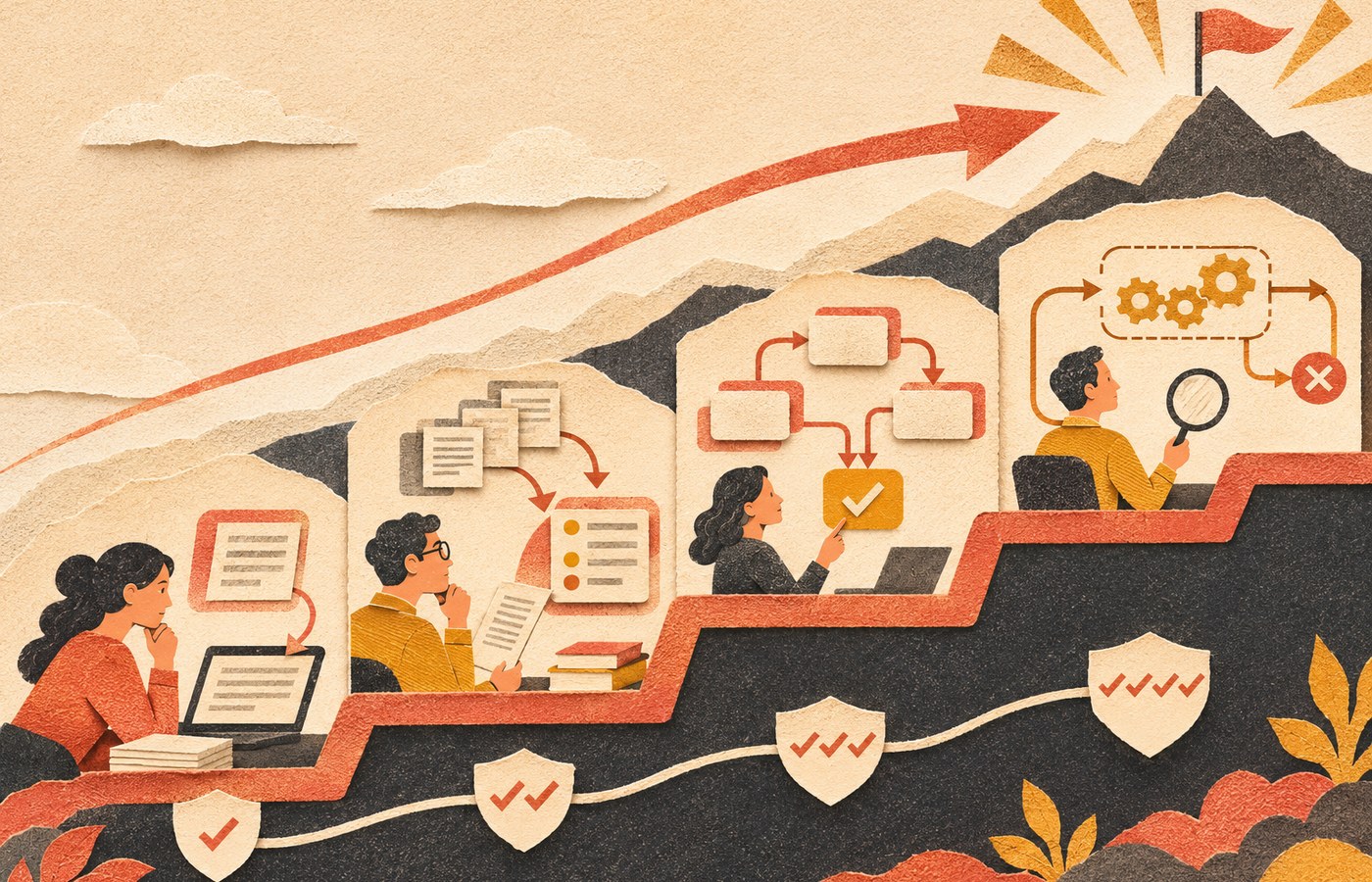
    Four stages of AI maturity rise from generating drafts to interpreting information, orchestrating workflow handoffs, and operating bounded work under human oversight.

    1. Generate: AI creates a first draft

    This is the most common layer: writing, summarizing, brainstorming, image generation, code suggestions, meeting notes, or first-pass analysis. It can save time, but the human still owns the entire decision. A better draft is useful. It is not yet a business system.

    2. Interpret: AI helps make sense of information

    Here AI classifies inquiries, extracts fields from documents, compares options, detects patterns, summarizes evidence, or recommends a next step. This is where AI starts to reduce cognitive load instead of only producing content. The output becomes more valuable—and more important to verify.

    3. Orchestrate: AI moves work across a real workflow

    At this stage, AI is connected to forms, databases, CRM records, email, project systems, or other software. It may classify an incoming request, pull approved context, draft the right response, route the work, and ask the right person for approval. Rules, permissions, logs, retries, exceptions, and handoffs suddenly matter a lot.

    This is the territory covered more deeply in Scope Design’s guide to AI automation for business: the model is only one component inside a workflow that still needs an owner, evidence, permissions, monitoring, and a shutdown path.

    4. Operate: AI runs bounded work with monitored autonomy

    Only at this stage does the system execute narrow, well-tested work without a human approving every routine step. That does not mean “turn the agent loose.” It means the company has earned autonomy through reliability. The process has known inputs, defined limits, monitored exceptions, clear escalation, and a person accountable for the result.

    Skipping directly from a clever prompt to autonomous execution is not innovation. It is skipping the part where you learn what can go wrong.

    How is AI being used in business right now?

    Google’s People Also Ask results for this topic repeatedly focus on real examples of business use. The useful answer is not a list of 47 tools. AI is having the biggest practical impact where work contains repeatable information patterns but still requires interpretation.

    Business areaUseful AI jobWhat humans still own
    Knowledge workSummarize, compare, research, draft, extract, and organize informationSource quality, judgment, final decisions, and factual responsibility
    Customer serviceAnswer routine questions, classify intent, draft replies, and route exceptionsEscalations, promises, refunds, conflict, and relationship repair
    OperationsForecast, detect anomalies, classify documents, and coordinate repetitive workflowsPolicy decisions, exception handling, approvals, and process ownership
    Sales and marketingAnalyze patterns, personalize drafts, score leads, summarize calls, and accelerate campaign productionPositioning, offers, claims, consent, brand judgment, and measurement
    Software and product workGenerate code, explain systems, create tests, refactor, and accelerate prototypesArchitecture, security, testing, maintainability, and production responsibility

    Customer service: faster answers without pretending every question is routine

    AI can handle a useful first layer of support when the knowledge is approved and the boundaries are clear. It can answer routine questions, gather missing information, summarize a customer’s issue, and route the conversation to the right person. But when identity, money, safety, legal issues, employment, medical concerns, or an angry customer enter the picture, the handoff matters more than the chatbot’s personality.

    Our guide to AI chatbots for business goes deeper on the hidden work behind the chat window: knowledge, permissions, tests, handoffs, cost visibility, and ownership.

    Operations and analytics: compress the evidence before a decision

    AI is useful when a person has to inspect a mountain of information before acting: support tickets, inspection notes, form submissions, logs, reports, calls, customer feedback, or inventory data. A model can cluster, summarize, compare, or flag unusual conditions so the human starts with a smaller, more relevant evidence set.

    That is different from outsourcing the decision. The best use is often: make the evidence easier to see, then let the accountable person decide.

    Marketing and sales: speed is useful, sameness is not

    AI can dramatically speed research, variations, call summaries, segmentation ideas, content assembly, and campaign analysis. But it also makes generic output cheap. If every competitor can produce a competent draft in 30 seconds, the differentiator moves toward customer knowledge, first-party evidence, point of view, offer quality, distribution, and the ability to turn what you learn into a repeatable system.

    Software and product development: faster code raises the value of verification

    AI-assisted coding can accelerate prototypes, debugging, testing, and routine implementation. That does not make architecture, security, maintainability, version control, or acceptance testing optional. In fact, cheaper code generation makes good review more important because the bottleneck shifts from typing code to deciding whether the code is the right solution.

    Scope Design’s Vibe Coding guide covers that tradeoff in detail: build faster, but keep the ability to understand, test, own, and maintain what you ship.

    AI is changing tasks faster than it is removing human ownership

    The most useful way to think about jobs and AI is at the task level. A job is a bundle of activities: gathering information, communicating, applying policy, creating deliverables, making decisions, maintaining relationships, handling exceptions, and accepting responsibility when something goes wrong.

    AI can absorb pieces of that bundle at different rates. Routine drafting may change quickly. Pricing a complex project, firing an employee, approving a refund exception, negotiating a contract, diagnosing a safety issue, or repairing a damaged client relationship is a different class of work.

    That is why the U.S. Chamber/Ipsos result is so telling. Small-business workers are already using AI widely, but the dominant use is still personal productivity rather than minimally supervised automation. The practical near-term shift is not “humans disappear.” It is “humans spend less time assembling obvious work and more time owning judgment, exceptions, and outcomes.”

    The REAL AI Test: should this use case actually scale?

    Before turning an experiment into a business dependency, run it through the REAL AI Test: Result, Evidence, Accountability, Limits.

    R — Result: what business outcome should change?

    Describe the job without mentioning AI. “Use AI in customer service” is not a result. “Answer approved routine questions instantly while routing billing, cancellation, and high-friction messages to a human within the same business day” is much closer. It names the work, the boundary, and the service expectation.

    E — Evidence: how will you know it improved?

    Record a baseline before you automate when possible. Track cycle time, staff touches, rework, errors, response time, escalation rate, adoption, and direct costs. If you never measured the manual process, you can still test reliability and observe the workflow—but you cannot honestly claim a percentage improvement you forgot to measure.

    A — Accountability: who owns the outcome?

    Every consequential AI workflow needs a named owner. That person does not need to write code, but they need enough context and authority to approve changes, resolve policy questions, review incidents, and shut the workflow down if it stops earning its keep.

    L — Limits: what is the system not allowed to do?

    Set the edges before launch. What happens with missing data? Contradictory sources? Low confidence? Sensitive information? A request outside policy? A failed integration? An angry customer? A high-dollar transaction? A destructive action?

    Limits are not pessimism. They are what make useful autonomy possible.

    What should remain human?

    The higher the consequence, ambiguity, or relationship cost, the stronger the human control should be. AI can assemble evidence, draft options, highlight missing information, prepare a transaction, or recommend a next step. That does not mean it should own every decision it can technically touch.

    • Keep qualified people responsible for pricing, scope, contracts, and promises.
    • Keep people responsible for hiring, performance, discipline, and other personnel decisions.
    • Keep people responsible for payments, refunds, credit, and meaningful financial commitments.
    • Keep people responsible for legal, medical, financial, safety, or regulated conclusions.
    • Keep people responsible for unusual exceptions, negotiation, strategy, and relationship repair.
    • Keep a human owner for deletion, publication, access changes, and other hard-to-reverse actions unless a narrowly bounded system has earned monitored autonomy.

    NIST’s AI Risk Management Framework emphasizes governance, roles, monitoring, risk identification, measurement, and ongoing management. That is more useful than the vague instruction to “keep a human in the loop.” A decorative approval button is not oversight if the reviewer lacks context, time, authority, or a reason to challenge the result.

    The risks are growing with the capability

    AI getting better does not mean risk disappears. Stanford’s 2026 responsible-AI data recorded 362 documented AI incidents in 2025, up from 233 in 2024. That does not mean every AI tool is dangerous. It means real-world use produces real-world failure modes.

    • Accuracy: fluent output can still be wrong, incomplete, or based on bad context.
    • Privacy and security: sensitive data can leak through poor tool selection, access controls, prompts, integrations, or logging.
    • Intellectual property: companies need policies for source material, confidential information, generated assets, and reuse.
    • Bias and unfairness: automated classification or recommendations can reproduce bad assumptions or uneven data.
    • Dependency: a process can become fragile when nobody remembers the manual path or when the model, API, vendor, or integration changes.
    • Accountability: “the AI did it” is not a business control.

    Resilience deserves its own plan. Our guide to AI-powered business resilience explains how to use AI without quietly turning it into a single point of failure.

    A practical 30-day AI pilot for a small business

    The U.S. Small Business Administration recommends starting small, testing whether AI adds value, and considering both benefits and risks. That is the right instinct. Do not start by buying a platform and hunting for a problem to justify it.

    Week 1: pick one measurable annoyance

    Choose a repeated task with a visible cost: triaging inquiries, summarizing calls, extracting fields from documents, drafting recurring reports, checking content against a standard, or categorizing support issues. Record the current process and baseline.

    Week 2: run AI in assist mode

    Let AI prepare drafts, classifications, or recommendations, but require human review for every output. Capture common errors, missing context, and exceptions. If the work cannot survive this stage, automation will not rescue it.

    Week 3: connect the workflow carefully

    Add only the integrations needed to remove mechanical handoffs. Define permissions, logs, alerts, failure handling, and the person responsible for exceptions. Keep destructive or high-consequence actions behind approval.

    Week 4: compare evidence and decide

    Did cycle time improve? Did staff touches fall? Did quality hold? Did rework increase? Were exceptions manageable? Did people actually use the system? Count implementation and maintenance costs too. Then choose: scale, revise, keep it as an assistant, or kill it.

    Ending a weak AI experiment is not failure. Automating a bad process for another 18 months because everyone is emotionally attached to the demo would be.

    The impact of artificial intelligence goes beyond business

    Business is only one part of the broader AI story. The same capabilities that help classify customer inquiries or analyze company data are being applied to science, medicine, education, engineering, public systems, accessibility, and creative work. The upside is faster analysis, new interfaces to knowledge, and cheaper access to capabilities that once required specialized teams.

    The tradeoff is the same at larger scale: more capable systems create more leverage, which makes data quality, access, transparency, evaluation, and human accountability more important rather than less. The social impact of AI will be uneven because access, infrastructure, skills, regulation, institutional capacity, and the quality of local data are uneven too.

    The useful question is not whether AI will affect the world. It already does. The useful question is which outcomes improve, for whom, under what conditions, and who remains responsible when the system is wrong.

    Frequently asked questions about artificial intelligence in business

    How is AI being used in business?

    Businesses use AI to draft and summarize information, classify and extract data, support customer service, forecast demand, detect patterns, personalize marketing, assist sales, analyze documents, generate and review code, and coordinate workflows. The most common small-business use remains individual productivity rather than fully autonomous operation.

    Are AI agents mainstream in business yet?

    Not in the mature operational sense. Stanford HAI reported widespread overall AI use in 2025, but agent deployment remained in the single digits across nearly all business functions. Agents are an important direction, but deployment maturity still lags the hype.

    What should a small business use AI for first?

    Start with a narrow, repeated, measurable task where a person already knows what good output looks like. Drafting, summarizing, extraction, classification, call analysis, or routine internal reporting are often safer starting points than customer-facing autonomous decisions.

    What are the biggest risks of AI in business?

    The practical risks include inaccurate output, privacy and security failures, intellectual-property problems, bias, over-automation, fragile dependencies, unclear accountability, and poor measurement. The risk rises with consequence and autonomy.

    Will AI replace jobs?

    AI is already changing tasks inside jobs, but the effect varies by occupation, workflow, and organization. The near-term pattern for many small businesses is augmentation: less time spent on mechanical assembly and more emphasis on judgment, exception handling, relationships, and accountability. Specific roles can still shrink or change materially, so broad promises in either direction are not credible.

    How should a business measure AI ROI?

    Compare the manual baseline with the AI-assisted process. Track time, staff touches, cycle time, errors, rework, exceptions, review effort, adoption, service impact, direct costs, and any attributable financial value. Include implementation, platform, maintenance, and failure costs. “We made a lot of stuff faster” is not an ROI calculation.

    AI is a business system now. Build it like one.

    The revolutionary impact of AI is not one spectacular model release. It is the steady movement of machine intelligence into ordinary work: first as a drafting assistant, then as an interpreter, then as a coordinator, and eventually as a bounded operator inside mature workflows.

    The winners will not be the companies that cram AI into the most places. They will be the companies that know where it creates a useful result, what evidence proves the result, who owns the outcome, and where the system must stop.

    If you have a workflow that is repetitive enough to be annoying but important enough to matter, that is a good place to start. Scope Design can help map the process, identify the right level of AI, build the integration, and keep the human controls where they belong.

  • AI for Sales: 7 Practical Ways to Improve Sales Performance

    AI for Sales: 7 Practical Ways to Improve Sales Performance

    AI for sales works best as a decision-support and workflow layer around a sales team—not as a substitute for human judgment. Used well, it can research accounts, summarize conversations, suggest priorities, draft follow-ups, keep CRM records current, surface pipeline risk, and handle bounded inbound questions. The practical goal is not to make an AI “close deals.” It is to remove friction so people can spend more time diagnosing needs, making good promises, and building trust.

    That distinction matters because AI can scale a bad sales process just as efficiently as a good one. If nobody owns the lead, the CRM is unreliable, qualification rules are vague, or follow-up disappears into memory, adding another AI tool may simply make the mess move faster.

    Current sales platforms reflect this shift. Salesforce’s sales AI and HubSpot Sales Hub now describe features for research, summaries, lead or deal scoring, forecasting, meeting preparation, follow-up, and conversation intelligence. Those capabilities are useful—but the tool should come after the process decision.

    What Is AI for Sales?

    AI for sales is the use of artificial intelligence to help a sales team understand opportunities, reduce repetitive work, preserve customer context, and make better-informed next-step decisions. Depending on the workflow, that may include generative AI for writing and summarization, machine-learning models for scoring or forecasting, conversation intelligence for call analysis, or conversational AI for answering and routing inbound questions.

    The useful question is not, “Where can we add AI?” It is, “Where is the sales process losing time, context, consistency, or opportunities?” Scope Design uses the same constraint-first logic we recommend for broader marketing and growth decisions: diagnose the bottleneck before choosing the tactic.

    Use the Scope Design SCOPE AI Sales Test First

    Before automating a sales task, run it through five questions. We call this the SCOPE AI Sales Test. It is an operating framework, not a promise that every business needs the same software or the same level of automation.

    • S — Sales constraint: What bottleneck are we actually trying to fix?
    • C — Clean context: What data is trustworthy, current, and permitted for the AI to use?
    • O — Owner + override: Who reviews exceptions and can reverse or reject the AI’s recommendation?
    • P — Pipeline proof: Which downstream sales outcome will tell us whether the workflow helped?
    • E — Escalation boundary: When must the AI stop and hand the situation to a person?

    This test keeps the implementation grounded. If the sales constraint is slow follow-up, a sophisticated forecasting model is not the first project. If the CRM contains duplicate companies, stale stages, and missing next steps, feeding that data into AI does not make it clean. And if nobody can explain when the AI should defer to a human, the automation is not ready.

    For the broader workflow-design side of this problem, our guide to AI automation for business goes deeper on when automation earns its place and how to build around the real process instead of the demo.

    7 Practical Ways to Use AI for Sales

    1. Prioritize Leads and Deals Without Letting AI Make the Final Call

    Lead and opportunity prioritization is one of the clearest uses of AI for sales. A system can combine known fit criteria, recent activity, CRM history, stage age, engagement signals, and other approved data to help a rep decide what deserves attention first.

    The important word is prioritize, not reject. A score should help a person inspect the pipeline, not become an invisible rule that automatically discards unusual opportunities. Historical sales data can contain the habits and blind spots of the old process. If yesterday’s team systematically ignored a good segment, a model trained on yesterday may learn to ignore it too.

    • Useful inputs: explicit fit criteria, lifecycle stage, recency, buying signals, account history, and known next steps.
    • Human boundary: require review before disqualifying high-value, unusual, sensitive, or strategically important opportunities.
    • Measure: qualification-to-opportunity movement, false-negative reviews, rep response patterns, and whether good opportunities spend less time unattended.

    2. Research Accounts and Prepare Better Sales Conversations

    Sales research is a strong AI use case because the output is preparation, not the customer-facing promise itself. AI can summarize a prospect’s website, CRM history, prior emails, open support issues, public announcements, and previous meeting notes into a brief that helps the rep enter the conversation with context.

    At Scope Design, our sales notes keep returning to the same principle: educate and listen before trying to close. Better preparation should produce better questions—What made this a priority now? What happens after someone contacts you? What would make this project worth the investment?—not a longer monologue about the seller’s tools.

    A practical AI research brief might contain the company’s apparent business model, relevant services, recent interactions, known stakeholders, unresolved questions, likely risks, and five discovery questions. The rep should verify time-sensitive facts before using them. AI-generated research is a starting point for attention, not a substitute for reading the source.

    • Useful inputs: prospect URL, approved CRM data, previous conversations, proposals, and account notes.
    • Human boundary: verify claims, contacts, pricing, organizational changes, and anything that could materially affect the conversation.
    • Measure: prep time, discovery completeness, useful notes captured, and whether the next step becomes clearer after the call.

    3. Draft More Relevant Outreach and Follow-Up

    AI can draft prospecting emails, recap calls, suggest follow-up language, and adapt a reusable message structure to the actual account context. This is much more useful than “personalization” that merely inserts a first name and a scraped compliment.

    A good follow-up adds something: a clarified next step, an answer, a screenshot, a comparison, a relevant resource, or a reminder tied to the prospect’s stated timing. Scope Design’s working rule is simple: every real opportunity should have a next follow-up date. AI can help create the draft and the task; a person still owns the reason for reaching out.

    Human review is especially important for higher-value outreach. HubSpot’s current AI prospecting agent, for example, includes a review-before-send option. That is a useful design pattern even if you use a different platform: let AI reduce writing friction without giving it unlimited permission to speak for the business.

    Also design the handoff after the response. Our guide to marketing assets and sales handoffs treats routing, qualification questions, CRM ownership, response templates, follow-up rules, and closed-won/closed-lost reasons as part of the same operating system. A polished email does not matter much if the reply has nowhere dependable to go.

    • Useful inputs: the prospect’s stated problem, prior messages, relevant proof, next-step rules, and approved messaging.
    • Human boundary: review pricing, commitments, guarantees, scope, legal claims, and sensitive situations before sending.
    • Measure: qualified replies, meetings held, opportunities advanced, follow-up completion, and opt-outs—not open rate alone.

    4. Automate CRM Cleanup and Sales Admin Without Automating Judgment

    CRM administration is exactly the kind of friction AI should reduce. After a meeting, a sales assistant can summarize the call, identify stakeholders, suggest fields to update, create a follow-up task, attach notes to the right company, and flag missing information. It can also surface records that have no owner or no next action.

    But do not let the automation silently rewrite the meaning of the pipeline. A deal should not move from “discovery” to “proposal” just because a transcript contained the word “budget.” Stage definitions, qualification criteria, and required evidence still belong to the sales process.

    Data permission matters too. The Federal Trade Commission has warned AI companies and businesses to honor privacy and confidentiality commitments, including when customers provide internal or user data. Before connecting email, CRM, call recordings, proposals, or customer records to an AI system, understand what the provider retains, how the data may be used, who can access it, and how it can be removed.

    • Useful inputs: calls, emails, calendar events, contact records, account records, and explicit stage rules.
    • Human boundary: approve stage changes, material record merges, commitments, disqualification, and exceptions.
    • Measure: percentage of active opportunities with an owner and next step, correction rate, overdue follow-ups, and admin time.

    5. Analyze Sales Conversations for Patterns and Coaching

    Conversation intelligence can turn calls and meetings into searchable summaries. A team can use AI to extract questions, objections, commitments, competitors mentioned, follow-up items, and recurring themes across conversations. That creates a useful feedback loop between sales, marketing, service, and product decisions.

    The safest use is evidence retrieval and pattern finding—not pretending a model can read someone’s mind. Treat “sentiment,” “intent,” or personality-style labels as uncertain signals, especially when the model cannot show how it reached them. For recording and transcription, follow applicable consent, employment, privacy, and industry requirements.

    NIST’s Generative AI Profile for the AI Risk Management Framework emphasizes governance practices such as human review, documentation, monitoring, and management oversight where the context warrants them. In a sales workflow, that translates into a practical rule: keep the evidence available, let people inspect the output, and name the person accountable for decisions made from it.

    • Useful inputs: approved recordings/transcripts, CRM outcomes, objection tags, call notes, and coaching criteria.
    • Human boundary: do not treat inferred emotion, sensitive traits, or automated coaching scores as unquestionable truth.
    • Measure: follow-up completeness, recurring objections resolved, coaching actions completed, and whether call notes become more usable downstream.

    6. Forecast Pipeline and Surface Risk Earlier

    AI can help a sales manager inspect the pipeline by highlighting deals with missing next steps, unusual stage age, weak activity, changing stakeholders, unresolved objections, or gaps between the CRM record and recent conversations. It can also summarize why a forecast changed instead of leaving the manager to compare rows manually.

    The mistake is turning a forecast into an oracle. A prediction is only as useful as the stage definitions, historical data, business conditions, and inputs behind it. New offers, seasonal work, a new territory, a major pricing change, or an unusual account can all make historical patterns less informative.

    Use AI to make risk visible and reviewable. Ask it to show the missing evidence, explain the factors behind a flag, and help a manager decide what needs inspection. Keep the actual forecast accountable to a named person.

    • Useful inputs: stage history, next actions, activity recency, amount, close-date changes, stakeholder activity, and outcome history.
    • Human boundary: managers own commit decisions, exceptions, strategic accounts, and any override of the model.
    • Measure: forecast error over time, stale-stage rate, missing-next-step rate, and whether identified risks are acted on.

    7. Qualify Inbound Conversations and Hand Them to the Right Person

    Conversational AI can earn its keep when the job is narrow: answer approved questions, collect the reason for contact, capture basic fit information, schedule a meeting, route the request, and preserve the conversation context for the human who takes over.

    The handoff is the important part. A warm handoff transfers the person, their question, the context already collected, what the AI attempted, and the next expected action. A cold handoff dumps the visitor onto a generic inbox and makes them repeat everything.

    Our AI chatbot guide goes deeper on approved knowledge, permissions, escalation triggers, and human escape paths. The broader customer lifecycle management guide explains why ownership and context must survive the transition from inquiry to qualification, sales, onboarding, and ongoing service.

    • Useful inputs: approved FAQs, service area, fit questions, scheduling rules, contact data, and routing rules.
    • Human boundary: escalate when the customer requests a person, the answer is uncertain, the issue is sensitive, or the requested commitment exceeds the AI’s authority.
    • Measure: qualified handoffs, successful bookings, abandonment, escalation quality, repeated questions, and corrections—not conversation volume alone.

    How to Choose AI Sales Tools Without Buying a Tool Pile

    There is no single “best AI for sales” because sales teams do different jobs with different systems, data, risks, and volumes. Choose the workflow first, then evaluate tools against the job.

    QuestionWhy it matters
    What exact sales job does the tool perform?“AI assistant” is too broad. Name the task: research, note capture, follow-up, scoring, forecasting, routing, or another defined job.
    What data does it need?You need to know which CRM objects, emails, calls, files, calendars, or web sources become inputs.
    Can a person review and override the output?Approval, edit history, confidence signals, and clear exception handling matter when the AI can affect customers or pipeline decisions.
    What happens to your data?Check retention, model-training terms, access controls, permissions, deletion, export, and contractual commitments.
    Does it preserve evidence?A useful system should let you inspect the source, transcript, record, or reasoning context behind important recommendations.
    Does it fit the CRM and workflow you already use?Copying context between disconnected tools can create more work and more data drift.
    How will you measure the result?Decide the baseline, outcome, guardrail, and stop rule before the pilot becomes permanent.

    The product name matters less than whether the workflow remains auditable. That is the same principle we use when evaluating AI for market research: accuracy, traceability, privacy, exportability, and access to the underlying evidence matter more than a flashy demo.

    A 30-Day AI for Sales Pilot

    Do not start by “transforming sales with AI.” Start with one bounded workflow that can produce useful evidence in a month.

    Week 1: Baseline One Sales Constraint

    • Pick one bottleneck: slow follow-up, incomplete CRM notes, inconsistent call preparation, stale deals, weak handoffs, or another observable problem.
    • Document the current process and owner.
    • Choose one primary outcome plus one or two guardrails.
    • Identify which data is allowed and reliable enough to use.

    Week 2: Configure the Smallest Useful Workflow

    • Connect only the systems the use case actually requires.
    • Define what the AI may read, suggest, create, or change.
    • Create the human review and escalation path.
    • Test ordinary cases, edge cases, wrong data, missing data, and ambiguous requests.

    Week 3: Run a Bounded Live Pilot

    • Use a limited group of reps, accounts, lead sources, or activities.
    • Log edits, overrides, failures, and escalations instead of hiding them.
    • Keep the old process available when the new workflow fails.
    • Collect qualitative feedback from the people doing the work.

    Week 4: Compare, Correct, Expand—or Stop

    • Compare the pilot outcome with the baseline.
    • Check downstream effects, not just activity inside the AI tool.
    • Review errors, customer friction, data-quality problems, and staff workarounds.
    • Expand only if the workflow improved the real sales constraint without creating unacceptable risk or hidden work.

    A Worked Example: AI-Assisted Sales for a Service Business

    Consider a hypothetical commercial cleaning company. A facilities manager submits an inquiry because the current vendor has recurring service and communication problems. The company wants to improve response and preparation without letting AI quote complex work or decide whether the prospect is a fit.

    • Inquiry: the website form captures location, facility type, approximate scope, timing, and the reason for considering a change.
    • AI preparation: the system creates the CRM record, summarizes the request, checks approved public account information, and proposes discovery questions.
    • Human qualification: the sales owner reviews service area, scope, timing, operational capacity, and the prospect’s real concern.
    • Follow-up: AI drafts a concise recap around switching risk, access coordination, and next steps; the rep edits and sends it.
    • Next action: the CRM receives an owner, due date, walkthrough task, and the reason the opportunity did or did not advance.
    • Boundary: AI does not invent pricing, promise staffing, guarantee service outcomes, or automatically disqualify an unusual facility.

    The value comes from context moving cleanly through the system. The rep still diagnoses the need and makes the promise. AI helps make sure the research, notes, follow-up, and next action do not disappear between tools.

    How to Measure Whether AI Is Improving Sales

    AI sales ROI should be measured against the bottleneck the pilot was designed to fix. Do not call the project a success because the AI generated more emails, summaries, scores, or chatbot conversations. Activity is useful only when it improves the sales system downstream.

    Metric layerExamplesWhat it tells you
    OperationalTime to first useful response, prep time, admin time, follow-up completionWhether the workflow removes friction
    Data qualityOpportunities with an owner and next step, missing fields, correction rateWhether AI improves or pollutes the system of record
    QualificationQualified-to-opportunity movement, meetings held, disqualification reasonsWhether attention is reaching better-fit work
    Sales outcomeSales cycle, win rate, margin, revenue from affected opportunitiesWhether operational improvements eventually reach business results
    Risk and trustOverrides, escalations, incorrect drafts, complaints, opt-outsWhether automation creates hidden customer or governance costs

    For small sales volumes, do not demand fake statistical certainty. Use a sensible baseline, inspect individual cases, compare affected opportunities where possible, and combine quantitative outcomes with rep and customer evidence. If a workflow saves minutes but creates inaccurate promises, it is not an improvement.

    AI for Sales FAQ

    Can you use AI for sales?

    Yes. AI can support sales research, prioritization, follow-up, CRM administration, call analysis, forecasting, and bounded inbound qualification. The strongest implementations give AI a narrow job, reliable context, a human owner, a measurable outcome, and a clear escalation path.

    Which AI is best for salespeople?

    The best AI depends on the sales job and the systems you already use. A team that needs CRM cleanup should evaluate a different workflow than a team that needs call analysis or account research. Prioritize fit with your CRM, data controls, review/override features, source traceability, exportability, and measurement—not a generic “best AI” ranking.

    Can AI replace sales reps?

    AI can replace pieces of repetitive sales work, but it should not be treated as a universal replacement for discovery, judgment, negotiation, accountability, or relationship management. In complex service sales, the buyer often needs someone who can interpret context, make a responsible promise, handle exceptions, and coordinate the next step.

    What sales task should a small business automate first?

    Start with a frequent, low-risk task tied to an observable bottleneck. Good candidates include call summaries, research briefs, follow-up task creation, CRM field suggestions, meeting recaps, or approved FAQ routing. Avoid starting with autonomous pricing, automatic disqualification, or customer-facing promises.

    What data does AI sales software need?

    It depends on the use case. Common inputs include CRM records, account activity, emails, meetings, transcripts, website or public account information, stage history, and approved knowledge. Use the minimum data needed for the job, check provider retention and training terms, and keep access permissions appropriate to the sensitivity of the information.

    How do you measure AI sales ROI?

    Compare the cost and effort of the workflow with the bottleneck it was designed to improve. Track operational changes such as response time or admin work, then follow the affected opportunities into qualification, sales cycle, win/loss, margin, and revenue where the sample is meaningful. Include correction, escalation, and customer-friction costs so the ROI calculation does not ignore the downside.

    What should you not automate in sales?

    Do not automate judgment merely because a model can produce an answer. High-stakes commitments, unusual exceptions, sensitive decisions, unverified claims, relationship recovery, pricing outside clear rules, or anything with meaningful legal, financial, privacy, or reputational consequences should have an explicit human decision owner.

    Put AI Around the Sales Process—Not in Charge of It

    The most useful AI for sales is often less dramatic than the demo. It prepares the rep. It remembers the next action. It cleans the record. It turns a call into usable context. It spots a stalled opportunity. It hands an inbound conversation to the right person without making the customer start over.

    Start with the sales constraint, not the subscription. Give the AI clean context, a human owner, a downstream metric, and an escalation boundary. Then automate the smallest useful step, measure what happens, and expand only when the evidence earns it.

    If your sales problem crosses the website, forms, CRM, follow-up, automation, and customer handoffs, Scope Design can help map the operating workflow before another disconnected tool gets added to the pile.

  • AI-Powered Business Resilience: How to Thrive When Everything Goes Wrong

    AI-Powered Business Resilience: How to Thrive When Everything Goes Wrong

    AI-powered business resilience is not about automating every response. It is about using AI to notice trouble sooner, organize evidence faster, preserve useful operating knowledge, and rehearse difficult scenarios—while keeping people, permissions, backups, and manual fallbacks strong enough to take over when the AI is wrong or unavailable.

    That last part matters. An AI system can reduce friction in a disruption, but it can also become a new dependency. If a critical workflow stops because a model hallucinates, an API goes down, a connector loses access, or an automated action fires at the wrong time, the “resilience” tool has become part of the incident.

    TL;DR: Use AI as a resilience assistant, not the resilience system

    • Use AI for monitoring, anomaly detection, evidence compression, documentation, and scenario rehearsal.
    • Do not let an AI system become the only place that critical knowledge, credentials, decisions, or recovery steps live.
    • Define stop conditions before you automate high-impact actions.
    • Give every critical AI workflow a human owner, backup owner, manual fallback, and recoverable state.
    • Test failure on purpose. A workflow you have never rehearsed is a theory, not a resilience plan.

    What AI-powered business resilience actually means

    Business resilience is broader than AI. It includes the ability to keep important outcomes moving when a supplier, system, person, location, or assumption fails. Scope Design’s broader business resilience framework covers that full operating model—priorities, dependencies, triggers, decision rights, fallbacks, and testing.

    This article owns the narrower AI layer: how artificial intelligence can strengthen detection and response without quietly introducing another single point of failure.

    The distinction is important because “use AI” is not a continuity strategy. A resilient company can use AI heavily and still keep critical work moving when that AI is unavailable. A fragile company may look technologically sophisticated right up until the automation fails and nobody knows how to complete the task manually.

    Four resilience jobs AI can do well

    1. Detect unusual conditions earlier

    AI can help teams scan operational data, support queues, transaction patterns, logs, inventory levels, site behavior, or other business signals for conditions that deserve attention. The useful output is not “AI predicts the future.” It is a practical alert: something changed, here is the evidence, and this threshold was crossed.

    This lines up with CISA’s small-business logging guidance, which emphasizes logging normal activity, monitoring for changes, and creating alerts for high-risk events. AI can help prioritize those signals, but the logging and alerting foundation still has to exist.

    2. Compress evidence for faster triage

    During a disruption, teams often lose time collecting context: what failed, what changed, which customer is affected, what the last successful state was, and who owns the next decision. An AI assistant can summarize logs, tickets, alerts, notes, and status updates into a briefing that a human can verify.

    The key word is verify. AI should shorten the distance between evidence and a decision, not replace the evidence. For high-impact work, preserve links back to source systems, timestamps, owners, and the underlying records.

    3. Keep operating knowledge usable

    Critical procedures are often scattered across inboxes, chat threads, old documents, and one person’s memory. AI can make approved runbooks, vendor details, escalation paths, recovery procedures, and decision criteria easier to retrieve—provided the underlying knowledge is current and governed.

    We think of this as a truth vault: the AI may help retrieve and explain the operating knowledge, but the source of truth remains a controlled, human-maintained system that can be accessed without the model. That design principle is also useful when building AI automation for business: the workflow should earn its keep without becoming impossible to operate around.

    4. Rehearse scenarios before they are real

    AI is useful for tabletop exercises because it can generate realistic variations: the payment processor is down during a promotion, a key employee is unavailable, an AI agent sends a wrong customer message, a supplier misses a deadline, or the website starts returning errors after an update. The value comes from forcing the team to answer concrete questions before stress makes those questions harder.

    Scenario generation is not the same as approving the response. People still decide what counts as safe, which action is authorized, when communication is required, and when the business should switch to a fallback path.

    How AI can make a resilient business more fragile

    The failure modes are predictable enough that they should be designed for up front.

    • Vendor or API outage: the model, automation platform, connector, or authentication layer becomes unavailable.
    • Confidently wrong output: the AI invents a fact, misreads context, or summarizes the wrong record.
    • Over-privileged action: an AI agent can send, edit, delete, publish, purchase, refund, or change a system without adequate approval.
    • Stale knowledge: the AI retrieves an old procedure, obsolete price, wrong policy, or superseded vendor contact.
    • Automation loop: one trigger creates another event, which retriggers the same workflow and amplifies the error.
    • Data exposure: sensitive information is sent to a tool, model, or destination that was never approved for it.

    NIST’s AI Risk Management Framework exists to help organizations manage risks created by AI systems, not just the risks AI might help detect. Its Generative AI Profile goes further on operational controls, including incident-response ownership, rehearsal, continuous monitoring, data redundancy, and testing rollover or fallback technologies—including manual processing.

    That is the right mental model for business-critical automation: every useful AI capability should come with a defined boundary. Our guide to AI chatbots for business applies the same principle at the interaction layer—know the job, know the limits, and require verification before a system takes consequential action.

    The Scope Design AI Fire Drill

    Before trusting an AI workflow with a critical business process, run one controlled failure. The goal is not to prove that the automation works. The goal is to prove that the business can recover when it does not.

    Seven-step AI resilience fire drill: choose a critical workflow, map its dependencies, set stop conditions, name owners, build a manual fallback, rehearse failure, and improve what broke.

    1. Choose one critical workflow

    Pick something where failure would affect revenue, customer service, safety, compliance, reputation, or the ability to operate. Do not start with your most complicated workflow; start with the one whose failure would teach you the most.

    2. Map inputs, outputs, and dependencies

    List the data sources, APIs, SaaS platforms, credentials, people, permissions, destinations, and timing dependencies. If any one of those fails, note whether the workflow stops cleanly, retries, degrades, or keeps acting with incomplete information.

    3. Define harmful failures and stop conditions

    Write down the conditions that should halt automation: missing source data, stale records, inconsistent totals, unverified customer identity, unusually large transactions, an unapproved destination, repeated errors, or a model response that cannot cite its source. A stop condition is valuable because it turns “be careful” into an observable rule.

    4. Assign a human owner and backup

    Someone must be able to pause the automation, inspect evidence, authorize exceptions, communicate with affected people, and start recovery. Name the backup too. A resilience plan that depends on one person answering a phone is still a single-point failure.

    5. Create a manual fallback and restore point

    Document the non-AI path for the critical outcome. Preserve the last known good state where practical. Keep essential account, vendor, customer, and recovery information outside the AI layer. The point is not to recreate every convenience manually; it is to keep the important outcome moving long enough to recover.

    6. Run a tabletop failure

    Disable a connector in a test environment, feed the system a stale record, simulate a model outage, present a misleading input, or pretend the primary owner is unavailable. Watch what the team notices, where information is missing, and how long it takes to switch paths.

    7. Update the system from what broke

    Turn the findings into changes: narrower permissions, clearer thresholds, better alerts, a shorter runbook, a second owner, a tested backup, a new restore step, or a decision that the workflow should not be fully automated at all. Then rehearse again.

    Scope Design rule of thumb: if the business cannot keep a critical outcome moving when AI is wrong, unavailable, or disconnected, the automation is not resilient yet.

    A practical AI resilience failure-mode table

    Failure modeUseful stop conditionFallback
    AI or vendor outageNo response, timeout, authentication failure, or failed health checkManual runbook, alternate provider if approved, or queue work for human handling
    Wrong or unsupported answerSource cannot be verified, required fields disagree, or confidence rule failsEscalate to human review and show source records
    Over-privileged actionAction exceeds amount, destination, permission, or risk thresholdRequire explicit human approval or remove write access
    Stale knowledgeSource document exceeds review date or conflicts with current policyUse the controlled truth vault and block autonomous action
    Automation loopRepeated identical events or retry count exceeds limitKill switch, idempotency key, queue review, and restore last good state
    Data exposure riskSensitive field, unapproved tool, or unapproved destination is detectedRedact, route to an approved environment, or stop the workflow

    Build the continuity layer before the AI layer

    Business continuity planning already gives us useful language for this work. Ready.gov’s business continuity guidance uses a Business Impact Analysis to identify critical processes and dependencies, then recovery-time and recovery-point objectives to define how quickly work must resume and how much data loss is tolerable.

    You do not need enterprise jargon to use the idea. For each AI-supported critical process, answer four questions:

    1. What outcome must continue?
    2. How long can this process be unavailable before the damage becomes material?
    3. What information or state must be recoverable?
    4. What non-AI path can keep the outcome moving while recovery happens?

    Then make the truth vault boring and accessible: current contacts, approved procedures, known dependencies, credential-recovery instructions, vendor escalation routes, communication templates, last-good configurations, and decision thresholds. AI can make that information easier to use. It should not be the only way to reach it.

    A 30-day rollout for a small business

    Week 1: Pick the outcome and map the dependency chain

    Choose one AI-supported workflow with real business impact. Map its data, tools, people, permissions, vendors, and destinations. Identify the human owner and backup.

    Week 2: Add monitoring and stop conditions

    Decide what “normal” looks like, what deserves an alert, and what should stop automation completely. Log enough evidence to reconstruct what happened. CISA’s small-business cybersecurity resources are a useful baseline for backups, MFA, incident-response preparation, and other controls that should exist around any important automated workflow.

    Week 3: Build the manual fallback and truth vault

    Write the shortest viable procedure that lets a capable person continue the critical outcome without the AI. Verify access to backups, source records, credentials, and recovery contacts.

    Week 4: Run the fire drill

    Simulate one failure, record the weak points, fix them, and schedule the next test. Do not wait for a dramatic annual exercise. Test when the workflow changes, a vendor changes, permissions change, an incident exposes a gap, or the consequences of failure increase.

    When the disruption is already happening

    Once an incident is active, the goal shifts from design to control: verify the scope, stop harmful automation, protect evidence, keep critical outcomes moving, and communicate facts consistently. If the event affects customers or the public, use a dedicated crisis communication plan rather than letting an AI draft outrun operational reality.

    If the failure involves a compromised website, malware, unauthorized changes, credential theft, or a broken web property, follow a security-specific recovery process. Our website security disaster guide covers that incident-response layer in more detail.

    What our audit of this exact page taught us

    We applied the same resilience principle to this revision: inspect the system before changing it. On August 20, 2026, GA4 returned no matching landing-page rows for this URL over the reviewed twelve-month period. Google Search Console returned no exact-page performance rows, but URL Inspection reported the page as submitted and indexed, with a successful fetch and matching Google-selected and user-declared canonicals. Bing recognized and crawled the page but reported zero URL-level clicks and impressions. Ubersuggest returned no ranking-keyword data and no exact-page backlinks.

    That does not prove the topic is worthless. It supports a narrower editorial decision: there was no measured search or backlink signal strong enough to justify preserving unsupported statistics, while the established URL already had crawl history and a correct canonical. So we kept the URL, removed invented performance claims, clarified the page’s AI-specific job, and strengthened its connection to the broader resilience and AI-automation clusters.

    Frequently asked questions about AI-powered business resilience

    What is AI-powered business resilience?

    It is the use of AI to strengthen a business’s ability to detect, understand, respond to, and learn from disruptions. The AI layer should support monitoring, triage, documentation, scenario testing, and recovery—not replace ownership, source evidence, continuity planning, or manual fallbacks.

    Can AI improve business continuity?

    Yes, when it shortens detection and triage, makes runbooks easier to use, and helps teams rehearse realistic failures. It can hurt continuity when the AI becomes an opaque dependency, has too much authority, or is the only path to critical knowledge or action.

    What controls make an AI automation safer for a critical process?

    Useful controls include narrow permissions, explicit approval thresholds, source verification, logging, monitoring, retry limits, stop conditions, a kill switch, human ownership, recoverable state, and a tested non-AI fallback. The exact controls should match the harm the workflow could cause.

    How do you test an AI-enabled business continuity plan?

    Run a tabletop or controlled simulation in which the model is unavailable, returns a wrong answer, loses a connector, acts on stale data, or cannot reach its normal destination. Measure whether the team notices, stops harmful action, reaches source evidence, switches to the fallback, and restores normal operation.

    How often should an AI resilience plan be tested?

    Use a risk-based cadence rather than a magic number. Re-test after meaningful workflow, vendor, permission, model, data-source, or policy changes; after a real incident; and whenever the consequences of failure increase. A simple critical workflow may need a lightweight tabletop, while a high-impact automated action deserves more frequent and more controlled testing.

    The goal is not more automation. It is more recoverable operations.

    The strongest AI resilience strategy is not the one with the most models, agents, dashboards, or automatic responses. It is the one that makes trouble easier to see, decisions easier to support, knowledge easier to retrieve, and recovery easier to execute without surrendering control.

    Start with one critical workflow. Give it an owner. Define when the automation must stop. Build a manual fallback. Preserve a restore point. Then break the workflow on purpose and learn from what happens.

  • AI-Powered Goal Achievement: The Science-Backed System That Actually Works

    AI-Powered Goal Achievement: The Science-Backed System That Actually Works

    AI goal setting can be useful, but not because a chatbot can choose the right life or business goal for you. Its best role is narrower: help you turn a human-selected outcome into observable actions, plan for predictable friction, summarize recorded progress, and make review faster. You still own the goal, the tradeoffs, and the decision to keep going, change course, or stop.

    That distinction matters because the strongest research behind an AI goal setting system is not “AI makes people achieve more.” The evidence is about the mechanics of goal pursuit: specific goals, implementation intentions, feedback, and progress monitoring. AI can make those mechanics easier to apply, but it should not be confused with the mechanism itself.

    AI goal setting works when AI has a bounded job

    Most AI goal-setting tools start with generation: type a vague ambition, get a SMART goal, then admire the tidy wording. That solves only the first few minutes of the problem. Goals usually fail later, when the week gets crowded, a constraint appears, the plan stops matching reality, or nobody looks closely at what actually happened.

    A more useful model is an AI-assisted goal control loop:

    1. Choose the outcome yourself.
    2. Define the evidence that would prove progress.
    3. Plan for likely obstacles with if-then rules.
    4. Record what actually happened.
    5. Let AI summarize the evidence and surface gaps.
    6. Make the decision yourself: keep, change, or stop.

    AI is useful inside the loop because it is fast at restructuring information, comparing a log against criteria, and generating options. It is weak at owning consequences. That is why the decision boundary stays human.

    The science underneath the system

    Three well-established findings are especially useful for designing an AI goal setting workflow. None requires AI. That is exactly the point: use AI to reduce the effort of applying mechanisms that already have evidence behind them.

    1. A goal needs specificity, challenge, feedback, and commitment

    In their influential review of 35 years of goal-setting research, Edwin Locke and Gary Latham summarized evidence showing why specific, appropriately challenging goals can outperform vague “do your best” instructions under the right conditions. They also emphasized important moderators such as commitment, feedback, ability, and task complexity. In other words, specificity helps, but a goal is not a magic sentence. See the Locke and Latham review in American Psychologist.

    AI can help here by interrogating fuzzy language. If your goal is “grow the business,” ask the model to identify what would be observable at the end of the period: qualified opportunities, recurring revenue, margin, retention, delivery capacity, or another measure that actually matches your objective. You choose which measure matters.

    2. “If X, then I will Y” plans help close the intention-action gap

    Implementation intentions turn a general intention into a pre-decided response: if a specific situation occurs, then I will take a specific action. A 2006 meta-analysis by Peter Gollwitzer and Paschal Sheeran covered 94 independent tests and reported a medium-to-large positive effect on goal attainment (d = .65). Read the implementation-intentions meta-analysis.

    This is a natural job for AI because the model can help you brainstorm likely failure points without pretending it knows the future. For example:

    • If a client emergency takes the morning block, then I will move the goal task to the 2:00 PM recovery block.
    • If I do not have the data needed for a decision by Wednesday, then I will ask the owner directly instead of waiting for another meeting.
    • If a planned action misses twice, then I will review whether the action is unrealistic, underspecified, or no longer relevant.

    The useful output is not the AI’s prose. It is a decision rule you are willing to follow.

    3. Monitoring progress improves goal attainment

    A 2016 meta-analysis led by Benjamin Harkin examined 138 randomized studies with 19,951 participants. Interventions designed to increase progress monitoring improved goal attainment on average (d+ = .40). Effects were larger when outcomes were reported or made public and when progress information was physically recorded. Read the progress-monitoring meta-analysis in Psychological Bulletin.

    This is the strongest reason not to make your chatbot the source of truth. Keep the progress record somewhere explicit: a spreadsheet, project board, CRM, task system, journal, or other log. Then give AI the record to analyze. If the model can invent the history, you no longer have monitoring; you have storytelling.

    The AI goal setting control loop

    Six stages of an AI-assisted goal loop: choose a human-owned outcome, define evidence and constraints, plan for friction, record progress separately, let AI review the record, and keep the decision human.

    Step 1: Choose one observable outcome

    Start with a result you can recognize without asking AI whether you succeeded. “Publish the new service site with the five required pages, functioning forms, analytics, and approved launch checklist by October 15” is observable. “Improve our online presence” is not.

    For AI goal setting to be useful, ask AI to challenge ambiguity, not to pick your values. A useful request is: “List the terms in this goal that could be interpreted two different ways. Ask me questions until the finish line could be verified by another person.”

    Step 2: Define evidence and constraints before generating a plan

    In AI goal setting, tell the model what counts as evidence and what it may not optimize away. Constraints might include budget, available hours, required approvals, legal requirements, brand standards, existing commitments, or a hard deadline.

    This prevents a common AI failure mode: producing a theoretically efficient plan that ignores the environment in which the work has to happen.

    Step 3: Turn predictable friction into implementation intentions

    Now ask AI to identify likely obstacles from the information you provide. For each obstacle, create an if-then response. Keep only the rules that are specific enough to trigger an action and realistic enough that you will use them.

    For a sales goal, “If there are fewer than five qualified opportunities in the pipeline on Friday, then Monday’s first 45 minutes becomes outbound follow-up” is much more useful than “stay consistent with prospecting.”

    Step 4: Record what happened in a separate progress log

    In an AI goal setting system, your progress log can be simple. At minimum, record the date, planned action, completed action, result, blocker, and any evidence that changed your understanding of the goal. The point is not to create a perfect dashboard. The point is to leave a trail that can be reviewed without relying on memory.

    Do not ask AI to “remember” the week unless the underlying record is available in the conversation or connected system. Your review should be grounded in the actual log.

    Step 5: Use AI for the weekly review

    At review time, AI goal setting becomes most useful when the model acts as an analyst. Give it the goal, evidence criteria, constraints, if-then rules, and progress log. Ask it to separate facts from inferences, compare the evidence with the target, identify repeated misses, and suggest a small number of adjustments.

    Limiting the number of recommendations matters. A model can generate twenty plausible ideas in seconds. That is not the same as making the next decision easier.

    Step 6: Keep the decision human

    The review ends with a choice: keep, change, or stop. Keep the current plan when the evidence supports it. Change an action or assumption when the evidence says the plan is not working. Stop when the goal no longer deserves the cost, even if a model can invent a clever way to continue.

    That last category is important. Goal systems become unhealthy when “achievement” is defined as never abandoning a goal. Good judgment includes recognizing when new evidence changes the decision.

    What AI should not decide

    A safe AI goal setting workflow can help structure a decision, but it should not be allowed to quietly become the decision-maker. Keep these responsibilities on the human side of the boundary:

    • Which goal is worth pursuing. A model does not bear the opportunity cost.
    • Which tradeoffs are acceptable. Speed, money, quality, relationships, reputation, and risk are value judgments.
    • Whether the evidence is trustworthy. AI can summarize bad data perfectly.
    • Whether a recommendation is ethical, legal, or appropriate. High-stakes decisions need the right qualified human review.
    • Whether to persist or quit. The model can surface consequences; you own them.

    A useful rule is: AI may propose; evidence must support; a human approves.

    A copyable AI goal setting review prompt

    This AI goal setting prompt is deliberately stricter than “How am I doing?” It forces the model to work from the record instead of rewarding confident improvisation.

    Act as a review analyst, not a goal chooser.
    
    GOAL OUTCOME:
    [Paste the observable outcome.]
    
    EVIDENCE OF SUCCESS:
    [Paste the measures or completion criteria.]
    
    CONSTRAINTS:
    [Paste budget, time, approvals, non-negotiables, and other limits.]
    
    IF-THEN PLANS:
    [Paste the implementation intentions I committed to.]
    
    PROGRESS LOG:
    [Paste this week's actual record.]
    
    Review the material using only the evidence provided.
    1. Summarize what happened in no more than five bullets.
    2. Separate facts from your inferences.
    3. Compare actual progress with the success evidence.
    4. Identify repeated blockers or missed implementation intentions.
    5. Propose no more than three adjustments, each with a tradeoff.
    6. Flag any conclusion that cannot be supported by the log.
    7. End by asking me to choose: keep, change, or stop.
    
    Do not rewrite my goal, invent missing progress, or make the final decision for me.

    If the output is generic, the first thing to improve is usually the input evidence, not the prompt.

    How this fits a 90-day execution system

    An AI goal setting workflow does not need a magical planning horizon. This article intentionally does not turn “90 days” into another scientific claim. A quarter is simply a useful planning container for many business goals: long enough to produce meaningful work, short enough to review before assumptions get stale. If you want the broader planning structure—outcome, milestones, checkpoints, and execution rhythm—use Scope Design’s 90-day goal-setting framework, then use the AI control loop here for planning friction, progress analysis, and review.

    For a business, the same idea can eventually move beyond a personal chat into a repeatable workflow: data comes from the systems where work happens, AI summarizes or routes exceptions, and a person remains accountable for decisions. If that is the stage you are at, see our guide to AI automation for business.

    Frequently asked questions about AI goal setting

    Can AI actually help me achieve my goals?

    AI goal setting can help with parts of goal execution: clarifying an outcome, generating if-then plans, organizing a progress log, comparing evidence with a target, and proposing adjustments. The evidence cited in this article supports those underlying self-regulation practices, not a blanket claim that using AI itself causes goal achievement.

    How do I use ChatGPT for AI goal setting?

    For AI goal setting, use ChatGPT or another capable model as a structured thought partner. Give it one observable goal, the evidence of success, your constraints, likely obstacles, and your actual progress record. Ask it to identify ambiguity, create candidate if-then plans, and perform a weekly evidence review. Do not let it invent the goal or progress history.

    What is the best AI goal setting tool?

    The best AI goal setting tool is the one that fits the workflow; the workflow matters more than a particular brand. A useful tool needs enough context to read your goal criteria and progress log, produce structured output, and fit your privacy and data-handling requirements. If your system only generates motivational language but never reviews evidence, changing models will not fix the design.

    Should I track my goals with AI?

    For AI goal setting, track progress in a durable source of truth, then let AI analyze it. A spreadsheet, project tool, CRM, or journal can hold the record. AI can summarize patterns and exceptions, but the underlying log should remain reviewable without trusting the model’s memory.

    Can AI replace an accountability partner or manager?

    Not completely. AI can make review more consistent and reduce administrative work, but it does not share the consequences of the decision and cannot provide the same social accountability, authority, domain responsibility, or human judgment. Use it to improve the review process, not to erase responsibility.

    The bottom line

    AI goal setting does not make goal achievement scientific. Good goal execution already has a research base: define the outcome clearly, plan responses to predictable situations, monitor real progress, and use feedback to adjust. AI earns its place when it makes those behaviors easier to perform without taking ownership away from the person who has to live with the result.

    Start with one goal. Define what evidence would prove progress. Write two or three if-then rules for the friction you already expect. Keep an honest log. Then use AI once a week to compare the evidence with the target—and make the final decision yourself.

  • How Entrepreneurs Stay Competitive: Mastering Business Adaptation in the Digital Age

    How Entrepreneurs Stay Competitive: Mastering Business Adaptation in the Digital Age

    Business adaptation is the discipline of changing how your business operates when the assumptions underneath it stop matching reality. It is not a race to adopt every new platform, AI tool, sales tactic, or design trend. The goal is simpler: notice meaningful change early, decide whether it affects a real customer or operating constraint, test the smallest useful response, and keep only what improves the business.

    That distinction matters for entrepreneurs because change creates two risks at the same time. Move too slowly and customer expectations, competitors, costs, or technology can pass you. Move too quickly and you can burn time and money modernizing things that were not actually broken. Competitive businesses learn to manage both risks.

    Business adaptation in 60 seconds

    • Adapt to evidence, not novelty. A trend matters when it changes customer behavior, economics, risk, or your ability to deliver.
    • Diagnose before you buy. Find the constraint first; choose the website change, process, automation, offer, or tool second.
    • Protect reversibility early. Small tests are easier to learn from and cheaper to undo than company-wide transformations.
    • Measure an outcome. Activity is not proof. Decide what should become faster, easier, more reliable, more profitable, or more valuable to the customer.
    • Scale selectively. A successful experiment earns a larger commitment; a weak one earns a lesson and a stop decision.

    Why business adaptation is a decision problem, not a technology shopping list

    When business owners hear “adapt,” the conversation often jumps straight to tools: install a CRM, add a chatbot, rebuild the website, automate follow-up, launch another channel, or replace a manual process with AI. Any of those could be useful. None is automatically adaptation.

    The better starting point is an operating question: What changed enough that one of our old assumptions is now costing us? Maybe prospects now expect an answer within hours instead of days. Maybe a once-reliable referral channel has slowed. Maybe staff are spending too much time re-entering the same information. Maybe customers reach the website on mobile and cannot complete the next step. Maybe margins changed enough that an old offer no longer makes sense.

    The U.S. Small Business Administration recommends combining market research and competitive analysis to understand customers and identify competitive advantage. That is useful here because adaptation starts with a signal you can explain—not with the existence of a new tool.

    Once the signal is real, use your business strategy as the filter. The question is no longer “Should we use this technology?” It becomes “Does this capability solve a problem that is important enough to change how we work?”

    The ADAPT Loop: a practical business adaptation framework

    At Scope Design, a useful way to make adaptation concrete is the ADAPT Loop: Acknowledge the signal, Diagnose the constraint, Act with a small bet, Prove with evidence, then Tune, scale, or terminate. The loop is deliberately simple. It keeps the business moving without pretending every change deserves a transformation program.

    The ADAPT Loop: Acknowledge a meaningful signal, Diagnose the real constraint, Act with a small reversible test, Prove the outcome against a baseline and guardrail, then Tune, scale, or terminate.
    The ADAPT Loop turns change into a repeatable decision cycle instead of a series of disconnected upgrades.

    A — Acknowledge the signal

    Start with something observable. A useful signal is a repeated change in customer behavior, demand, economics, regulation, competition, delivery capacity, or available technology. One complaint is a story. A pattern of the same complaint, lost opportunity, delay, workaround, or cost increase is a signal worth investigating.

    Write the signal as a sentence that separates fact from interpretation: “Qualified prospects are waiting two business days for a first response,” or “More customers are asking to book without calling,” is stronger than “We need AI” or “Our website feels old.”

    D — Diagnose the constraint

    Ask where the signal actually hurts. Is the constraint awareness, conversion, delivery, handoff, capacity, trust, margin, or retention? This step prevents a common failure mode: solving a visible symptom in the wrong system.

    For example, a lead problem may not require more marketing if inquiries are already arriving but getting lost between first contact and follow-up. In that case, the better adaptation is likely in the customer lifecycle and handoff process, not another traffic campaign.

    A — Act with the smallest reversible bet

    Make the first move small enough that you can learn without creating a new dependency. Before rebuilding an entire sales system, test a shorter intake flow. Before automating every customer message, automate one repeated handoff. Before expanding an offer, sell the narrow version manually. Before redesigning an entire site, test the page or path where the constraint is happening.

    Reversibility is a strategic advantage. A small bet gives you permission to be wrong cheaply. That is very different from being timid: you are buying information before buying scale.

    P — Prove with outcome evidence

    Decide what success means before the experiment starts. Pair one business outcome with one leading indicator. If the change is supposed to improve lead response, the leading indicator might be median first-response time and the business outcome might be qualified conversations started. If it is supposed to reduce administrative drag, measure time reclaimed and whether error or rework rates stay acceptable.

    The point is not to build a giant dashboard. It is to make the change falsifiable. If nothing meaningful improves, do not manufacture a success story from clicks, logins, generated content, or hours of “activity.”

    T — Tune, scale, or terminate

    After the test, choose one of three moves. Tune when the direction is promising but the implementation needs work. Scale when the benefit is repeatable and your team can support the larger operating load. Terminate when the evidence is weak, the hidden cost is too high, or the change solves a problem customers do not value.

    Stopping is not failure. A disciplined stop protects attention for the next signal and preserves the lesson for future decisions.

    What should entrepreneurs adapt first?

    Prioritize the change closest to a meaningful constraint, not the one with the loudest marketing around it. This table shows how to translate common signals into a testable next move.

    SignalLikely constraintSmallest useful testEvidence to watch
    Prospects repeatedly ask for faster answersLead-response handoffCreate one routed intake path with a response owner and deadlineResponse time and qualified conversations
    Staff copy the same information between toolsOperational frictionAutomate one stable, repetitive handoffTime saved, error rate, exceptions created
    Customers cannot complete an important website action reliablyDigital journey or technical foundationFix and test that path before redesigning everythingSuccessful completions and support friction
    A competitor introduces a feature customers begin requesting from youChanged customer expectationPrototype the minimum version or service equivalentAdoption, willingness to pay, retention or conversion effect
    An offer sells but creates weak margin or delivery strainBusiness-model economicsTest scope, price, packaging, or qualification on a subsetContribution margin and delivery load

    Notice what is missing from the table: “Everyone else is using it.” Competitor behavior is evidence only when it changes the market you actually serve.

    When adaptation becomes digital modernization

    Digital modernization is useful when the diagnosed constraint lives in a digital system. If leads are getting lost because there is no reliable handoff, the answer may involve CRM or automation. If staff repeat predictable work that can be safely standardized, AI automation workflows may be worth testing. If a slow, brittle, or confusing website blocks a customer from taking the next step, the problem may require stronger business website development.

    But modernization is a means, not a goal. A new stack that adds integrations, training, exceptions, security exposure, and maintenance can make the business less adaptable if it does not remove a real constraint.

    Risk belongs in the decision, too. The National Institute of Standards and Technology maintains Cybersecurity Framework 2.0 resources for small businesses to help organizations manage and reduce cybersecurity risk. When an adaptation changes how sensitive data, accounts, integrations, or critical processes work, security and recovery requirements should be part of the test—not an afterthought.

    What should you not change?

    Adaptability does not mean instability. Some parts of the business should stay boring when they are still doing their job. Keep a proven process until there is evidence that it is constraining the business. Keep a clear brand promise until customer or market evidence shows it no longer fits. Keep reliable infrastructure unless a replacement improves an outcome enough to justify migration risk.

    A useful “not now” list protects this discipline. For every adaptation you approve, write down the attractive ideas you are deliberately postponing and why. That makes strategy visible. It also stops the business from reopening the same shiny-object debate every week.

    How to measure whether business adaptation is working

    Measure at three levels so an improvement in one area does not hide damage somewhere else:

    • Customer outcome: Did the experience become easier, faster, clearer, more trustworthy, or more valuable?
    • Operating outcome: Did the change reduce delay, manual effort, rework, failure points, or dependency on one person?
    • Business outcome: Did it improve qualified demand, conversion, retention, margin, capacity, cash flow, or another result that matters to the model?

    You do not need all three to move at once. You do need to know which one the change was designed to affect and which guardrail must not get worse. If customer response becomes faster but errors double, the test is not finished. If automation saves time but creates low-quality customer interactions, the efficiency gain is incomplete.

    For customer-facing changes, define a small set of customer success metrics that someone can actually own. The best metric is not the one that looks sophisticated; it is the one that changes the next decision.

    Five business adaptation mistakes that make change more expensive

    1. Treating novelty as urgency

    A capability can be impressive without being relevant. Ask what customer behavior, economic condition, delivery constraint, or risk changed before you put it on the roadmap.

    2. Buying the system before defining the problem

    Tool selection feels like progress because it produces demos, pricing tables, and implementation tasks. But a vaguely defined constraint turns every product into a plausible answer. Diagnose first so you can reject most options quickly.

    3. Making the first experiment too large

    A company-wide rollout can hide what actually caused the result. Start with the smallest customer segment, workflow, page, or team that can give you useful evidence.

    4. Measuring activity instead of value

    More automations, more posts, more features, more dashboards, and more AI-generated output are not business outcomes. Track the constraint you intended to change.

    5. Scaling faster than the operating system can absorb

    A test can work in a controlled environment and fail at volume. Before scaling, ask what new exceptions, support needs, data dependencies, quality checks, and ownership requirements appear when usage multiplies.

    A 30-day business adaptation sprint

    You do not need a transformation committee to practice business adaptation. A focused month is enough to turn one meaningful signal into evidence.

    Week 1: Capture signals and establish a baseline

    • Collect repeated customer questions, lost-sale reasons, delays, workarounds, cost changes, and competitor moves.
    • Choose one signal tied to a meaningful constraint.
    • Record the current outcome so you have something to compare against.

    Week 2: Design the smallest reversible test

    • Define the one assumption you are testing.
    • Limit the test to one segment, workflow, offer, page, or team when possible.
    • Name the success metric, guardrail, owner, and stop condition in advance.

    Week 3: Run the test and log exceptions

    Do not “optimize” halfway through every uncomfortable result. Let the test run long enough to observe behavior, while recording exceptions, customer confusion, team friction, and edge cases that averages can hide.

    Week 4: Tune, scale, or stop

    Compare the result with the baseline and the guardrail. Then make a decision. If the test worked, document what made it work before expanding. If it did not, record the lesson and close the experiment. A finished “no” is more valuable than a zombie pilot that consumes attention indefinitely.

    When outside help is worth it

    Entrepreneurs should keep the decision close to the business, but implementation does not have to be entirely internal. Outside help is usually worth considering when the constraint crosses specialties, the change is expensive to reverse, security or data risk is material, or the team lacks the capacity to test without disrupting normal operations.

    The useful role of a partner is not to sell “modernization.” It is to help translate the diagnosed constraint into the smallest sensible implementation, identify dependencies, build the test correctly, and leave you with evidence you can act on. If your adaptation decision points to the website, customer journey, automation, analytics, or the systems connecting them, Scope Design can help turn the diagnosis into a scoped plan without treating every new tool as mandatory.

    Frequently asked questions about business adaptation

    What is business adaptation in simple terms?

    Business adaptation means changing an important part of how your company works because the environment around it changed. The change could involve an offer, process, customer experience, technology, pricing, channel, or operating model. The key is that the change responds to evidence, not fashion.

    Why is adaptation important in business?

    Because the assumptions that made a business effective do not stay true forever. Customer expectations move, costs change, competitors improve, regulations evolve, and technology creates new capabilities. Adaptation gives the business a repeatable way to respond without rebuilding everything every time conditions shift.

    What is a good example of business adaptation?

    Imagine a service business notices that qualified prospects increasingly ask to schedule online, but the company still requires a phone call. Instead of launching a full digital transformation, it tests online booking for one service, measures completed bookings and no-show rates, gathers feedback, and then decides whether to expand it. That is adaptation: a changed customer expectation produced a bounded response and a measurable decision.

    Is adopting AI automatically business adaptation?

    No. AI becomes part of business adaptation when it addresses a diagnosed customer or operating constraint and improves a defined outcome within acceptable quality, risk, and maintenance limits. Installing an AI tool because competitors mention AI is technology adoption, not proof of adaptation.

    How often should a small business adapt?

    Continuously scan for meaningful signals, but do not confuse constant observation with constant change. Review customer friction, operating bottlenecks, economics, competitive moves, and new capabilities on a regular cadence that fits your market. Make a change when the evidence shows an assumption is no longer serving the business—not because a calendar says a modernization project is due.

    Staying competitive means getting better at change—not doing more of it

    The most adaptable entrepreneur is not the one with the longest software list or the fastest reaction to every trend. It is the one who can tell the difference between noise and a meaningful signal, connect that signal to a real constraint, make a small move, learn quickly, and commit only when the evidence earns a larger bet.

    That is the practical advantage of the ADAPT Loop: acknowledge, diagnose, act, prove, tune. It turns business adaptation from an occasional panic response into a repeatable management habit—and keeps modernization subordinate to what customers and the business actually need.