Scope Design
  • 0 Shopping Cart
  • Home
  • Store
    • Browse All
    • Hosting
    • Website Care Plans
    • Niche Websites
    • WordPress Plugins
    • WHMCS Add Ons
    • Website as a Service Bundle
    • Register a New Domain
    • Transfer Domains to Us
  • Announcements
  • Knowledgebase
  • Network Status
  • Contact Us
  • More
  • Account
    • Login
    • Register
    • Forgot Password?
  1. Portal Home
  2. Knowledgebase
  3. Virtualizor
  4. Virtualizor VPS Management
  5. How to Start/Boot Your VPS in Virtualizor

  Categories

Backup/Restore
4
CloudLinux (cPanel)
10
cPanel - Control Panel
24
Databases
11
DirectAdmin
48
DNS - Nameservers
6
Domain Management
12
Email
17
FTP
9
Installing a Control Panel
6
Mail Filters & SPAM
8
Mobile
11
Others
3
PayPal
7
Plesk
47
Security
10
SiteWorx/InterWorx
58
Softaculous
69
SolusVM
18
SSL
5
Virtualizor
19
WHM
18
WordPress
17

  Categories

  Support

My Support Tickets
Announcements
Knowledgebase
Downloads
Network Status
Open Ticket

How to Start/Boot Your VPS in Virtualizor Print

  • 0


If your VPS is down/offline, you can start it using Virtualizor.


1. Log in to your Virtualizor Control Panel.


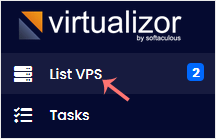
2. From the left side panel, click on List VPS.
virtualizor-list-vps-menu.gif


3. Hover your mouse on the appropriate VPS, and that line will be highlighted. Then click on the Manage icon in the highlighted line.

virtualizor-click-manage-vps.gif


4. On the top right side, click on the Start icon.

virtualizor-start-vps-icon.gif


It can take a few minutes for your VPS to start.


Was this answer helpful?

Related Articles

How to Reboot/Restart VPS in Virtualizor   You can restart VPS via the command line or Virtualizor.   How to Reboot/Restart a VPS via... How to Forcefully or Gracefully Shut Down the VPS in Virtualizor You can shut down the VPS in two ways - forcefully or gracefully in Virtualizor.   How to... How to Access VPS via VNC in Virtualizor You can access your VPS via VNC in an emergency, such as when a firewall blocks your IP, the... How to Reinstall an OS Using the Virtualizor Automatic OS-Reinstaller   You can easily Install/Reinstall the operating system using the Virtualizor. However, note... How to Manually Install/Reinstall an OS Using Virtualizor for a Customized Installation   The Virtualizor's automatic reinstall option does not allow you to modify or create a custom...
« Back

  Support

My Support Tickets
Announcements
Knowledgebase
Downloads
Network Status
Open Ticket
  • Contact Us

Copyright © 2026 Scope Design. All Rights Reserved.


Loading...
Loading...

Generate Password

Enter a number between 12 and 64 for the password length.